您是否曾經需要根據使用者查詢的內容,將其導向不同的專門處理程式?本指南提供了一個完整、逐步的教學,教您如何建立一個能夠智慧路由請求的工作流。您將學習如何建立一個「分流」Agent,該 Agent 會分析輸入並將其轉發給正確的專門 Agent,例如產品支援或意見回饋收集。
路由器工作流是建立複雜、多 Agent 系統的常見且強大的模式。它就像一個智慧調度員,確保使用者請求由最適合該任務的 Agent 處理。此範例展示了一個分流 Agent,它會將問題路由到三個專門 Agent 之一:productSupport、feedback 或 other。
下圖說明了路由邏輯:
direction: down

User: {
  shape: c4-person
}

Triage-Agent: {
  label: "Triage Agent"
  shape: rectangle
}

Specialized-Agents: {
  label: "Specialized Agents"
  shape: rectangle

  productSupport: {
    label: "Product Support Agent"
  }

  feedback: {
    label: "Feedback Agent"
  }

  other: {
    label: "Other Agent"
  }
}

User -> Triage-Agent: "使用者查詢"
Triage-Agent -> Specialized-Agents.productSupport: "路由產品問題"
Triage-Agent -> Specialized-Agents.feedback: "路由意見回饋"
Triage-Agent -> Specialized-Agents.other: "路由其他問題"
Specialized-Agents.productSupport -> User: "回應"
Specialized-Agents.feedback -> User: "回應"
Specialized-Agents.other -> User: "回應"
先決條件
在繼續之前,請確保您的開發環境符合以下要求:
- Node.js: 20.0 或更高版本。
- npm: 隨 Node.js 捆綁提供。
- OpenAI API 金鑰: 預設模型設定所需。您可以從 OpenAI Platform 取得。
快速入門
您可以使用 npx 直接執行此範例,無需手動安裝過程。
執行範例
此範例可以以多種模式執行。
- 單次模式(預設) 此命令處理單個硬式編碼的輸入後退出。
bash npx -y @aigne/example-workflow-router - 互動式聊天模式 使用
--interactive旗標啟動一個互動式會話,您可以在其中發送多條訊息。bash npx -y @aigne/example-workflow-router --interactive - 管線模式 將輸入直接透過管線傳遞給命令。這對於與其他腳本整合很有用。
bash echo "How do I return a product?" | npx -y @aigne/example-workflow-router
連線至 AI 模型
當您第一次執行範例時,它會偵測到尚未設定 AI 模型,並會提示您進行設定。

您有幾種選項可以連線至 AI 模型:
1. 連線至 AIGNE Hub(建議)
這是最簡單的入門方式。官方 AIGNE Hub 為新使用者提供免費點數。
- 選擇第一個選項:
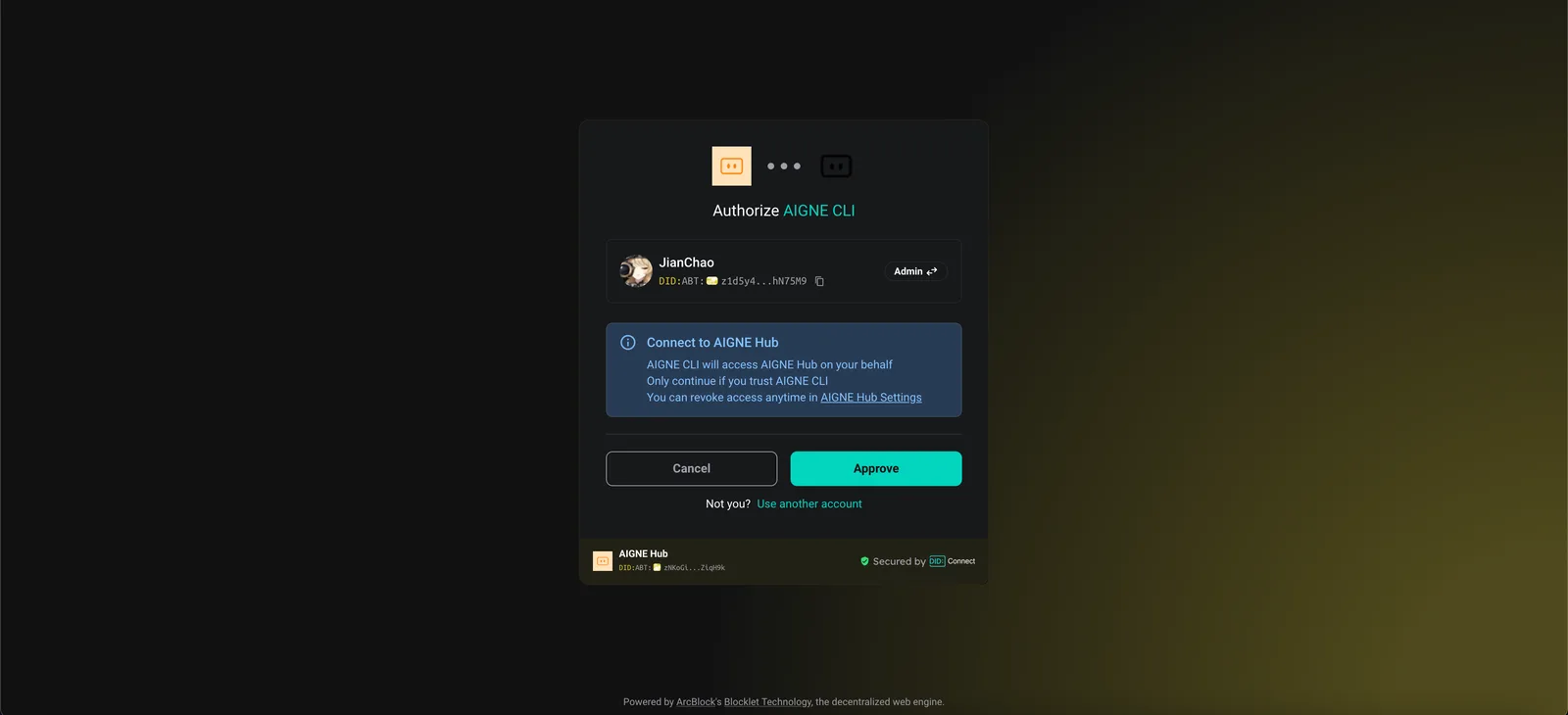
Connect to the Arcblock official AIGNE Hub。 - 您的網頁瀏覽器將開啟一個授權頁面。
- 按照螢幕上的指示批准連線。
2. 連線至自行託管的 AIGNE Hub
如果您正在執行自己的 AIGNE Hub 實例:
- 選擇第二個選項:
Connect to your self-hosted AIGNE Hub。 - 在提示時輸入您的 AIGNE Hub 實例的 URL。

3. 透過第三方模型供應商連線
您也可以透過設定環境變數直接連線至像 OpenAI 這樣的模型供應商。
設定 OpenAI API 金鑰
export OPENAI_API_KEY="YOUR_OPENAI_API_KEY"請將 "YOUR_OPENAI_API_KEY" 替換為您的實際金鑰。設定環境變數後,再次執行範例命令。對於其他供應商,如 Google Gemini 或 DeepSeek,請參閱原始碼中的 .env.local.example 檔案以了解正確的變數名稱。
完整範例與原始碼
核心邏輯涉及定義幾個 AIAgent 實例:三個專門 Agent(productSupport、feedback、other)和一個作為路由器的 triage Agent。triage Agent 被設定為 toolChoice: "router",這指示它選擇其可用 skills(即其他 Agent)之一來處理輸入。
以下是此範例的完整 TypeScript 程式碼。
index.ts
import { AIAgent, AIGNE } from "@aigne/core";
import { OpenAIChatModel } from "@aigne/core/models/openai-chat-model.js";

const { OPENAI_API_KEY } = process.env;

const model = new OpenAIChatModel({
  apiKey: OPENAI_API_KEY,
});

const productSupport = AIAgent.from({
  name: "product_support",
  description: "Agent to assist with any product-related questions.",
  instructions: `You are an agent capable of handling any product-related questions.
  Your goal is to provide accurate and helpful information about the product.
  Be polite, professional, and ensure the user feels supported.`,
  outputKey: "product_support",
});

const feedback = AIAgent.from({
  name: "feedback",
  description: "Agent to assist with any feedback-related questions.",
  instructions: `You are an agent capable of handling any feedback-related questions.
  Your goal is to listen to the user's feedback, acknowledge their input, and provide appropriate responses.
  Be empathetic, understanding, and ensure the user feels heard.`,
  outputKey: "feedback",
});

const other = AIAgent.from({
  name: "other",
  description: "Agent to assist with any general questions.",
  instructions: `You are an agent capable of handling any general questions.
  Your goal is to provide accurate and helpful information on a wide range of topics.
  Be friendly, knowledgeable, and ensure the user feels satisfied with the information provided.`,
  outputKey: "other",
});

const triage = AIAgent.from({
  name: "triage",
  instructions: `You are an agent capable of routing questions to the appropriate agent.
  Your goal is to understand the user's query and direct them to the agent best suited to assist them.
  Be efficient, clear, and ensure the user is connected to the right resource quickly.`,
  skills: [productSupport, feedback, other],
  toolChoice: "router", // 將 toolChoice 設定為 "router" 以啟用路由器模式
});

const aigne = new AIGNE({ model });

// 範例 1:路由至產品支援
const result1 = await aigne.invoke(triage, "How to use this product?");
console.log(result1);

// 範例 2:路由至意見回饋
const result2 = await aigne.invoke(triage, "I have feedback about the app.");
console.log(result2);

// 範例 3:路由至其他
const result3 = await aigne.invoke(triage, "What is the weather today?");
console.log(result3);
執行與輸出
當腳本執行時,aigne.invoke 方法會將使用者的查詢發送給 triage Agent。該 Agent 接著會將查詢路由到最合適的專門 Agent,最終的輸出則來自該被選中的 Agent。
對於「如何使用這個產品?」的輸出
{
  "product_support": "I’d be happy to help you with that! However, I need to know which specific product you’re referring to. Could you please provide me with the name or type of product you have in mind?"
}
對於「我對這個應用程式有意見回饋。」的輸出
{
  "feedback": "Thank you for sharing your feedback! I'm here to listen. Please go ahead and let me know what you’d like to share about the app."
}
對於「今天天氣如何?」的輸出
{
  "other": "I can't provide real-time weather updates. However, you can check a reliable weather website or a weather app on your phone for the current conditions in your area. If you tell me your location, I can suggest a few sources where you can find accurate weather information!"
}
命令列選項
此範例腳本接受多個命令列參數來自訂其行為。
| 參數 | 說明 | 預設值 |
|---|---|---|
--interactive | 以互動式聊天模式而非單次模式執行。 | 停用 |
--model <provider[:model]> | 指定要使用的 AI 模型(例如 openai 或 openai:gpt-4o-mini)。 | openai |
--temperature <value> | 設定模型生成的溫度值。 | 供應商預設值 |
--top-p <value> | 設定 top-p 取樣值。 | 供應商預設值 |
--presence-penalty <value> | 設定存在懲罰值。 | 供應商預設值 |
--frequency-penalty <value> | 設定頻率懲罰值。 | 供應商預設值 |
--log-level <level> | 設定日誌詳細程度(例如 ERROR、WARN、INFO、DEBUG)。 | INFO |
--input, -i <input> | 直接以參數形式提供輸入。 | 無 |
範例
以互動模式執行
npx -y @aigne/example-workflow-router --interactive設定特定的模型和溫度
npx -y @aigne/example-workflow-router --model openai:gpt-4o-mini --temperature 0.5 -i "Tell me about your product."將日誌級別設定為 debug
npx -y @aigne/example-workflow-router --log-level DEBUG偵錯
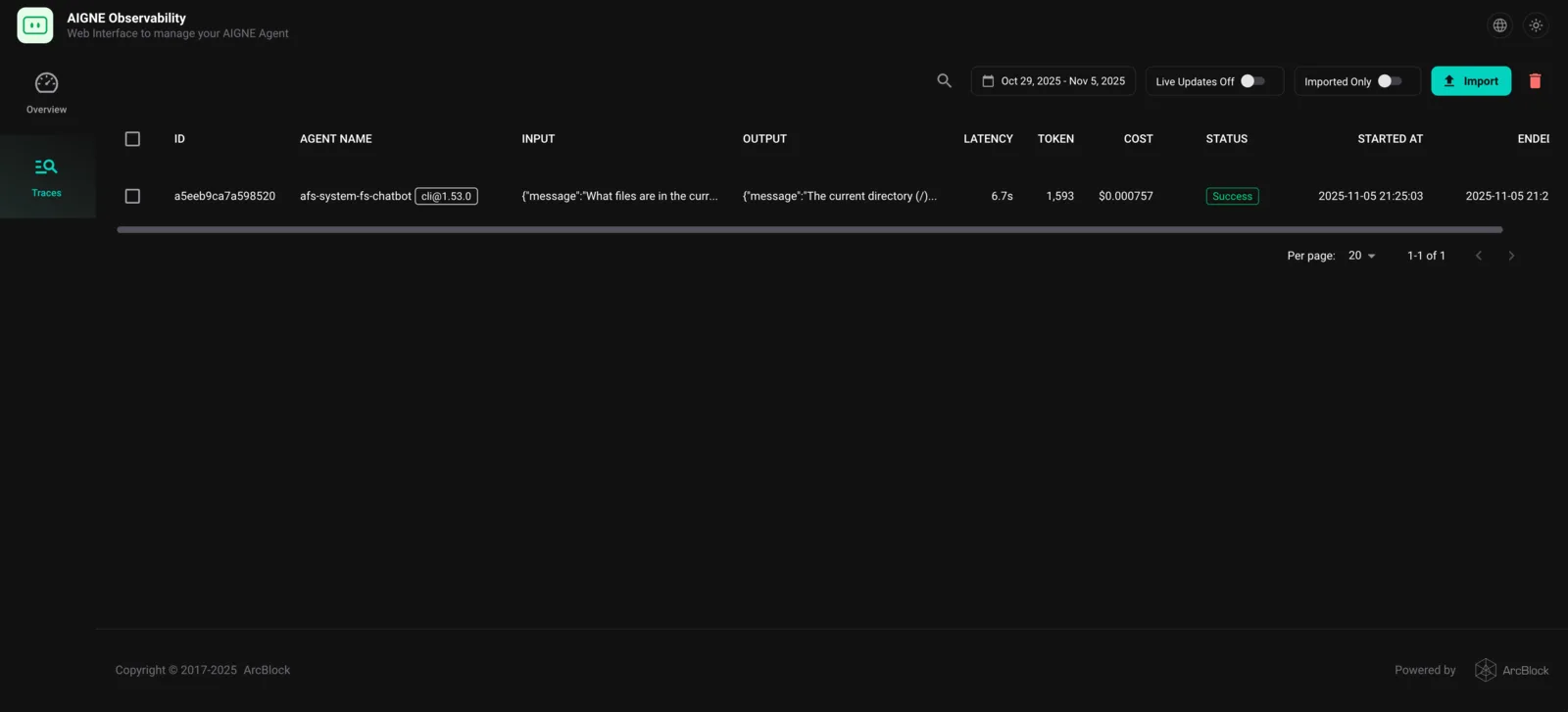
要檢查執行流程並了解 Agent 的行為,您可以使用 AIGNE 可觀測性工具。
首先,在一個單獨的終端機視窗中啟動觀測伺服器:
aigne observe
伺服器將啟動,您可以透過 http://localhost:7893 存取網頁介面。執行範例後,執行追蹤將出現在儀表板中,讓您可以看到 triage Agent 是如何做出路由決策,以及在 Agent 之間傳遞了什麼資料。
總結
此範例展示了如何使用 AIGNE 框架建立一個路由器工作流。透過定義一個將專門 Agent 作為其技能的 triage Agent,並設定 toolChoice: "router",您可以建立一個能夠智慧委派任務的強大系統。
若要了解更複雜的模式,請探索以下範例: