Developers
The Developer Tools section provides administrators with access to a suite of powerful tools for monitoring, debugging, and understanding the inner workings of your blocklets. These utilities offer deep insights into application behavior, resource consumption, and provide direct access to relevant documentation, streamlining troubleshooting and operational management.
While these tools are technical in nature, they are designed to be accessible to administrators responsible for maintaining the health and stability of the service. This section can be hidden by default in advanced settings to simplify the interface for non-technical users.
Key Features#
This section is divided into several key areas, each providing a specific set of functionalities to aid in the management and maintenance of your blocklet service.
Logs#
The Logs interface provides a centralized location to view and analyze log data generated by your blocklets. This is an essential tool for debugging issues, tracking application activity, and understanding system behavior over time. You can view logs in real-time as they are generated or browse through historical log files. The interface includes powerful filtering and search capabilities to help you quickly locate specific log entries.
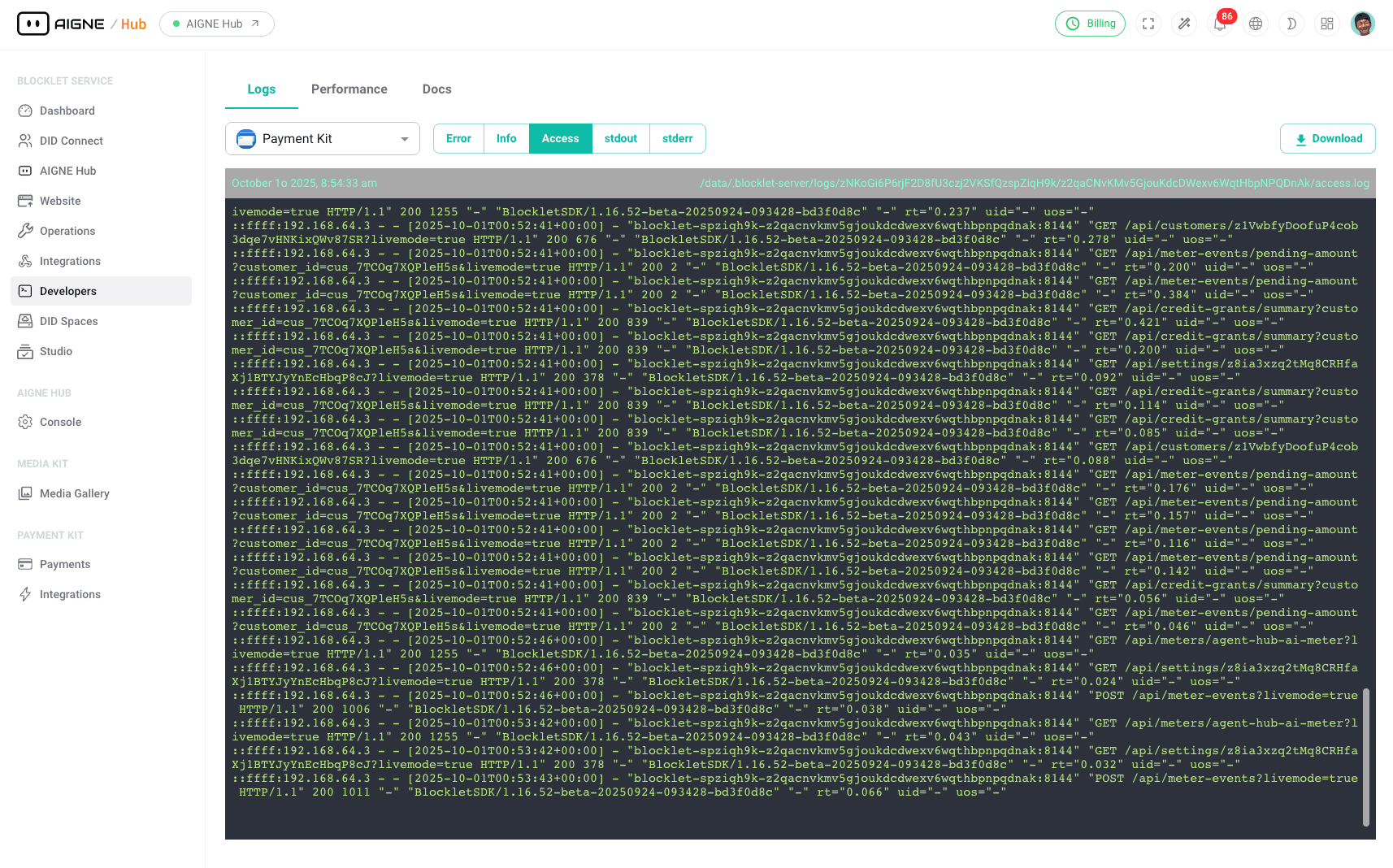
For more detailed information, please see the Logs documentation.
Performance#
The Performance dashboard offers a visual representation of your blocklet's runtime metrics. It allows you to monitor critical resource utilization, such as CPU and memory usage, over various time periods. By observing these performance graphs, you can identify potential bottlenecks, diagnose performance degradation, and ensure your service is running efficiently.
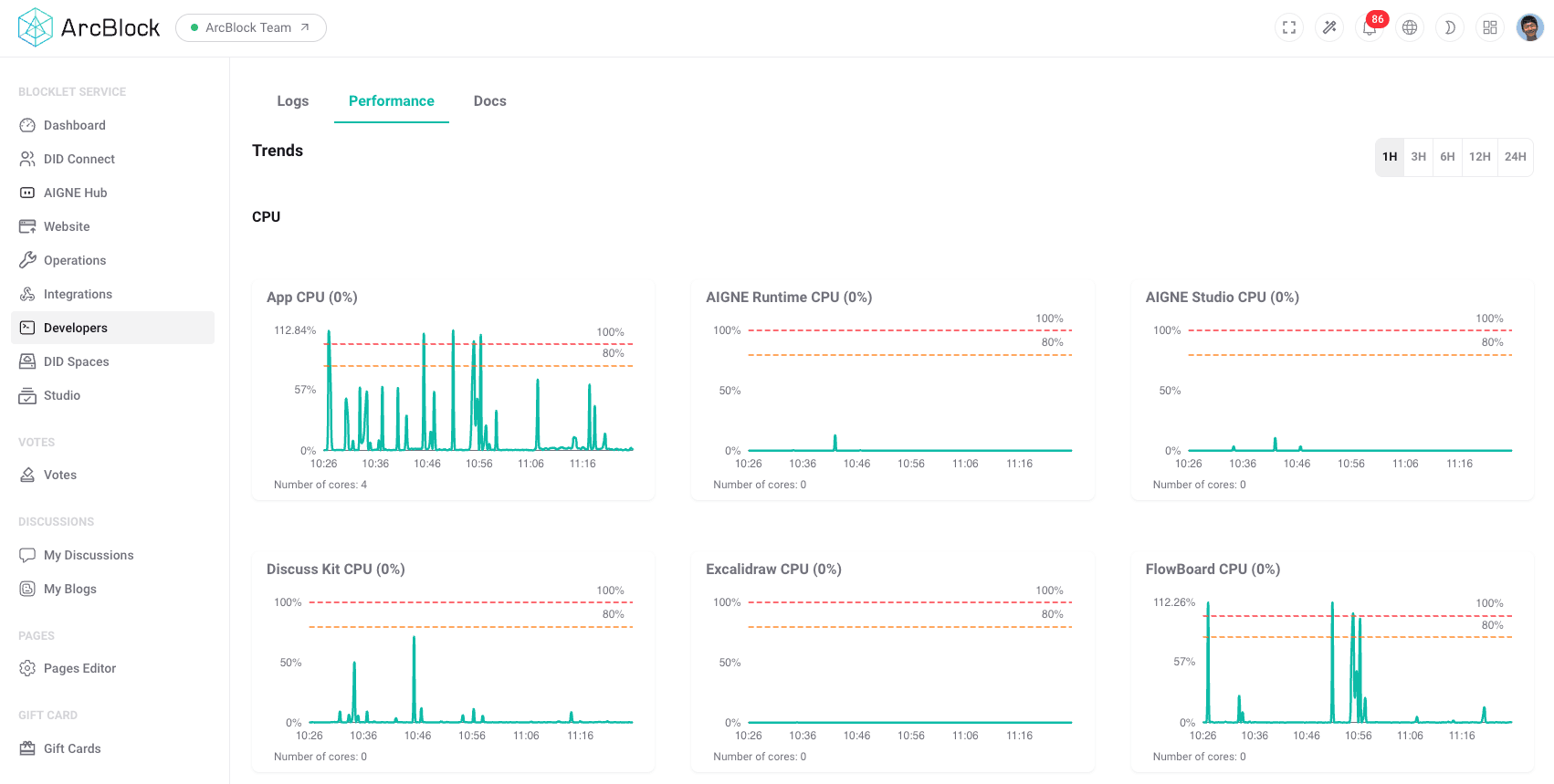
For a deeper dive into monitoring, refer to the Performance section.
Docs#
The embedded documentation portal provides convenient access to developer guides, API references, and other essential documentation directly within the Blocklet Service dashboard. This feature ensures that you have the information you need right at your fingertips, without having to navigate to external websites, facilitating a more efficient workflow when you need to look up technical details.
Summary#
The Developer Tools section equips administrators with the necessary utilities to effectively monitor, diagnose, and manage their blocklet services. By providing direct access to logs, performance metrics, and documentation, it empowers users to maintain a stable and reliable application environment.