Settings
The Settings section within DID Connect is the central control panel for administrators to configure authentication policies, user verification processes, and login methods. Proper configuration in this area is essential for balancing security, user convenience, and data completeness for your application.
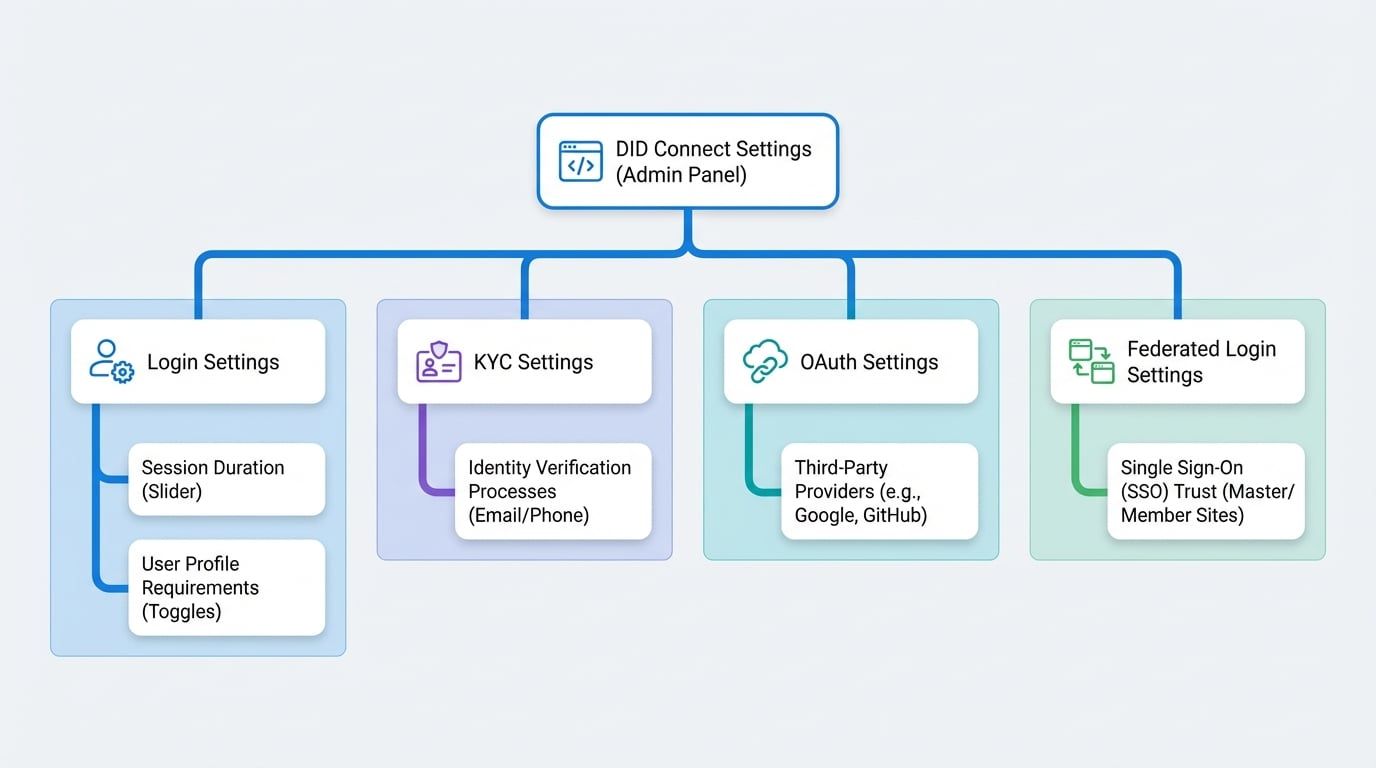
This guide provides a detailed overview of each configuration area: Login Settings, KYC Settings, OAuth Settings, and Federated Login Settings.
The following diagram illustrates the relationship between the administrator and the different configuration areas within the DID Connect Settings.
Login Settings#
This area allows you to customize the user login experience and define data requirements for user profiles.
Session Duration#
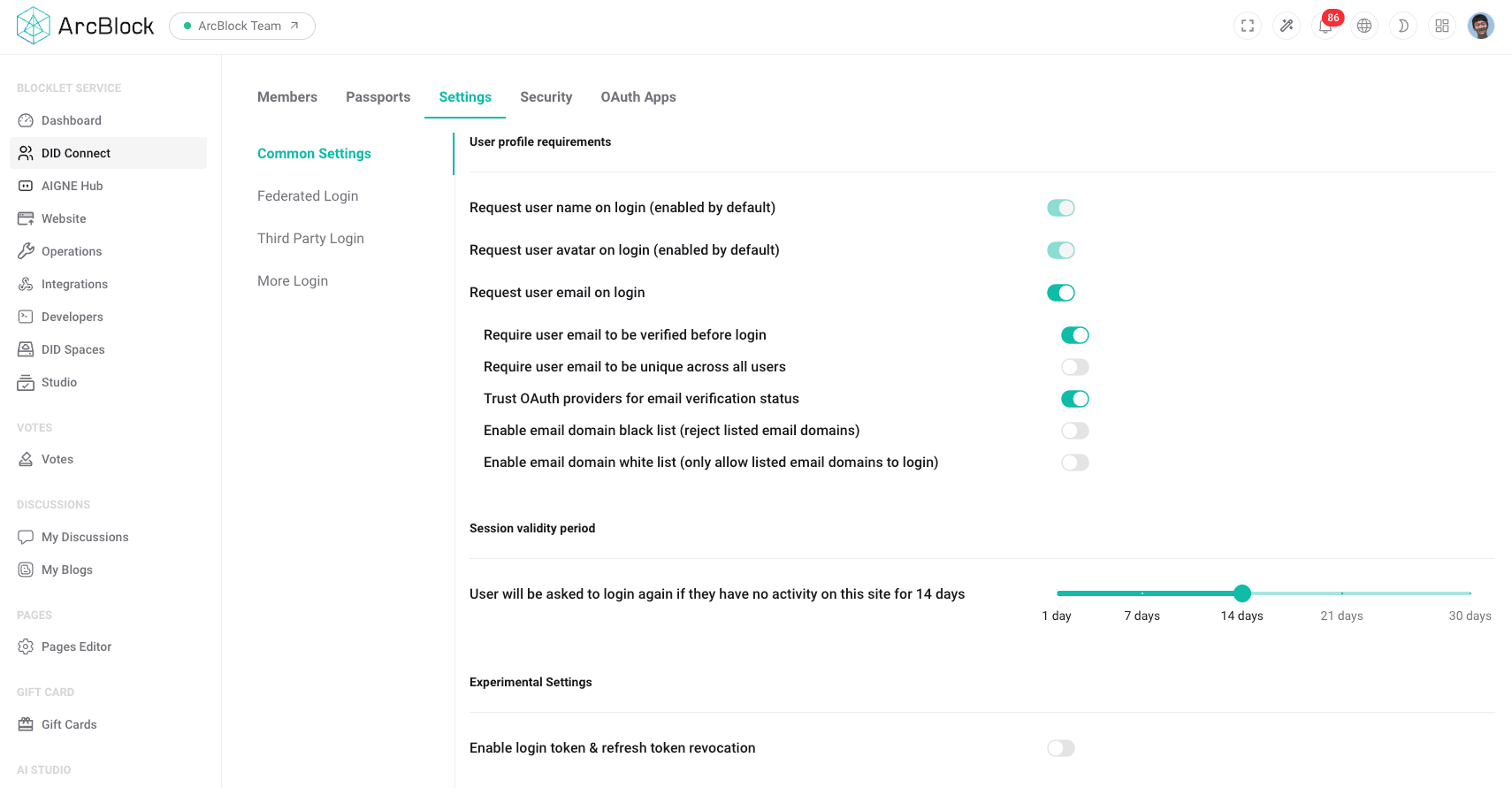
The session duration setting determines how long a user's session remains active after they log in. Shorter durations enhance security by requiring users to re-authenticate more frequently, while longer durations offer greater convenience.
- Functionality: Use the slider to set the session validity period (e.g., from 1 day to 30 days).
- Use Case: For applications handling sensitive data, a shorter session duration (e.g., 1-3 days) is recommended. For general-purpose sites, a longer duration (e.g., 14-30 days) improves user experience by reducing login frequency.
User Profile Requirements#
Define which information fields are mandatory for a user's profile to be considered complete. This ensures that you collect essential data from your users upon registration or their first login.
- Available Fields: You can require users to provide their full name, email address, and phone number.
- Configuration: Use the toggle switches next to each field to enable or disable the requirement.
KYC Settings#
KYC (Know Your Customer) settings are used to establish and manage identity verification processes. This is critical for applications that must adhere to regulatory compliance or wish to add a layer of trust and security by verifying user identities.
- Verification Methods: Configure requirements for users to verify their identity through various channels, such as email validation or phone number confirmation.
- Use Case: Financial applications may use KYC to comply with anti-money laundering (AML) regulations. Online communities might use email verification to reduce spam and fake accounts.
OAuth Settings#
OAuth settings enable you to integrate third-party authentication providers, allowing users to sign in with their existing social or professional accounts (e.g., Google, GitHub). This simplifies the registration and login process, which can lead to higher user adoption.
- Provider Configuration: Add, configure, and manage credentials for each external OAuth provider you wish to support.
- Channel Management: You can enable or disable specific login methods and customize the order in which they appear on the login page to prioritize certain providers.
Federated Login Settings#
Federated login establishes a trust relationship between multiple independent websites, creating a single sign-on (SSO) experience for users across all sites in the federation. When a user logs into one site, they are automatically authenticated on all other participating sites.
- Functionality: Configure a "master" site that manages authentication for a group of "member" sites.
- Use Case: An organization with multiple web properties (e.g., a main website, a blog, and a support portal) can use federated login to provide a seamless user experience, eliminating the need for users to log in separately to each property.
Summary#
The Settings section provides administrators with powerful tools to tailor the authentication and user management aspects of their application. By carefully configuring these options, you can create a secure, compliant, and user-friendly environment. For more advanced access control, please refer to the Security section.