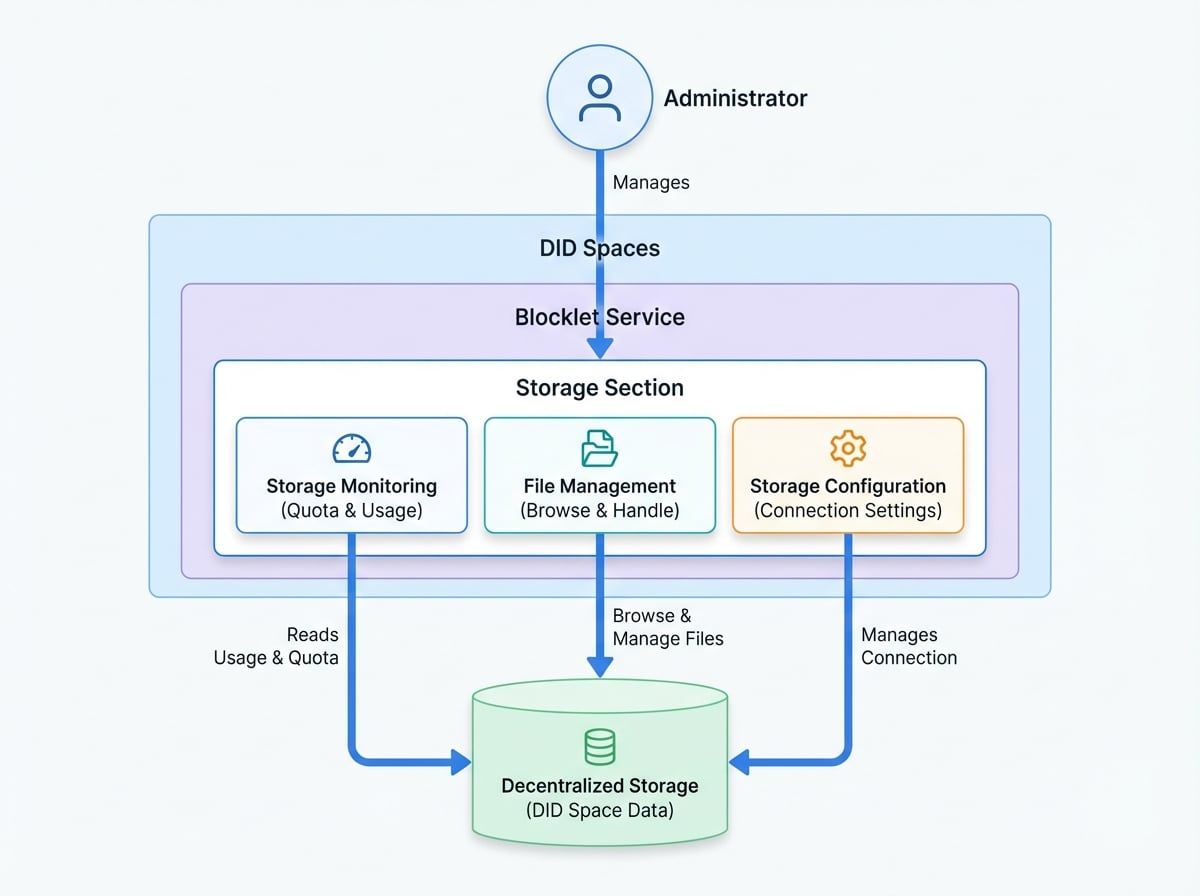
The Storage section, part of the DID Spaces service, provides administrators with essential tools for monitoring and managing the storage resources allocated to their Blocklet Service. This interface offers a clear view of storage consumption, including total quota and current usage, enabling proactive resource management. It also includes a file management interface to browse and handle files stored within your decentralized DID Space.
This guide covers the primary functions of the Storage section: monitoring usage and managing files.
Key Features#
Storage Monitoring#
Maintaining awareness of your storage consumption is critical for uninterrupted service. The Storage section provides a straightforward view of your allocated resources.
- Storage Quota: This represents the total amount of storage space available to your DID Space. It is the upper limit of data you can store.
- Storage Usage: This metric shows the current amount of storage space being actively used by your files and data. A visual indicator, such as a progress bar, typically accompanies this figure to provide a quick assessment of your consumption relative to the total quota.
Regularly monitoring these metrics helps in planning for future storage needs and preventing service disruptions due to exhausted space.
File Management#
Beyond monitoring, the Storage section includes a file management interface that allows for direct interaction with the data stored in your DID Space. This integrated file browser provides a user-friendly way to:
- Navigate through the directory structure of your storage.
- View a list of all stored files and folders.
- Access details about individual files, such as size and modification date.
This functionality is essential for administrative tasks such as verifying backups, locating specific files, or cleaning up obsolete data to free up space.
Storage Configuration#
The interface also provides access to configuration settings related to your DID Space storage. These settings allow you to manage the connection to your DID Space and adjust parameters as needed to suit your application's requirements.
Summary#
The Storage section is a vital tool for any administrator responsible for managing a Blocklet Service. It provides the necessary visibility and control over decentralized storage resources, combining essential monitoring capabilities with practical file management tools. By leveraging this section, you can ensure your service operates smoothly with well-managed and optimized storage. For information on configuring automated backups, please see the Backups documentation.