Passports
A Passport is a verifiable digital credential issued to a user, serving as proof of identity or authorization within your application. As a fundamental component of the DID Connect system, Passports enable secure and structured access control. This section provides administrators with the tools to manage the entire lifecycle of user Passports, including issuance, monitoring, and revocation.
Passport Lifecycle#
The lifecycle of a Passport follows a distinct and manageable process, ensuring that user credentials are systematically controlled from creation to expiration. The key stages are illustrated below:
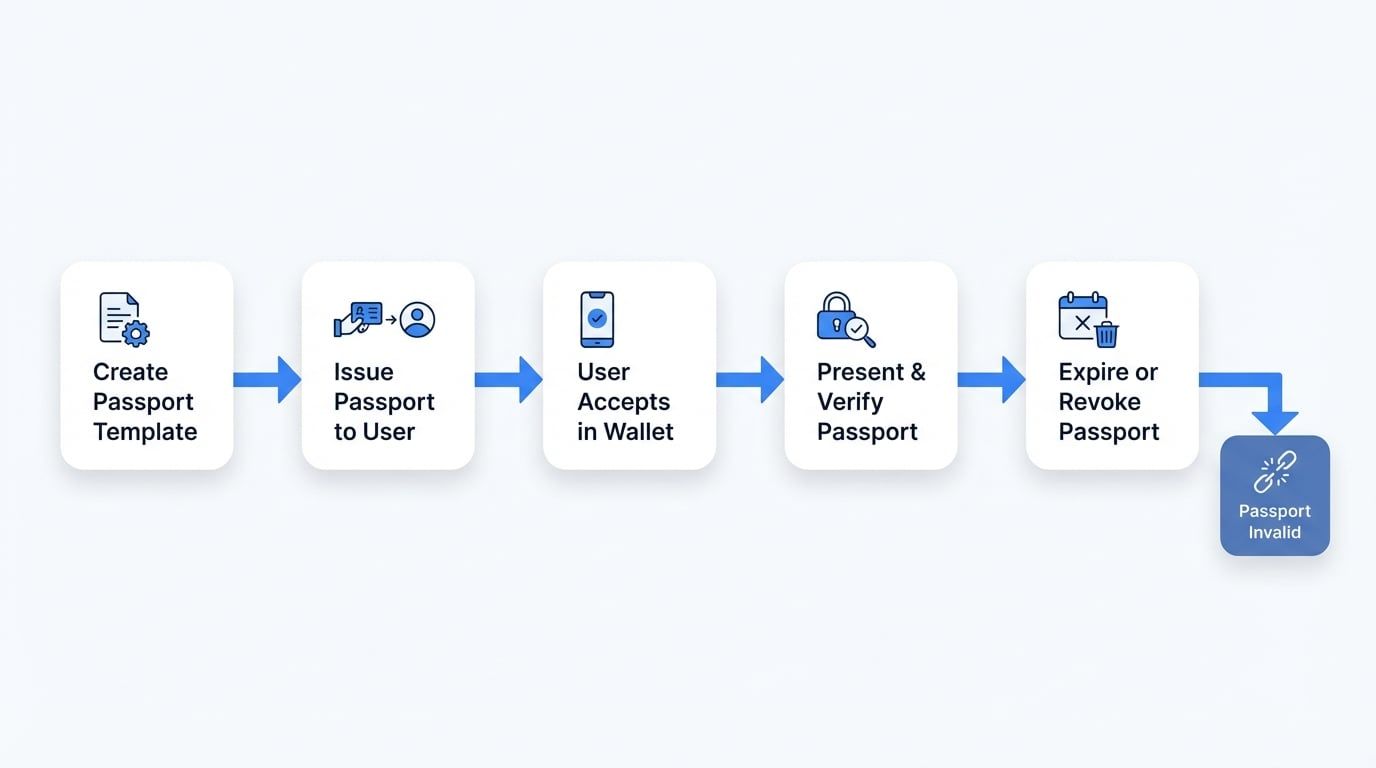
The process unfolds as follows:
- Template Creation: An administrator designs and configures a passport template, defining its claims, validity period, and other relevant attributes.
- Issuance: Based on a selected template, a new Passport is issued to a specific user's DID.
- User Acceptance: The user receives a notification and accepts the issued Passport in their DID Wallet.
- Verification: The user presents the Passport to the application to gain access. The application verifies its authenticity and confirms it is still valid.
- Expiration/Revocation: The Passport becomes invalid either when its predefined expiration date is reached or if an administrator manually revokes it.
Key Features#
The Passports section offers a centralized interface for comprehensive management of all user credentials.
- Issued Passport Registry: Access a complete list of all Passports issued to users. The registry provides essential details such as the passport type, owner's DID, issuance date, and current status.
- Usage History: Monitor when and how Passports are used to access the application. This functionality is critical for security audits and analyzing user activity patterns.
- Template Management: Create, edit, and manage templates for various types of Passports. Templates standardize the information and permissions associated with each credential, which simplifies and accelerates the issuance process.
- Issue New Passports: Manually issue new Passports to individual users as needed, which is particularly useful for granting specific permissions or onboarding new members.
- Custom Passport Types: For advanced use cases, you can define custom Passport types that are tailored to the unique requirements of your application, providing flexibility beyond the standard templates.
Managing Passports#
The Passports dashboard presents a detailed table of all issued credentials, designed for efficient administration and oversight.
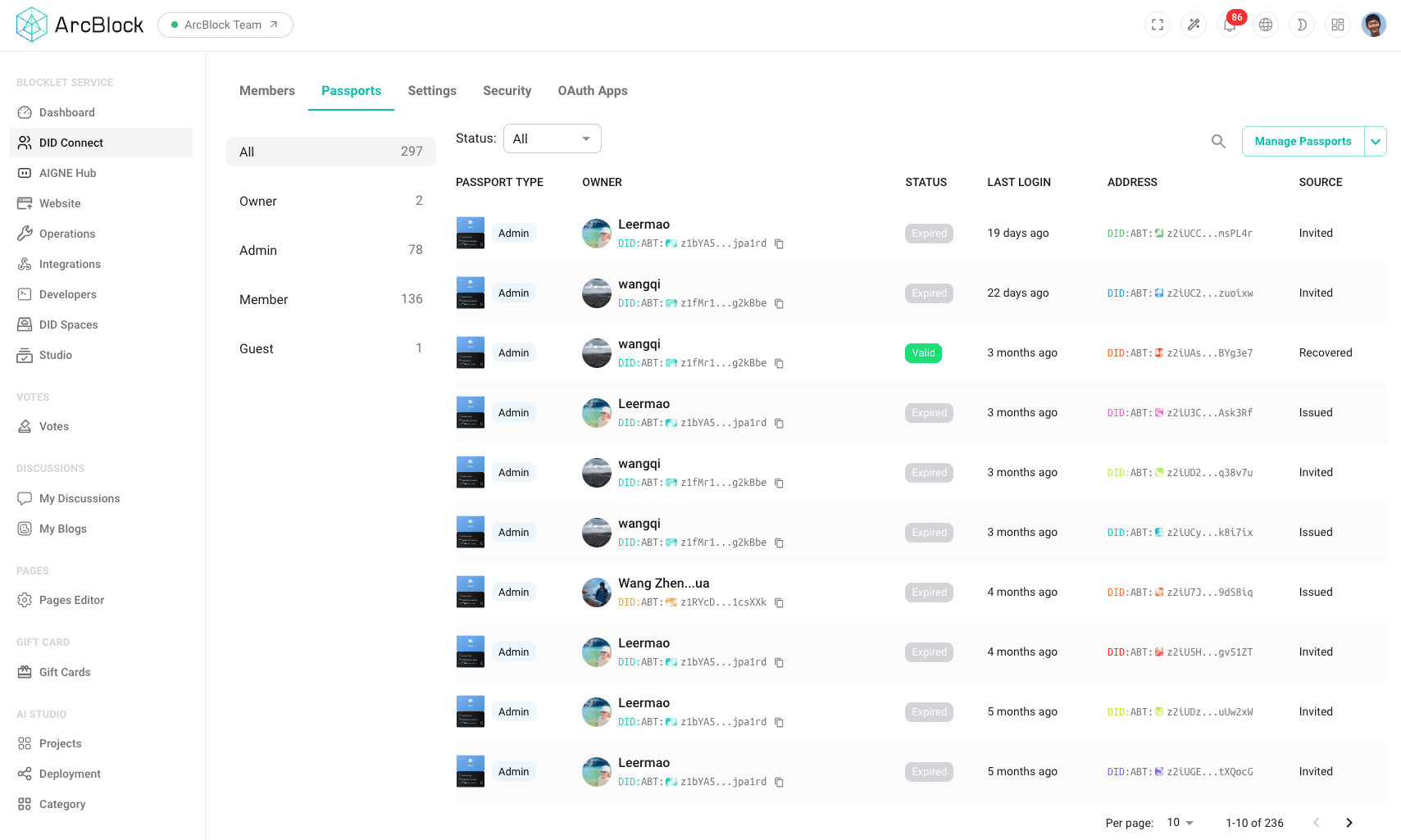
The table contains the following columns:
Column | Description |
|---|---|
Type | The category or template from which the Passport was issued. |
Owner | The user to whom the Passport was issued, identified by their name and DID. |
Status | The current state of the Passport (e.g., |
Last Login | The timestamp of the user's most recent login session using this Passport. |
Source | The method or authority through which the Passport was originally issued. |
From this interface, administrators can select any Passport to view its detailed information, verify its status, or perform management actions such as revocation.
Summary#
Systematic management of Passports is essential for maintaining a secure and orderly application environment. The tools provided in this section allow you to control, monitor, and audit user access throughout its entire lifecycle. For details on managing the users who hold these Passports, please proceed to the Members section.