Notifications
Overview#
The Notifications section provides a centralized interface for administrators to monitor and manage all outgoing communications from the system. It allows you to track the delivery status of messages across multiple channels, review historical data, and manage notification settings to ensure reliable communication with your users. This is essential for operational oversight and for diagnosing any issues related to message delivery.
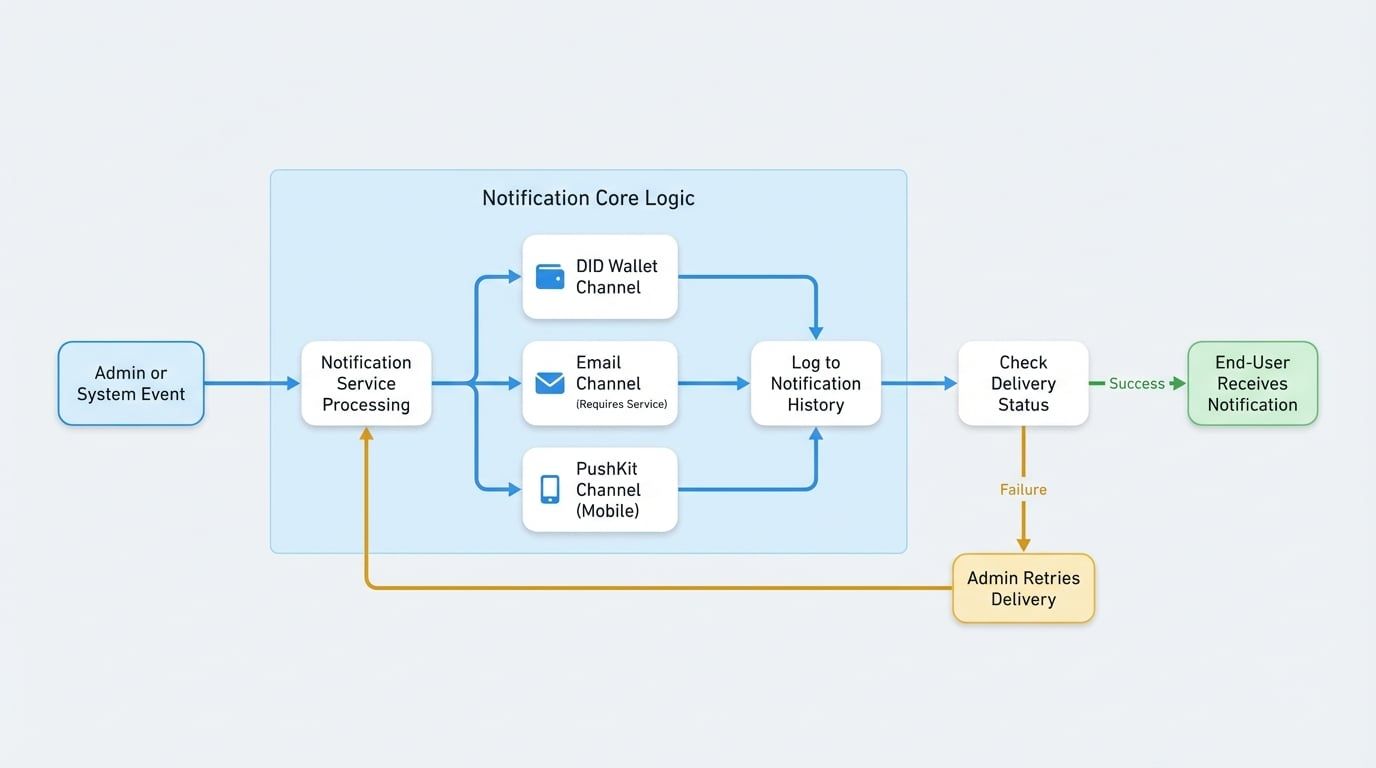
From this dashboard, you can view a comprehensive history of all notifications sent, check whether they were successfully delivered via channels such as DID Wallet, Email, or PushKit, and retry sending any messages that may have failed.
The following diagram illustrates the notification workflow from the administrator to the end-user:
Notification History#
The main view of the Notifications section is a detailed log of all notifications that have been sent. This historical list provides transparency and allows you to audit communications effectively.
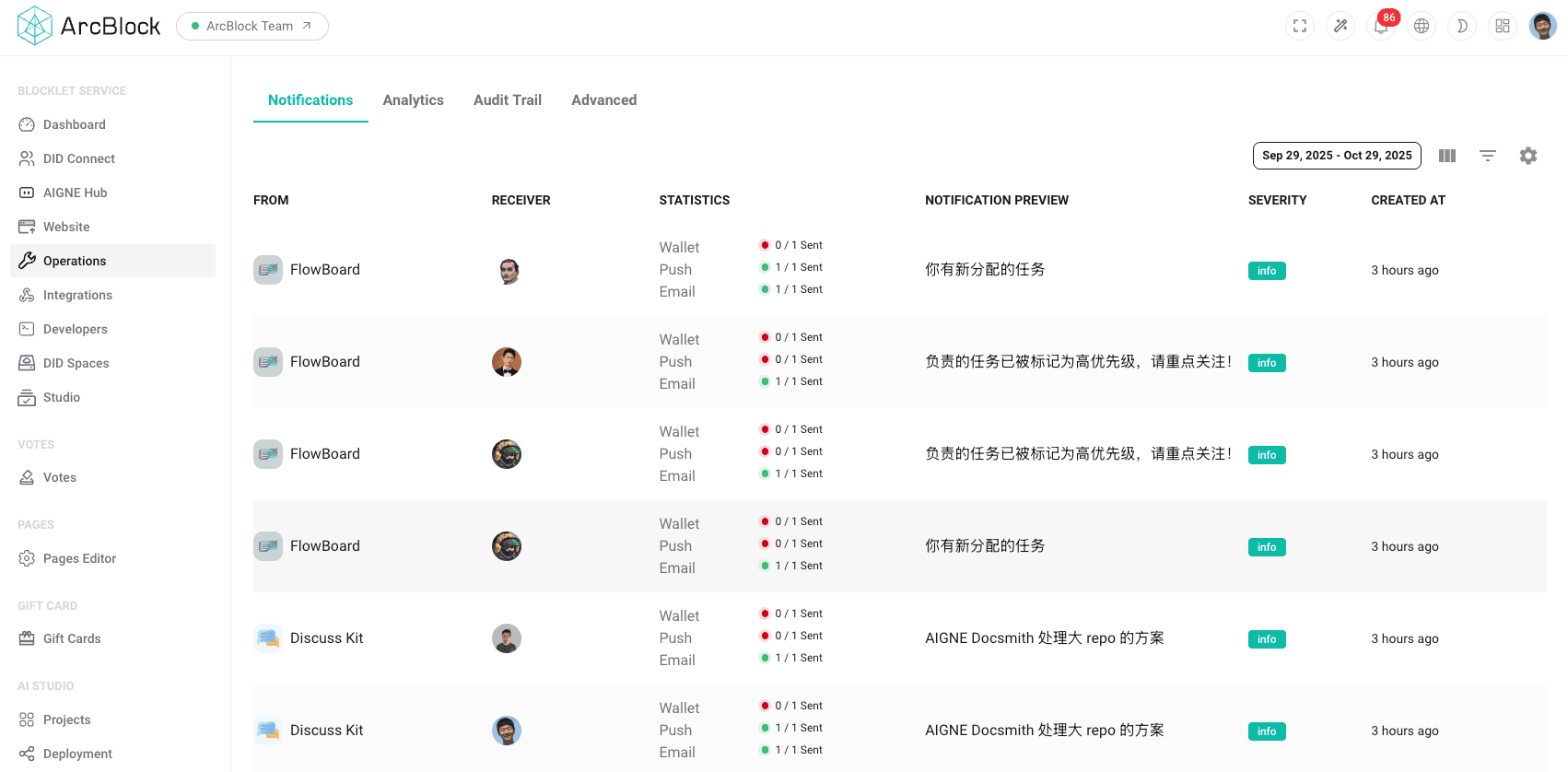
The notification list is presented in a table with the following columns:
Column | Description |
|---|---|
FROM | Indicates the sender of the notification, which is typically a system component or a specific blocklet. |
TO | The intended recipient of the notification, identified by their name or DID. |
CHANNELS | Shows the delivery status across the different configured channels (e.g., Wallet, Push, Email). Icons indicate success, failure, or pending status for each channel. |
PREVIEW | A short snippet of the notification content, allowing you to quickly understand the message's purpose. |
SEVERITY | The priority level of the notification, such as |
CREATED | The exact date and time when the notification was generated. |
You can use the date filter at the top of the page to narrow down the list and find notifications sent within a specific time frame.
Multi-Channel Delivery#
The Blocklet Service is equipped with a multi-channel notification system to ensure messages reach users effectively. A single event can trigger notifications across several channels simultaneously. The primary channels include:
- DID Wallet: Sends a direct message to the user's ABT Wallet. This is the most common and reliable method for users who have connected their wallet.
- Email: Delivers a notification to the user's registered email address. This requires an email service to be configured in the system settings.
- PushKit: Sends a push notification to a user's mobile device via services like Apple Push Notification service (APNs) or Firebase Cloud Messaging (FCM). This is effective for engaging users of mobile applications.
The system intelligently routes messages based on user preferences and available contact information, and the CHANNELS column in the history log provides a clear status for each delivery attempt.
Managing Notifications#
In addition to viewing history, the Notifications section provides tools for managing message delivery. If a notification fails to send on a particular channel, you will have the option to retry the delivery. This is particularly useful for transient network issues or temporary service unavailability.
Summary#
The Notifications section is a vital tool for administrators responsible for operational management. It offers a clear and detailed overview of all user-facing communications, supports reliable multi-channel delivery, and provides the necessary tools to manage and troubleshoot notification issues.