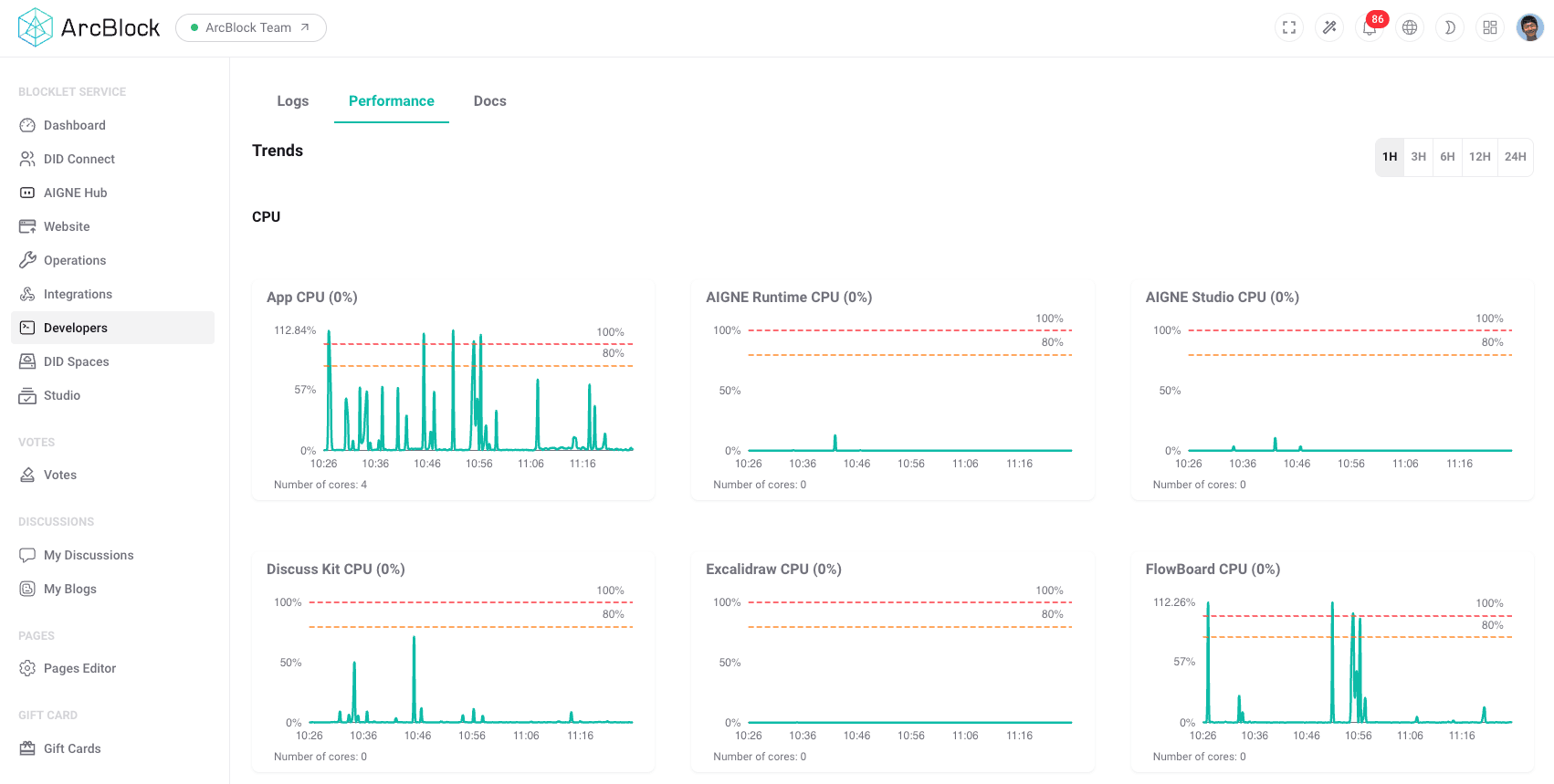
The Performance section provides administrators with essential tools to monitor the runtime health and resource utilization of blocklets. Consistent monitoring is a key practice for maintaining application stability, identifying potential bottlenecks, and ensuring efficient operation. This area is located within the "Developers" tools, offering a clear view of how system resources are being consumed.
The primary interface for performance monitoring is a dashboard that visualizes key metrics over time. It presents a series of graphs, allowing for a quick assessment of a blocklet's operational status. Administrators can observe trends, identify anomalies, and correlate performance spikes with specific events or time periods.
The dashboard typically displays metrics such as:
- CPU Utilization: Shows the percentage of CPU resources being used by a blocklet or its components. Sustained high CPU usage may indicate an inefficient process or a need for resource scaling.
- Memory Usage: Tracks the amount of memory (RAM) a blocklet is consuming. Monitoring this metric is crucial for detecting memory leaks and preventing application crashes due to resource exhaustion.
Monitoring Architecture#
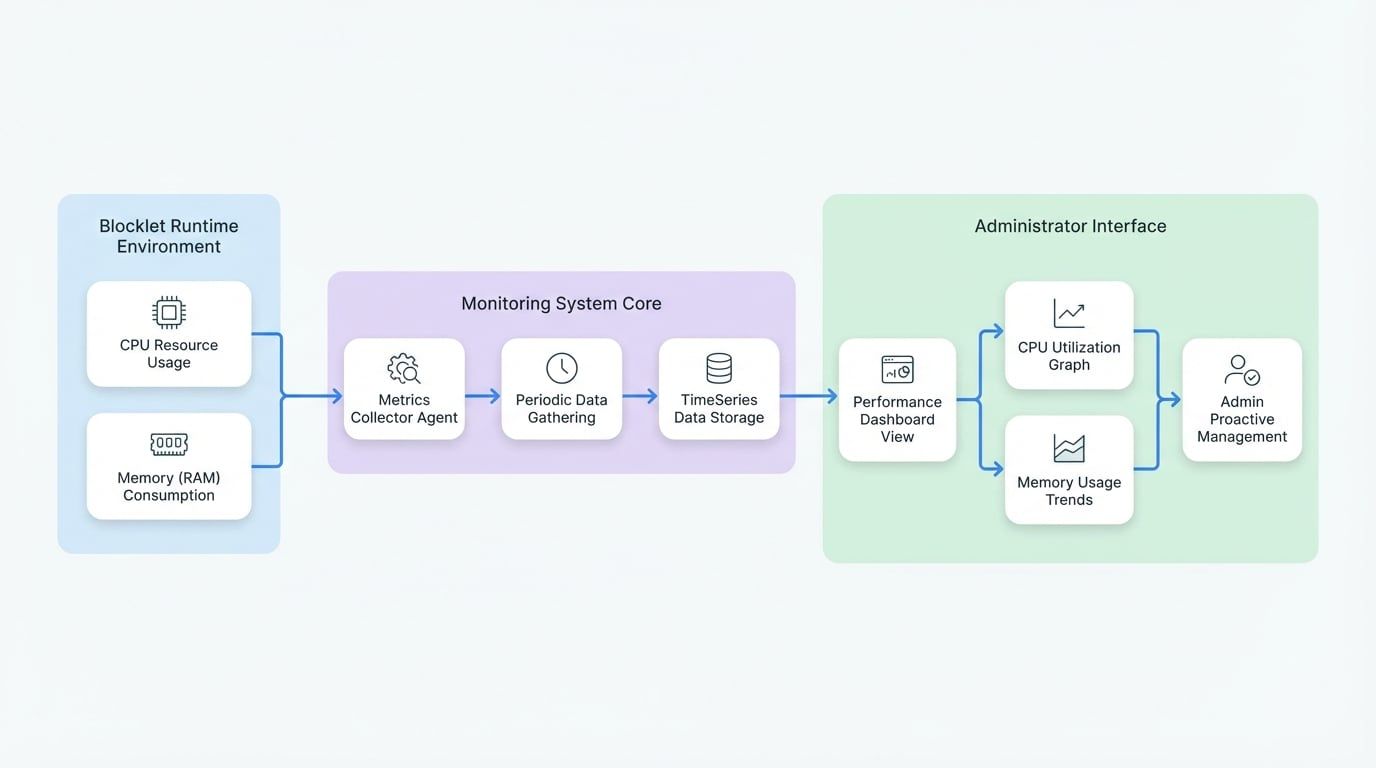
The performance monitoring system is designed to collect, store, and display metrics with minimal overhead. The process involves a metrics collector that periodically gathers data from the blocklet's runtime environment. This data is then stored and made available to the dashboard for visualization.
This architecture ensures that administrators have access to timely and accurate performance data to make informed decisions about their applications.
Summary#
By utilizing the Performance dashboard, administrators can proactively manage the health of their blocklets. Regular monitoring of CPU and memory usage helps in diagnosing issues, planning for future capacity, and maintaining a smooth and reliable user experience. For real-time issue diagnosis and debugging, this tool should be used in conjunction with the Logs viewer.