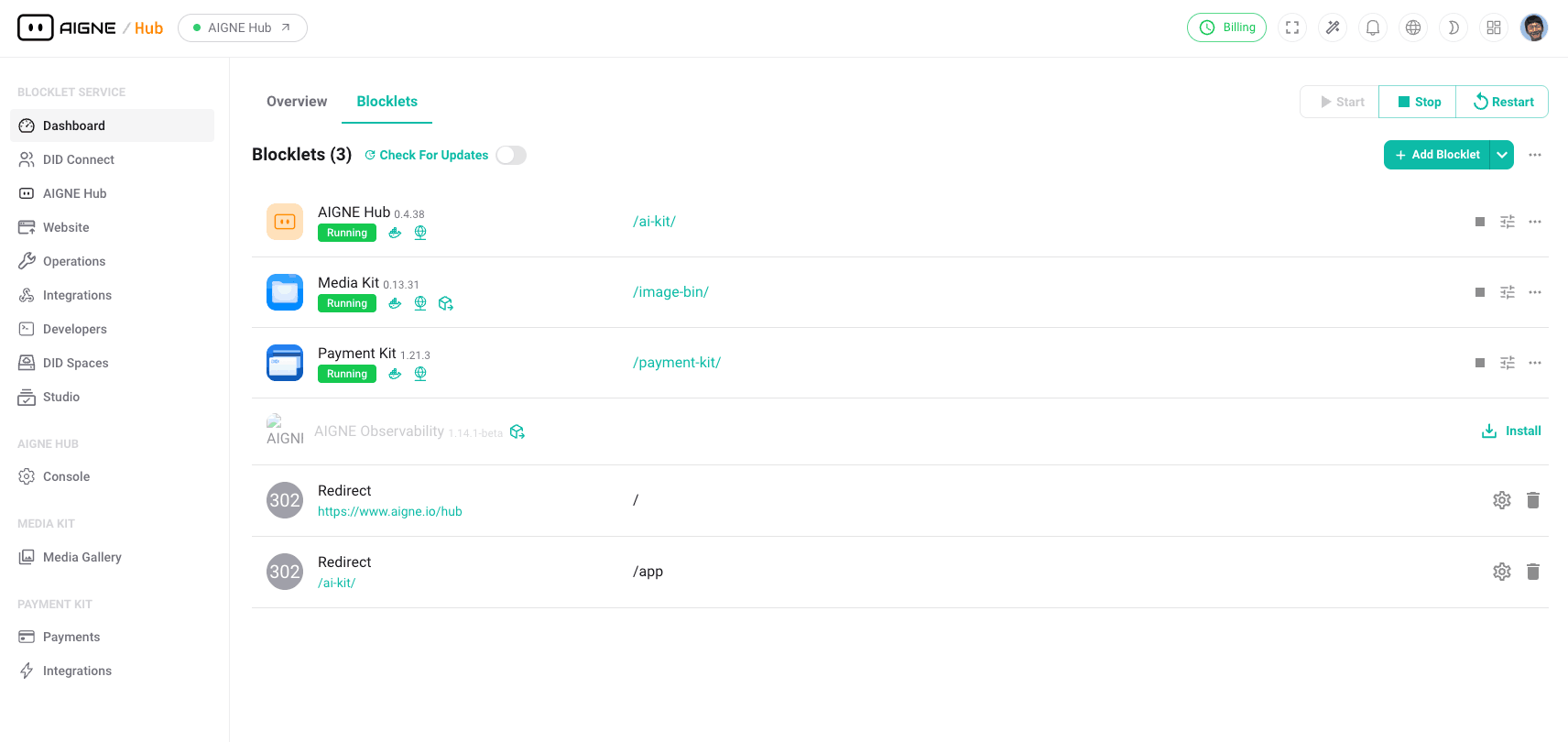
The Dashboard is the central administrative interface for your Blocklet Service. It functions as the primary hub for managing blocklets, monitoring the overall system status, and provides quick access to essential, frequently used functions.
Overview#
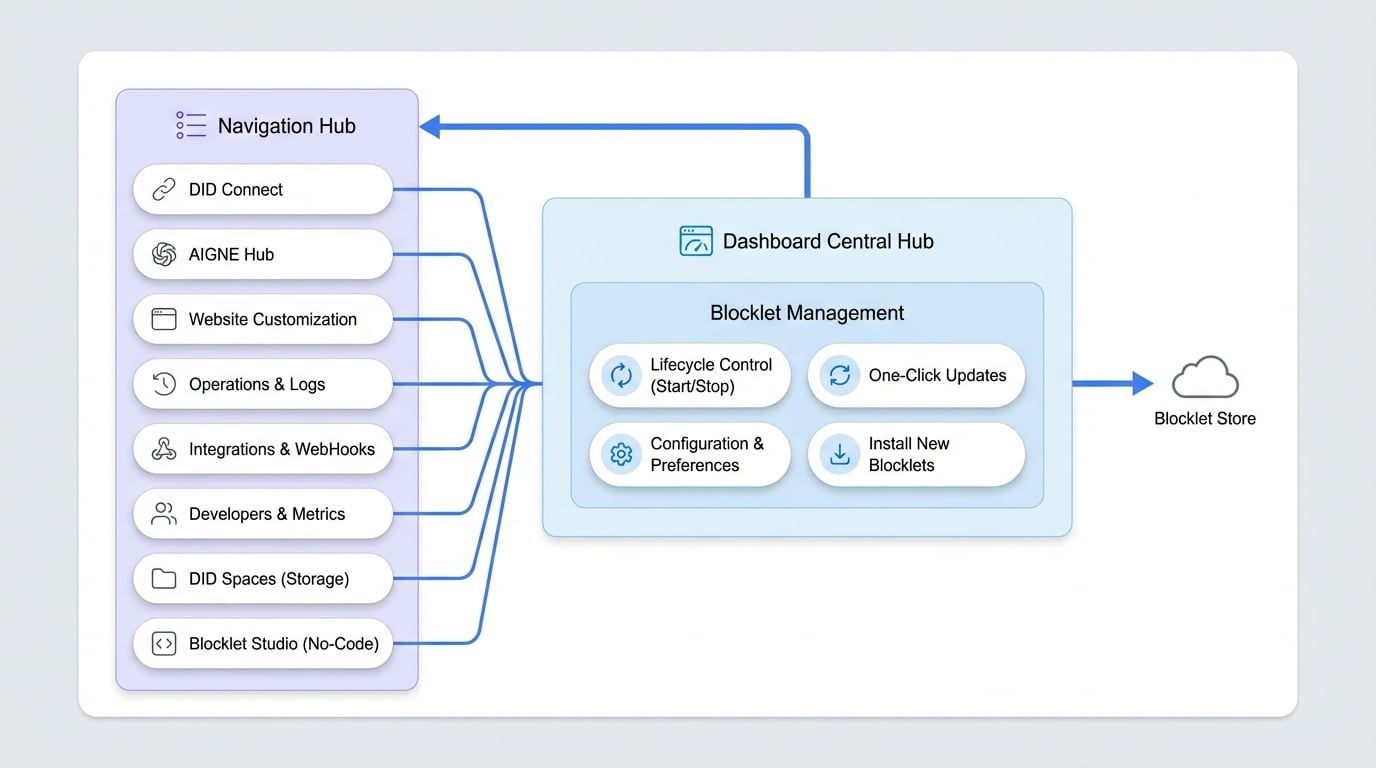
Upon logging in, the Dashboard presents a comprehensive overview, acting as the command center for all administrative tasks. Its design prioritizes efficiency, allowing for immediate access to critical system information and management tools. From this central point, you can control your installed blocklets, navigate to user and identity management, customize your website's branding and appearance, and monitor key operational metrics.
Blocklet Management#
A primary feature of the Dashboard is the direct management of all installed blocklets. This section provides a streamlined interface for the complete lifecycle management of your applications.
Key management actions include:
- Lifecycle Control: Start, stop, restart, and remove blocklets as needed.
- Updates: View notifications for available updates and apply them with a single click to keep your services current.
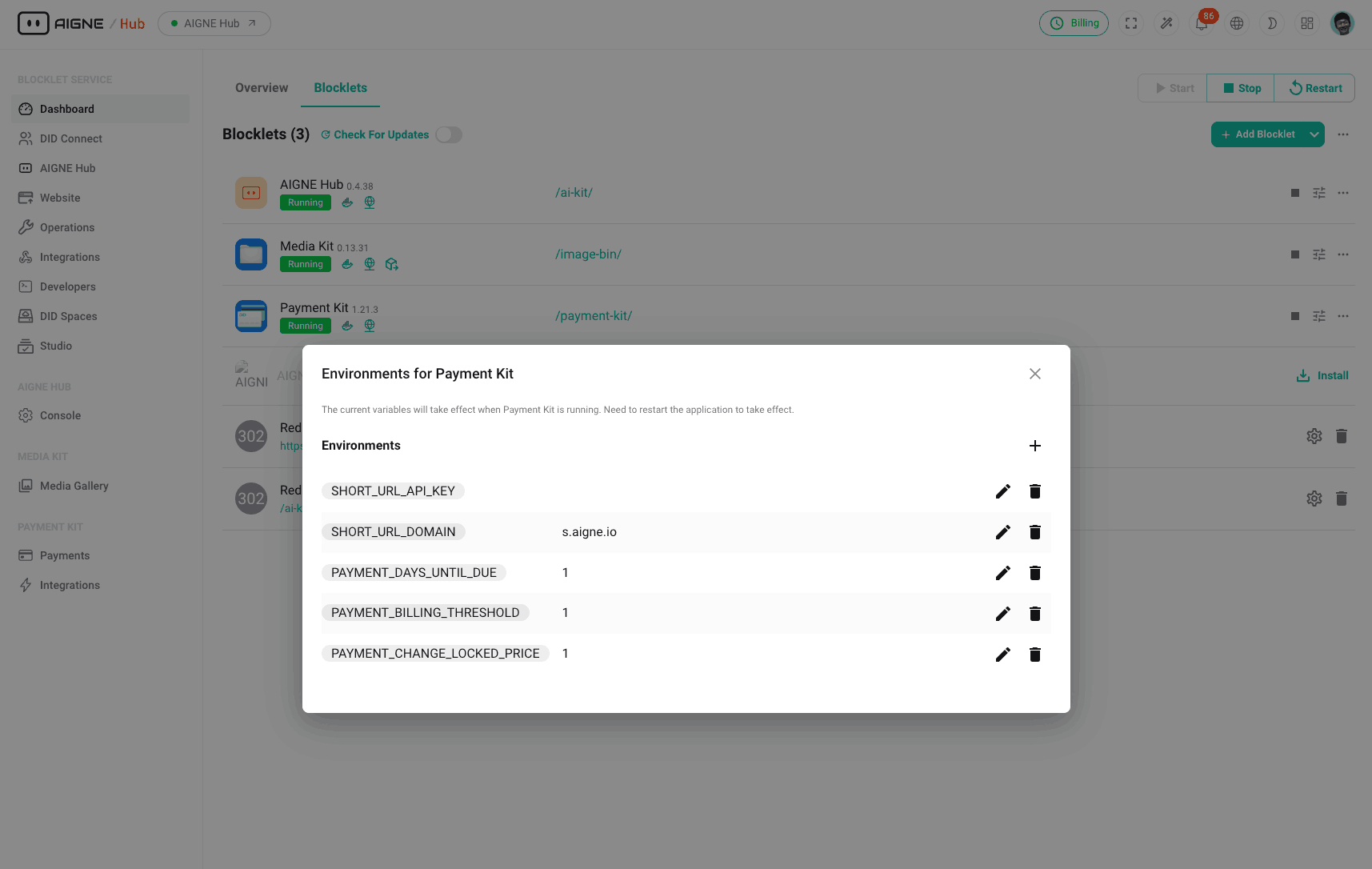
- Configuration: Manage environment variables and adjust blocklet-specific preferences.
- Installation: Add new blocklets directly from the Blocklet Store.
Navigation Hub#
The Dashboard serves as the main navigation hub, providing access to all other administrative sections. The side navigation panel is logically organized to ensure you can locate the required tools quickly and efficiently.
Summary#
In summary, the Dashboard is the essential starting point for any administrative task. It provides a high-level status overview and consolidates all management functionalities into a single, accessible interface, ensuring a streamlined and efficient administrative experience. From here, you can proceed to more specialized sections like DID Connect for user management or the Website section to configure your site's appearance.