Logs
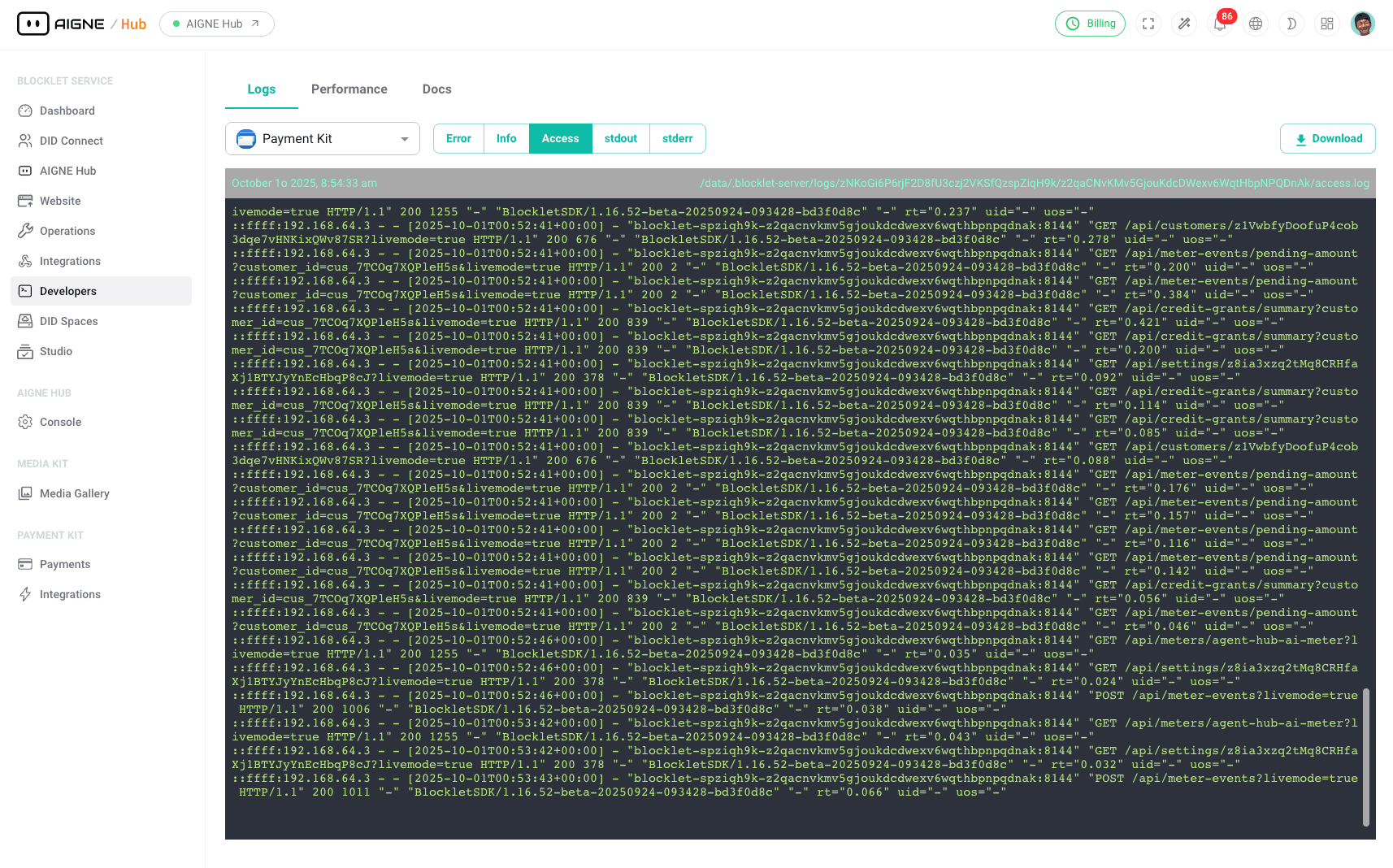
The Logs section provides administrators with direct access to real-time and historical log data generated by the blocklet. This tool is essential for debugging issues, monitoring application behavior, and gaining insights into operational activities. A systematic review of logs can help identify errors, track user actions, and ensure the system is functioning as expected.
Log Data Flow#
The following diagram illustrates the process by which log data is generated, collected, and made available for viewing and analysis within the Developer Tools.
generateDiagram(documentContent='# Logs
The Logs section provides administrators with direct access to real-time and historical log data generated by the blocklet. This tool is essential for debugging issues, monitoring application behavior, and gaining insights into operational activities. A systematic review of logs can help identify errors, track user actions, and ensure the system is functioning as expected.
Log Data Flow#
The following diagram illustrates the process by which log data is generated, collected, and made available for viewing and analysis within the Developer Tools. ', locale='en')
Key Features#
The Logs interface is designed to provide comprehensive access to your blocklet's logs with several key functionalities.
Real-Time Log Streaming#
View logs as they are generated in real-time. The live-streaming feature is invaluable for monitoring the immediate effects of actions or diagnosing active problems within the application. The latest log entries automatically appear at the top of the view, providing an up-to-the-minute account of system activity.
Historical Log Access#
Beyond real-time monitoring, you can browse and inspect historical log files. This allows for post-mortem analysis of incidents, auditing of past activities, and understanding trends over time. The system archives logs, making them available for review long after they were initially generated.
Filtering and Searching#
To efficiently navigate through large volumes of log data, the Logs tool includes powerful filtering and search capabilities. You can isolate specific log entries based on their severity level or content.
- Filter by Level: Narrow down the log entries by type, such as
Error,Info, andAccess. This helps in quickly identifying critical issues or focusing on specific categories of events. - Search: Use the search bar to find logs containing specific keywords, user IDs, request URLs, or error messages. This is crucial for tracing a specific transaction or debugging a particular feature.
How to Use the Log Viewer#
- Navigate to Logs: From the main dashboard, select Developers in the sidebar, and then click on the Logs tab.
- Select a Component: If your service consists of multiple blocklets or components, use the dropdown menu at the top to select the specific component whose logs you wish to view.
- View Real-Time Logs: By default, the log viewer streams logs in real-time. Observe the entries as they appear.
- Apply Filters: To narrow the results, click on the filter buttons (e.g.,
Error,Info). The view will update to show only the logs matching the selected level. - Search Logs: Enter a search term into the search box and press Enter. The log display will be filtered to show only entries that contain your search query.
- Inspect Log Details: Each log entry typically contains a timestamp, the log level, and the message. Click on an entry if additional details are available for inspection.
Summary#
The Logs section is a critical tool for administrators responsible for maintaining the health and stability of a blocklet. It provides the necessary visibility to diagnose problems, monitor system behavior, and ensure a reliable service. By leveraging real-time streaming, historical access, and powerful search filters, you can effectively manage and troubleshoot your application.