Domains
Proper domain configuration is fundamental to establishing your website's brand identity and ensuring users can easily access your services. This section allows you to manage the domains associated with your site, from using automatically assigned default domains to connecting your own custom domains and defining specific URL routing rules.
How Domain Routing Works#
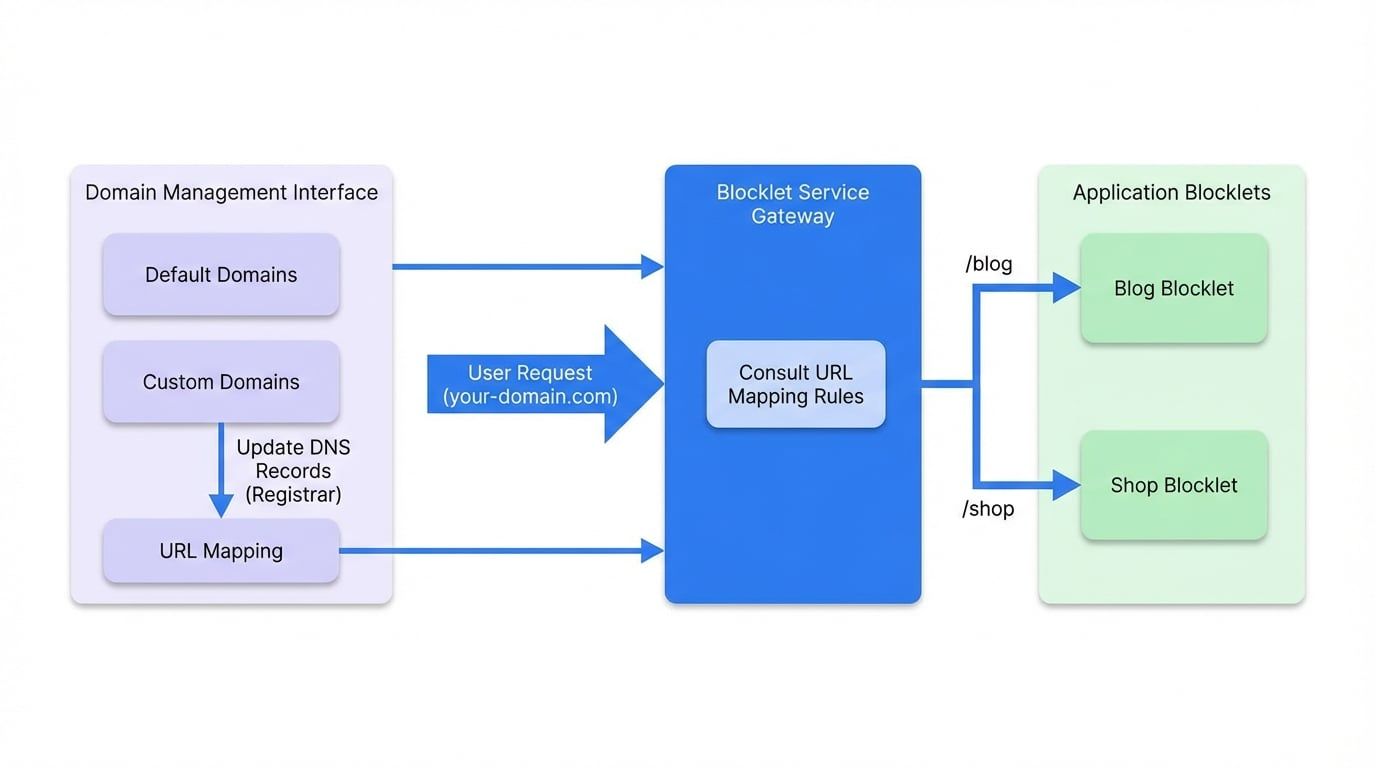
When a user visits your domain, the request is first directed to the Blocklet Service gateway. The gateway then consults the URL mapping and routing rules you have configured. Based on these rules, it forwards the request to the appropriate blocklet that is responsible for handling that specific URL path.
Domain Management#
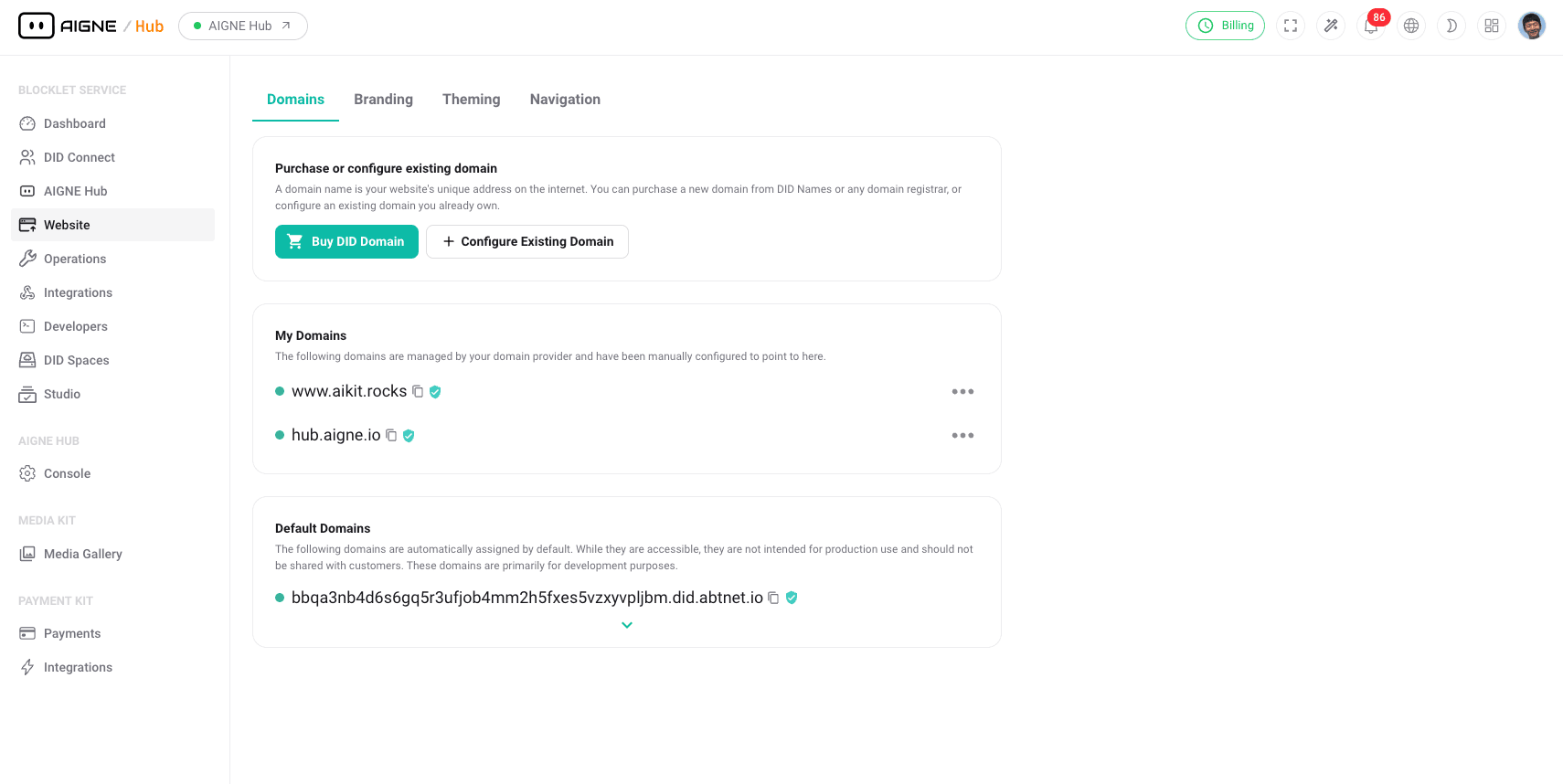
The Domains management interface provides a centralized location for all domain-related configurations.
Key Features#
- Default Domains: Every site is automatically assigned a default domain upon creation. This allows you to access and test your site immediately without needing to configure a custom domain first.
- Custom Domains: To create a professional and branded presence, you can connect your own domains. This involves updating your domain's DNS records to point to the Blocklet Service.
- URL Mapping: This powerful feature allows you to direct traffic from specific URL paths to different blocklets. For example, you can route
your-domain.com/blogto your blogging blocklet andyour-domain.com/shopto your e-commerce blocklet, all under a single, unified domain.
How to Configure a Custom Domain#
Follow these steps to connect a domain you own to your site:
- Navigate to Domains: From the sidebar, select Website, then click on Domains.
- Add Domain: Click the "Configure Domain" or a similar button to start the process.
- Enter Your Domain: Input the domain name you wish to add (e.g.,
www.your-company.com). - Update DNS Records: The system will provide you with the necessary DNS information (typically a CNAME or A record). You must log in to your domain registrar's control panel (e.g., GoDaddy, Namecheap, Cloudflare) and add this record.
- Verification: After you save the DNS record, it may take some time for the changes to propagate across the internet. Blocklet Service will periodically check for the record and, once found, will mark your domain as "Verified."
How to Set Up URL Mapping#
Once your domain is verified, you can create specific routing rules:
- Select a Domain: In the domain list, find the domain you want to configure.
- Access Routing Rules: Click on the domain or a "Manage" button to find the "URL Mapping" or "Routing Rules" section.
- Create a New Rule: Click the "Add Rule" button.
- Define the Rule:
- Source Path: Enter the incoming URL path you want to match (e.g.,
/blog,/store/products). - Destination: From the dropdown list, select the blocklet that should handle requests for that path.
- Source Path: Enter the incoming URL path you want to match (e.g.,
- Save the Rule: Save your changes to activate the new routing rule. All subsequent requests matching the source path will be directed to the selected blocklet.
Summary#
Managing your domains and URL mappings effectively is essential for structuring your website, improving user navigation, and building a strong brand. The tools provided in this section give you complete control over how users access the different services and blocklets that make up your application.