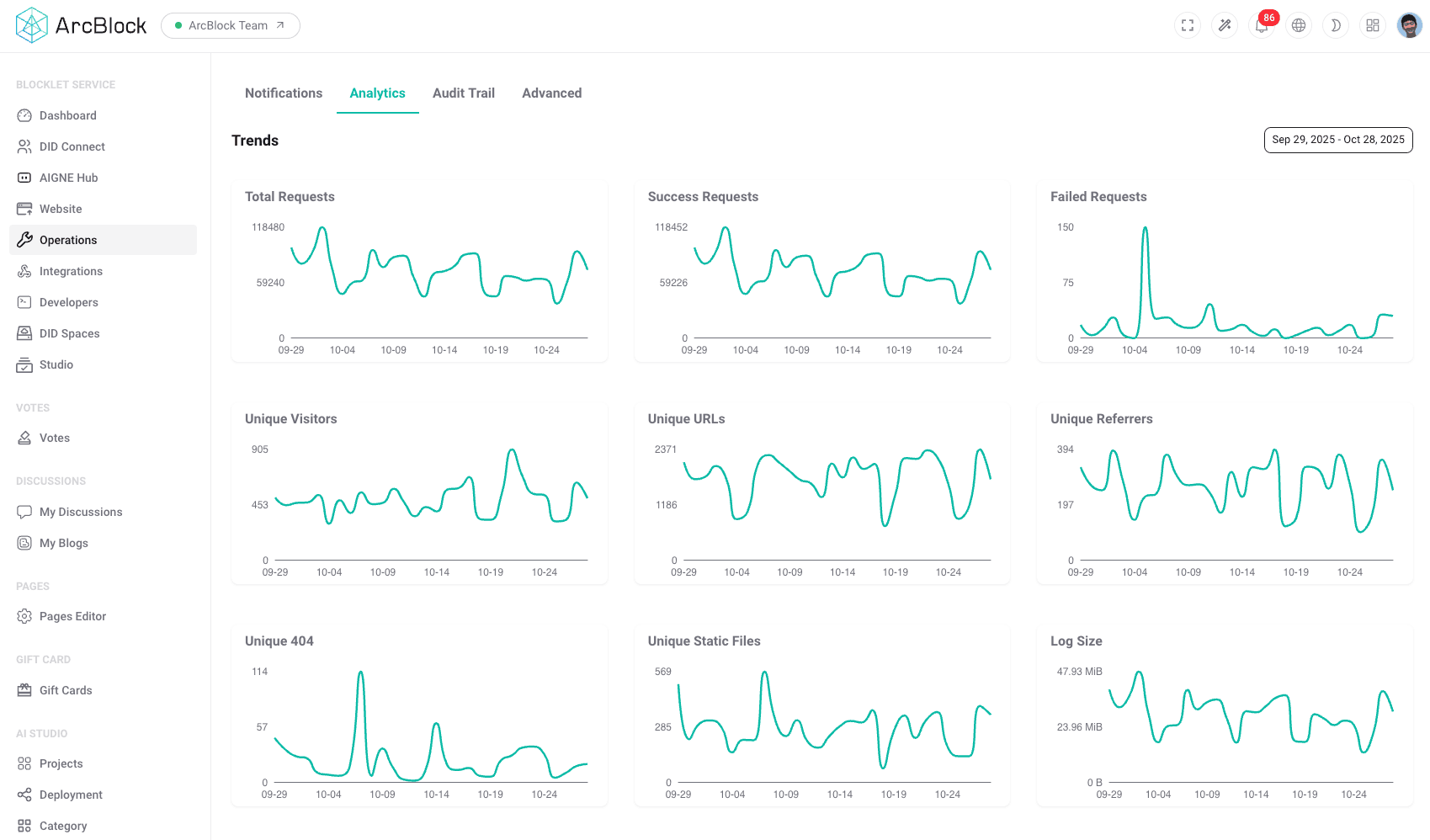
The Analytics section provides essential tools for understanding your blocklet's performance and user engagement. It allows administrators to monitor web traffic, analyze visitor statistics, and gain insights into the overall operational health of their service. These metrics are crucial for making informed decisions, optimizing resources, and identifying potential issues before they impact users.
Key Features#
The Analytics dashboard visualizes key performance indicators (KPIs) through a series of time-based graphs, offering a clear and concise overview of your blocklet's activity.
- Traffic Analysis: Track the total number of requests your blocklet receives over a selected period. This helps in understanding peak usage times and overall traffic patterns.
- Visitor Statistics: Monitor the number of unique visitors to your application. This metric is vital for gauging user growth and reach.
- Performance Monitoring: Keep an eye on important operational metrics such as the rate of failed requests and the total log size. This data can help you proactively identify and address performance bottlenecks or errors.
How It Works#
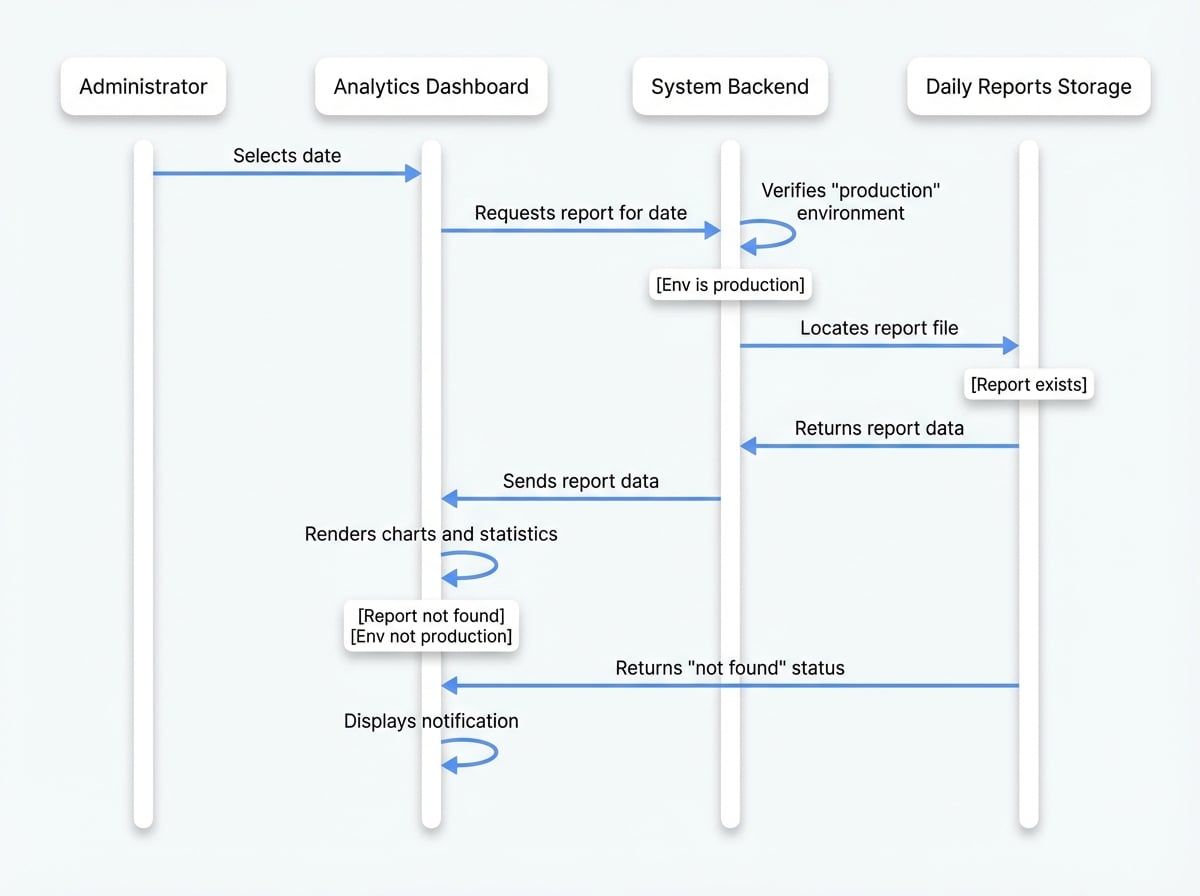
The analytics functionality is designed for services running in a production environment to ensure the data reflects real-world usage. When an administrator selects a specific date in the Analytics dashboard, the system performs the following steps:
- Verifies Environment: It first checks if the blocklet is running in 'production' mode. Analytics data is not available for development environments.
- Locates Report: The system looks for a pre-generated daily report file corresponding to the selected date. These reports are compiled periodically from server logs.
- Renders Data: If the report for the specified date exists, it is retrieved and displayed to the administrator in the form of charts and statistics. If no report is found, or if the blocklet is not in production, a notification is displayed instead.
This process ensures that you get an accurate and persistent record of your blocklet's performance for any given day.