MCP Servers
The Model Context Protocol (MCP) provides a standardized framework that allows the main blocklet and its components to expose and consume AI-powered tools and services. The MCP Servers page serves as a central registry for administrators to discover and view all available MCP servers within their blocklet ecosystem.
This feature gives you a clear, real-time overview of all active AI services, their specific endpoints, and their security status, which helps in managing and integrating these capabilities across your application.
MCP Discovery and Architecture#
The Blocklet Service employs an automated discovery mechanism to identify and list all MCP-enabled services. This creates a decoupled architecture where a central service can interact with various specialized tools provided by different components without hardcoded configurations.
The discovery process is systematic and ensures the list of servers is always current. The following diagram illustrates this process:
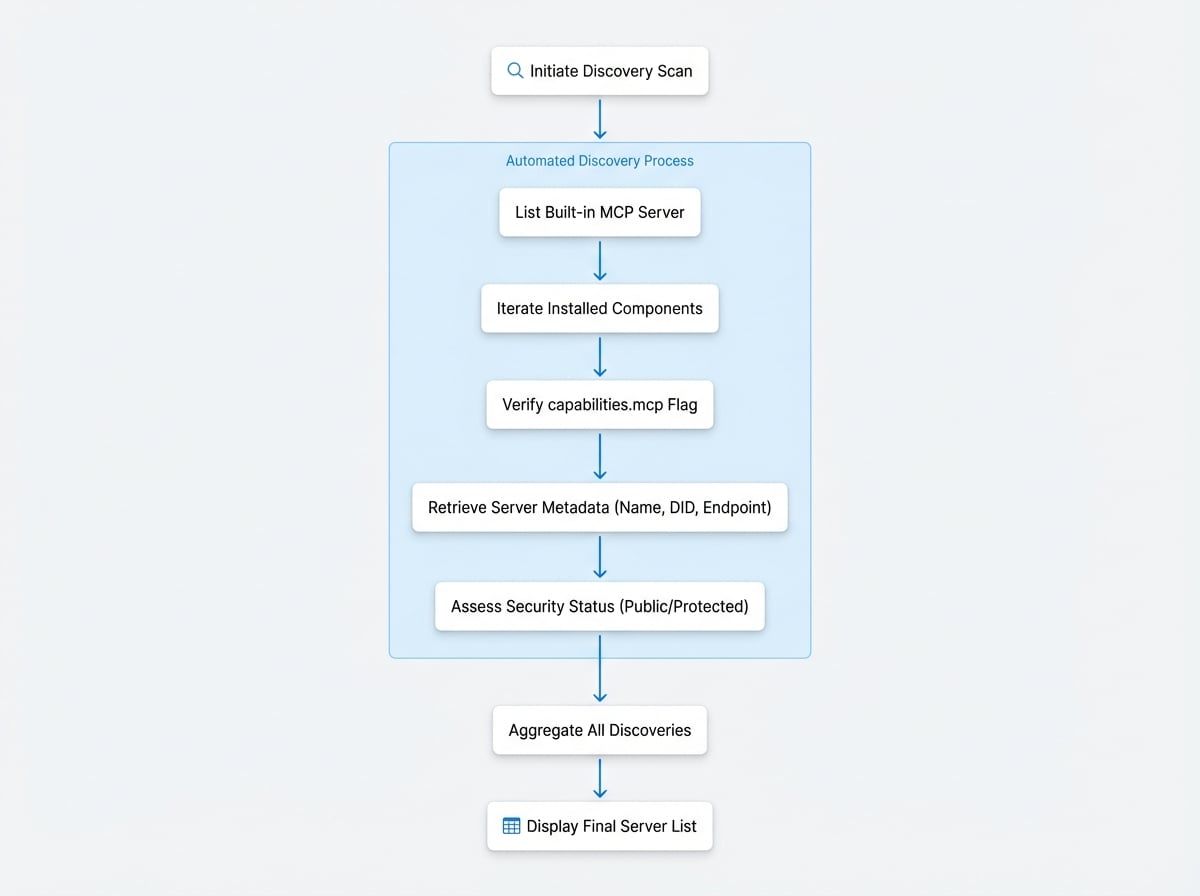
Here is a step-by-step breakdown of the process:
- Initiation: When an administrator navigates to the Integrations > MCP Servers page, the Blocklet Service begins a discovery scan.
- Self-Identification: The service first identifies and lists its own built-in MCP server.
- Component Scan: It then iterates through all installed child components (blocklets).
- Capability Check: For each component, the service inspects its metadata to verify if the
capabilities.mcpflag is enabled, indicating support for the protocol. - Data Retrieval: If a component supports MCP, the service retrieves its essential details, including its name, DID, version, and specific MCP endpoint.
- Security Assessment: The service checks the security rules associated with the component to determine if its MCP server is public or protected.
- Aggregation: Finally, the Blocklet Service compiles a complete list of its own server and all discovered component servers and displays it on the page.
Available MCP Servers#
The MCP Servers page presents the discovered services in a clear and organized list. This allows administrators to quickly assess the available AI tools within their application.
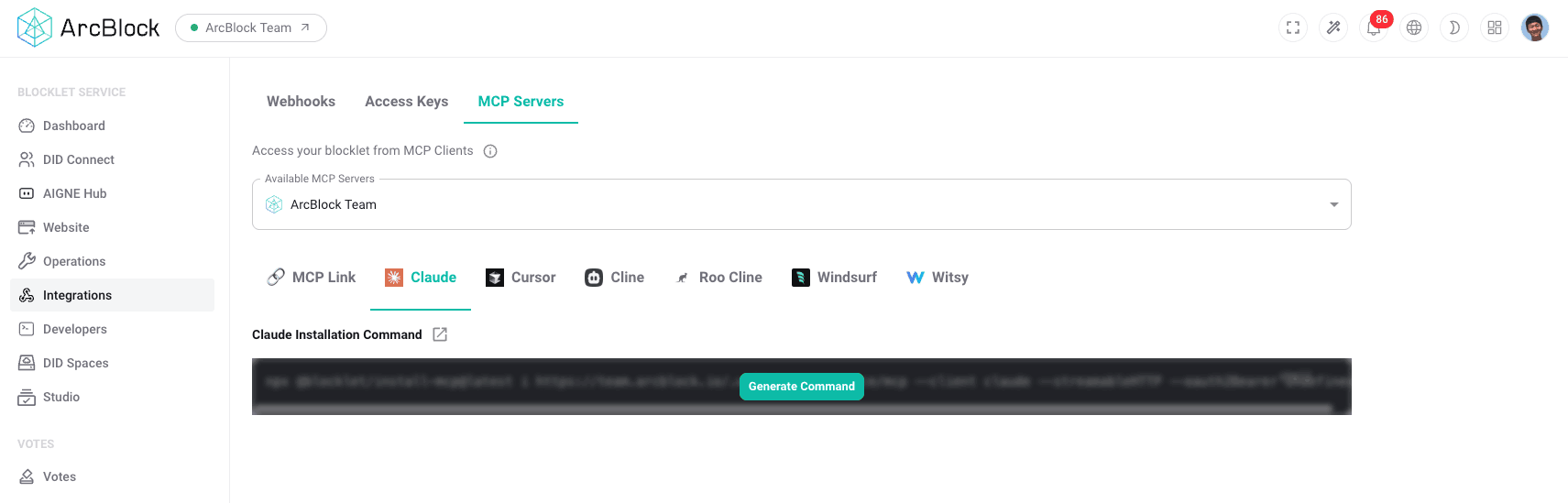
The table provides the following information for each server:
Column | Description |
|---|---|
Name | The human-readable name of the blocklet or component providing the MCP server. |
DID | The decentralized identifier (DID) of the server, which uniquely identifies it within the ecosystem. |
Endpoint | The full URL endpoint where the MCP server can be accessed by clients. |
Protected | A status indicating whether the server requires authentication. |
Version | The version number of the blocklet or component. |
Logo | The icon associated with the blocklet or component for easy visual identification. |
Summary#
The MCP Servers page is an essential tool for administrators, providing a centralized and automated inventory of all AI services available within the blocklet environment. By presenting key details like endpoints and security status, it simplifies the management and integration of AI-powered features, ensuring that you have a clear and accurate view of your application's capabilities at all times.