Access Keys
Access Keys provide a method for granting programmatic access to your blocklet's services. They are used by applications, scripts, or external services to authenticate and interact with your blocklet's API without requiring manual user login. Each access key consists of an App ID and an App Secret, which function similarly to a username and password.
This administrative function is essential for integrating external services or automating tasks that require interaction with your blocklet's backend.
Access Key Workflow#
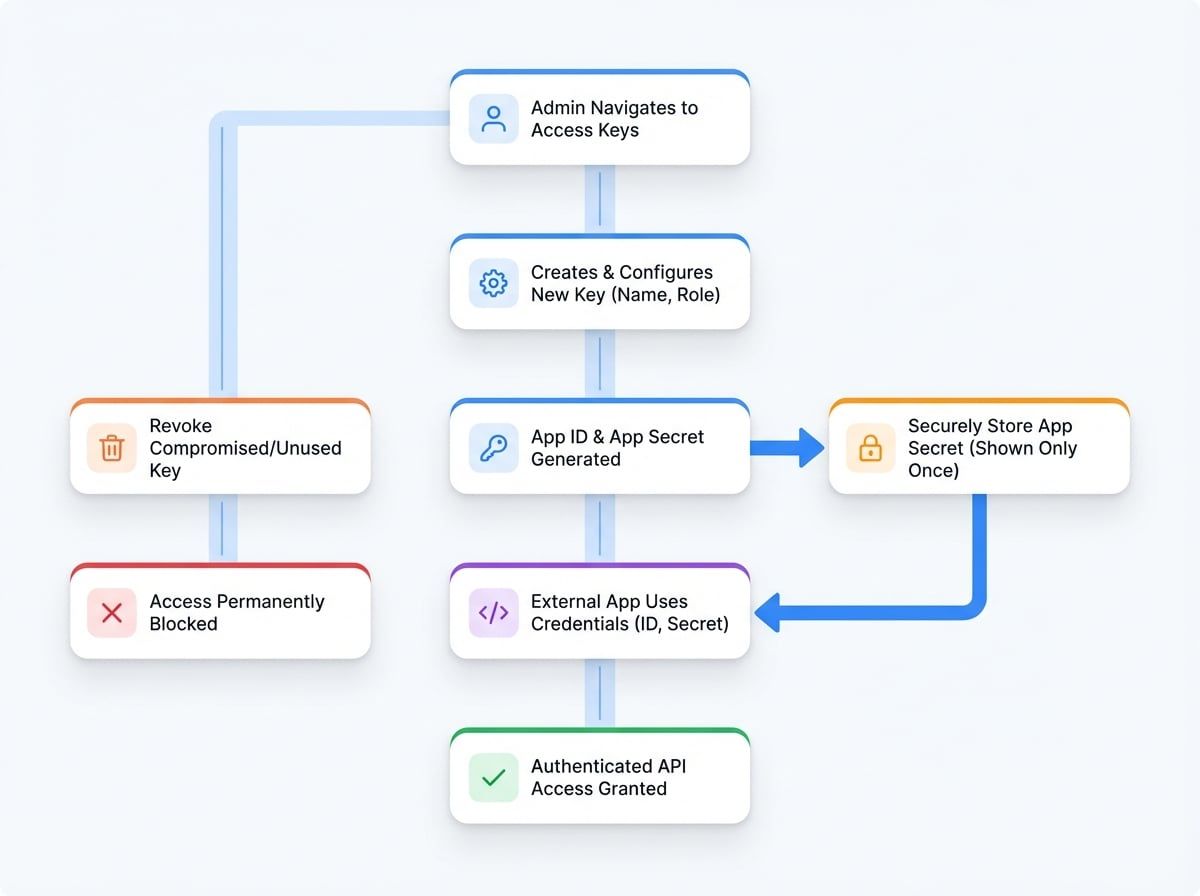
The following diagram illustrates the workflow for creating a new access key and its subsequent use for API authentication.
Key Concepts#
- App ID: A unique public identifier for the access key. It is included in each API request and is safe to expose publicly.
- App Secret: A confidential token used to sign requests, proving the identity of the application. The App Secret must be stored securely and must never be exposed in client-side applications or public code repositories.
Managing Access Keys#
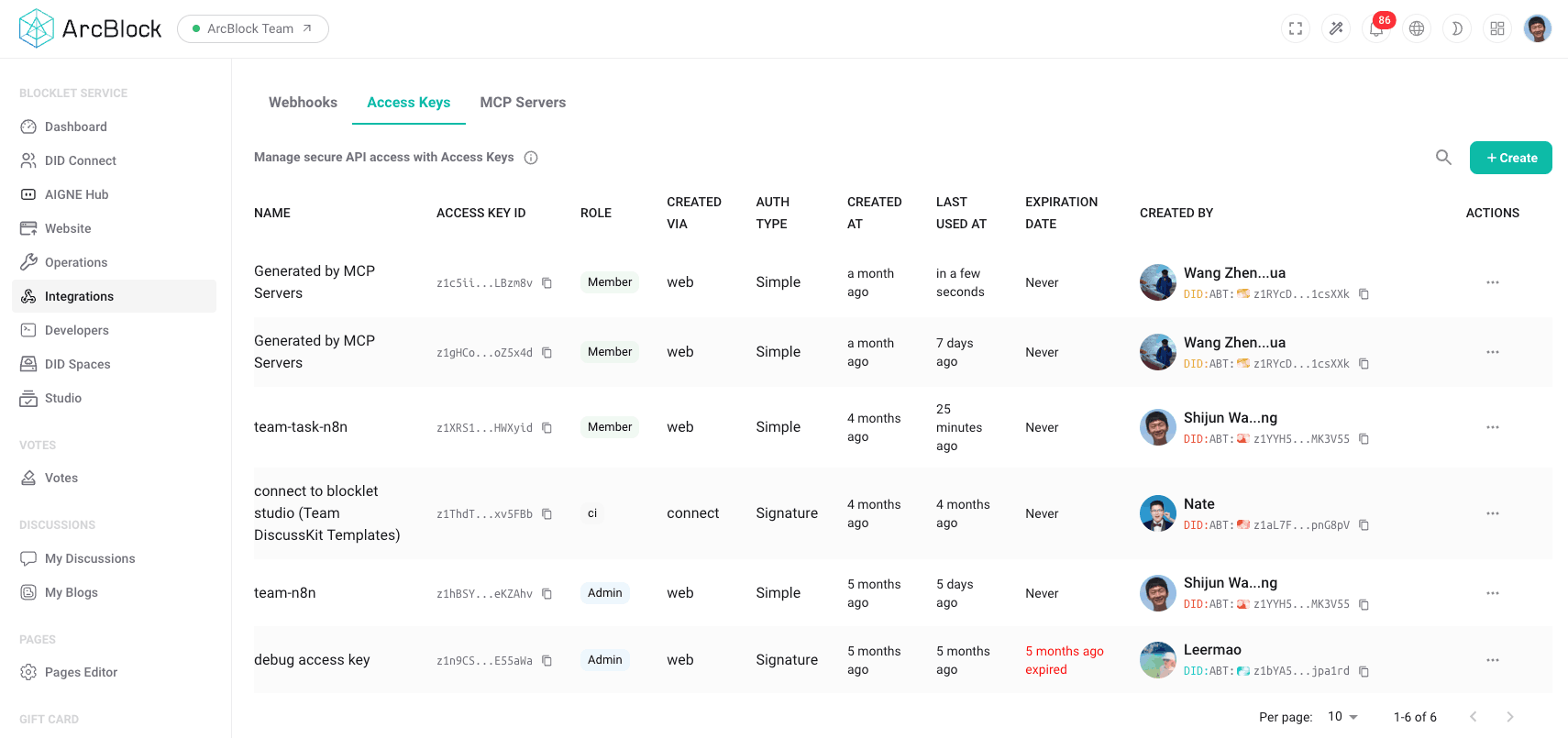
The Access Keys dashboard provides a centralized location for managing all API credentials.
Creating an Access Key#
To generate a new set of API credentials, follow these steps:
- Navigate to the Integrations section in the administration sidebar.
- Select the Access Keys tab.
- Click the Create button to open the new key configuration form.
- Provide a descriptive name for the key to easily identify its purpose (e.g., "CI/CD Script" or "External Analytics Service").
- Assign an appropriate role that grants only the necessary permissions required by the application.
- Upon creation, the App ID and App Secret will be displayed.
- Important: The App Secret is displayed only once at the time of creation. You must copy it immediately and store it in a secure location, such as a password manager or an encrypted secrets store.
Using an Access Key#
When making an API request, your application must include the App ID and a signature generated with the App Secret in the request headers for authentication. The specific implementation details for generating the signature can be found in the Developer Guide.
Revoking an Access Key#
If an access key is compromised or no longer needed, it should be revoked immediately.
- Navigate to the Access Keys list.
- Locate the key you wish to disable.
- Click the corresponding action to revoke the key.
This action is irreversible and will permanently block any application using that key from accessing your blocklet's services.
Summary#
Access keys are a powerful tool for enabling programmatic access to your blocklet. Proper management is critical for security. Always adhere to the principle of least privilege by assigning roles with the minimum necessary permissions, and ensure that App Secrets are stored securely at all times. For detailed information on API integration, please refer to the Developer Guide.