Blocklet Studio is a no-code platform designed for administrators to create, manage, and publish new blocklets using pre-built templates. It streamlines the development cycle, enabling the creation of applications without requiring direct code manipulation.
Key Features#
Blocklet Studio provides a comprehensive set of tools to facilitate a no-code development experience.
- Template-Based Creation: Initiate new projects by selecting from a library of available blocklet templates, providing a functional baseline for further customization.
- Visual Builder: Utilize a graphical user interface to assemble and configure blocklet components, manage settings, and define application behavior.
- Simplified Publishing: Follow a structured workflow to publish completed blocklets, making them available for deployment or distribution via the Blocklet Store.
- Lifecycle Management: Access a centralized dashboard to oversee all created blocklets, including viewing detailed information, editing configurations, and performing administrative actions.
Development Workflow#
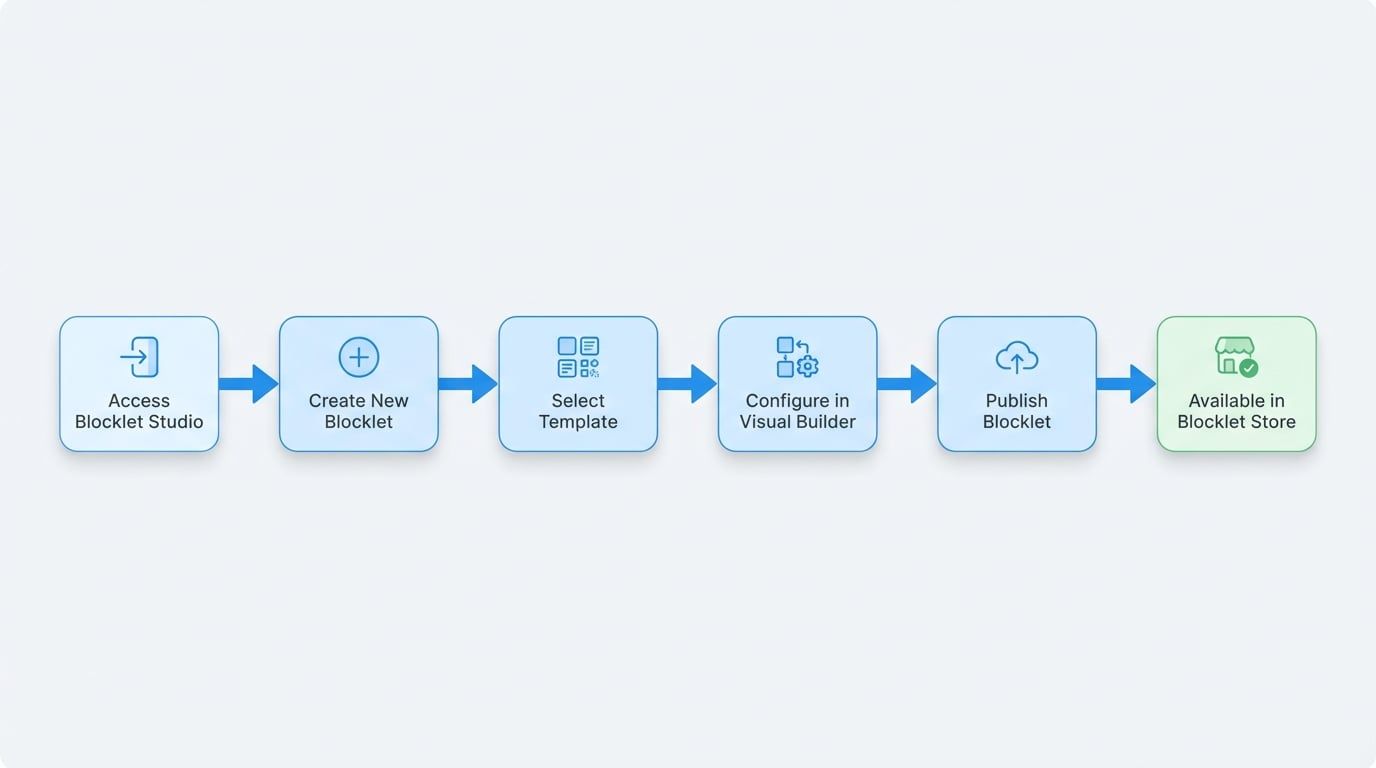
The process of creating and deploying a blocklet using the Studio follows a clear, sequential path from conception to publication. The diagram below illustrates the key stages involved.
Interface Overview#
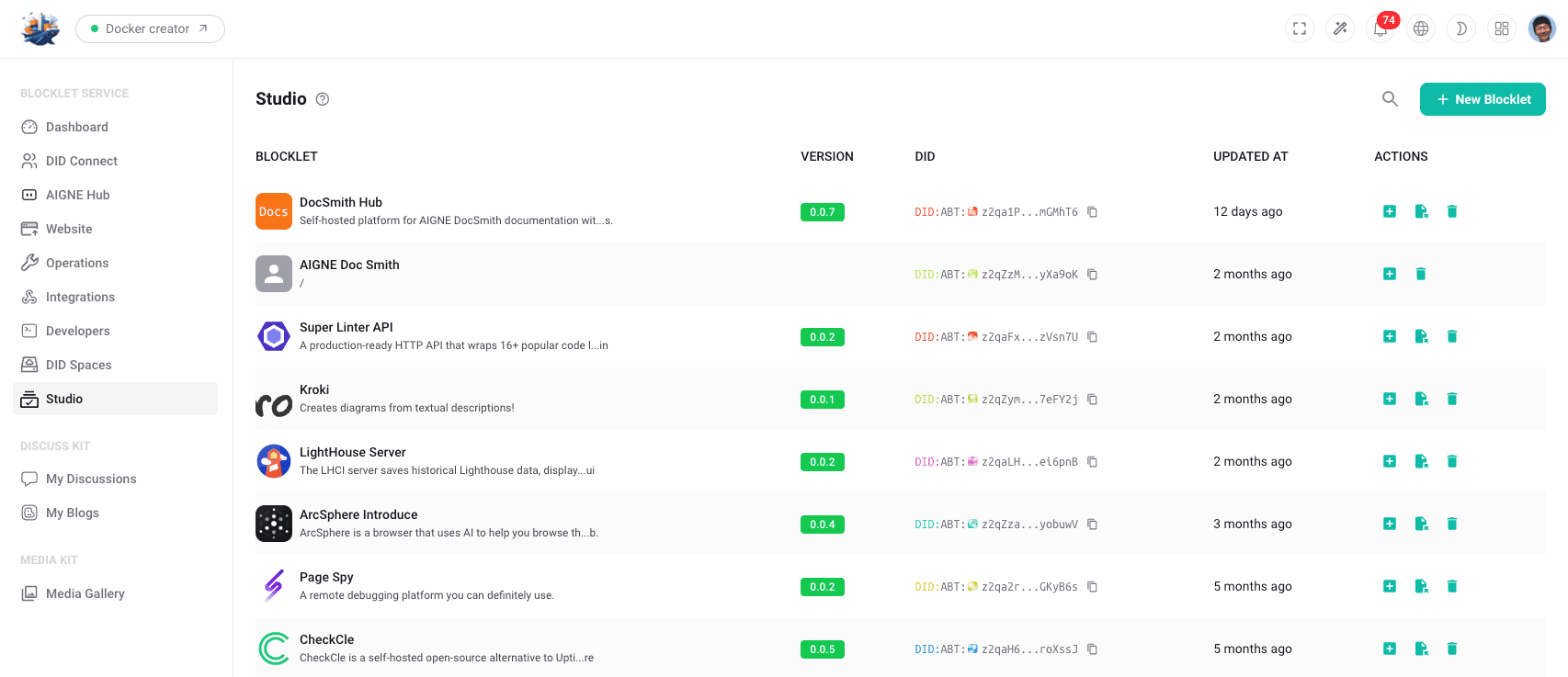
The Blocklet Studio dashboard serves as the central hub for managing all your blocklet projects. It presents a comprehensive list of blocklets, providing key details and management actions in a clear, tabular format.
The main components of the interface are:
- New Blocklet Button: Located in the top-right corner, this button initiates the creation workflow for a new blocklet.
- Blocklet List: The central area of the dashboard displays a table of all existing blocklets. Each row contains the following information:
- Name: The user-defined name of the blocklet.
- Version: The current version number of the blocklet.
- DID: The unique Decentralized Identifier (DID) for the blocklet.
- Last Updated: A timestamp indicating the most recent modification.
- Action Icons: Each entry in the list includes a set of icons for performing common tasks, such as adding the blocklet to a project, copying its DID, or deleting it.
Summary#
In summary, Blocklet Studio provides a structured, no-code environment for administrators to efficiently build, manage, and publish blocklets. By leveraging templates and a visual editor, it lowers the barrier to application creation and simplifies the overall development and deployment lifecycle.