AFS Local FS
This guide demonstrates how to build a chatbot capable of interacting with your local file system. By leveraging the AIGNE File System (AFS) and the SystemFS module, you can empower an AI agent to search, read, and manage files on your machine, turning it into a powerful local data expert.
Overview#
The AIGNE File System (AFS) provides a virtual file system layer that gives AI agents a standardized way to access various storage systems. This example focuses on the SystemFS module, which bridges AFS to your local file system.
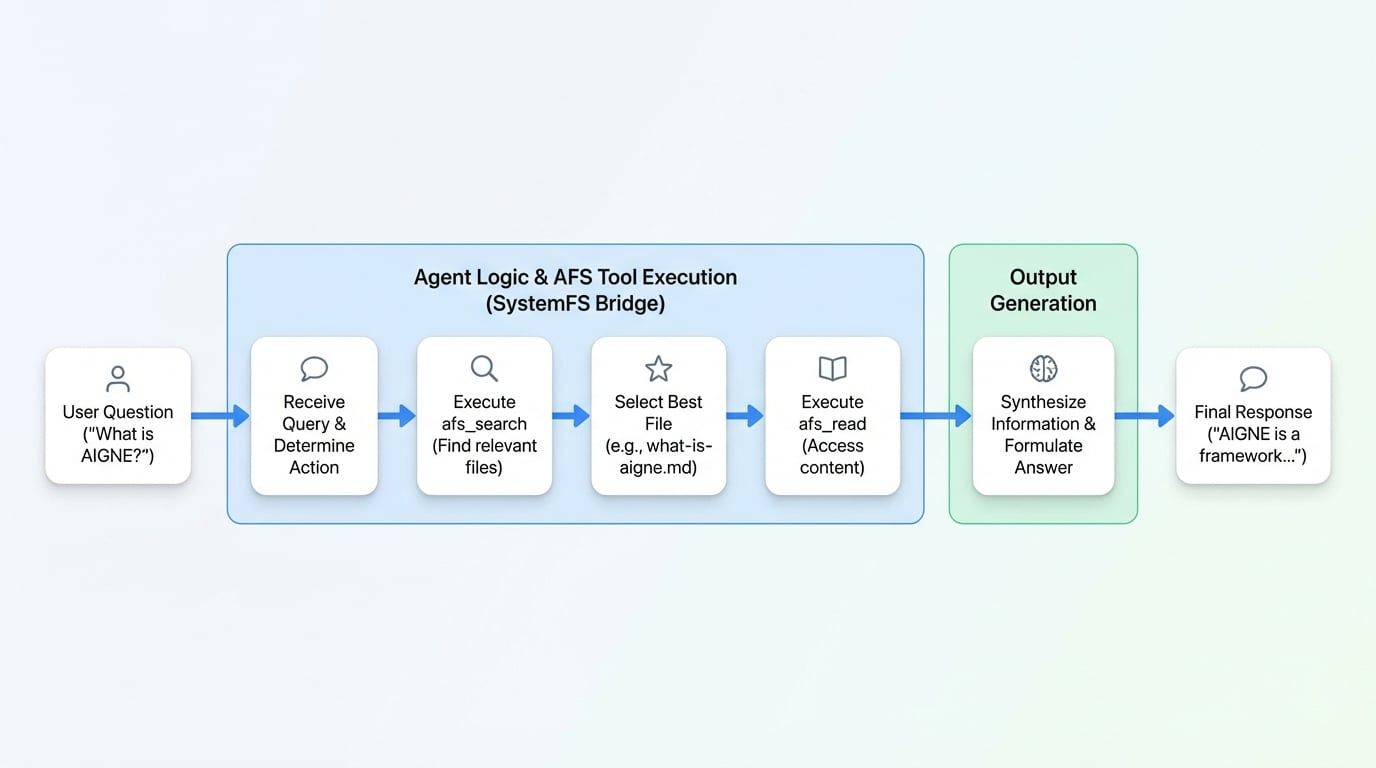
When a user asks a question, the agent intelligently performs the following actions:
- Search: It uses the
afs_searchtool to find relevant files within the designated directory based on the user's query. - Read: It identifies the most promising file from the search results and uses the
afs_readtool to access its content. - Synthesize: It processes the file's content to formulate a comprehensive and accurate answer.
This allows the agent to answer questions about your documents, code, or any other text-based files without manual guidance.
Prerequisites#
Before you begin, ensure you have the following installed and configured:
- Node.js (version 20.0 or higher)
- An OpenAI API key
Quick Start#
You can run this example directly without a local installation using npx.
- Set your OpenAI API Key:
export OPENAI_API_KEY=YOUR_OPENAI_API_KEY - Run the Chatbot: You can mount any local directory. For this example, we'll clone the AIGNE framework and use its documentation as the knowledge base.
# Clone the repository to use its docs
git clone https://github.com/AIGNE-io/aigne-framework

# Start the chatbot in interactive mode, pointing to the docs
npx -y @aigne/example-afs-local-fs --path ./aigne-framework --interactive
Alternatively, you can ask a single, specific question:npx -y @aigne/example-afs-local-fs --path ./aigne-framework --input "What is AIGNE?"
Example Interaction#
Here is an example of the agent's process when asked, "What is AIGNE?":
👤 You: "What is AIGNE?"

🤖 Agent thinks: I need to find information about AIGNE in the provided files. I will start by searching.
   → Calls: afs_search(query: "AIGNE")

📁 Found 15 matching files:
   • docs/getting-started/what-is-aigne.md ⭐ (most relevant)
   • README.md
   • docs/core-concepts/overview.md
   ...

🤖 Agent thinks: The first result seems most relevant. I will read it to answer the user's question.
   → Calls: afs_read("docs/getting-started/what-is-aigne.md")

📄 File loaded (2.4 KB)

🤖 AI: "AIGNE is a framework and runtime engine for building LLM-powered
       applications and AI agents. It provides:

       • A unified Agentic File System (AFS) interface
       • Support for multiple LLM providers (OpenAI, Anthropic, etc.)
       • Tools for building autonomous agents
       • Integration with external services via MCP

       Would you like me to walk you through a quick-start tutorial, or
See all 1 lines
The agent successfully found the correct file, read its contents, and provided a summarized, helpful response.
Connecting to an AI Model#
The agent requires a connection to a Large Language Model (LLM) to function. If you run the example without providing an API key, you will be prompted to choose a connection method.

You have three options:
- Connect to AIGNE Hub (Recommended): This is the easiest way to get started. Your browser will open an authorization page. New users receive free credits to use the service.
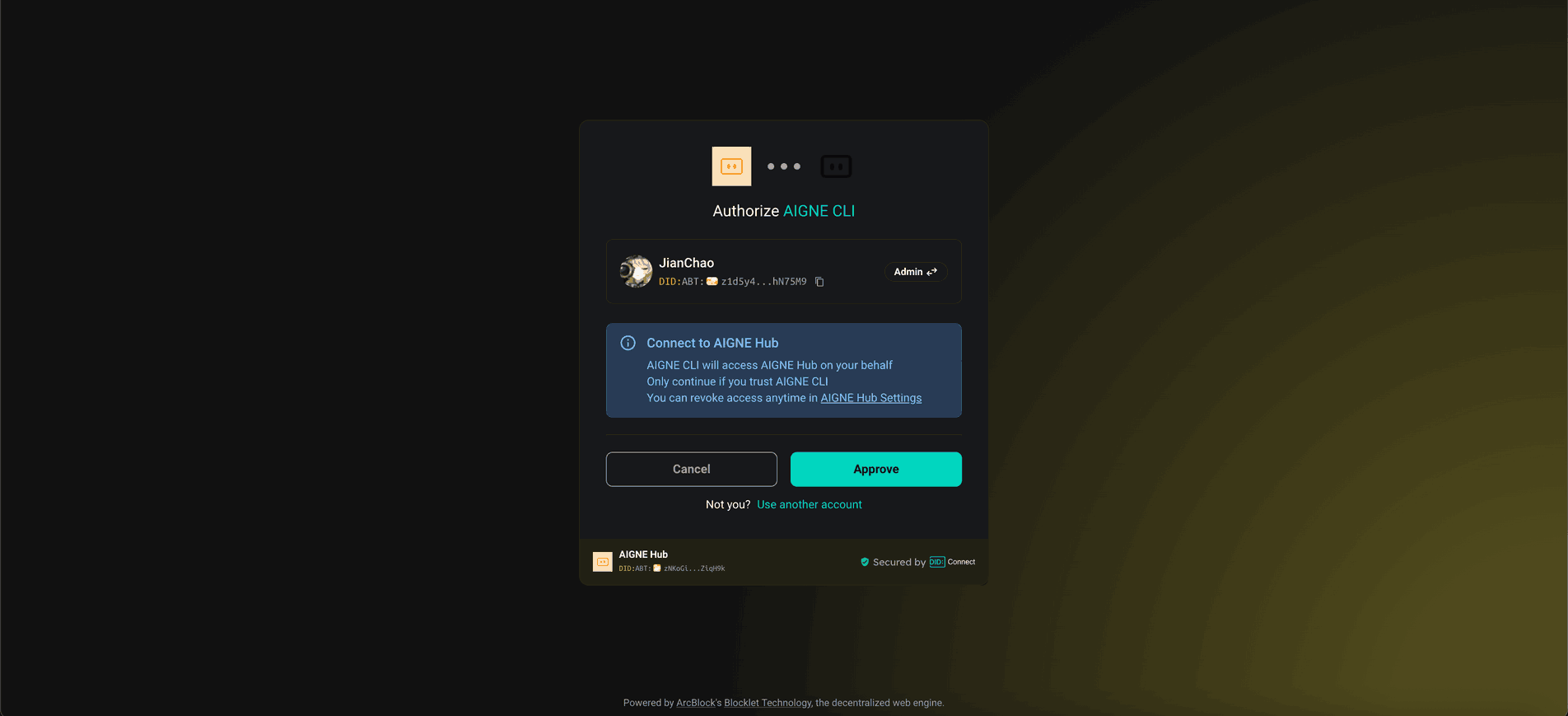
- Connect to a Self-Hosted AIGNE Hub: If you are running your own instance of AIGNE Hub, select this option and enter its URL.

- Use a Third-Party Model Provider: You can directly connect to a provider like OpenAI by setting the corresponding environment variable.
export OPENAI_API_KEY="YOUR_OPENAI_API_KEY"
For a list of supported providers and their required environment variables, refer to the example.env.local.examplefile in the source code.
How It Works#
The implementation can be broken down into three main steps, as illustrated in the diagram below:
1. Create a LocalFS Module#
First, instantiate the LocalFS module, specifying the local path to the directory you want the agent to access and an optional description.
create-local-fs.ts
import { LocalFS } from "@aigne/afs-local-fs";

const localFS = new LocalFS({
  localPath: './aigne-framework',
  description: 'AIGNE framework documentation'
});
2. Mount the Module in AFS#
Next, create an AFS instance and mount the localFS module. This makes the local directory available to any agent that has access to this AFS instance.
mount-module.ts
import { AFS } from "@aigne/afs";
import { AFSHistory } from "@aigne/afs-history";

const afs = new AFS()
  .mount(new AFSHistory({ storage: { url: ":memory:" } }))
  .mount(localFS);  // Mounted at the default path /modules/local-fs
3. Create and Configure the AI Agent#
Finally, create an AIAgent and provide it with the afs instance. The agent automatically gains access to AFS tools for file system interaction.
create-agent.ts
import { AIAgent } from "@aigne/core";

const agent = AIAgent.from({
  instructions: "Help users find and read files from the local file system.",
  inputKey: "message",
  afs,  // The agent inherits afs_list, afs_read, afs_write, and afs_search
});
Available AFS Tools#
By connecting the agent to AFS, it can use the following sandboxed tools to operate on the mounted directory:
afs_list: Lists files and subdirectories.afs_read: Reads the content and metadata of a specific file.afs_write: Creates a new file or overwrites an existing one.afs_search: Performs a full-text search across all files in the directory.
Installation and Local Execution#
If you prefer to run the example from the source code, follow these steps.
- Clone the Repository:
git clone https://github.com/AIGNE-io/aigne-framework - Install Dependencies: Navigate to the example directory and install the necessary packages using
pnpm.cd aigne-framework/examples/afs-local-fs pnpm install - Run the Example: Use the
pnpm startcommand to run the chatbot.# Mount the current directory pnpm start --path . # Mount a specific directory with a custom description pnpm start --path ~/Documents --description "My Documents" # Run in interactive chat mode pnpm start --path . --interactive
Use Cases#
This example provides a foundation for several practical applications.
Documentation Chat#
Mount your project's documentation folder to create a chatbot that can answer user questions about your project.
const afs = new AFS()
  .mount(new LocalFS({ localPath: './docs', description: 'Project documentation' }));
Codebase Analysis#
Allow an AI agent to access your source code to help with analysis, refactoring, or explaining complex logic.
const afs = new AFS()
  .mount(new LocalFS({ localPath: './src', description: 'Source code' }));
File Organization#
Build an agent that can help you sort and manage files in a directory, such as your "Downloads" folder.
const afs = new AFS()
  .mount(new LocalFS({ localPath: '~/Downloads', description: 'Downloads folder' }));
Multi-Directory Access#
Mount several directories to give the agent a broader context, allowing it to search across your source code, documentation, and tests simultaneously.
const afs = new AFS()
  .mount("/docs", new LocalFS({ localPath: './docs' }))
  .mount("/src", new LocalFS({ localPath: './src' }))
.mount("/tests", new LocalFS({ localPath: './tests' }));Summary#
You have learned how to use the AIGNE Framework to create a chatbot that can interact with a local file system. This powerful capability enables a wide range of applications, from intelligent documentation search to automated code analysis.
For further reading, explore the following related examples and packages: