Workflow Handoff
This guide demonstrates how to build a workflow where one agent can seamlessly hand off control to another specialized agent. By the end, you will understand how to create multi-agent systems that delegate tasks based on user input, enabling more complex and dynamic problem-solving.
Overview#
In many sophisticated AI applications, a single agent may not possess all the necessary skills to handle a wide range of tasks. The workflow handoff pattern addresses this by allowing a primary agent to act as a dispatcher, transferring control to a specialized agent when a specific trigger or condition is met. This creates a seamless transition, enabling different agents to collaborate on solving a complex problem.
This example implements a simple handoff:
- Agent A: A general-purpose agent.
- Agent B: A specialized agent that only communicates in Haikus.
When the user instructs Agent A to "transfer to agent b," the system seamlessly hands off the conversation to Agent B for all subsequent interactions.
shape: sequence_diagram

User: {
  shape: c4-person
}

AIGNE-Framework: {
  label: "AIGNE Framework"
}

Agent-A: {
  label: "Agent A\n(General Purpose)"
}

Agent-B: {
  label: "Agent B\n(Haiku Specialist)"
}

User -> AIGNE-Framework: "1. 'transfer to agent b'"
AIGNE-Framework -> Agent-A: "2. Invoke with input"
Agent-A -> Agent-A: "3. Execute skill: transfer_to_b()"
Agent-A -> AIGNE-Framework: "4. Return Agent B object"
AIGNE-Framework -> AIGNE-Framework: "5. Handoff: Replace Agent A with B"
AIGNE-Framework -> Agent-B: "6. Invoke Agent B for response"
Agent-B -> AIGNE-Framework: "7. Generate Haiku response"
See all 6 lines
Prerequisites#
Before running the example, ensure your development environment meets the following requirements:
- Node.js: Version 20.0 or higher.
- npm: Comes bundled with Node.js.
- AI Model Provider Account: An API key from a provider like OpenAI is required to power the agents.
Quick Start#
You can run this example directly without cloning the repository using npx.
Step 1: Run the Example#
Open your terminal and execute one of the following commands. The --interactive flag enables an interactive session where you can have a continuous conversation.
Run in one-shot mode
npx -y @aigne/example-workflow-handoffRun in interactive chat mode
npx -y @aigne/example-workflow-handoff --interactiveYou can also pipe input directly into the command:
Use pipeline input
echo "transfer to agent b" | npx -y @aigne/example-workflow-handoffStep 2: Connect to an AI Model#
If you are running the example for the first time, you will be prompted to connect to an AI model, as no API keys have been configured.

You have several options to proceed:
- Connect to the AIGNE Hub (Recommended) This is the easiest way to get started. The official AIGNE Hub provides free credits for new users. Select the first option, and your browser will open a page to authorize the connection.
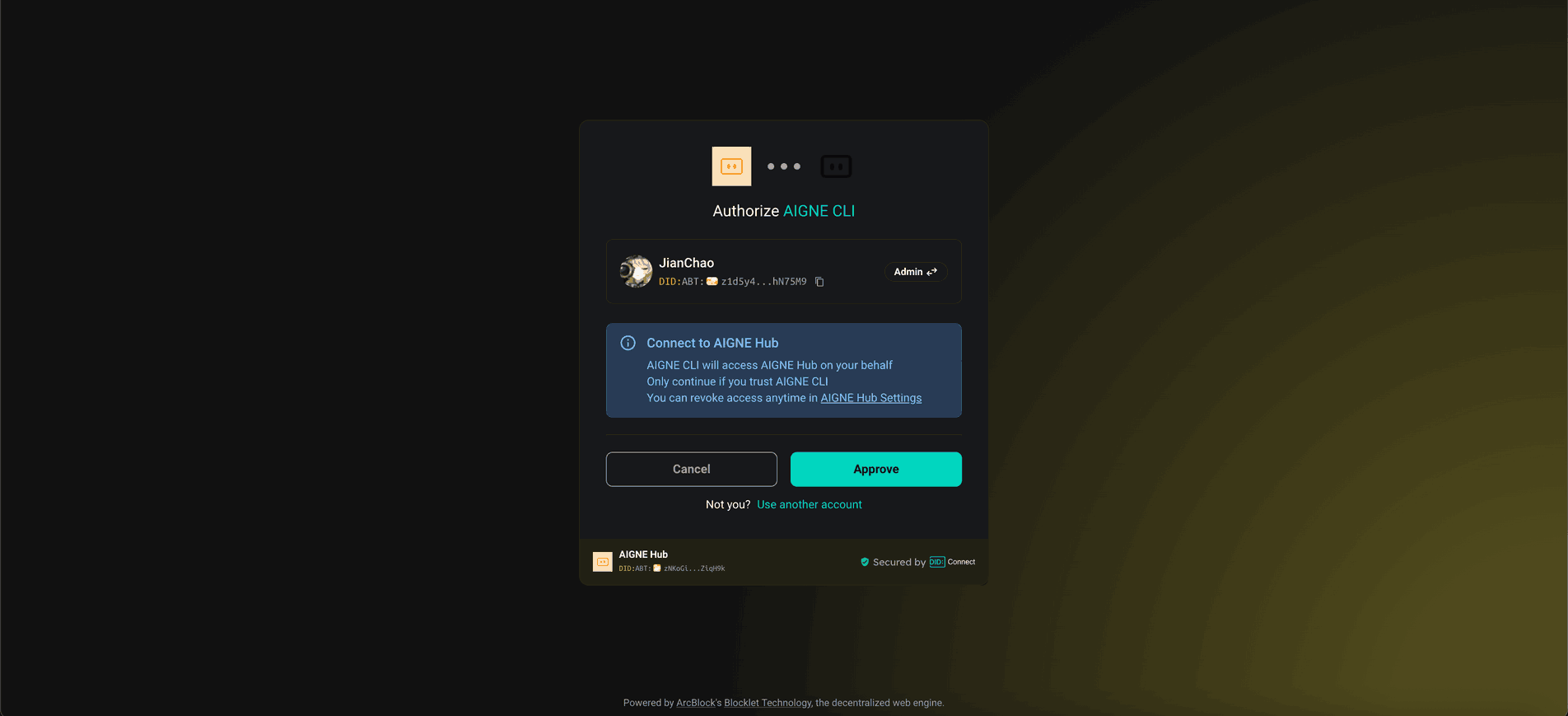
- Connect to a Self-Hosted AIGNE Hub If you have your own instance of AIGNE Hub, choose the second option and enter its URL to connect.

- Configure a Third-Party Model Provider You can connect directly to a provider like OpenAI, DeepSeek, or Google Gemini by setting the appropriate environment variables. For example, to use OpenAI, set your API key in the terminal:
Configure OpenAI API Key
export OPENAI_API_KEY="YOUR_OPENAI_API_KEY"
After configuring the environment variable, run thenpxcommand again.
Code Deep Dive#
The core of this example is a function that acts as a "skill" for the first agent. When the model determines that this skill should be used based on the user's input, the function returns a new agent, effectively transferring control.
How It Works#
- Agent A (Dispatcher): This agent is configured with a
transfer_to_bskill. Its instructions are general. - Agent B (Specialist): This agent has a very specific instruction: "Only speak in Haikus." It has no special skills.
- The Handoff Mechanism: The
transfer_to_bfunction simply returns theagentBobject. When the AIGNE Framework receives an agent object as the result of a skill execution, it replaces the current agent in the session with the new one.
Example Implementation#
The following code demonstrates how to define two agents and implement the handoff logic.
index.ts
import { AIAgent, AIGNE } from "@aigne/core";
import { OpenAIChatModel } from "@aigne/core/models/openai-chat-model.js";

const { OPENAI_API_KEY } = process.env;

// 1. Initialize the AI Model
const model = new OpenAIChatModel({
  apiKey: OPENAI_API_KEY,
});

// 2. Define the skill that performs the handoff
function transfer_to_b() {
  return agentB;
}

// 3. Define Agent A with the handoff skill
const agentA = AIAgent.from({
  name: "AgentA",
  instructions: "You are a helpful agent.",
  outputKey: "A",
  skills: [transfer_to_b],
});

// 4. Define Agent B, the specialist
const agentB = AIAgent.from({
See all 26 lines
Running from Source (Optional)#
If you wish to modify or inspect the code locally, follow these steps.
1. Clone the Repository#
git clone https://github.com/AIGNE-io/aigne-framework2. Install Dependencies#
Navigate to the example directory and install the necessary packages using pnpm.
cd aigne-framework/examples/workflow-handoff
pnpm install
3. Run the Example#
Use the pnpm start command. To pass additional arguments like --interactive, add an extra -- before them.
Run in one-shot mode
pnpm startRun in interactive chat mode
pnpm start -- --interactiveCommand-Line Options#
The example script accepts several command-line arguments to customize its behavior.
Parameter | Description | Default |
|---|---|---|
| Run in interactive chat mode. | Disabled |
| AI model to use (e.g., |
|
| Temperature for model generation. | Provider default |
| Top-p sampling value. | Provider default |
| Presence penalty value. | Provider default |
| Frequency penalty value. | Provider default |
| Set logging level (ERROR, WARN, INFO, DEBUG, TRACE). | INFO |
| Specify input directly via the command line. | None |
Debugging and Observation#
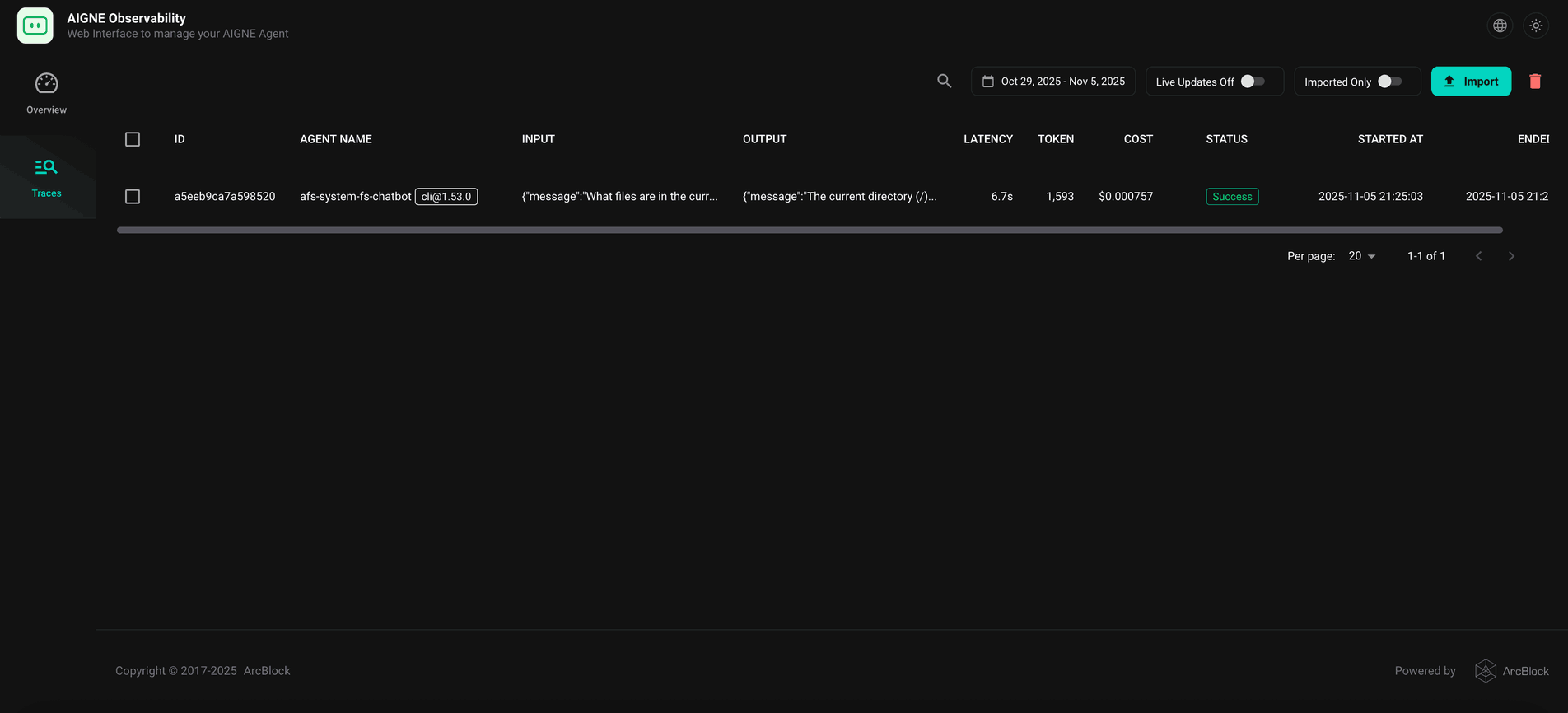
To inspect the agent's execution flow, you can use the aigne observe command. This tool launches a local web server that provides a detailed view of traces, calls, and other runtime data, which is invaluable for debugging.
First, start the observation server in a separate terminal:
Start the observation server
aigne observe
After running the example, you can view the execution traces in the web interface, which is typically available at http://localhost:7893.
Summary#
You have now learned how to implement a workflow handoff, a powerful pattern for building multi-agent systems where tasks are delegated to specialized agents. This approach allows you to construct more robust and capable AI applications by composing agents with distinct skills.
To explore more advanced agent orchestration, check out these related examples: