Examples
Explore a collection of practical examples that demonstrate the various features and workflow patterns of the AIGNE Framework. This section provides hands-on, executable demos to help you understand intelligent conversation, MCP protocol integration, memory mechanisms, and complex agentic workflows.
Quick Start#
You can run any example directly without a local installation using npx. This approach is the fastest way to see the AIGNE Framework in action.
Prerequisites#
- Node.js (version 20.0 or higher) and npm installed.
- An API key for your chosen Large Language Model (LLM) provider (e.g., OpenAI).
Run an Example#
Execute the following commands in your terminal to run a basic chatbot.
- Set your API key: Replace
YOUR_OPENAI_API_KEYwith your actual OpenAI API key.export OPENAI_API_KEY=YOUR_OPENAI_API_KEY - Run in one-shot mode: The agent will process a default prompt and exit.
npx -y @aigne/example-chat-bot - Run in interactive mode: Use the
--interactiveflag to start an interactive session where you can have a conversation with the agent.npx -y @aigne/example-chat-bot --interactive
Using Different LLMs#
You can specify different models by setting the MODEL environment variable along with the corresponding API key. Below are configurations for several popular providers.
Provider | Environment Variables |
|---|---|
OpenAI |
|
Anthropic |
|
Google Gemini |
|
DeepSeek |
|
AWS Bedrock |
|
Ollama |
|
Example Library#
This section provides a curated list of examples, each demonstrating a specific capability or workflow pattern within the AIGNE Framework. Click on any card to navigate to the detailed guide for that example.
Core Functionality#
Workflow Patterns#
MCP and Integrations#
Debugging#
To gain insight into an agent's execution, you can enable debug logs or use the AIGNE observation server.
View Debug Logs#
Set the DEBUG environment variable to * to output detailed logs, which include model calls and responses.
DEBUG=* npx -y @aigne/example-chat-bot --interactiveUse the Observation Server#
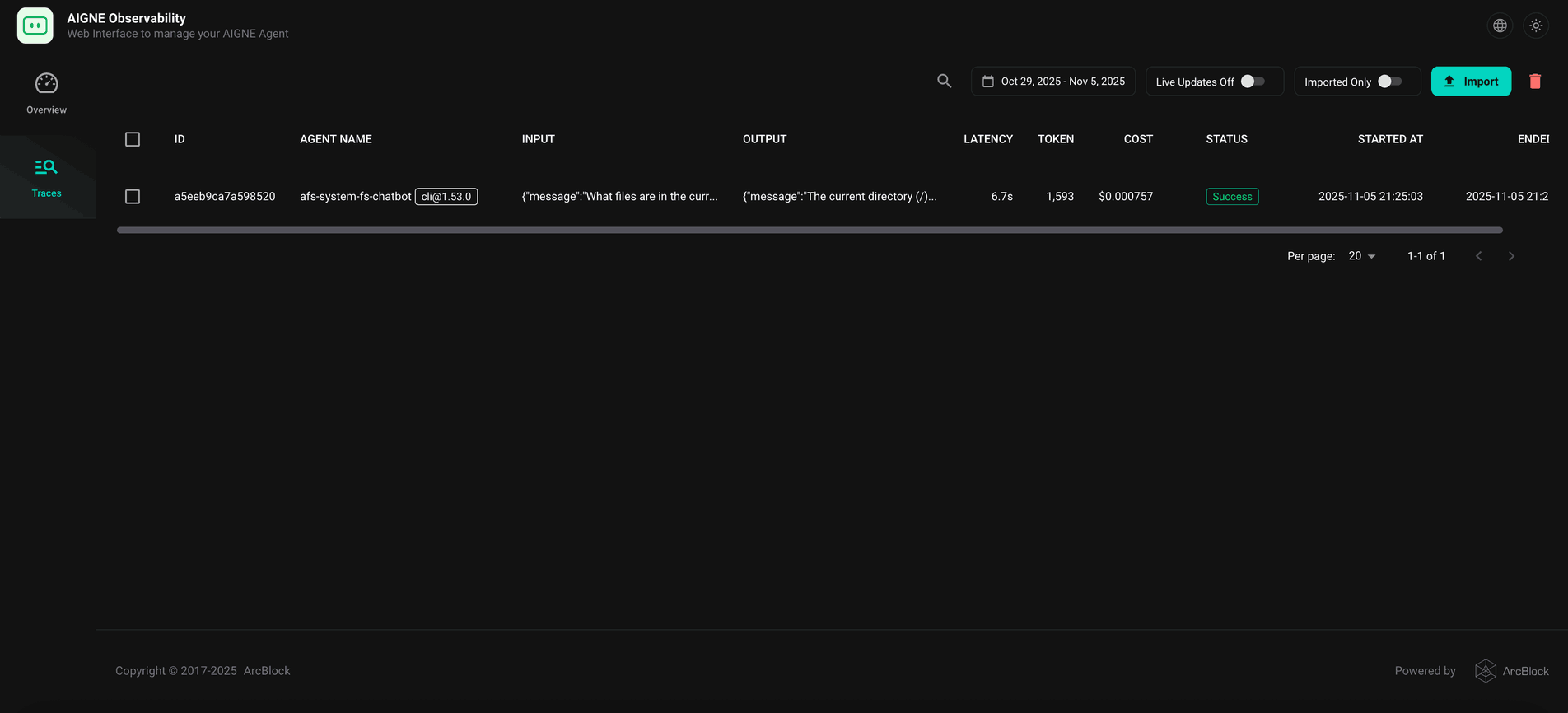
The aigne observe command starts a local web server that provides a user-friendly interface to inspect execution traces, view detailed call information, and understand your agent’s behavior. This is a powerful tool for debugging and performance tuning.
- Install the AIGNE CLI:
npm install -g @aigne/cli - Start the observation server:
aigne observe
- View Traces: After running an agent, open your browser to
http://localhost:7893to see a list of recent executions and inspect the details of each run.