DID Spaces Memory
This guide demonstrates how to build a chatbot with persistent memory using DID Spaces. By leveraging the DIDSpacesMemory plugin from the AIGNE Framework, your agent can retain conversation history across multiple sessions in a decentralized and secure manner.
Prerequisites#
Before you begin, ensure you have the following installed and configured:
- Node.js: Version 20.0 or higher.
- npm: Included with your Node.js installation.
- OpenAI API Key: Required for connecting to the language model. You can obtain one from the OpenAI Platform.
- DID Spaces Credentials: Necessary for memory persistence.
Quick Start#
You can run this example directly without any local installation using npx.
1. Run the Example#
Execute the following command in your terminal:
Run the memory-did-spaces example
npx -y @aigne/example-memory-did-spaces2. Connect to an AI Model#
On the first run, the CLI will prompt you to connect to an AI model because no API keys have been configured.

You have several options to proceed:
- Connect via the official AIGNE Hub (Recommended) This is the easiest way to get started. Selecting this option will open your web browser to the official AIGNE Hub authentication page. Follow the on-screen instructions to connect your wallet. New users automatically receive a welcome bonus of 400,000 tokens to use.
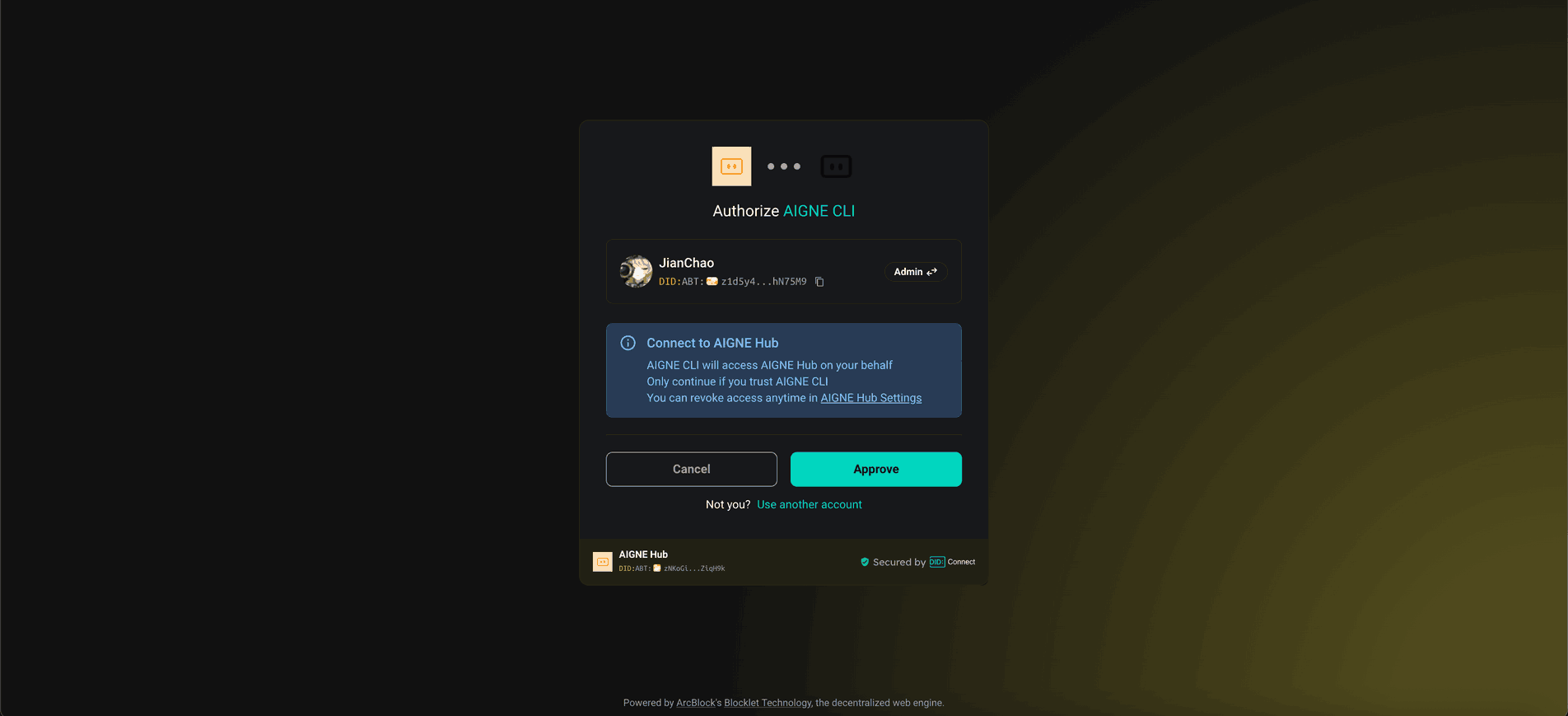
- Connect via a self-hosted AIGNE Hub If you have your own instance of AIGNE Hub, choose this option. You will be prompted to enter the URL of your self-hosted Hub to complete the connection. You can deploy your own AIGNE Hub from the Blocklet Store.

- Connect via a Third-Party Model Provider You can also connect directly to a third-party provider like OpenAI, DeepSeek, or Google Gemini. To do this, you need to set the provider's API key as an environment variable. For example, to use OpenAI, set the
OPENAI_API_KEYvariable:Set your OpenAI API key here
export OPENAI_API_KEY="YOUR_OPENAI_API_KEY"
After setting the environment variable, run thenpxcommand again.
Local Installation and Execution#
If you prefer to run the example from the source code, follow these steps.
1. Clone the Repository#
First, clone the AIGNE Framework repository from GitHub:
git clone https://github.com/AIGNE-io/aigne-framework2. Install Dependencies#
Navigate to the example's directory and install the required dependencies using pnpm:
cd aigne-framework/examples/memory-did-spaces
pnpm install
3. Run the Example#
Finally, start the example:
pnpm startThe script will execute three tests to demonstrate the memory functionality: storing a user profile, recalling preferences, and creating a portfolio based on the stored data. The results will be displayed in the console and saved to a markdown report file for your review.
How It Works#
This example utilizes the DIDSpacesMemory plugin from the @aigne/agent-library package. This plugin enables the agent to persist conversation history by storing it in DID Spaces, a decentralized personal data storage solution.
Key features include:
- Decentralized Persistence: Conversations are stored securely in the user's DID Space.
- Session Continuity: The chatbot can recall information from previous interactions, even after being restarted.
- Privacy and Security: User data is managed using Decentralized Identifier (DID) technology, ensuring privacy and user control.
The example showcases this by storing user profile details, recalling them in a new interaction, and using that remembered context to provide personalized recommendations.
Configuration#
While the example comes with a pre-configured DID Spaces endpoint for demonstration purposes, you will need to update the configuration for a production application. This involves setting up your own DID Spaces instance and providing the correct URL and authentication credentials in the code.
memory-config.ts
import { DIDSpacesMemory } from '@aigne/agent-library';

const memory = new DIDSpacesMemory({
  url: "YOUR_DID_SPACES_URL",
  auth: {
    authorization: "Bearer YOUR_TOKEN",
  },
});
Replace "YOUR_DID_SPACES_URL" and "Bearer YOUR_TOKEN" with your actual endpoint and authentication token.
Debugging with AIGNE Observe#
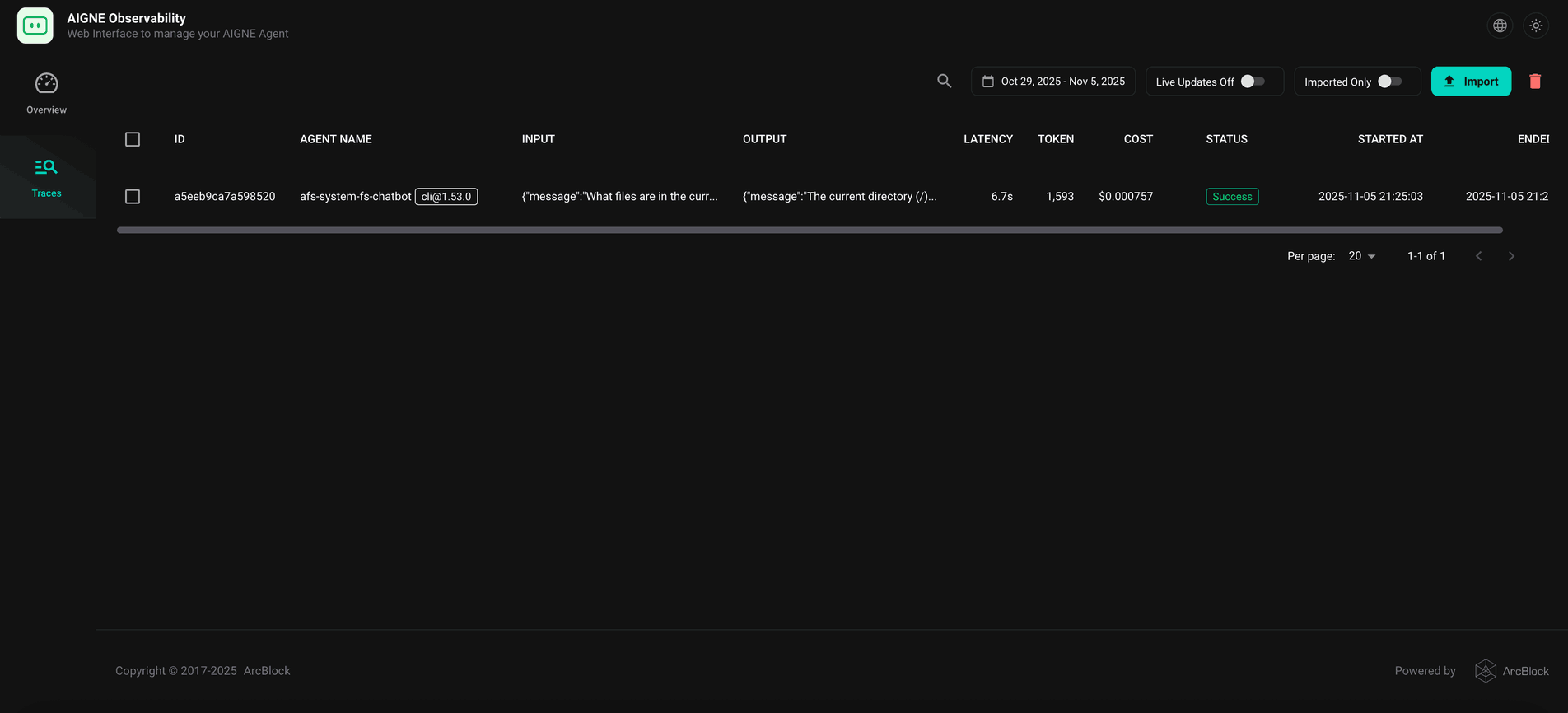
To monitor and debug your agent's execution, you can use the aigne observe command. This tool launches a local web server that provides a detailed view of agent traces, helping you understand its behavior, diagnose issues, and optimize performance.
To start the observation server, run:
aigne observe
Once running, you can open the provided URL (http://localhost:7893 by default) in your browser to view a list of recent agent executions and inspect their details.
Summary#
This example has demonstrated how to integrate decentralized, persistent memory into an AI agent using the DIDSpacesMemory plugin. This capability allows you to create more sophisticated and context-aware chatbots that remember user interactions across sessions.
To learn more about related concepts, refer to the following documentation: