When a user successfully uploads a feature to the Store (as shown below), we need to publish the Blocklet in the Store in order to see our Blocklet on the Blocklet Store.
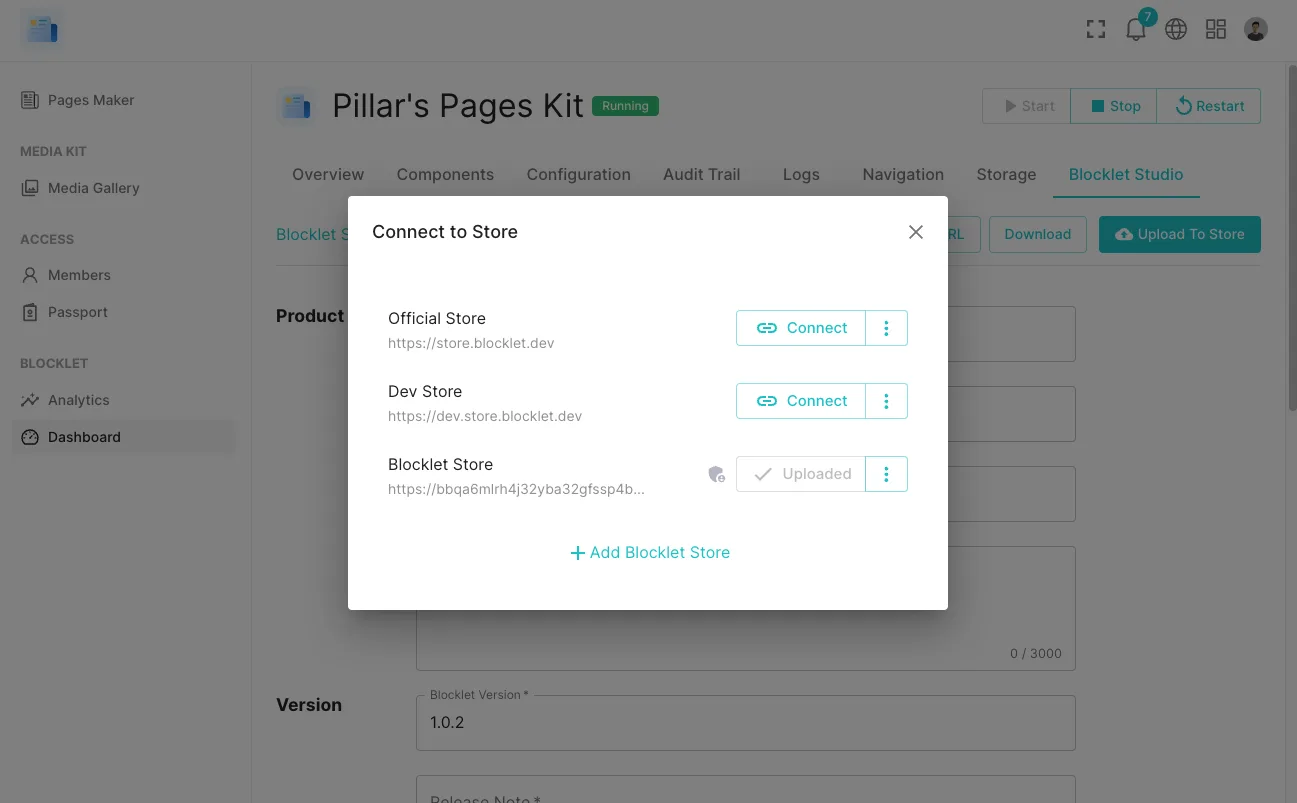
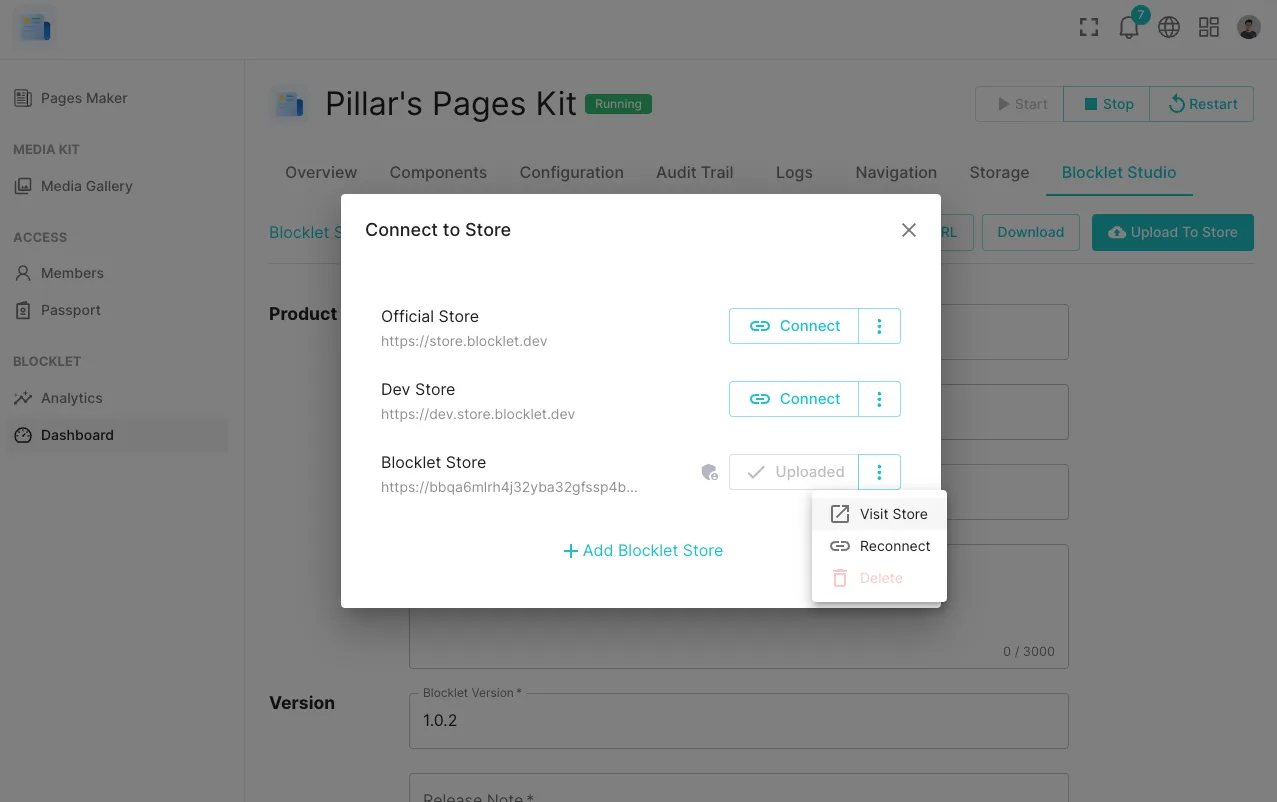
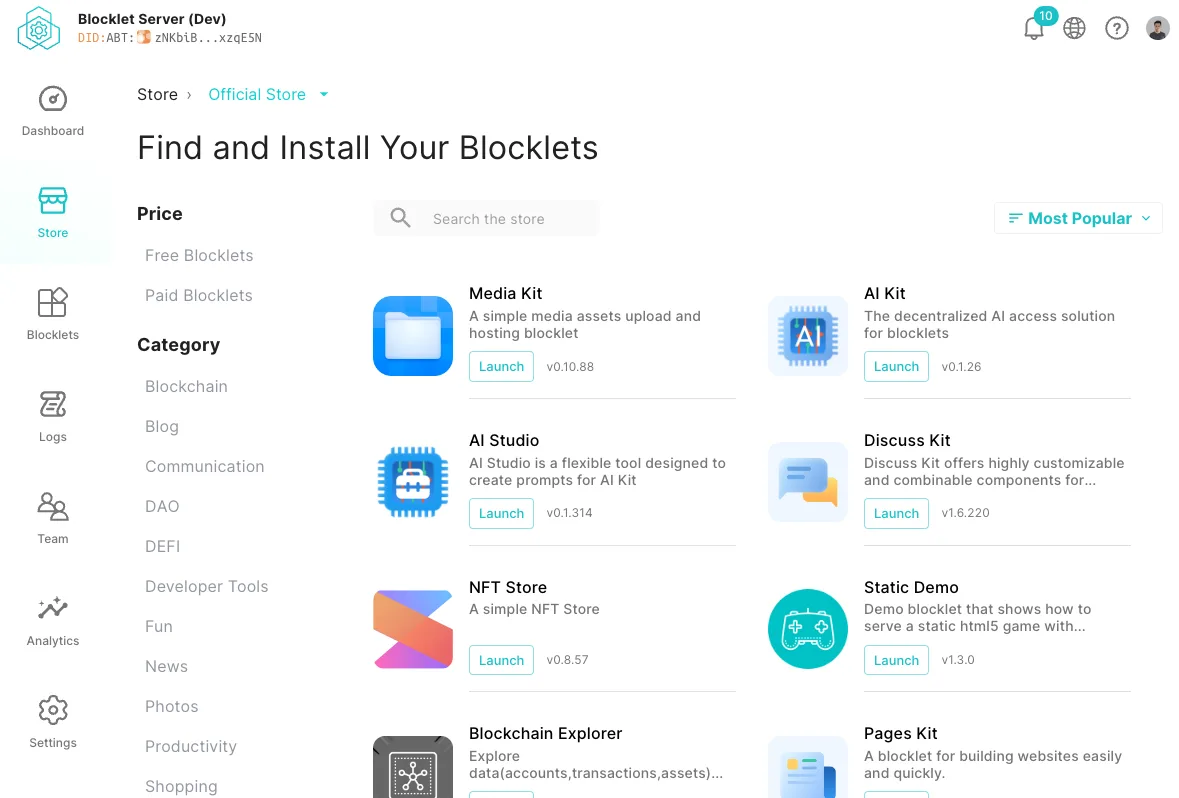
When uploaded, click on Store to view, as shown in the figure:
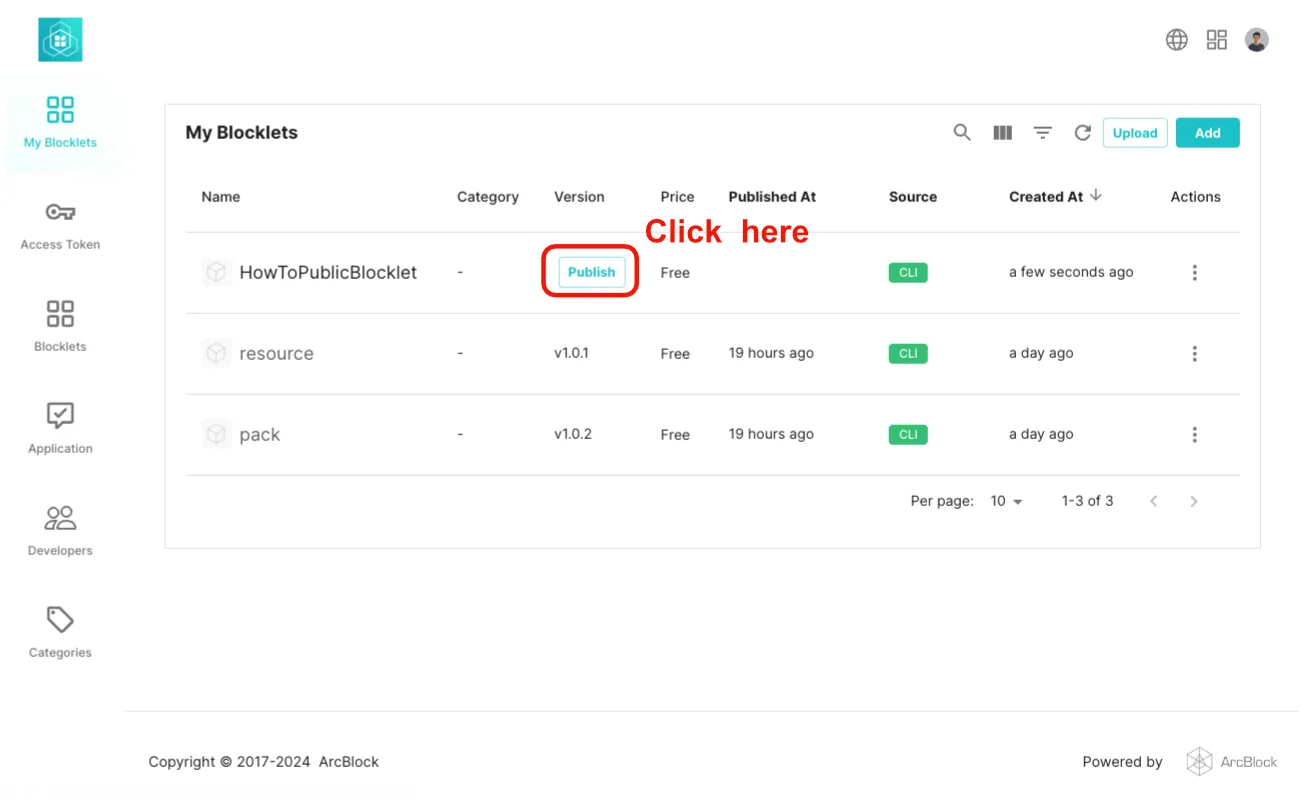
Then click on release in the Blocklet Store as shown in the figure below:
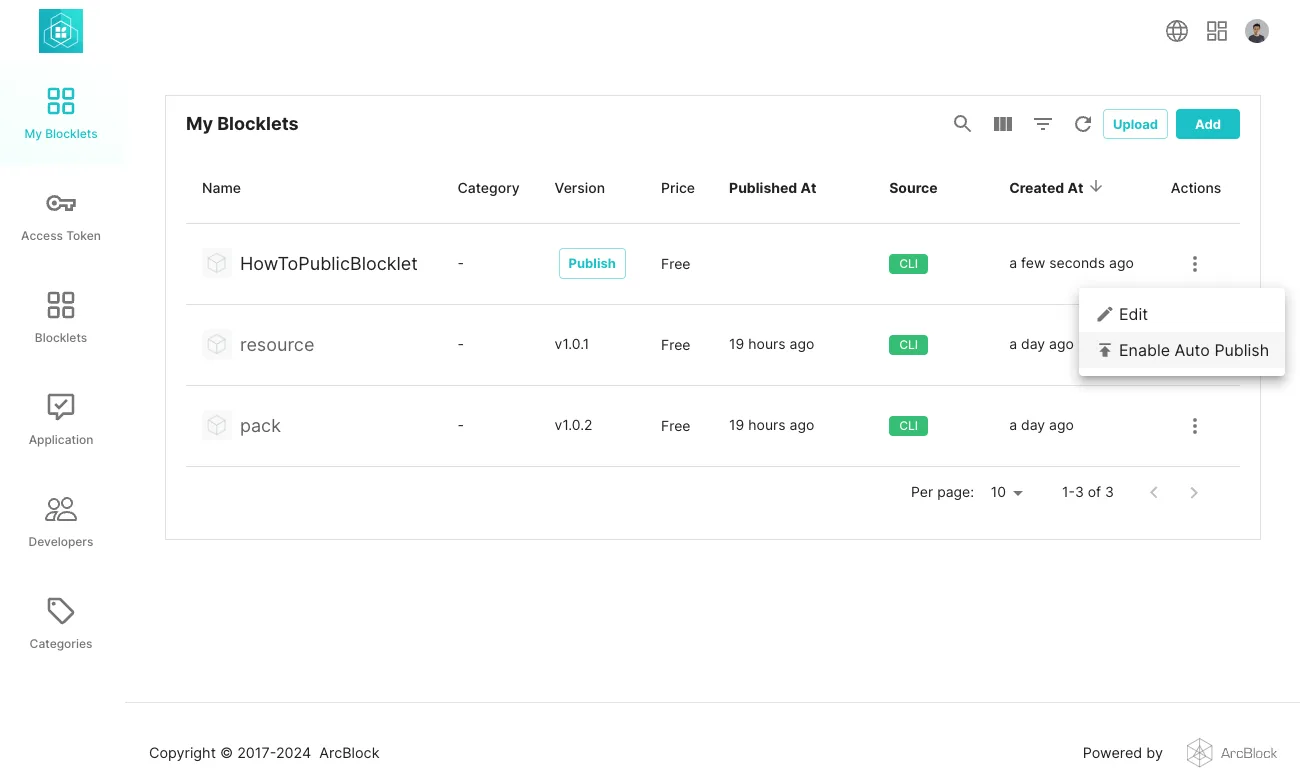
At this time, you can view the Blocklet in the Blocklet Store.
If the Blocklet has been released and is not visible in the Blocklet Store, please make sure that the Blocklet is a Resource-based Blocklet. Please refer to the document below for more details: