If you are a blocklet developer, or you have a blocklet release bundle, you can deploy the blocklet directly to your Blocklet Server
Install the local Blocklet as an application directly into the locally running Server
- Visit the Server - Blocklet list page in the browser and click "Install New Blocklets" - "Install from URL"
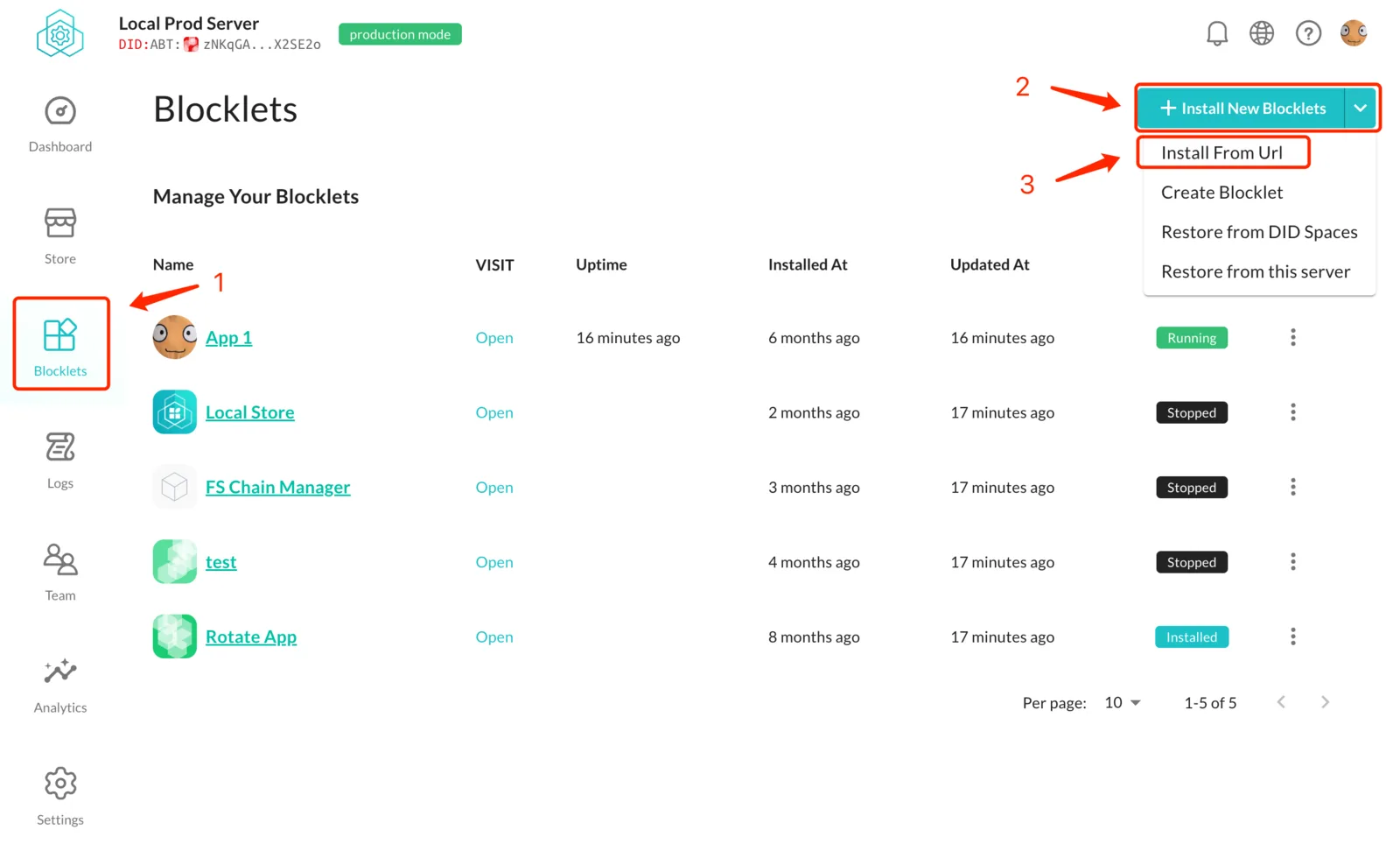
- After packaging the blocklet, copy the file path of the blocklet.json file in the release directory in the blocklet bundle directory (usually in
{your project directory}/.blocklet/release/blocklet.json), and fill infile://{file path}in the url input box.
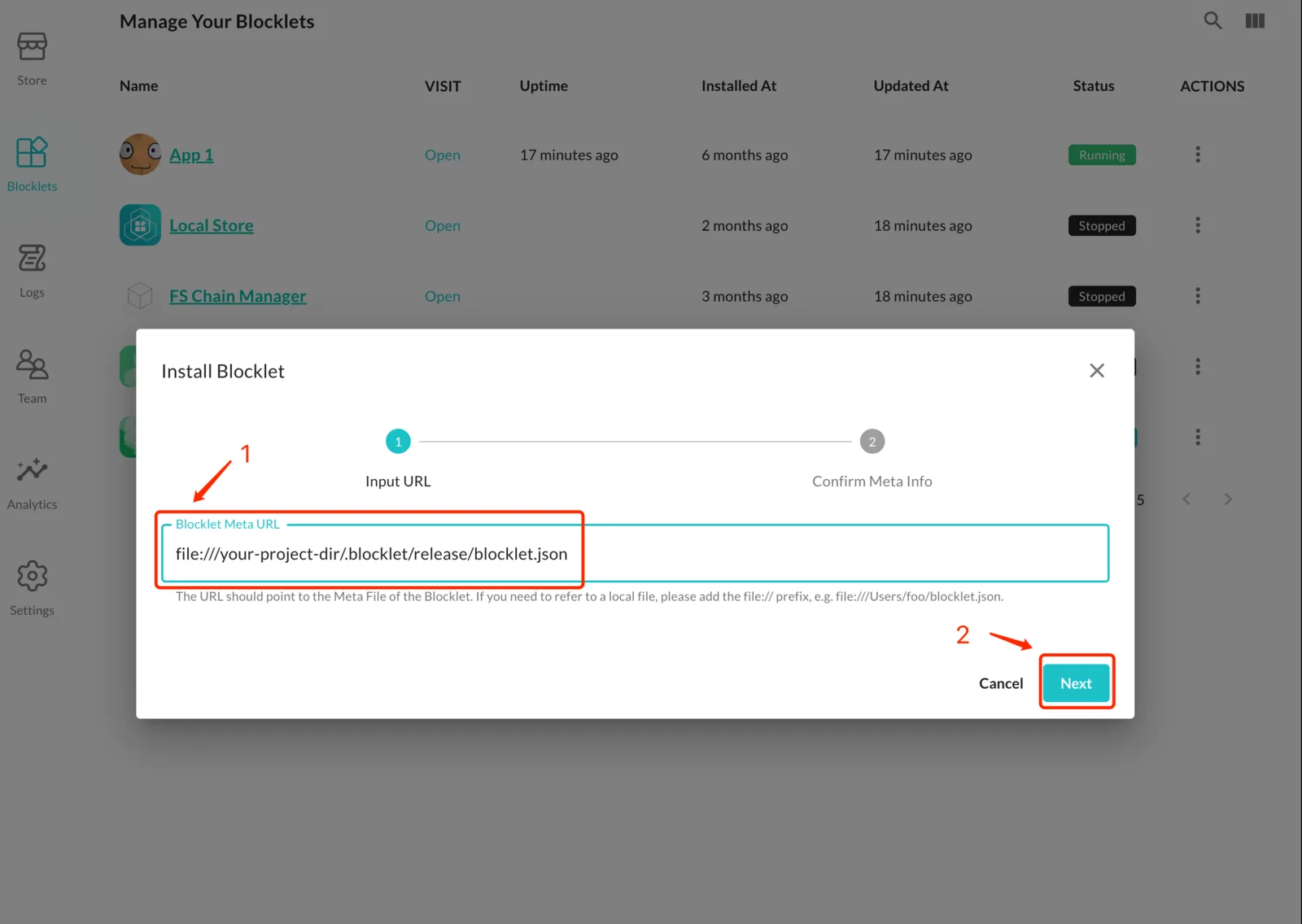
- Complete the subsequent process, use DID wallet to create the application DID, and continue until the installation is successful.
Deploy Blocklet as component into application in Blocklet Server
STEP 1
If it is a local server, you can skip step1 and go directly to step2
Create Access Key in your Blocklet Server
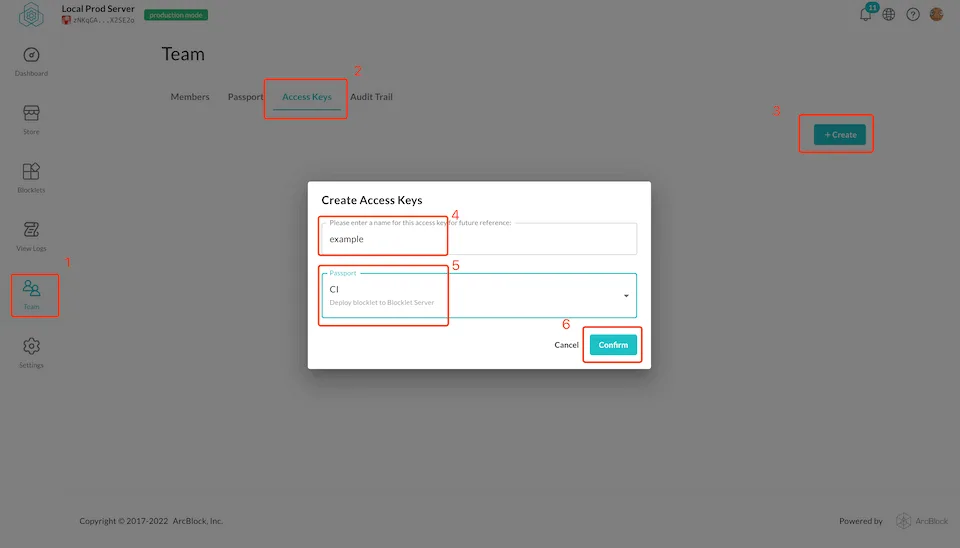
STEP 2
Execute the blocklet deploy command to deploy the blocklet to the Blocklet Server
blocklet deploy <blocklet-bundle-folder> --endpoint xxxxxx --access-key xxxxxx --access-secret xxxxxx --app-id <blocklet-app-id> --mount-point /xxx- blocklet-bundle-folder: The directory built using blocklet bundle . If you are currently in the project root directory, it is
.blocklet/bundle. - --endpoint: The address of the server. If it is a local server, you do not need to enter this param.
- --access-key: Access Key created in the first step. If it is a local server, you do not need to enter this param.
- --access-secret: Access Secret created in the first step. If it is a local server, you do not need to enter this param.
- --app-id: AppDID of the application, which can be viewed in the application details page of the Server
- --mount-point: Mount point of the component
You can also configure environment variables using a .env file; all environment variables for a blocklet will start with BLOCKLET_.
BLOCKLET_DEPLOY_APP_DID="xxxx"