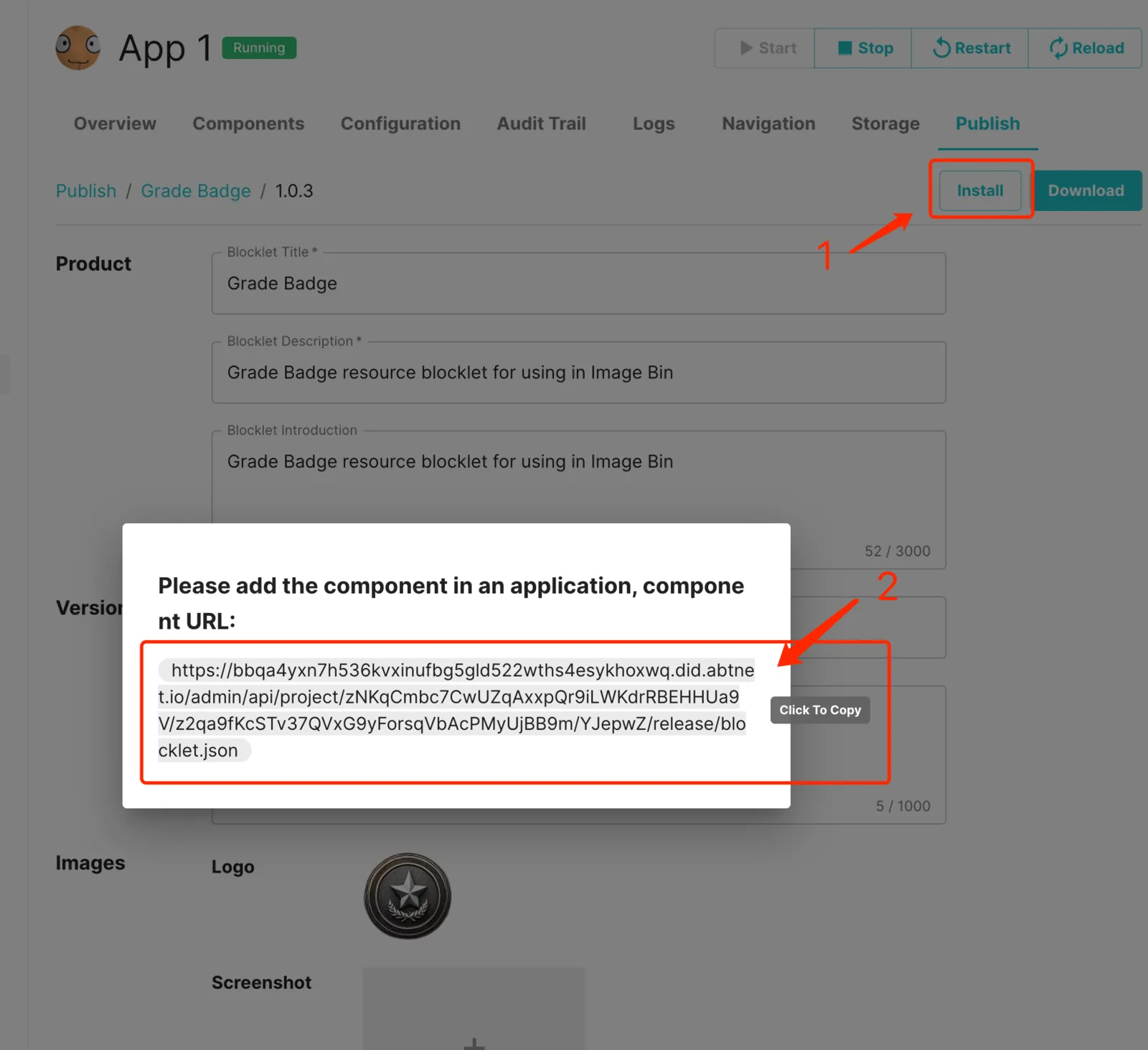
Step 1: After creating the resource, click "Install" and copy the link
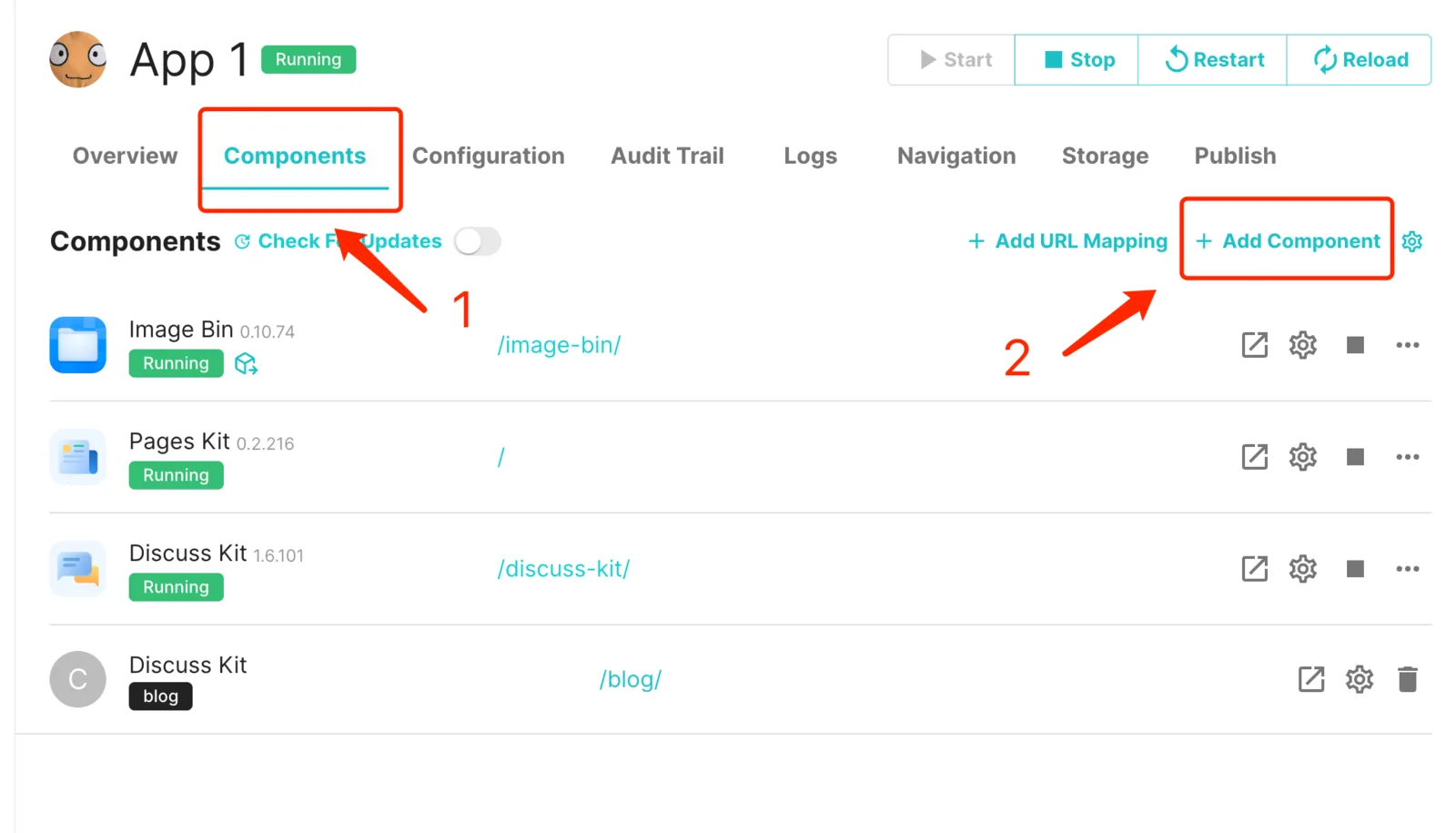
Step 2: Go to the component management page and click "Add Component"
Step 3: Click "Add component from URL", paste the link you just copied, and click "Next"
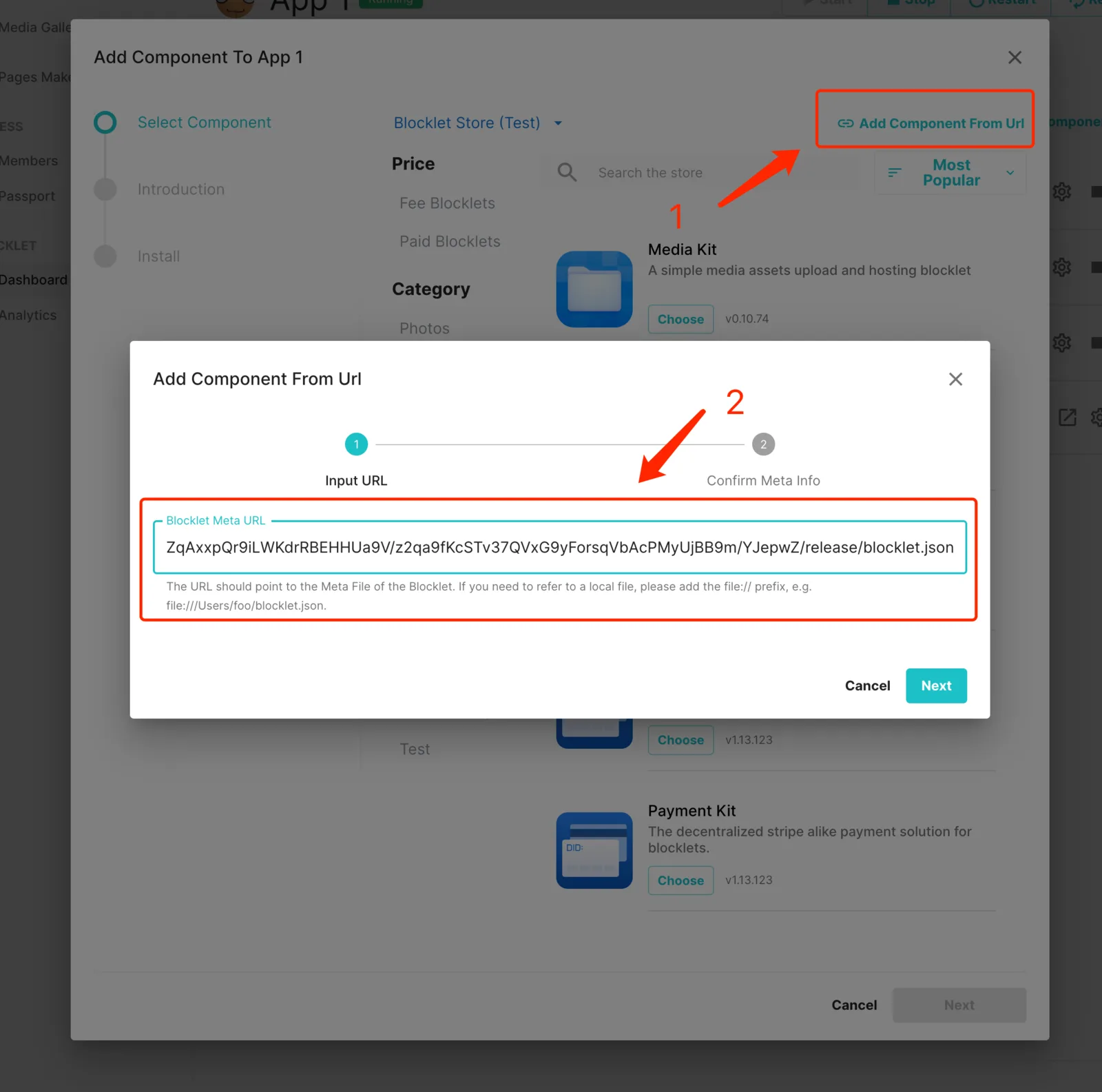
After completing the subsequent installation process, congratulations, you have added the component to the application!