Preconditions
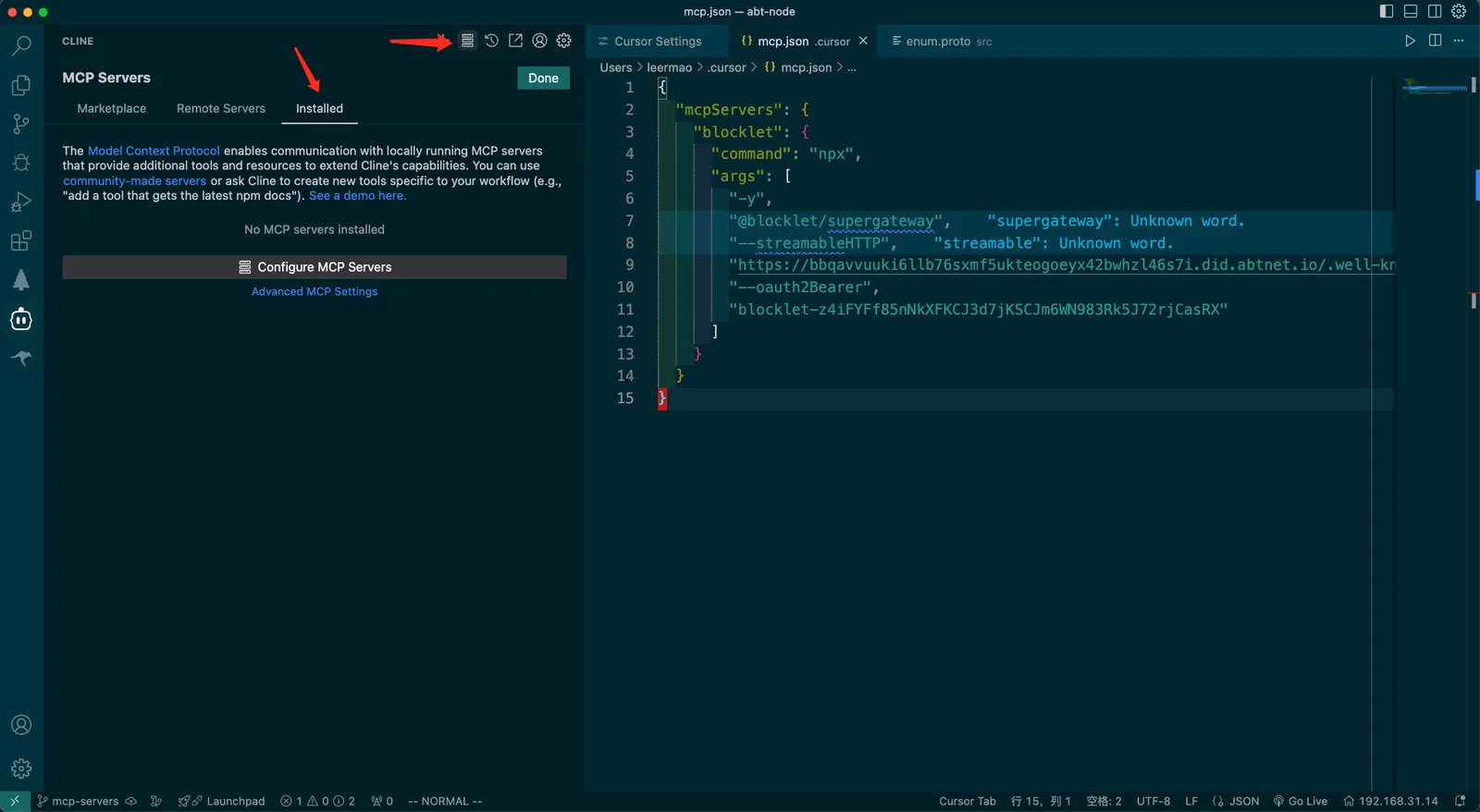
- Open Cursor, go to Extensions, and install Cline.
- After successful installation, configure the relevant API.
- Under normal circumstances, there should be no MCP services configured.
Installation
Install the Blocklet MCP
- Visit Dashboard > Integrations > MCP Servers > Cline
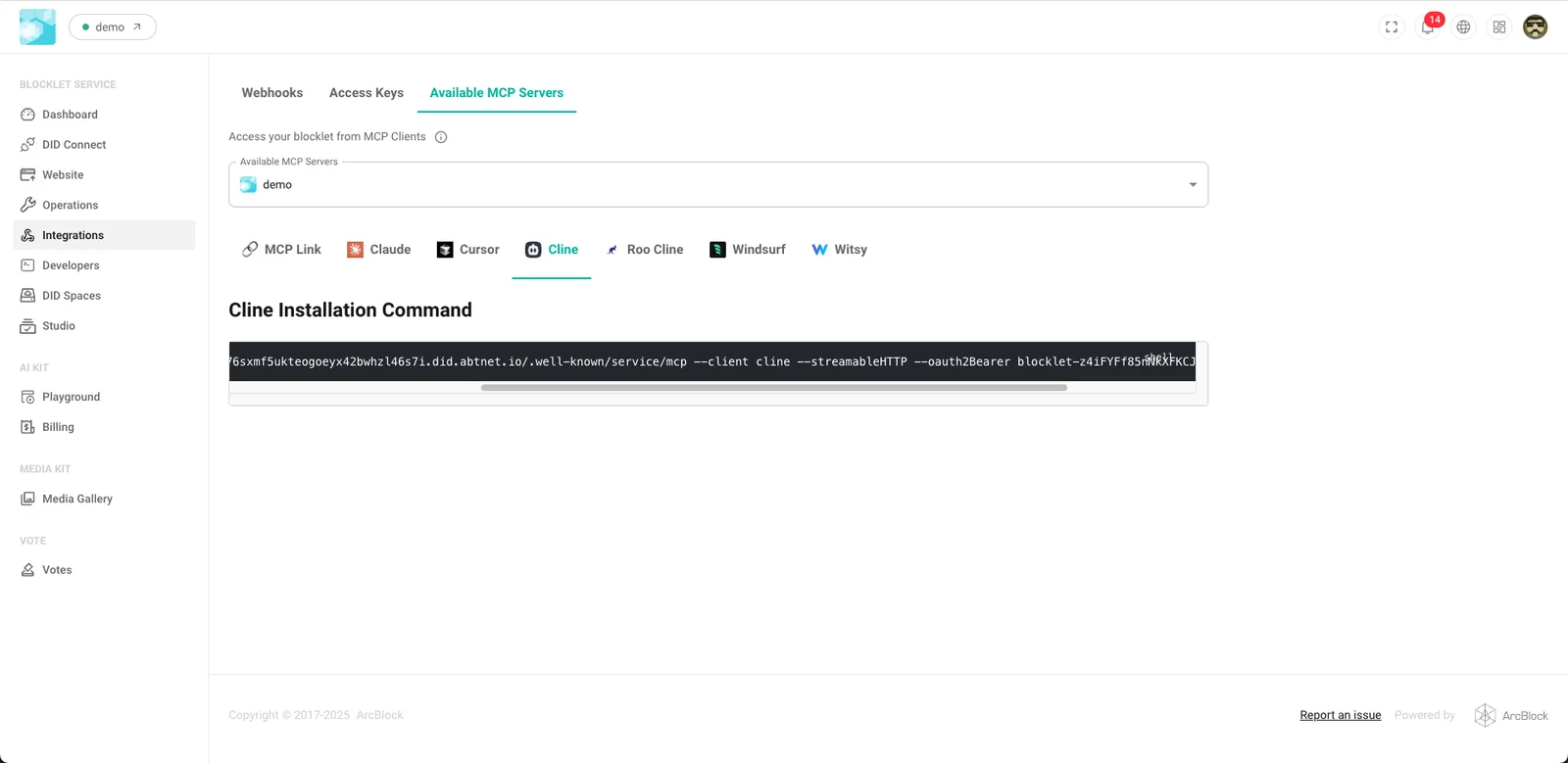
- Run the following installation command
npx @blocklet/install-mcp@latest i https://bbqavvuuki6llb76sxmf5ukteogoeyx42bwhzl46s7i.did.abtnet.io/.well-known/service/mcp --client cline --streamableHTTP --oauth2Bearer blocklet-z4iFYFf85nNkXFKCJ3d7jKSCJm6WN983Rk5J72rjCasRX- Enter the server name as prompted.
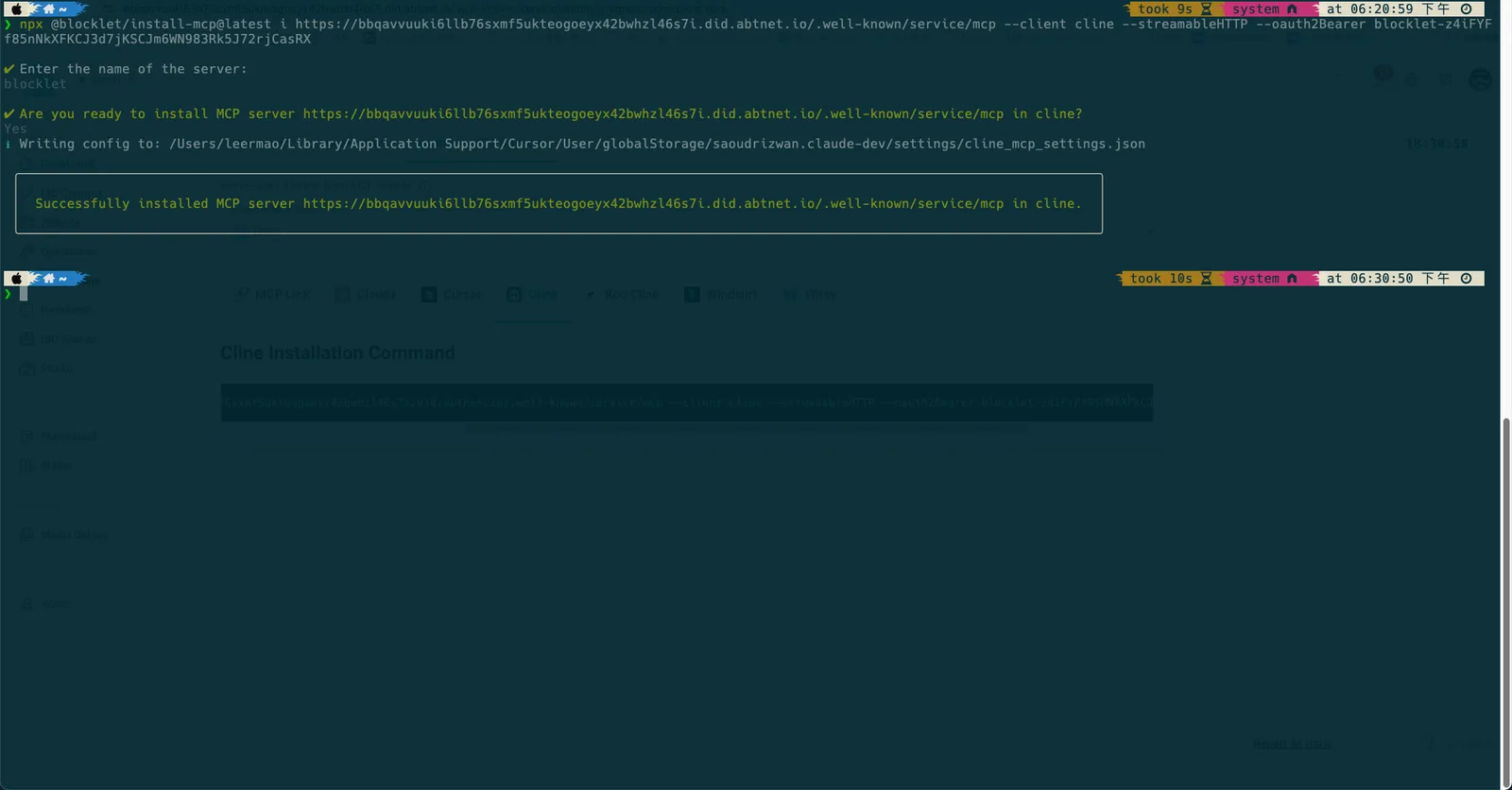
Confirm Installation
- Restart Cursor
- View the Blocklet Service MCP
- Confirm the Blocklet Server status is running
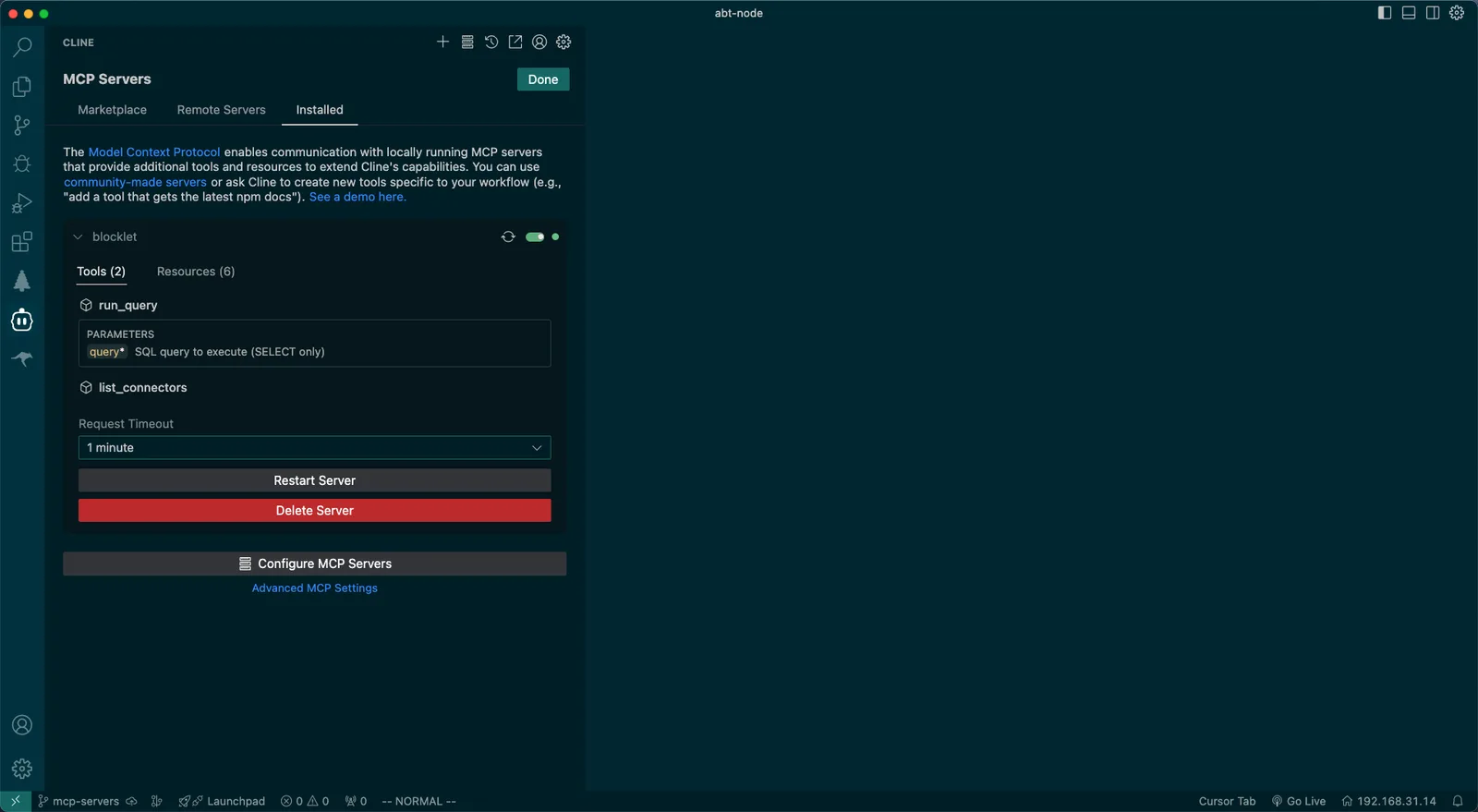
MCP Test
- MCP functionality can be tested through simple queries
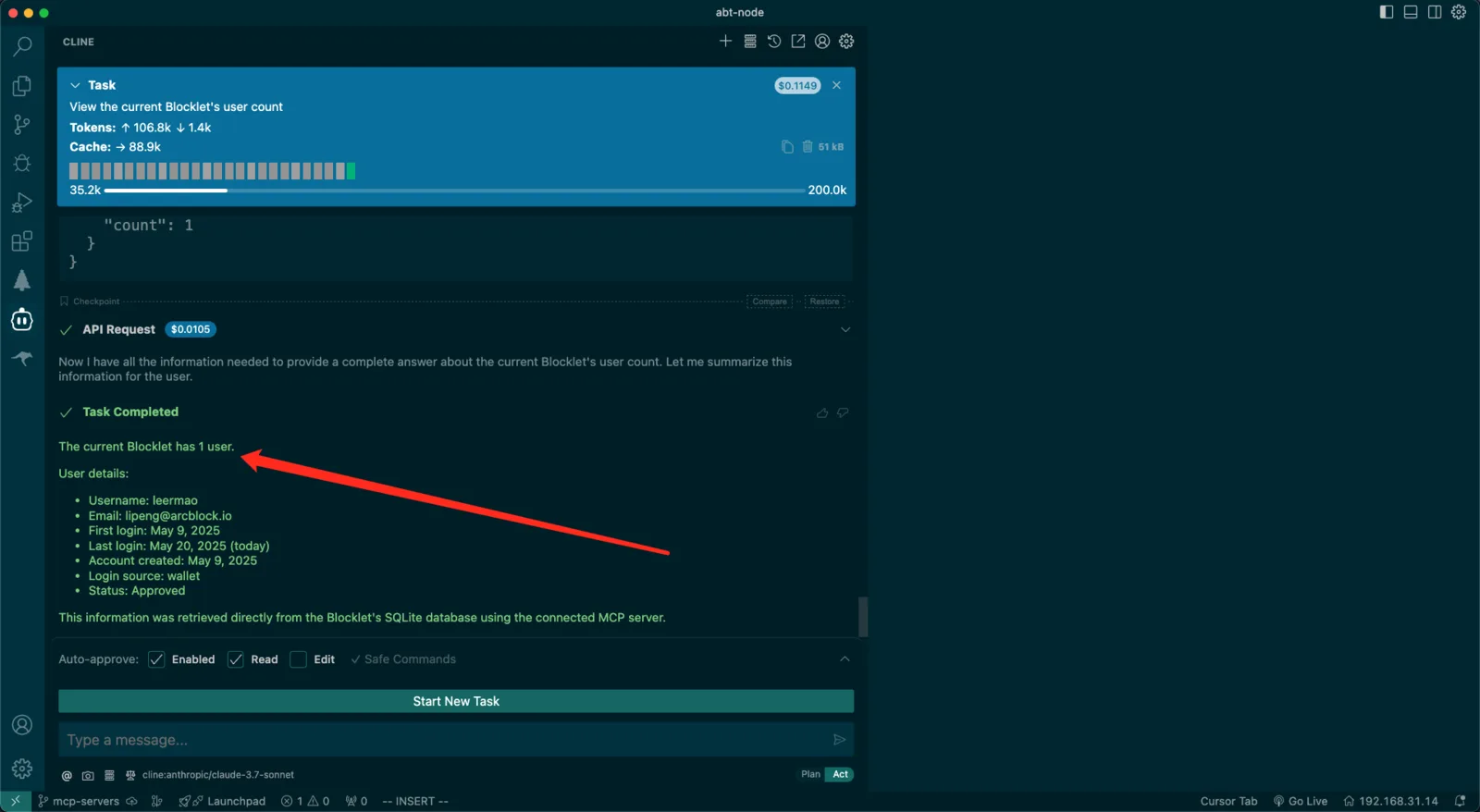
- Example query: "View the current Blocklet's user count"
- Verify the presence of MCP call logs and output.
Important Considerations
- The URL in the installation command points to the test environment.
- Ensure Cursor is restarted