The TransformAgent is a specialized agent that provides a declarative way to transform structured data using JSONata expressions. It is ideal for scenarios where data needs to be mapped, restructured, or converted from one format to another without requiring complex imperative logic.
Common use cases include:
- Normalizing API responses to a consistent format.
- Mapping fields between different data schemas (e.g., database results to an application model).
- Restructuring configuration data.
- Converting data formats, such as changing field names from
snake_case to camelCase. - Performing simple aggregations, calculations, or filtering on data.
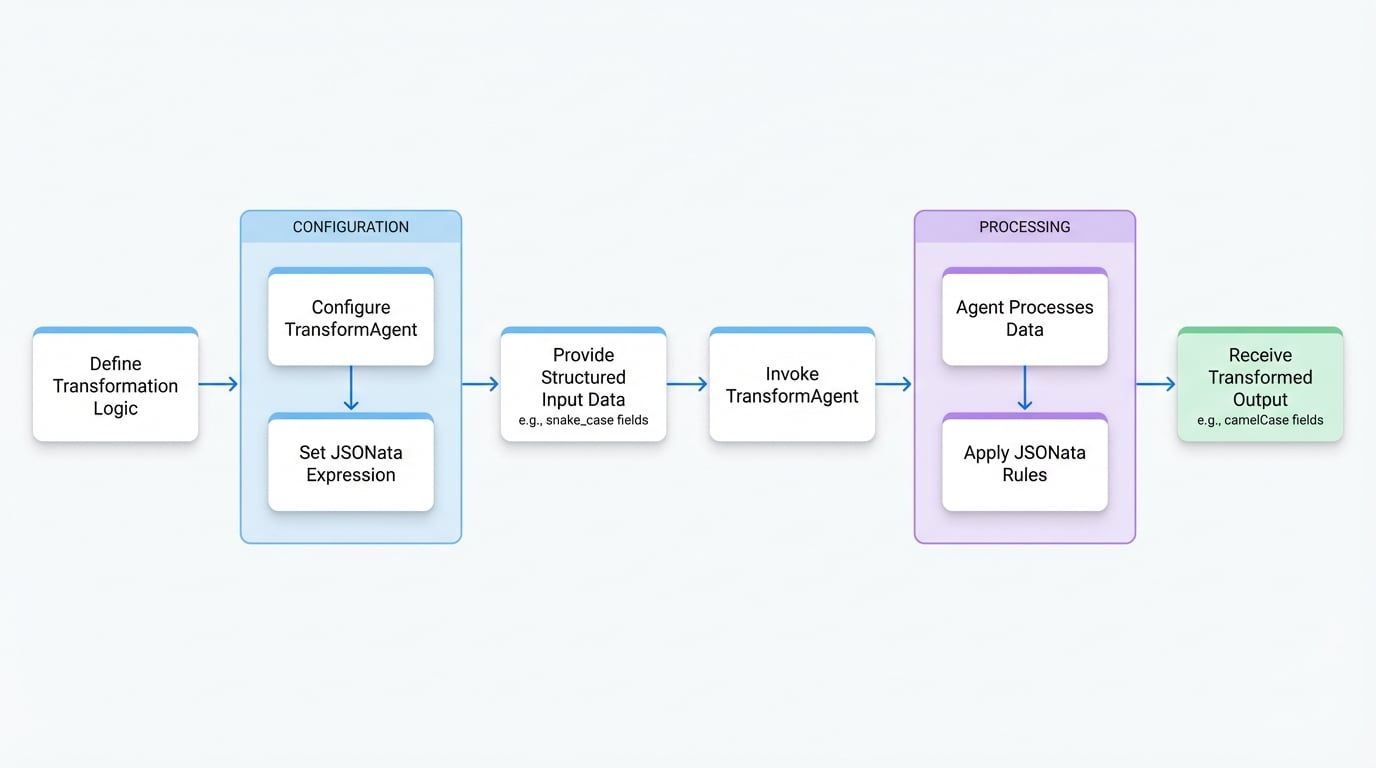
The following diagram illustrates the workflow of the Transform Agent, showing how a developer defines a transformation, provides input data, and receives the transformed output.
For transformations that require more complex, custom logic, consider using the Function Agent.
Configuration#
The TransformAgent is configured using the following options.
A expression string that defines the data transformation logic. JSONata is a lightweight query and transformation language for JSON data. The expression dictates how the input message is transformed into the output message. You can experiment with expressions in the .
**Common Patterns:**
  - **Field Mapping:** `{ "newField": oldField }`
  - **Array Transformation:** `items.{ "name": product_name, "price": price }`
  - **Calculations:** `$sum(items.price)`
  - **Conditional Logic:** `condition ? value1 : value2`
  - **String Operations:** `$uppercase(name)`
</x-field-desc>
Usage#
The TransformAgent can be defined either programmatically using TypeScript or declaratively using YAML.
TypeScript Example#
This example demonstrates how to create a TransformAgent that converts field names from snake_case to camelCase.
import { TransformAgent } from "@aigne/core";

// 1. Define the TransformAgent
const snakeToCamelAgent = TransformAgent.from({
  name: "snake-to-camel-converter",
  description: "Converts user data fields from snake_case to camelCase.",
  jsonata: `{
    "userId": user_id,
    "userName": user_name,
    "createdAt": created_at
  }`,
});

// 2. Define the input data
const inputData = {
  user_id: "usr_12345",
  user_name: "John Doe",
  created_at: "2023-10-27T10:00:00Z",
};

// 3. Invoke the agent to perform the transformation
async function runTransform() {
  const result = await snakeToCamelAgent.invoke(inputData);
  console.log(result);
}
The agent applies the JSONata expression to the inputData, renaming the keys as specified.
Output
{
  "userId": "usr_12345",
  "userName": "John Doe",
  "createdAt": "2023-10-27T10:00:00Z"
}
YAML Example#
The same agent can be defined declaratively in a YAML file. This is useful for defining agents as part of a larger configuration.
type: transform
name: transform-agent
description: |
  A Transform Agent that processes input data using JSONata expressions.
input_schema:
  type: object
  properties:
    user_id:
      type: string
      description: The ID of the user.
    user_name:
      type: string
      description: The name of the user.
    created_at:
      type: string
      description: The creation date of the user.
  required:
    - user_id
    - user_name
    - created_at
output_schema:
  type: object
  properties:
    userId:
      type: string
This YAML definition specifies the agent's type, name, schemas, and the core jsonata transformation expression, achieving the same result as the TypeScript example.
Summary#
The TransformAgent offers a powerful and concise method for handling structured data transformations. By leveraging JSONata, it separates data mapping and restructuring logic from your main application code, leading to cleaner and more maintainable agentic workflows.
For orchestrating this agent with others, see the Team Agent documentation.