This guide provides a step-by-step demonstration of how to use the AIGNE Framework with a Puppeteer MCP Server for automated web scraping. By following this example, you will learn to build and run an AI agent capable of navigating to a website and extracting its content.
Overview
This example showcases an integration between an AIAgent and a MCPAgent that controls a Puppeteer instance. The AIAgent receives a natural language command to extract content from a URL. It then delegates the web automation tasks to the Puppeteer agent, which navigates to the specified page and executes JavaScript to scrape the content.
The general workflow is as follows:
flowchart LR

in(In)
out(Out)
agent(AI Agent)
puppeteer(Puppeteer MCP Agent)
navigate(Navigate to URL)
evaluate(Evaluate JS)

in --> agent <--> puppeteer

subgraph MCP Agent
  puppeteer <--> navigate
  puppeteer <--> evaluate
end

agent --> out

classDef inputOutput fill:#f9f0ed,stroke:#debbae,stroke-width:2px,color:#b35b39,font-weight:bolder;
classDef processing fill:#F0F4EB,stroke:#C2D7A7,stroke-width:2px,color:#6B8F3C,font-weight:bolder;

class in inputOutput
class out inputOutput
class agent processing
class puppeteer processing
class navigate processing
class evaluate processing
The sequence of operations for summarizing website content is illustrated below:
shape: sequence_diagram

User: {
  shape: c4-person
}

AI: {
  label: "AI Agent"
}

P: {
  label: "Puppeteer MCP Agent"
}

N: {
  label: "Navigate to URL"
}

E: {
  label: "Evaluate JS"
}

User -> AI: "summarize content from https://www.arcblock.io"
AI -> P: "extract content from https://www.arcblock.io"
P -> N: "navigate to https://www.arcblock.io"
N -> P: "navigation completed"
P -> E: "evaluate document.body.innerText"
E -> P: "content extracted"
E -> AI: "extracted content as context"
AI -> User: "The content is as follows: ..."
Prerequisites
Before running the example, ensure the following requirements are met:
- Node.js version 20.0 or higher.
- An active OpenAI API key.
Quick Start
You can run this example directly without cloning the repository using npx.
Run the Example
Execute the following commands in your terminal. The example supports a one-shot mode, an interactive chat mode, and can receive input via a pipeline.
Run in one-shot mode
# Run in one-shot mode (default)
npx -y @aigne/example-mcp-puppeteer
Run in interactive chat mode
# Run in interactive chat mode
npx -y @aigne/example-mcp-puppeteer --interactive
Use pipeline input
# Use pipeline input
echo "extract content from https://www.arcblock.io" | npx -y @aigne/example-mcp-puppeteer
Connect to an AI Model
On the first run, if no model provider is configured, the application will prompt you to connect to one.

You have several options to proceed:
- Connect via the official AIGNE Hub: This is the recommended option. Choosing it will open your web browser to the AIGNE Hub, where you can authorize the connection. New users receive a complimentary token balance for trial purposes.
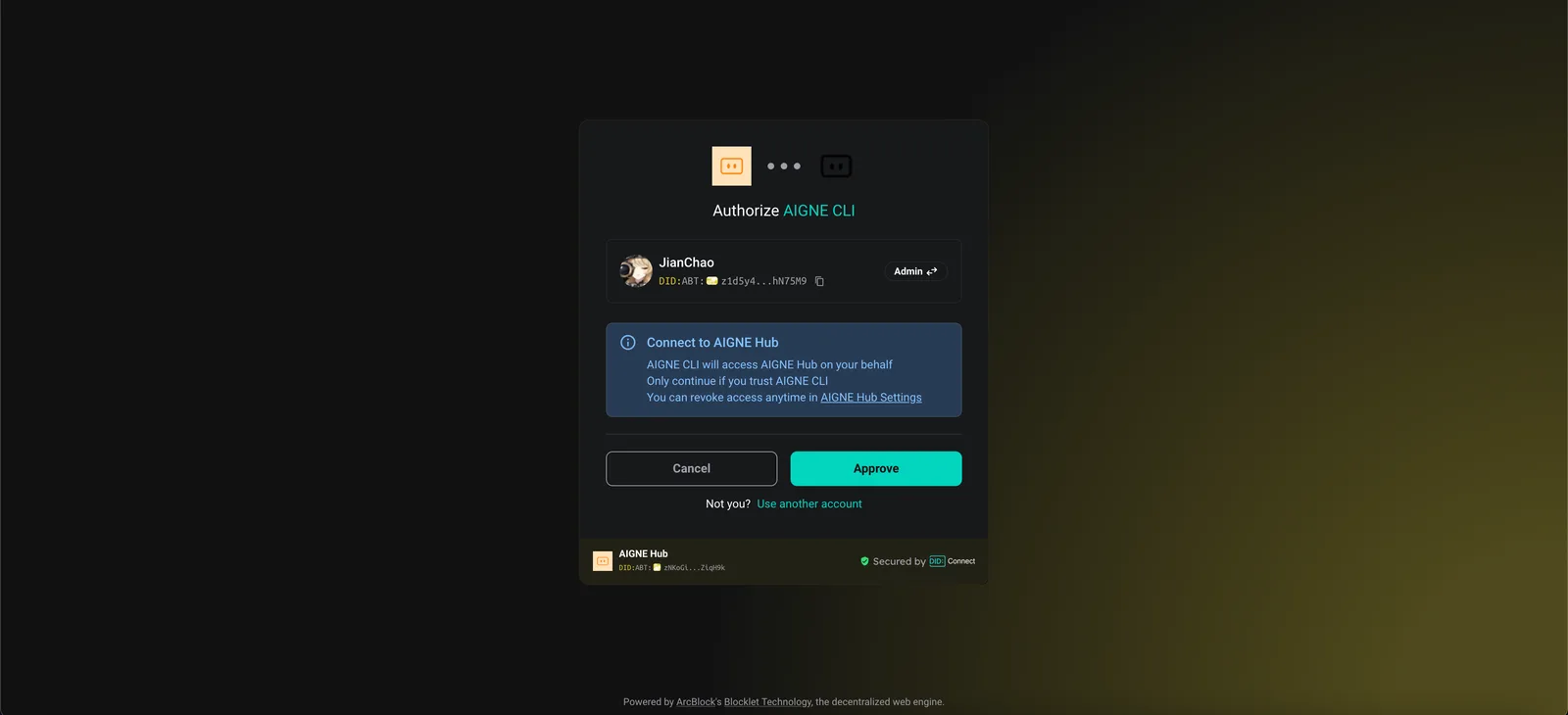
- Connect via a self-hosted AIGNE Hub: If you host your own AIGNE Hub, select this option and enter the URL of your instance to complete the connection. You can deploy your own AIGNE Hub from the Blocklet Store.

- Connect via a third-party model provider: You can configure an API key from a provider like OpenAI directly using environment variables. Configure OpenAI API Key
sh export OPENAI_API_KEY="YOUR_API_KEY"For a comprehensive list of supported providers and variables, refer to the example.env.local.examplefile within the project. After setting the environment variable, run the command again.
Installation from Source
To examine the code or make modifications, you can clone the repository and run the example locally.
1. Clone the Repository
Clone the aigne-framework repository
git clone https://github.com/AIGNE-io/aigne-framework2. Install Dependencies
Navigate to the example directory and install the required packages using pnpm.
Install dependencies
cd aigne-framework/examples/mcp-puppeteer
pnpm install
3. Run the Example
Execute the start script to run the application.
Run the example from source
pnpm startTo pass command-line arguments to the script, separate them with --.
Run in chat mode from source
pnpm start -- --interactiveCode Example
The following TypeScript code demonstrates the core logic for setting up the AIGNE instance, configuring the Puppeteer MCP agent, and invoking the AI agent to extract web content.
agent.ts
import { AIAgent, AIGNE, MCPAgent } from "@aigne/core";
import { OpenAIChatModel } from "@aigne/core/models/openai-chat-model.js";

const { OPENAI_API_KEY } = process.env;

// Initialize the OpenAI model with an API key
const model = new OpenAIChatModel({
  apiKey: OPENAI_API_KEY,
});

// Create an MCPAgent that runs the Puppeteer server
const puppeteerMCPAgent = await MCPAgent.from({
  command: "npx",
  args: ["-y", "@modelcontextprotocol/server-puppeteer"],
});

// Initialize the AIGNE instance with the model and the Puppeteer agent as a skill
const aigne = new AIGNE({
  model,
  skills: [puppeteerMCPAgent],
});

// Define the AI agent with instructions for web content extraction
const agent = AIAgent.from({
  instructions: `\
## Steps to extract content from a website
1. navigate to the url
2. evaluate document.body.innerText to get the content
`,
});

// Invoke the agent with a prompt
const result = await aigne.invoke(
  agent,
  "extract content from https://www.arcblock.io",
);

console.log(result);
// Expected output:
// {
//   $message: "The content extracted from the website [ArcBlock](https://www.arcblock.io) is as follows:\n\n---\n\n**Redefining Software Architect and Ecosystems**\n\nA total solution for building decentralized applications ...",
// }

// Shut down the AIGNE instance and its agents
await aigne.shutdown();
Command-Line Options
The application supports several command-line arguments to customize its behavior.
| Parameter | Description | Default |
|---|---|---|
--interactive | Run in interactive chat mode. | Disabled |
--model <provider[:model]> | Specify the AI model. Examples: openai, openai:gpt-4o-mini. | openai |
--temperature <value> | Set the temperature for model generation. | Provider default |
--top-p <value> | Set the top-p sampling value. | Provider default |
--presence-penalty <value> | Set the presence penalty value. | Provider default |
--frequency-penalty <value> | Set the frequency penalty value. | Provider default |
--log-level <level> | Set the logging level (ERROR, WARN, INFO, DEBUG, TRACE). | INFO |
--input, -i <input> | Provide input directly as an argument. | None |
Debugging
The AIGNE Framework includes an observability tool to help you monitor and debug agent executions.
To start the observation server, run:
Start the observability server
aigne observe
Once running, you can open the web interface in your browser to view a detailed list of execution traces, inspect inputs, outputs, and tool calls for each agent.
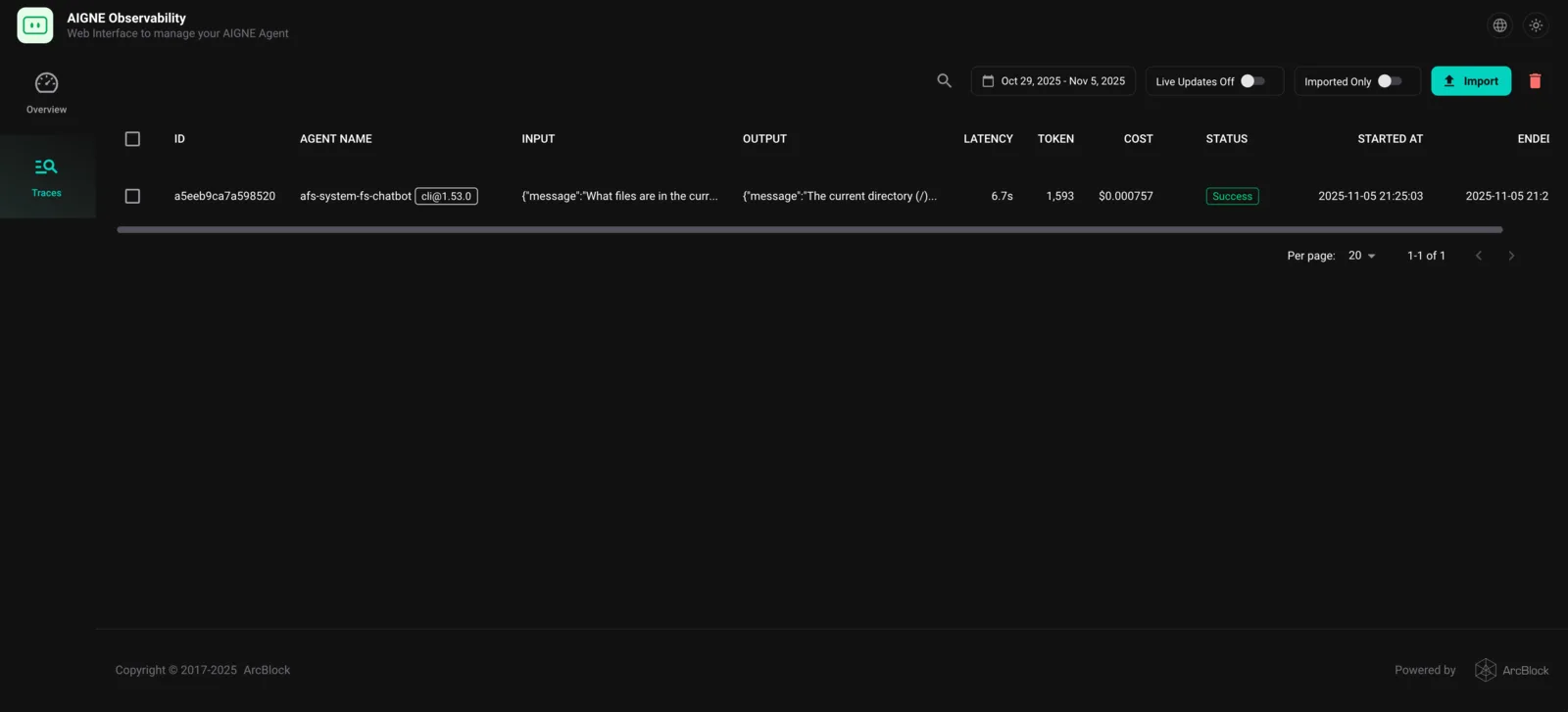
This tool is essential for understanding agent behavior, diagnosing issues, and optimizing performance.