Explore a collection of practical examples that demonstrate the various features and workflow patterns of the AIGNE Framework. This section provides hands-on, executable demos to help you understand intelligent conversation, MCP protocol integration, memory mechanisms, and complex agentic workflows.
Quick Start
You can run any example directly without a local installation using npx. This approach is the fastest way to see the AIGNE Framework in action.
Prerequisites
- Node.js (version 20.0 or higher) and npm installed.
- An API key for your chosen Large Language Model (LLM) provider (e.g., OpenAI).
Run an Example
Execute the following commands in your terminal to run a basic chatbot.
- Set your API key: Replace
YOUR_OPENAI_API_KEYwith your actual OpenAI API key.sh export OPENAI_API_KEY=YOUR_OPENAI_API_KEY - Run in one-shot mode: The agent will process a default prompt and exit.
sh npx -y @aigne/example-chat-bot - Run in interactive mode: Use the
--interactiveflag to start an interactive session where you can have a conversation with the agent.sh npx -y @aigne/example-chat-bot --interactive
Using Different LLMs
You can specify different models by setting the MODEL environment variable along with the corresponding API key. Below are configurations for several popular providers.
| Provider | Environment Variables |
|---|---|
| OpenAI | export MODEL=openai:gpt-4o export OPENAI_API_KEY=... |
| Anthropic | export MODEL=anthropic:claude-3-opus-20240229 export ANTHROPIC_API_KEY=... |
| Google Gemini | export MODEL=gemini:gemini-1.5-flash export GEMINI_API_KEY=... |
| DeepSeek | export MODEL=deepseek/deepseek-chat export DEEPSEEK_API_KEY=... |
| AWS Bedrock | export MODEL=bedrock:anthropic.claude-3-sonnet-20240229-v1:0 export AWS_ACCESS_KEY_ID=... export AWS_SECRET_ACCESS_KEY=... export AWS_REGION=... |
| Ollama | export MODEL=llama3 export OLLAMA_DEFAULT_BASE_URL="http://localhost:11434/v1" |
Example Library
This section provides a curated list of examples, each demonstrating a specific capability or workflow pattern within the AIGNE Framework. Click on any card to navigate to the detailed guide for that example.
Core Functionality
Chatbot
Build a basic conversational agent that supports both one-shot and interactive modes.
AFS Local FS
Create a chatbot that can read, write, and list files on the local file system.
Memory
Implement an agent with persistent memory using the FSMemory plugin.
Nano Banana
Demonstrates how to create a chatbot with image generation capabilities.
Workflow Patterns
Sequential
Execute a series of agents in a specific, ordered sequence, like an assembly line.
Concurrency
Run multiple agents simultaneously to perform tasks in parallel and improve efficiency.
Router
Create a manager agent that intelligently directs tasks to the appropriate specialized agent.
Handoff
Enable seamless transitions where one agent passes its output to another for further processing.
Reflection
Build agents that can review and refine their own output for self-correction and improvement.
Orchestration
Coordinate multiple agents to solve complex problems that require collaboration.
Group Chat
Simulate a multi-agent discussion where agents can interact and build upon each other's messages.
Code Execution
Safely execute dynamically generated code within an AI-driven workflow.
MCP and Integrations
MCP Server
Run AIGNE agents as a Model Context Protocol (MCP) server to expose their skills.
MCP Blocklet
Integrate with a Blocklet and expose its functionalities as MCP skills.
MCP GitHub
Interact with GitHub repositories using an agent connected to the GitHub MCP Server.
MCP Puppeteer
Leverage Puppeteer for automated web scraping and browser interaction.
MCP SQLite
Connect to an SQLite database to perform smart database operations.
DID Spaces Memory
Persist agent memory using decentralized identity and storage with DID Spaces.
Debugging
To gain insight into an agent's execution, you can enable debug logs or use the AIGNE observation server.
View Debug Logs
Set the DEBUG environment variable to * to output detailed logs, which include model calls and responses.
DEBUG=* npx -y @aigne/example-chat-bot --interactiveUse the Observation Server
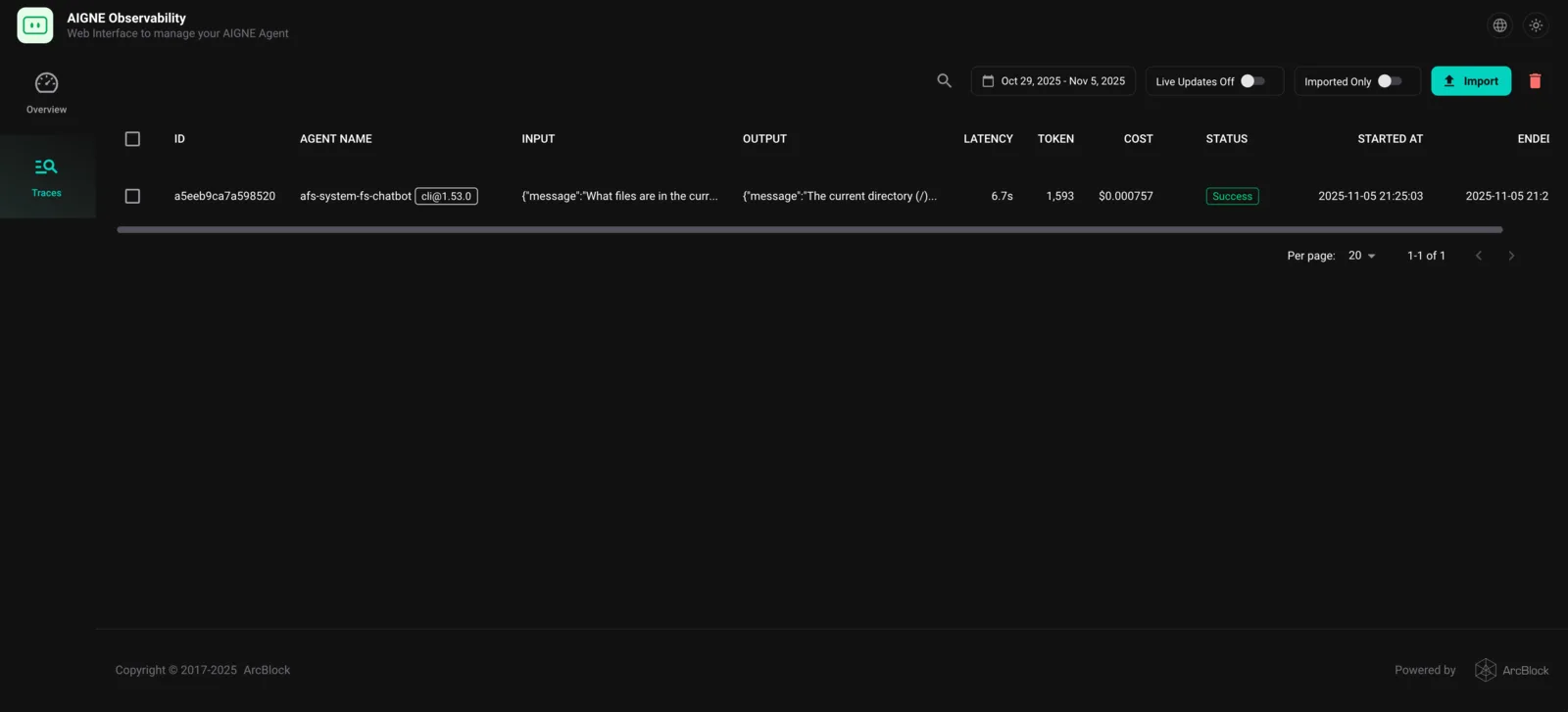
The aigne observe command starts a local web server that provides a user-friendly interface to inspect execution traces, view detailed call information, and understand your agent’s behavior. This is a powerful tool for debugging and performance tuning.
- Install the AIGNE CLI:
sh npm install -g @aigne/cli - Start the observation server:
sh aigne observe
- View Traces: After running an agent, open your browser to
http://localhost:7893to see a list of recent executions and inspect the details of each run.