Overview
When you need to store each user's personal data in their own DID Space, this tutorial will help you.
This is a Todo List application built using Typescript, React, Express, and DID Spaces. Users connect to their DID Space upon initial login. All subsequent Todo List data is then persisted within each user's respective DID Space.
Prerequisites
- Install the To-Do List app
Demonstration
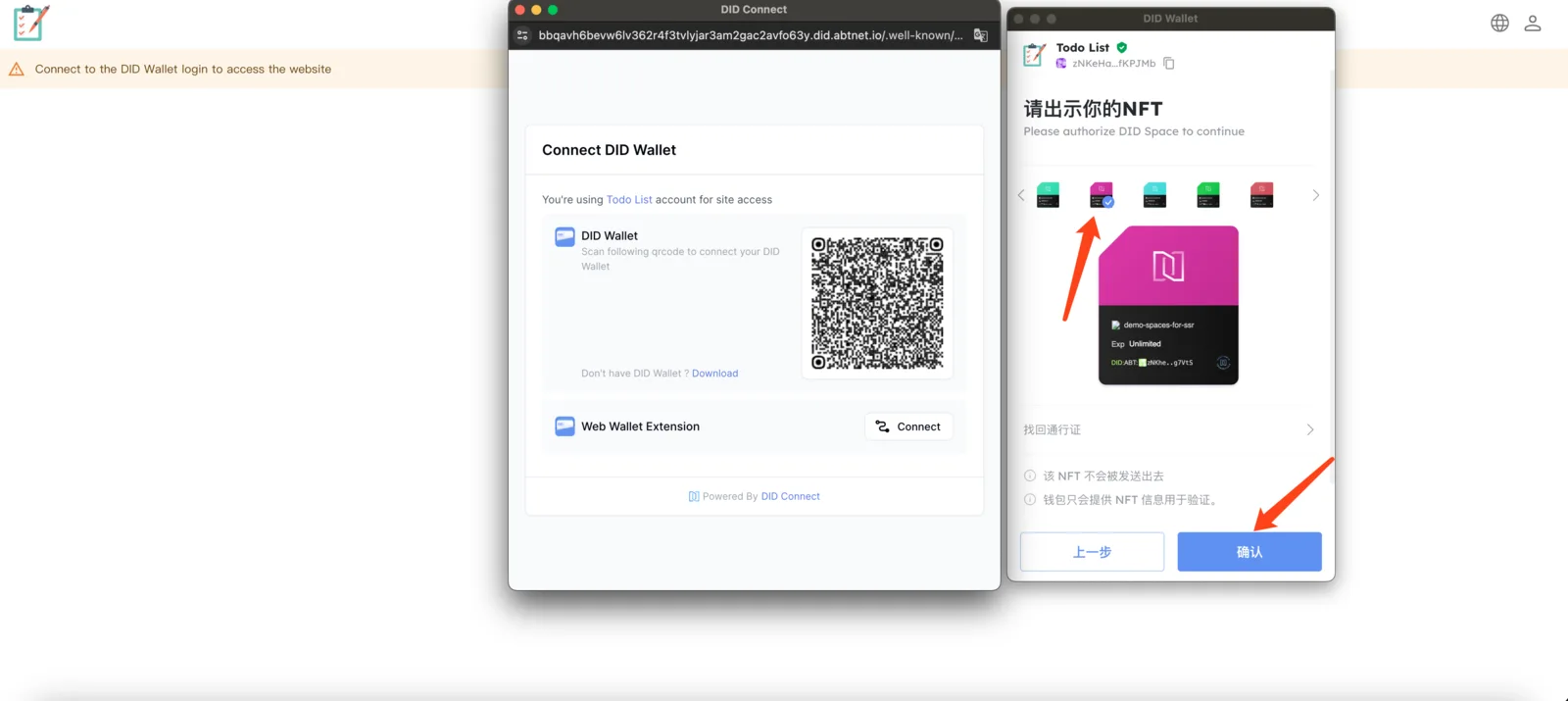
Connecting to a DID Space for the First Time
Connecting to a DID Space is required upon initial login to grant the application read and write access.
Creating a To-Do List
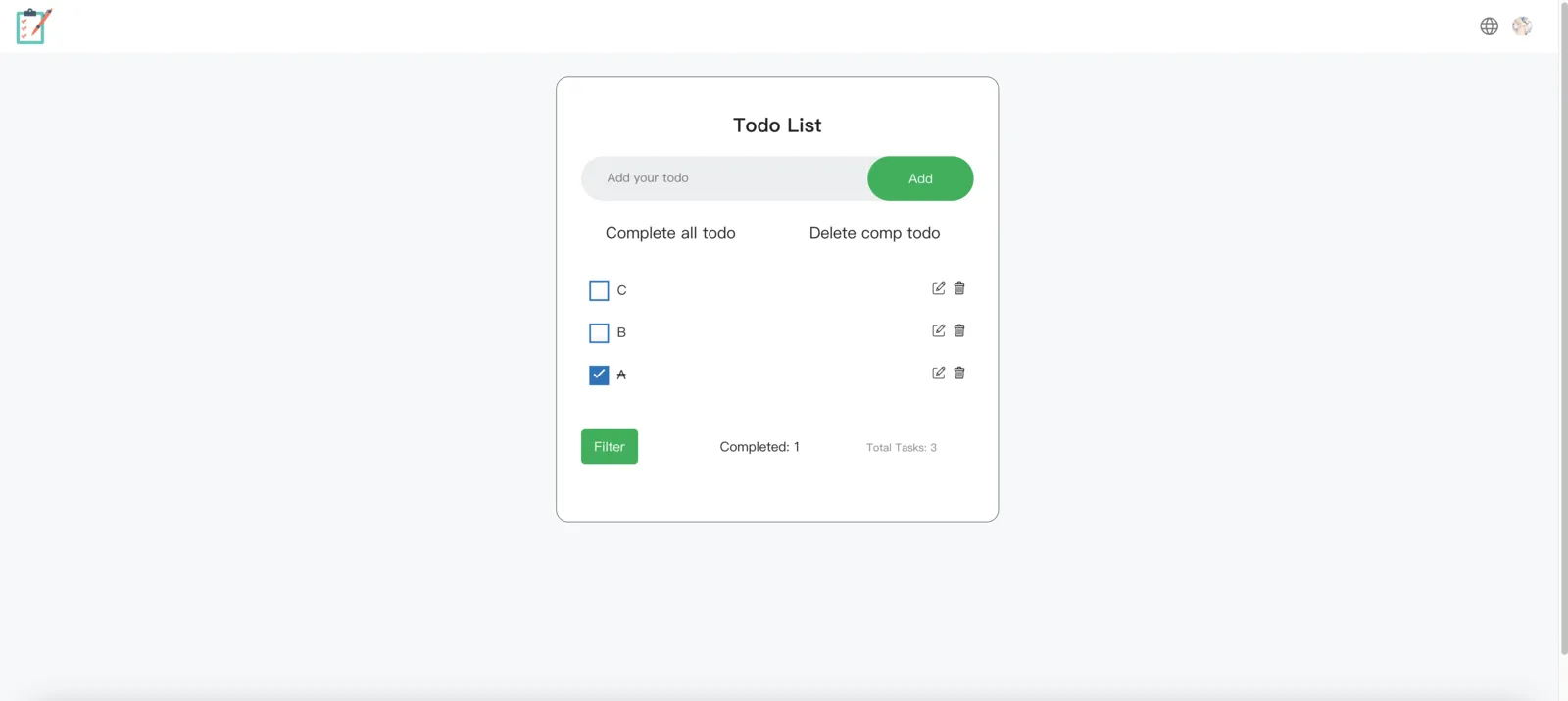
Next, you can add tasks to your to-do list and mark some as complete:
Persistent Storage
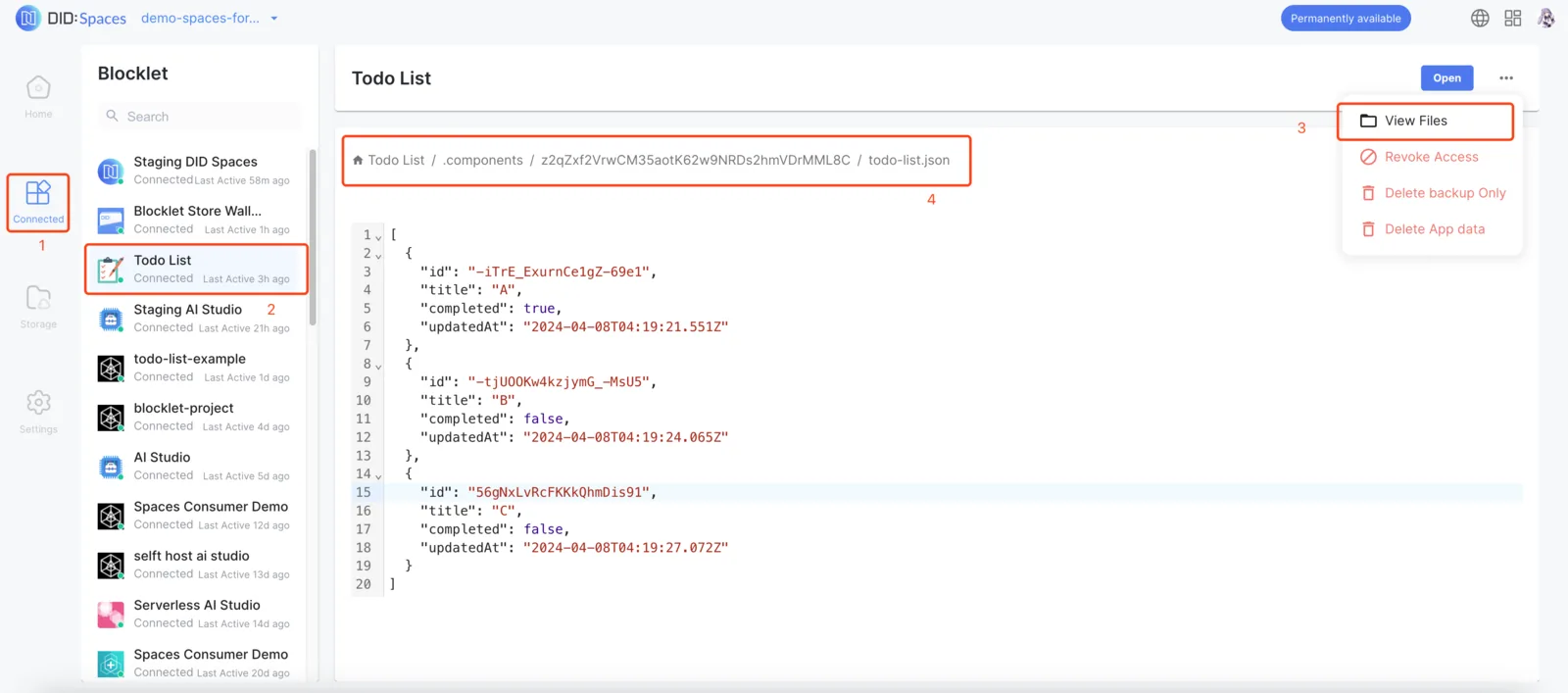
As you edit your Todo List, the data is automatically saved to your DID Space. Even if the page refreshes, the data is retained, and you can view the raw data stored in your DID Space.
Implementation Details
For specific implementation details, please refer to our code repository.