Scenario
AIGNE is an AI application for creating prompt templates.
While AIGNE supports importing and synchronizing projects with GitHub, this process can be challenging for non-technical users. To simplify workflows, AIGNE now integrates with DID Spaces. Upon initial login, users will be prompted to provide a DID Space, which will then be used to store and synchronize project data. This also enables project data to be imported from the designated DID Space into other AIGNE instances.
Solutions
- Upon first launching the application, users are prompted to connect to their DID Space. See Obtaining the DID Space Endpoint During the Installation and Startup Process
- Access DID Spaces using @blocklet/did-space-js. See Use @blocklet/did-space-js to read and write DID Space
Showcase
- First login requires connecting to a DID Space.
When first logging in to AIGNE, users must connect to a DID Space:
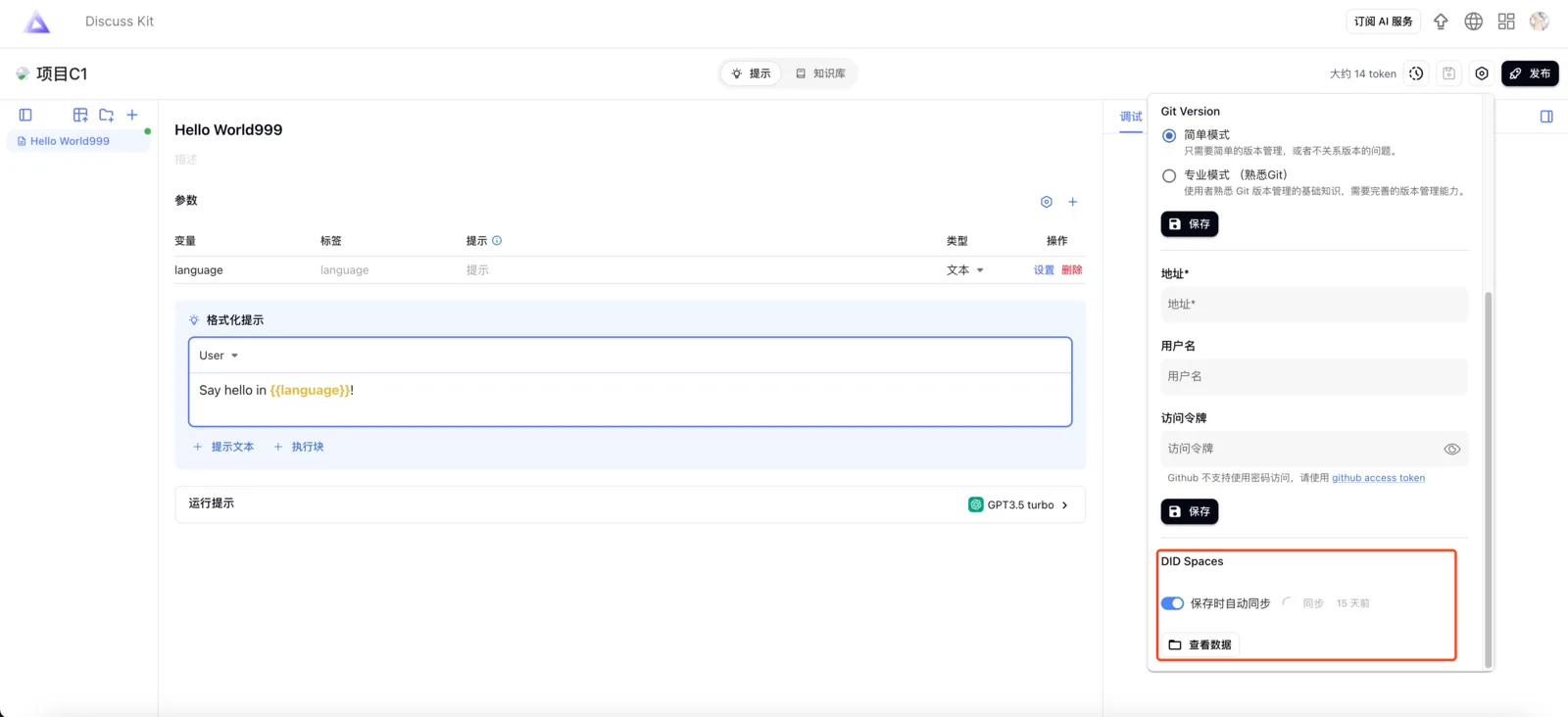
- Sync with DID Spaces
When saving data, users can choose to automatically synchronize project data to their DID Space or synchronize it manually.
- Import project from DID Spaces
When you click import, select the DID Space source you wish to import and follow the instructions to complete the import process.