Overview
DID Spaces supports Streamable HTTP MCP for seamless AI integration.
My setup
MCP Desktop: Cursor
Prerequisites
- Ensure you have your own DID Space.
Procedure
Configuring MCP
Log in to https://www.didspaces.com/ and access your profile page by clicking "Profile" in the upper right corner.
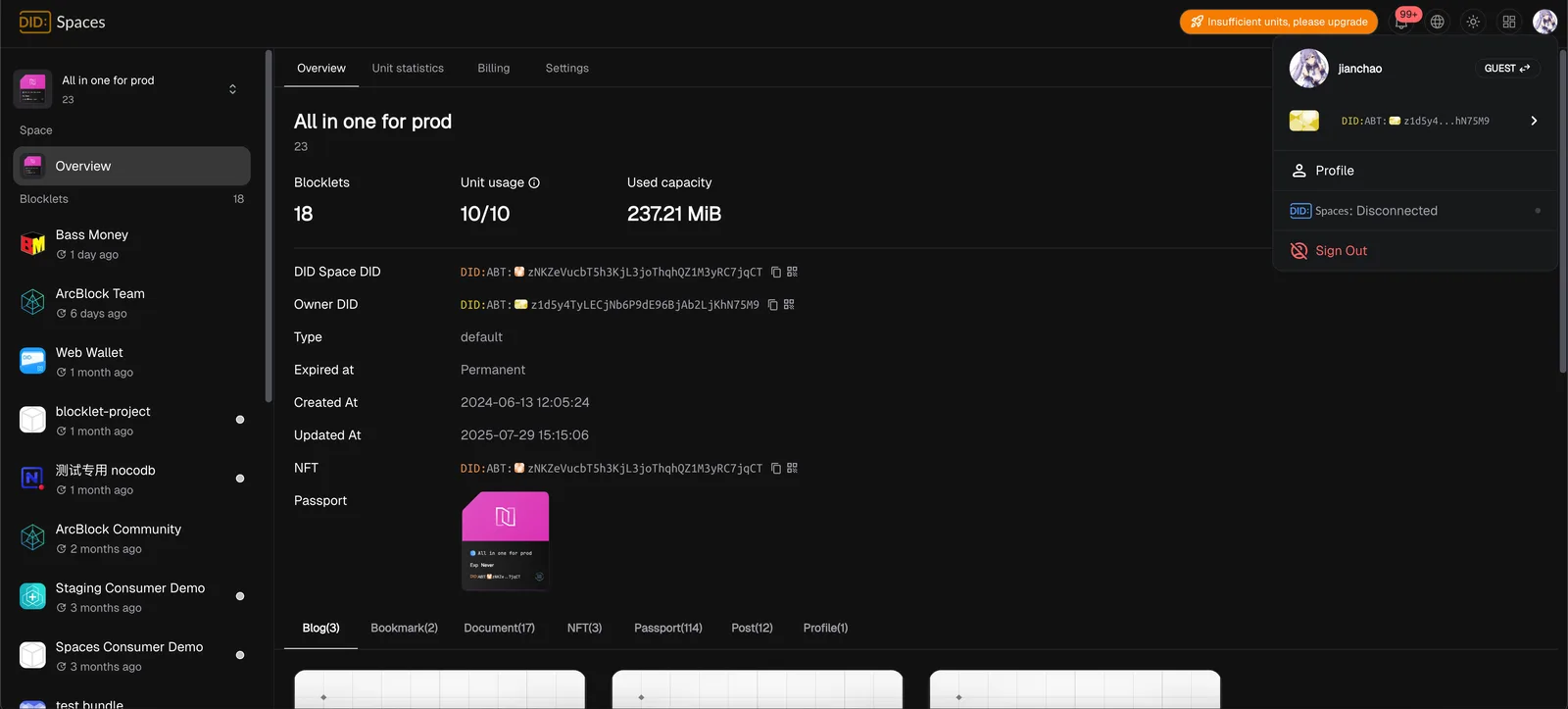
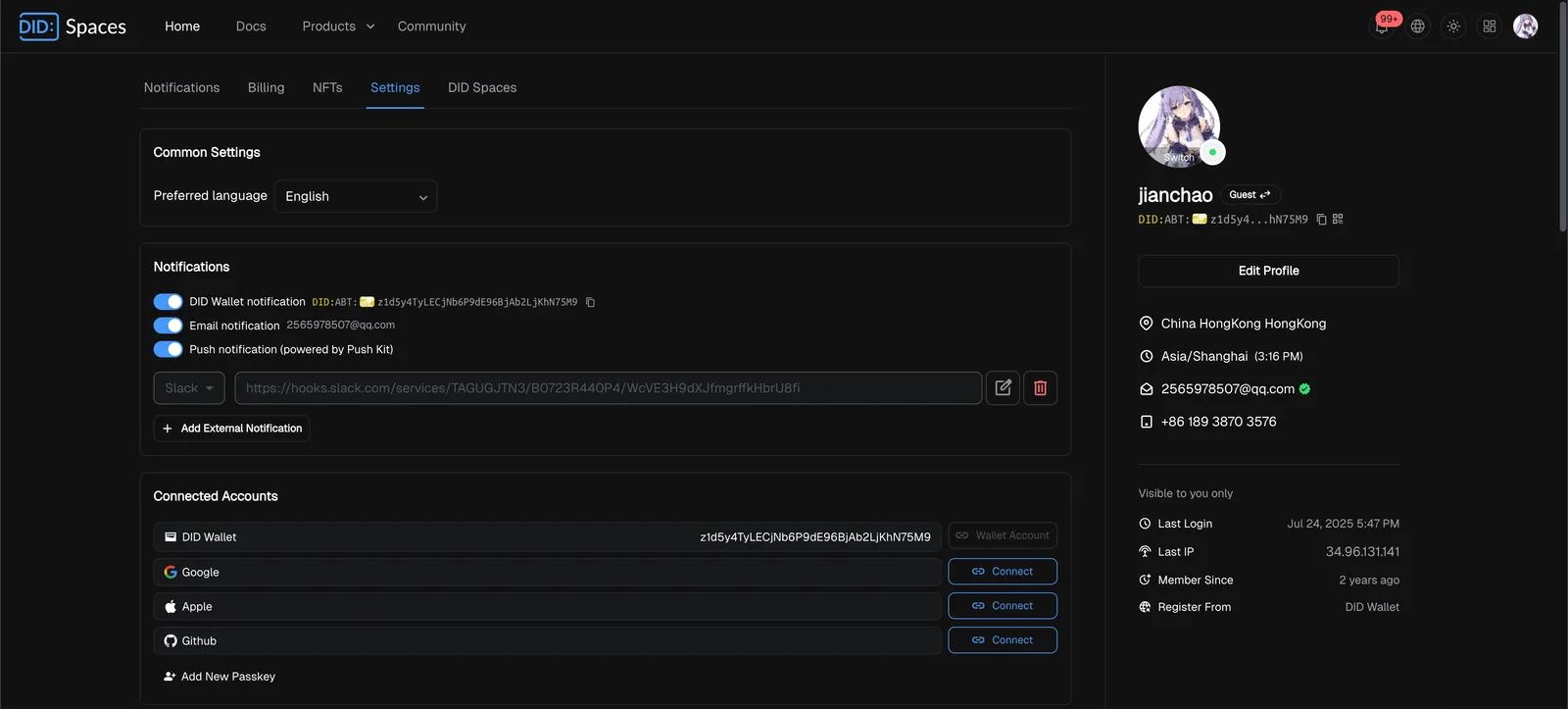
Select Settings
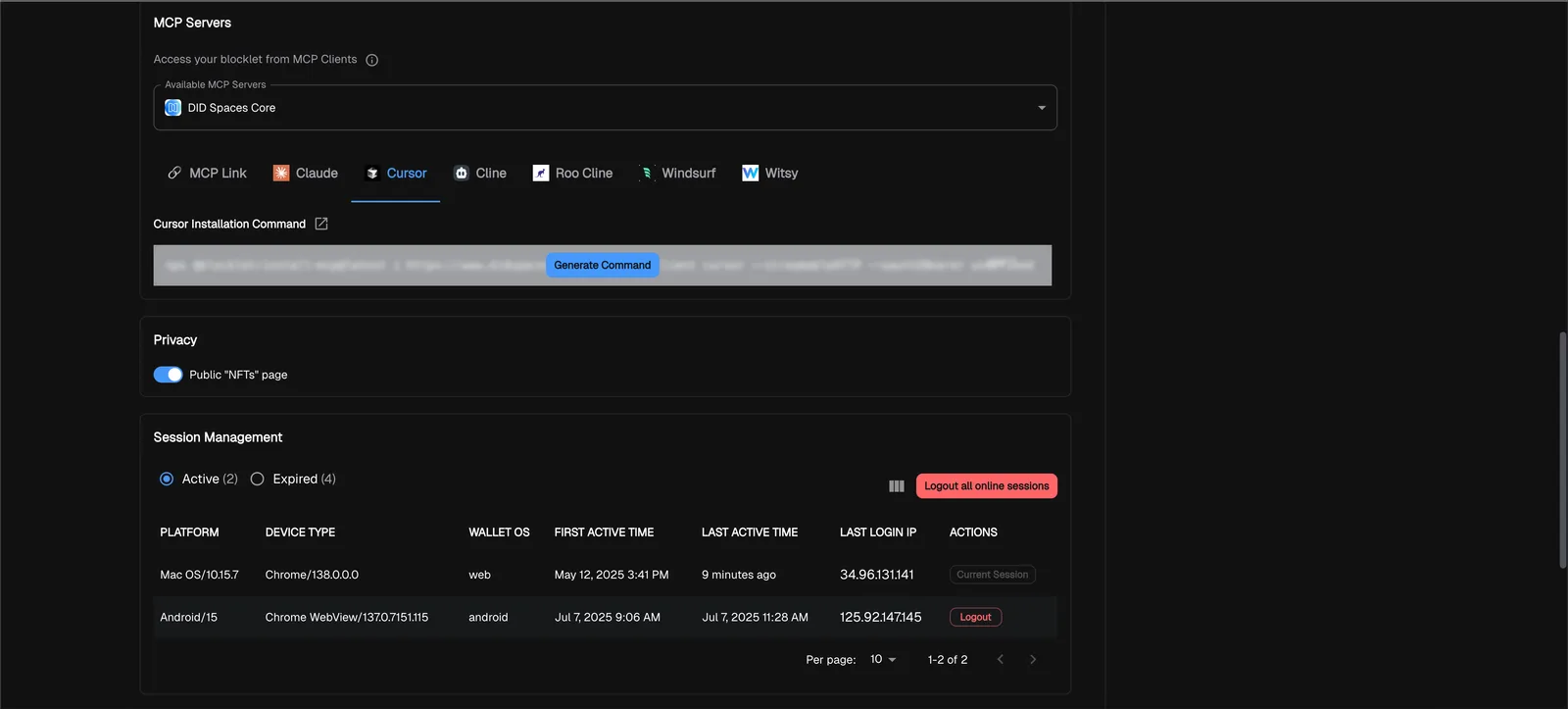
Click "Generate Command," then select "Cursor" to generate the MCP command line:
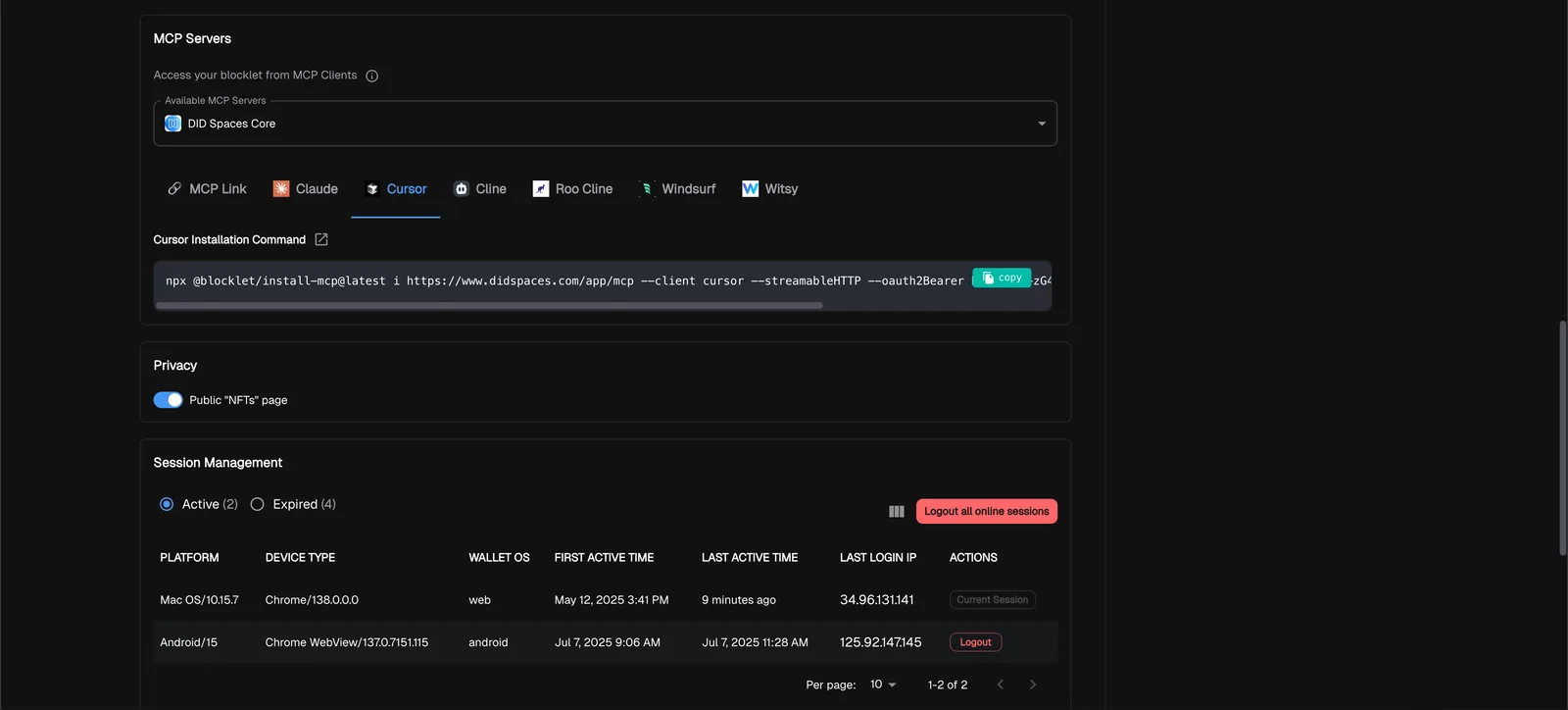
Copy the command line and paste it into your terminal to execute it:
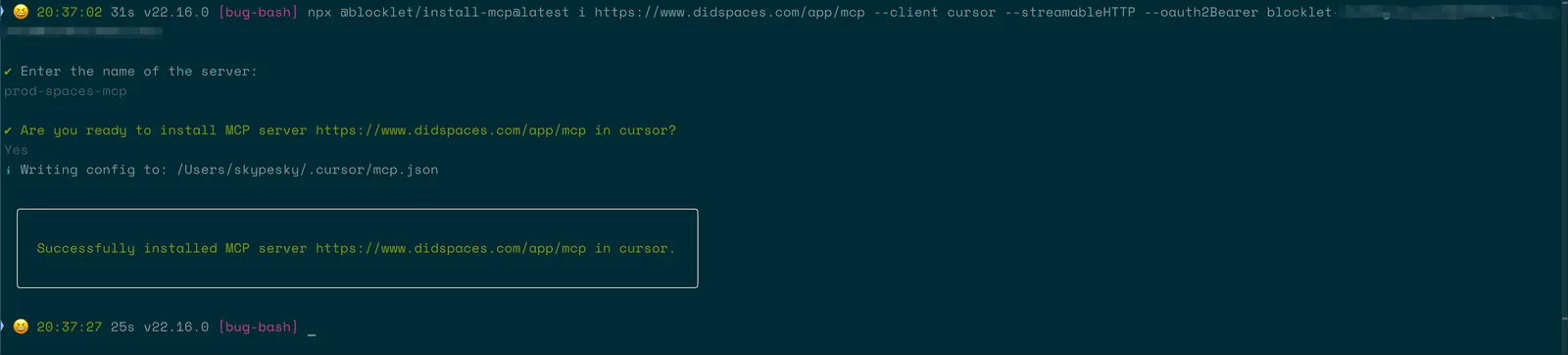
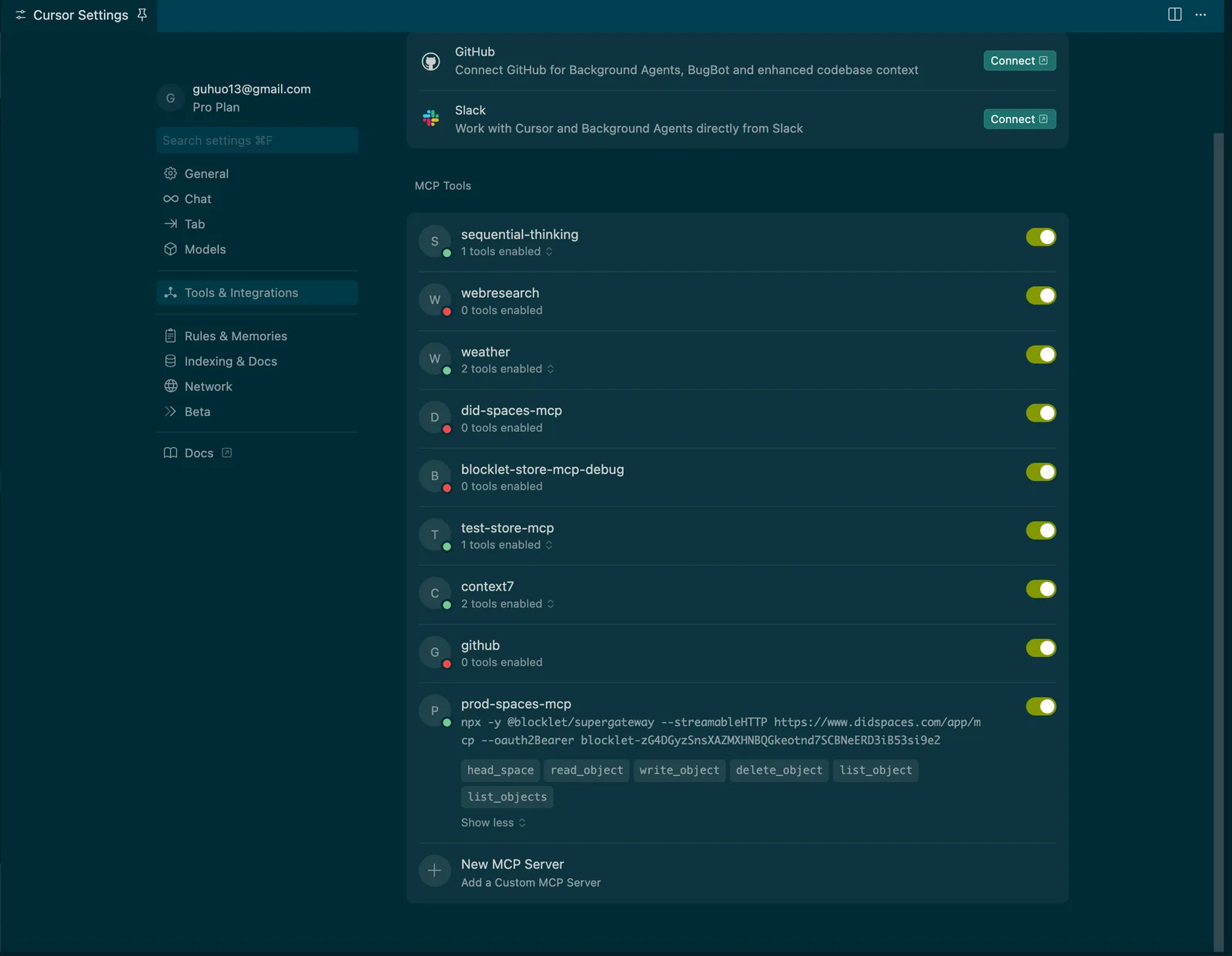
Preview in Cursor:
Integrating with @aigne/framework
If you want to integrate the DID Spaces MCP into @aigne/framework, you can refer to the MCPAgent documentation.