Scenario
NFT Studio is an application that facilitates NFT creation.
User-minted NFTs are initially stored within the NFT Studio instance. As the number of NFTs grows, storage demands increase, presenting several challenges.
- Instance storage is not easily scalable (especially in serverless environments, where storage capacity may be limited)
- NFTs require on-chain display and are highly dependent on the operational status of the NFT Studio.
- The cost of storing NFT data should be the responsibility of the site owner.
To address these issues, NFT Maker offloads NFT storage to DID Spaces, decoupling computation and storage.
Solutions
- When first setting up NFT Studio, users bind a DID Space. All subsequent user NFTs will be stored on this DID Space. See Connect to DID Space on Blocklet Setup
- Read and write data to a DID Space using @blocklet/did-space-js. See Use @blocklet/did-space-js to read and write DID Space. for more information.
Showcase
- Installation
Install NFT Maker from the Prod Store. Connecting to a DID Space is required during the installation process.
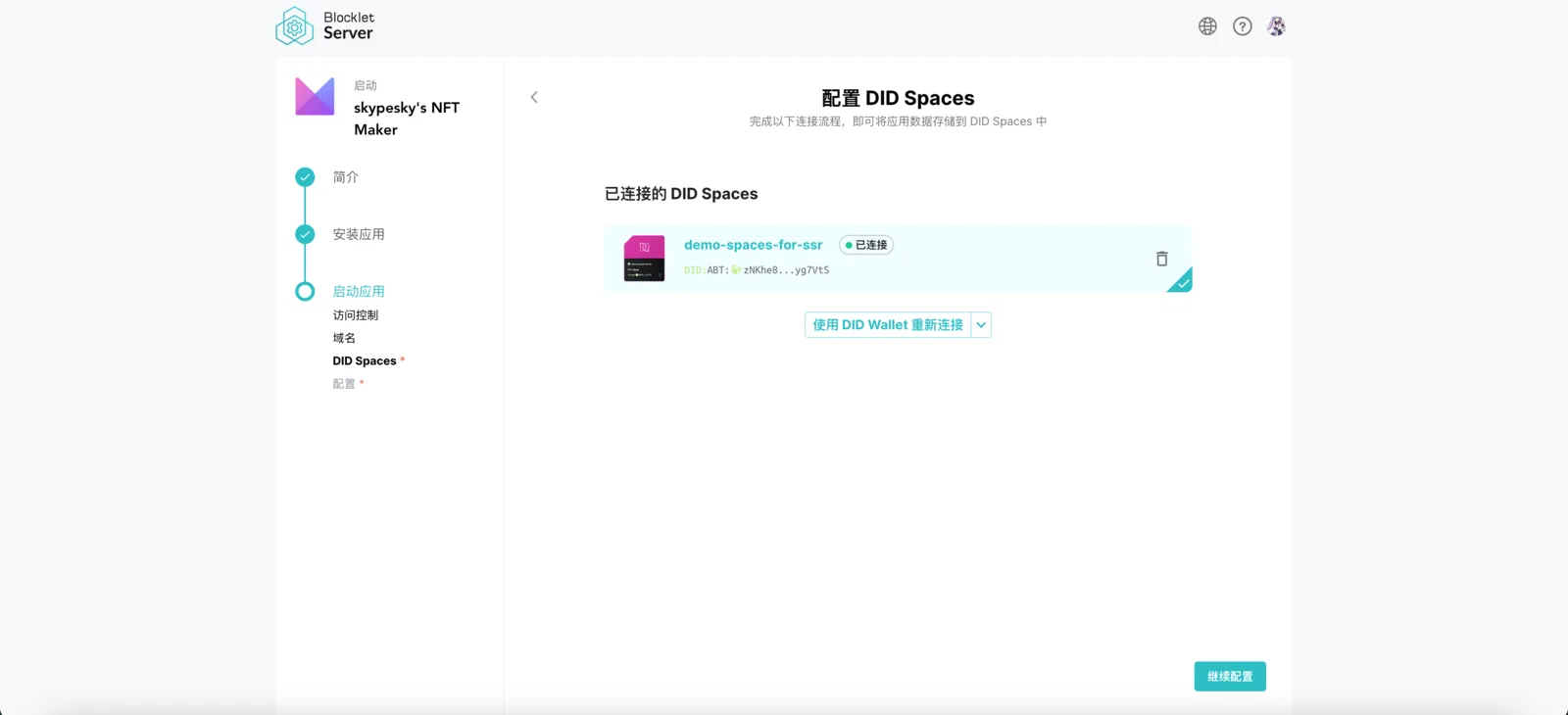
- Using
With NFT Studio, you can create an NFT Collection. NFTs minted within this collection will be stored in the DID Space connected during setup (e.g., https://main.abtnetwork.io/explorer/assets/zjdi6qhgYdt2V5v4vGYMT186p8ve6usnD5Gv; data is stored in DID Spaces).