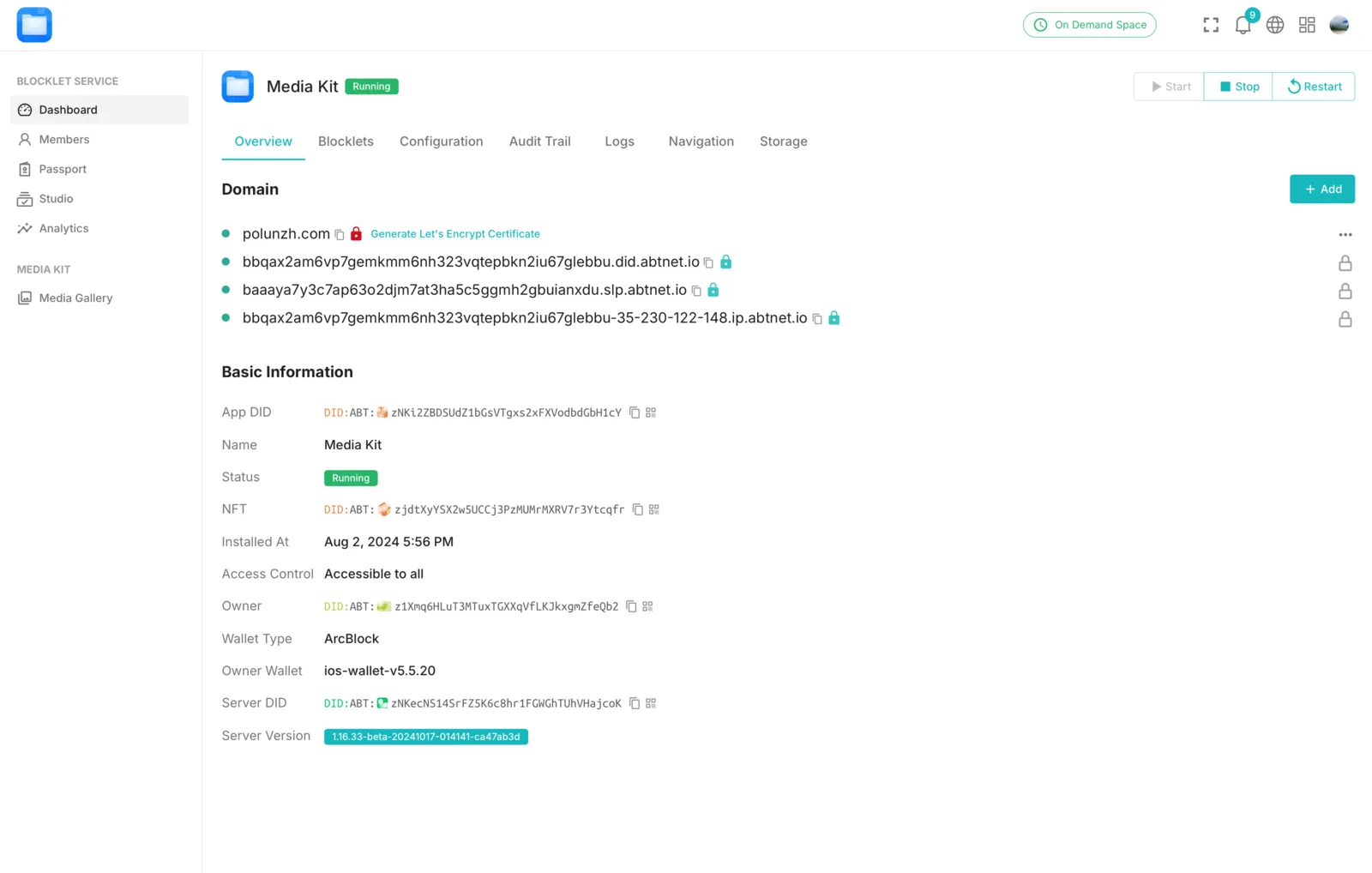
Overview
Why do Blocklets need to be bound to a domain name?
Even though we provide a built-in DID Domain by default, we strongly recommend NFT projects to bind their own domain names.
The reasons are as follows:
- The application will appear more formal.
- Short domain names will make it easier for everyone to remember.
Blocklet supports binding DID Domain names and domain names purchased from third-party platforms; however, the binding methods are not completely the same.
Bind DID Domain
DID Domain is naming services provided by ArcBlock, using DID, NFT, and VC to simplify domain publishing, authorization, and management.
Any application running on the Blocklet Server, whether self-hosted or hosted by ArcBlock, can attach any number of DID Domain names.
We recommend that you prioritize DID Domain, as it can save you the trouble of manually configuring DNS resolution and changing resolution; you can refer to this document to bind DID Domain: Use DID Domain
Bind a third-party domain
Binding a third-party domain requires manual configuration of DNS resolution. This document takes Cloudflare as an example.
- Enter the
Dashboard -> Overviewpage of the Blocklet - Copy the DID Domain to prepare for adding DNS later.
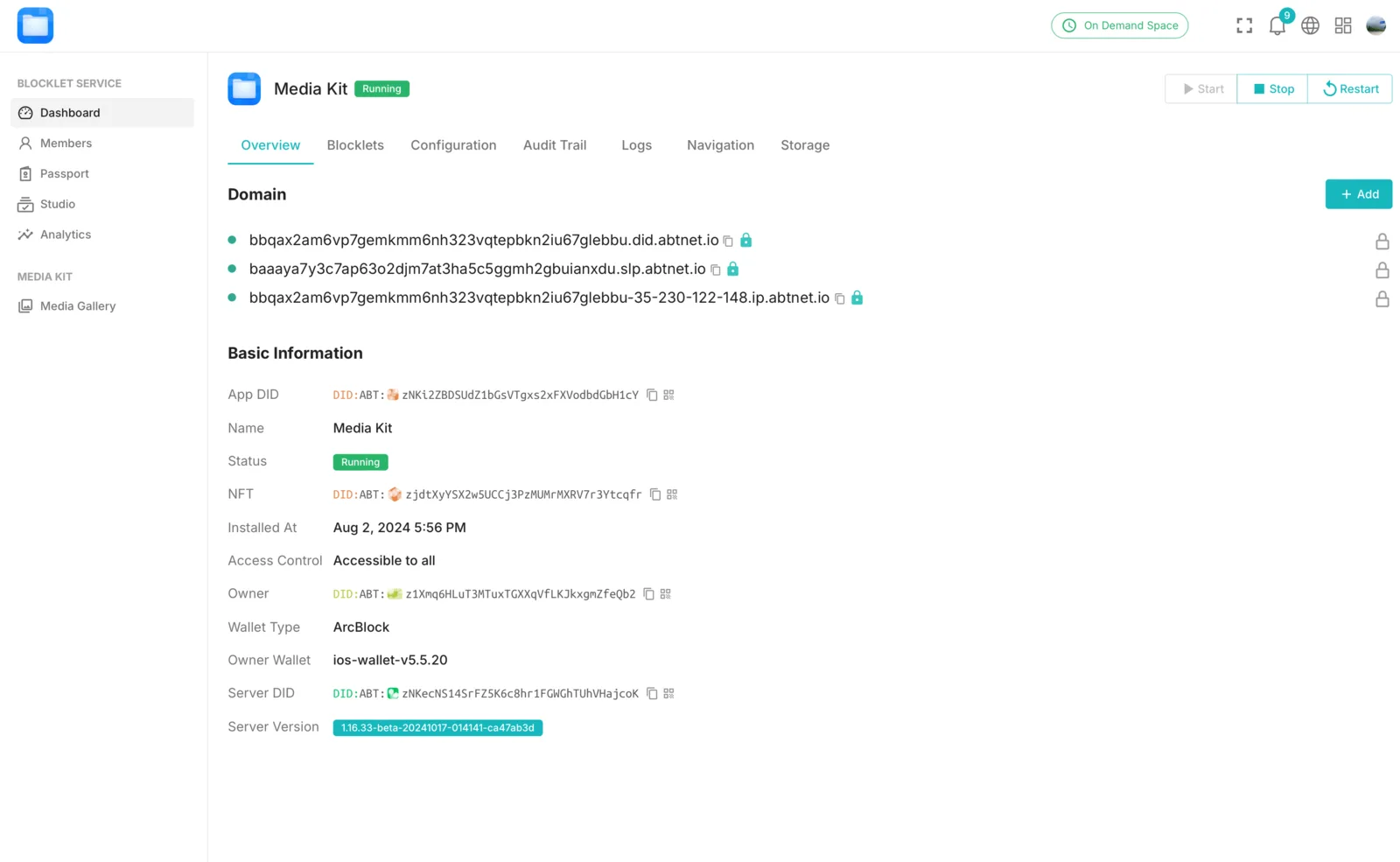
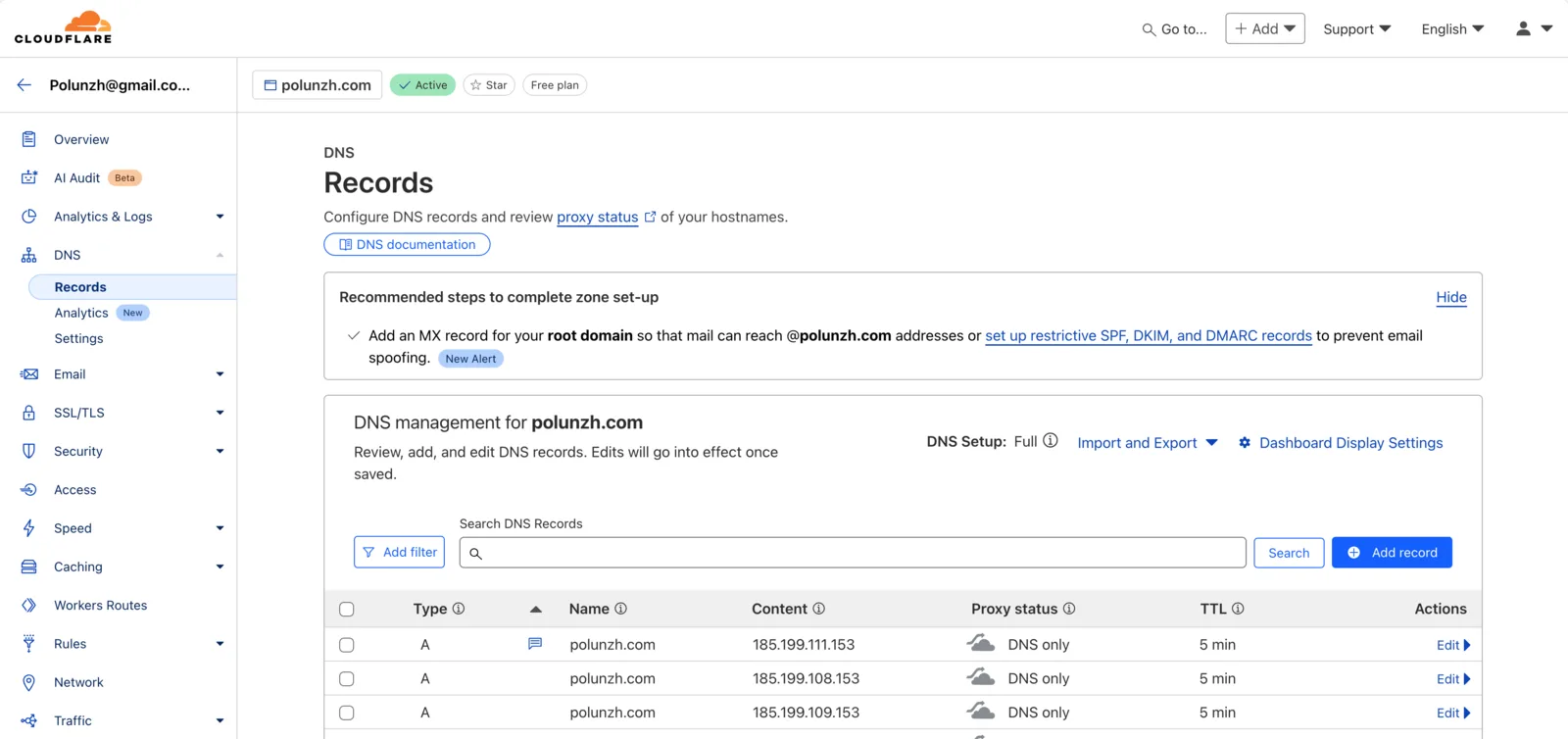
- Access the Cloudflare domain DNS configuration page and click the "Add Record" button.
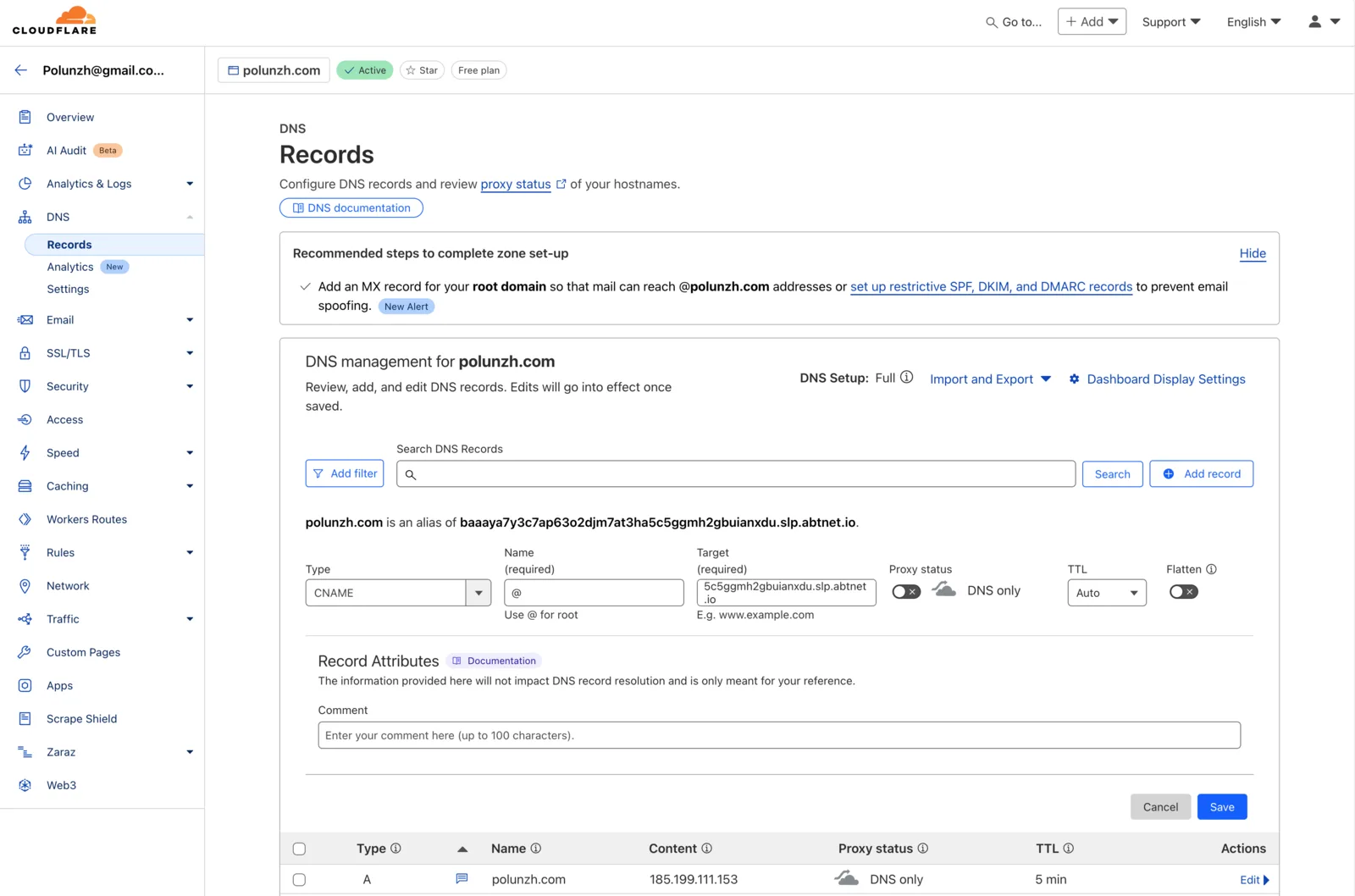
- Add a CNAME record with the value being the DID copied in step 2 (It is recommended to temporarily disable the proxy in Cloudflare).
- DNS records take time to propagate, which can range from a few minutes to several minutes. You can use Google Admin Tools to check if it has already taken effect.
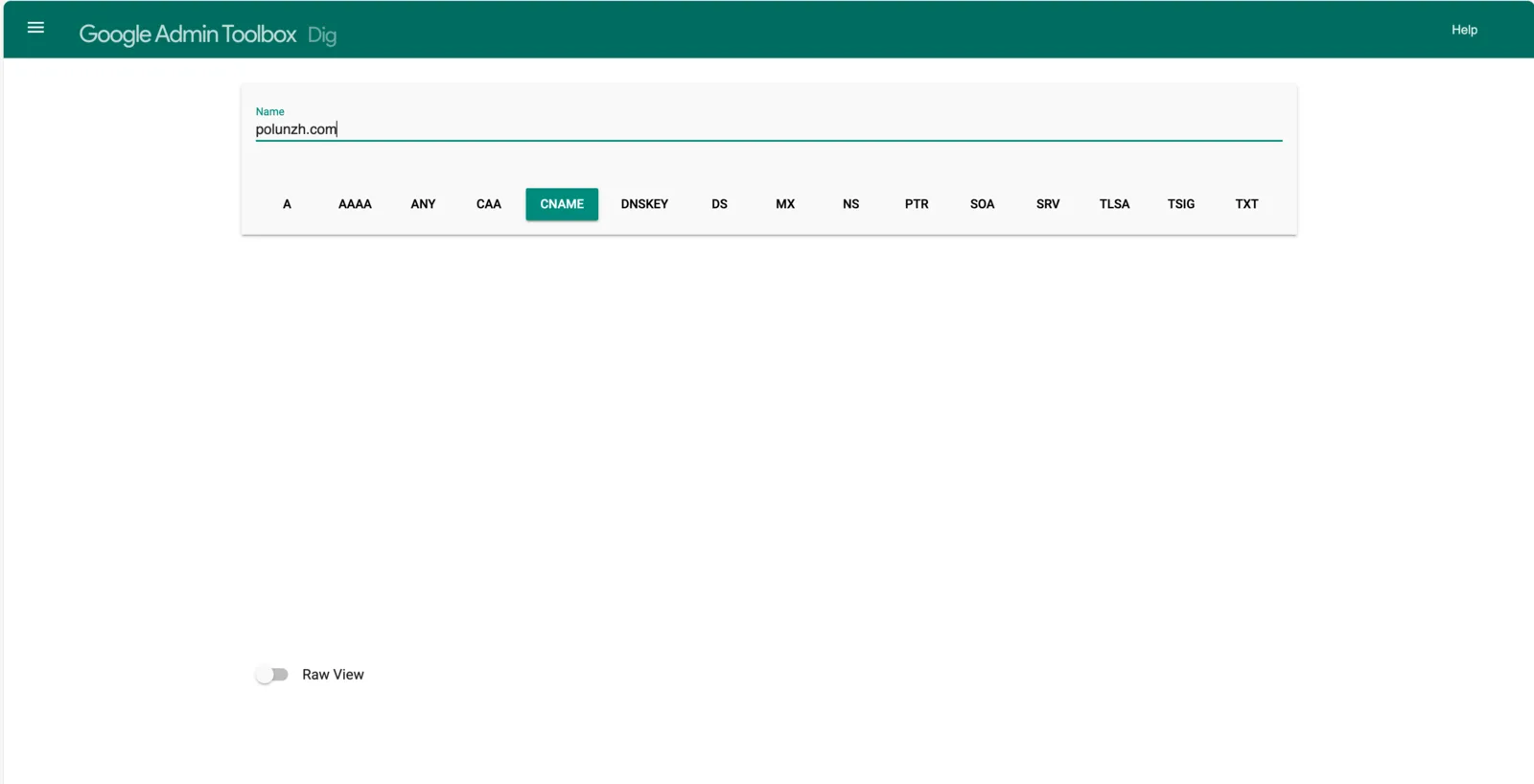
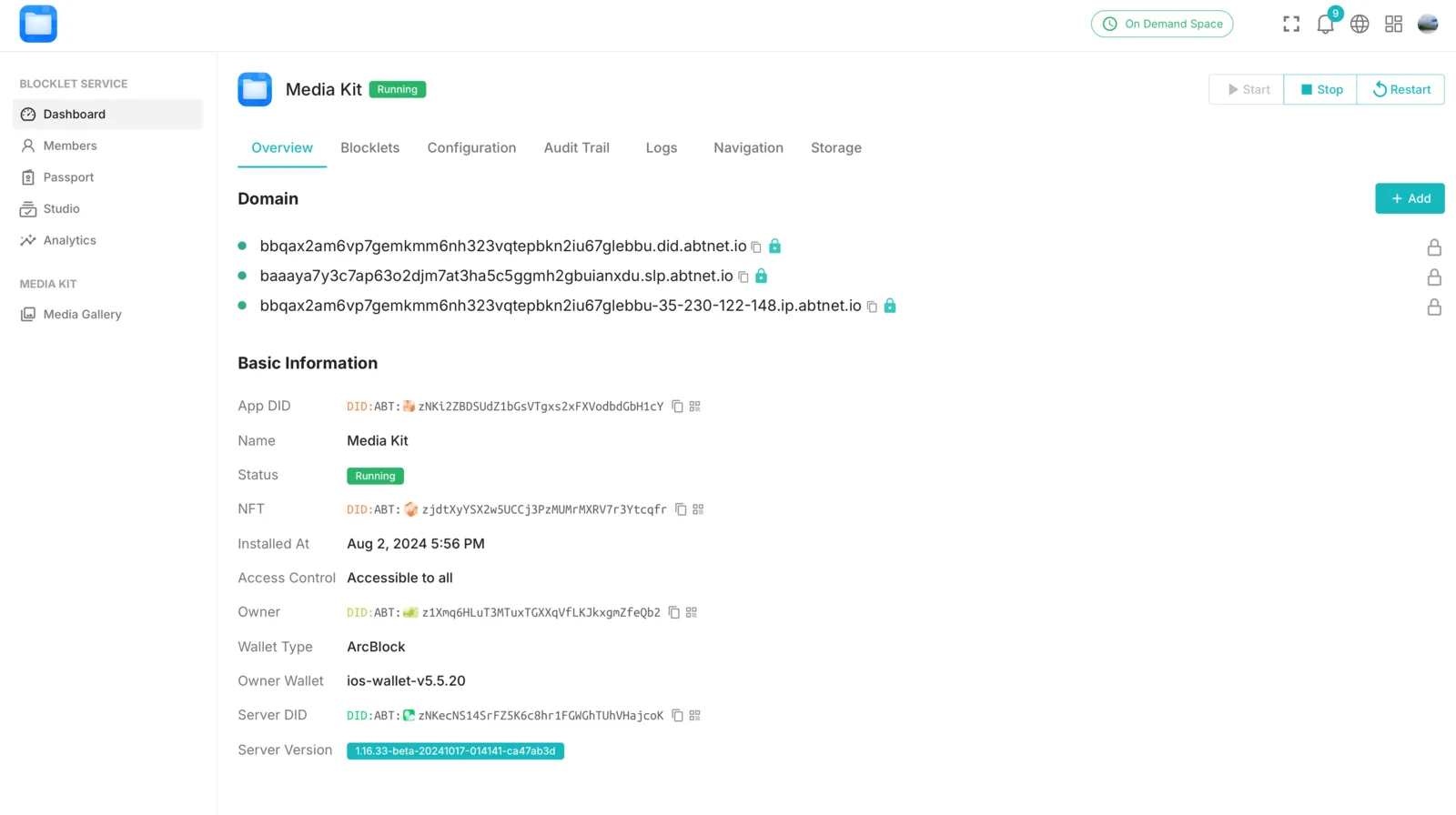
- After DNS takes effect, enter the Blocklet's
Dashboard -> Overviewpage again and add the domain name.
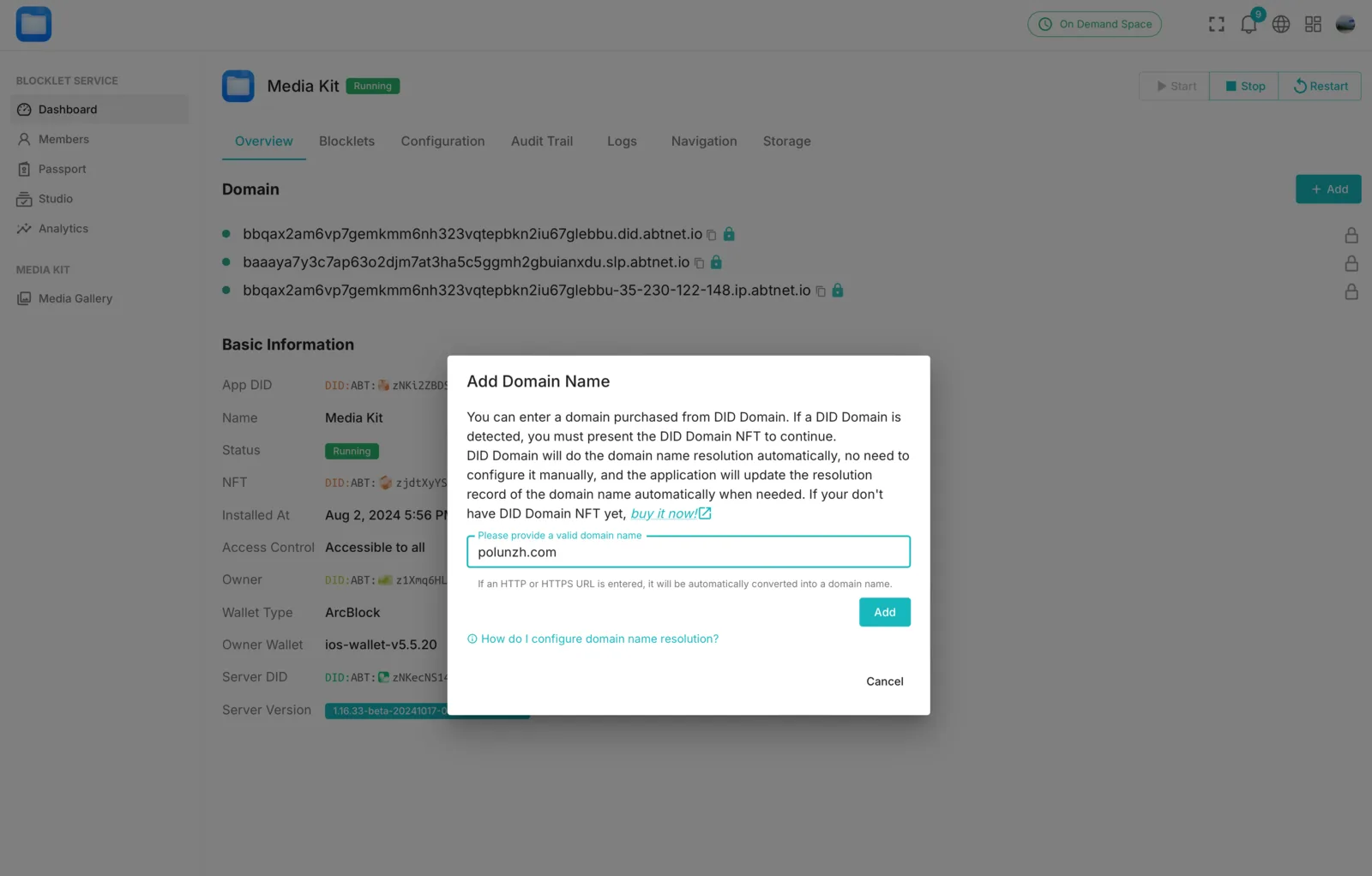
- After adding a domain name, the Blocklet Server will automatically generate an HTTPS certificate for that domain. Wait for the certificate to be successfully generated. If the domain is successfully created, there will be a "lock" icon next to it.
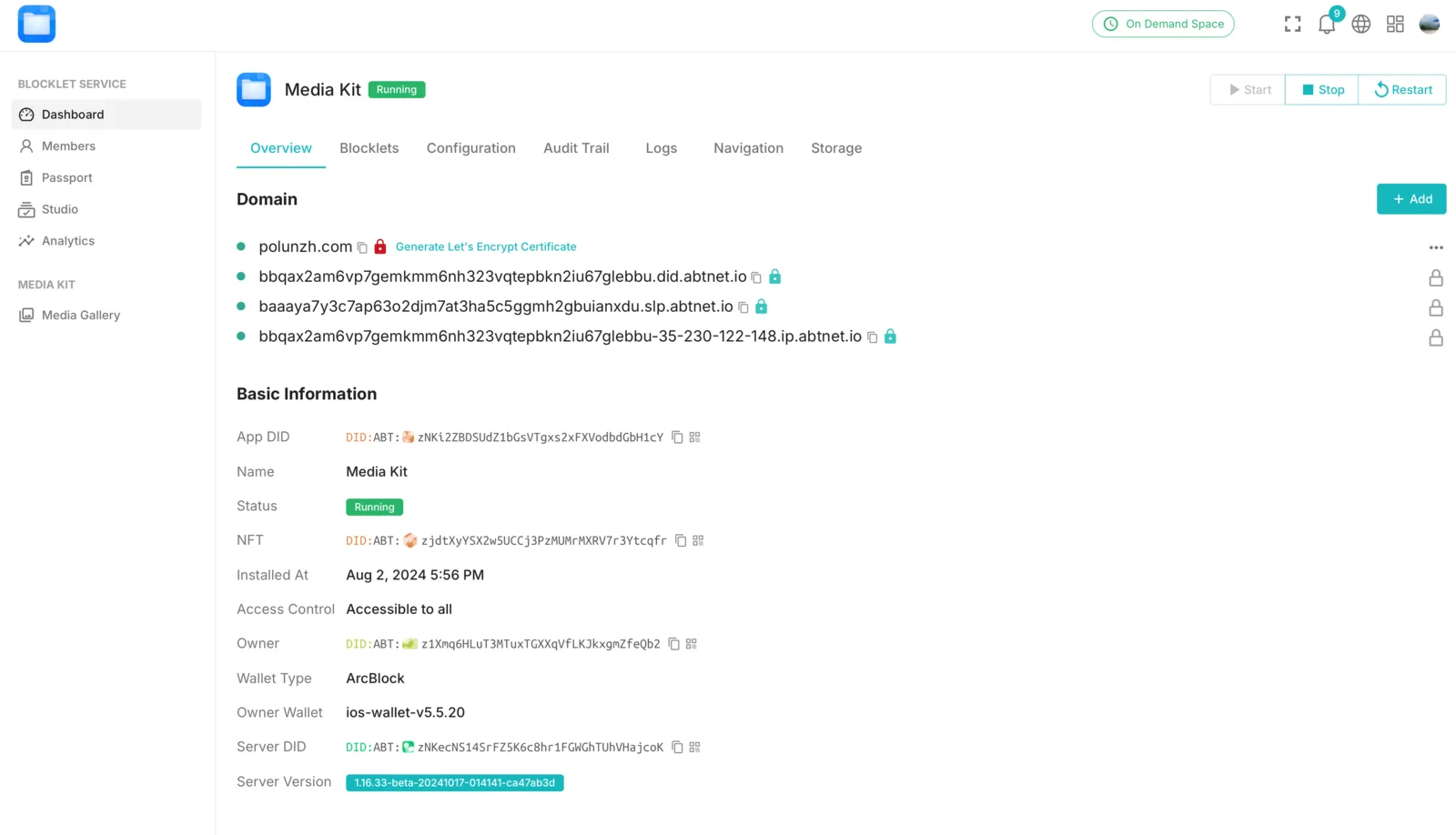
Optional
If the automatic generation of the certificate was not successful for some reason, you can click the "Generate Let's Encrypt Certificate" button to retry.