您是否曾需要根据用户查询的内容将其引导至不同的专业处理程序?本指南将提供一个完整、分步的演练,指导您构建一个能够智能路由请求的工作流。您将学习如何创建一个“分诊” Agent,该 Agent 会分析输入并将其转发给正确的专业 Agent,例如产品支持或反馈收集。
路由器工作流是创建复杂、多 Agent 系统的常见且强大的模式。它充当智能调度员,确保用户请求由最适合该任务的 Agent 处理。本示例演示了一个分诊 Agent,它将问题路由到三个专业 Agent 之一:productSupport、feedback 或 other。
下图说明了路由逻辑:
direction: down

User: {
  shape: c4-person
}

Triage-Agent: {
  label: "Triage Agent"
  shape: rectangle
}

Specialized-Agents: {
  label: "Specialized Agents"
  shape: rectangle

  productSupport: {
    label: "Product Support Agent"
  }

  feedback: {
    label: "Feedback Agent"
  }

  other: {
    label: "Other Agent"
  }
}

User -> Triage-Agent: "用户查询"
Triage-Agent -> Specialized-Agents.productSupport: "路由产品问题"
Triage-Agent -> Specialized-Agents.feedback: "路由反馈"
Triage-Agent -> Specialized-Agents.other: "路由其他问题"
Specialized-Agents.productSupport -> User: "响应"
Specialized-Agents.feedback -> User: "响应"
Specialized-Agents.other -> User: "响应"
前置要求
在继续之前,请确保您的开发环境满足以下要求:
- Node.js: 20.0 或更高版本。
- npm: 与 Node.js 捆绑安装。
- OpenAI API 密钥: 默认模型配置所需。您可以从 OpenAI Platform 获取。
快速入门
您可以使用 npx 直接运行此示例,无需手动安装过程。
运行示例
该示例可以在多种模式下执行。
- 单次模式(默认) 此命令处理单个硬编码输入并退出。
bash npx -y @aigne/example-workflow-router - 交互式聊天模式 使用
--interactive标志启动一个交互式会话,您可以在其中发送多条消息。bash npx -y @aigne/example-workflow-router --interactive - 管道模式 将输入直接通过管道传递给命令。这对于与其他脚本集成非常有用。
bash echo "How do I return a product?" | npx -y @aigne/example-workflow-router
连接到 AI 模型
当您首次运行该示例时,它会检测到尚未配置 AI 模型,并提示您进行设置。

您有多种选项可以连接到 AI 模型:
1. 连接到 AIGNE Hub(推荐)
这是最简单的入门方式。官方 AIGNE Hub 为新用户提供免费额度。
- 选择第一个选项:
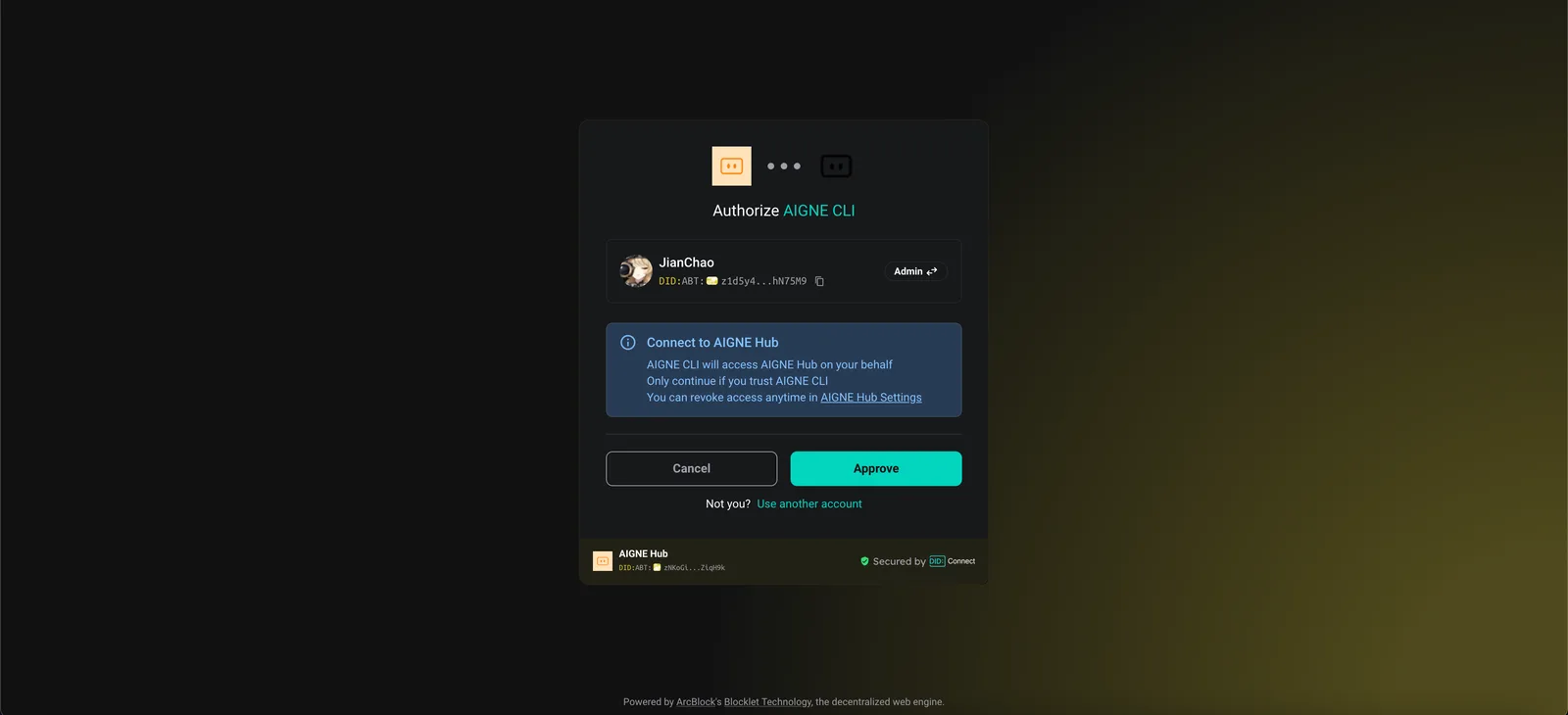
Connect to the Arcblock official AIGNE Hub。 - 您的网络浏览器将打开一个授权页面。
- 按照屏幕上的说明批准连接。
2. 连接到自托管的 AIGNE Hub
如果您正在运行自己的 AIGNE Hub 实例:
- 选择第二个选项:
Connect to your self-hosted AIGNE Hub。 - 在提示时输入您的 AIGNE Hub 实例的 URL。

3. 通过第三方模型提供商连接
您也可以通过设置环境变量直接连接到像 OpenAI 这样的模型提供商。
设置 OpenAI API 密钥
export OPENAI_API_KEY="YOUR_OPENAI_API_KEY"将 "YOUR_OPENAI_API_KEY" 替换为您的实际密钥。设置环境变量后,再次运行示例命令。对于其他提供商,如 Google Gemini 或 DeepSeek,请参阅源代码中的 .env.local.example 文件以获取正确的变量名。
完整示例和源代码
核心逻辑涉及定义几个 AIAgent 实例:三个专业 Agent(productSupport、feedback、other)和一个作为路由器的 triage Agent。triage Agent 配置了 toolChoice: "router",这指示它选择其可用 skills(即其他 Agent)之一来处理输入。
以下是此示例的完整 TypeScript 代码。
index.ts
import { AIAgent, AIGNE } from "@aigne/core";
import { OpenAIChatModel } from "@aigne/core/models/openai-chat-model.js";

const { OPENAI_API_KEY } = process.env;

const model = new OpenAIChatModel({
  apiKey: OPENAI_API_KEY,
});

const productSupport = AIAgent.from({
  name: "product_support",
  description: "Agent to assist with any product-related questions.",
  instructions: `You are an agent capable of handling any product-related questions.
  Your goal is to provide accurate and helpful information about the product.
  Be polite, professional, and ensure the user feels supported.`,
  outputKey: "product_support",
});

const feedback = AIAgent.from({
  name: "feedback",
  description: "Agent to assist with any feedback-related questions.",
  instructions: `You are an agent capable of handling any feedback-related questions.
  Your goal is to listen to the user's feedback, acknowledge their input, and provide appropriate responses.
  Be empathetic, understanding, and ensure the user feels heard.`,
  outputKey: "feedback",
});

const other = AIAgent.from({
  name: "other",
  description: "Agent to assist with any general questions.",
  instructions: `You are an agent capable of handling any general questions.
  Your goal is to provide accurate and helpful information on a wide range of topics.
  Be friendly, knowledgeable, and ensure the user feels satisfied with the information provided.`,
  outputKey: "other",
});

const triage = AIAgent.from({
  name: "triage",
  instructions: `You are an agent capable of routing questions to the appropriate agent.
  Your goal is to understand the user's query and direct them to the agent best suited to assist them.
  Be efficient, clear, and ensure the user is connected to the right resource quickly.`,
  skills: [productSupport, feedback, other],
  toolChoice: "router", // 将 toolChoice 设置为 "router" 以启用路由器模式
});

const aigne = new AIGNE({ model });

// 示例 1:路由到产品支持
const result1 = await aigne.invoke(triage, "How to use this product?");
console.log(result1);

// 示例 2:路由到反馈
const result2 = await aigne.invoke(triage, "I have feedback about the app.");
console.log(result2);

// 示例 3:路由到其他
const result3 = await aigne.invoke(triage, "What is the weather today?");
console.log(result3);
执行与输出
当脚本运行时,aigne.invoke 方法将用户的查询发送给 triage Agent。然后,该 Agent 将查询路由到最合适的专业 Agent,最终的输出将来自被选中的 Agent。
“How to use this product?” 的输出
{
  "product_support": "I’d be happy to help you with that! However, I need to know which specific product you’re referring to. Could you please provide me with the name or type of product you have in mind?"
}
“I have feedback about the app.” 的输出
{
  "feedback": "Thank you for sharing your feedback! I'm here to listen. Please go ahead and let me know what you’d like to share about the app."
}
“What is the weather today?” 的输出
{
  "other": "I can't provide real-time weather updates. However, you can check a reliable weather website or a weather app on your phone for the current conditions in your area. If you tell me your location, I can suggest a few sources where you can find accurate weather information!"
}
命令行选项
示例脚本接受多个命令行参数以自定义其行为。
| 参数 | 描述 | 默认值 |
|---|---|---|
--interactive | 以交互式聊天模式运行,而非单次模式。 | 禁用 |
--model <provider[:model]> | 指定要使用的 AI 模型(例如 openai 或 openai:gpt-4o-mini)。 | openai |
--temperature <value> | 设置模型生成的温度。 | 提供商默认值 |
--top-p <value> | 设置 top-p 抽样值。 | 提供商默认值 |
--presence-penalty <value> | 设置存在惩罚值。 | 提供商默认值 |
--frequency-penalty <value> | 设置频率惩罚值。 | 提供商默认值 |
--log-level <level> | 设置日志记录的详细程度(例如 ERROR、WARN、INFO、DEBUG)。 | INFO |
--input, -i <input> | 直接作为参数提供输入。 | 无 |
示例
以交互模式运行
npx -y @aigne/example-workflow-router --interactive设置特定模型和温度
npx -y @aigne/example-workflow-router --model openai:gpt-4o-mini --temperature 0.5 -i "Tell me about your product."将日志级别设置为 debug
npx -y @aigne/example-workflow-router --log-level DEBUG调试
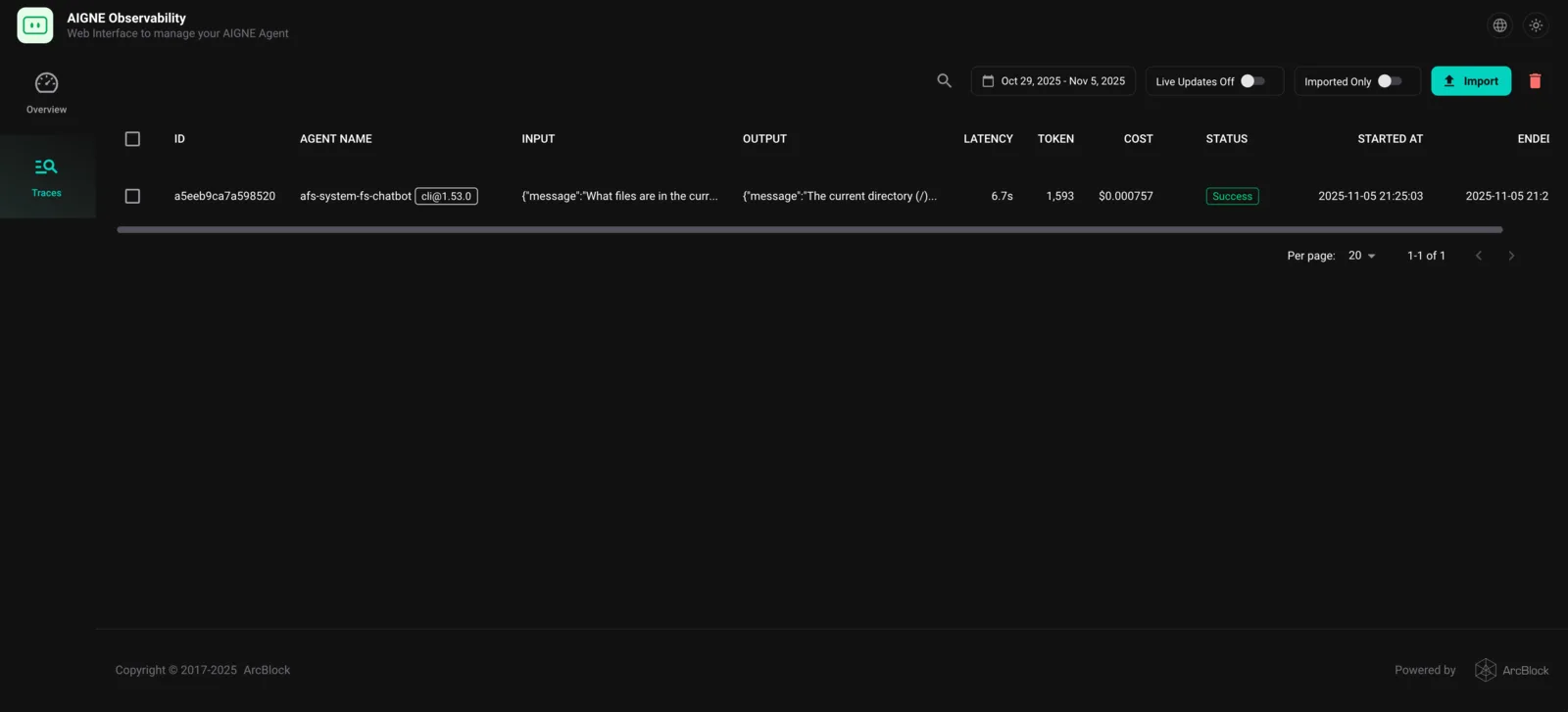
要检查执行流程并理解 Agent 的行为,您可以使用 AIGNE 可观测性工具。
首先,在单独的终端窗口中启动观测服务器:
aigne observe
服务器将启动,您可以通过 http://localhost:7893 访问 Web 界面。运行示例后,执行跟踪将出现在仪表板中,让您可以看到 triage Agent 是如何做出路由决策以及在 Agent 之间传递了哪些数据。
总结
本示例演示了如何使用 AIGNE 框架构建路由器工作流。通过定义一个 triage Agent,并将其专业 Agent 作为其技能,同时设置 toolChoice: "router",您可以创建一个能够智能委派任务的强大系统。
要了解更复杂的模式,请探索以下示例: