本指南逐步演示了如何将 AIGNE 与 Puppeteer MCP Server 结合使用以实现自动化网络抓取。通过此示例,您将学习如何构建并运行一个能够访问网站并提取其内容的 AI agent。
概述
此示例展示了 AIAgent 与控制 Puppeteer 实例的 MCPAgent 之间的集成。AIAgent 接收一条自然语言命令以从 URL 中提取内容。然后,它将 Web 自动化任务委托给 Puppeteer agent,后者会导航至指定页面并执行 JavaScript 以抓取内容。
一般工作流程如下:
flowchart LR

in(输入)
out(输出)
agent(AI Agent)
puppeteer(Puppeteer MCP Agent)
navigate(导航到 URL)
evaluate(评估 JS)

in --> agent <--> puppeteer

subgraph MCP Agent
  puppeteer <--> navigate
  puppeteer <--> evaluate
end

agent --> out

classDef inputOutput fill:#f9f0ed,stroke:#debbae,stroke-width:2px,color:#b35b39,font-weight:bolder;
classDef processing fill:#F0F4EB,stroke:#C2D7A7,stroke-width:2px,color:#6B8F3C,font-weight:bolder;

class in inputOutput
class out inputOutput
class agent processing
class puppeteer processing
class navigate processing
class evaluate processing
总结网站内容的操作顺序如下所示:
shape: sequence_diagram

User: {
  shape: c4-person
}

AI: {
  label: "AI Agent"
}

P: {
  label: "Puppeteer MCP Agent"
}

N: {
  label: "导航到 URL"
}

E: {
  label: "评估 JS"
}

User -> AI: "从 https://www.arcblock.io 总结内容"
AI -> P: "从 https://www.arcblock.io 提取内容"
P -> N: "导航到 https://www.arcblock.io"
N -> P: "导航完成"
P -> E: "评估 document.body.innerText"
E -> P: "内容已提取"
E -> AI: "提取的内容作为上下文"
AI -> User: "内容如下:..."
前置要求
在运行此示例之前,请确保满足以下要求:
- Node.js 版本 20.0 或更高。
- 一个有效的 OpenAI API 密钥。
快速入门
您可以使用 npx 直接运行此示例,而无需克隆代码仓库。
运行示例
在您的终端中执行以下命令。该示例支持单次运行模式、交互式聊天模式,并能通过管道接收输入。
在单次运行模式下运行
# 在单次运行模式下运行 (默认)
npx -y @aigne/example-mcp-puppeteer
在交互式聊天模式下运行
# 在交互式聊天模式下运行
npx -y @aigne/example-mcp-puppeteer --interactive
使用管道输入
# 使用管道输入
echo "extract content from https://www.arcblock.io" | npx -y @aigne/example-mcp-puppeteer
连接到 AI 模型
首次运行时,如果未配置模型提供商,应用程序将提示您连接一个。

您有以下几种选择:
- 通过官方 AIGNE Hub 连接: 这是推荐选项。选择它将在您的 Web 浏览器中打开 AIGNE Hub,您可以在那里授权连接。新用户会获得免费的试用代币余额。
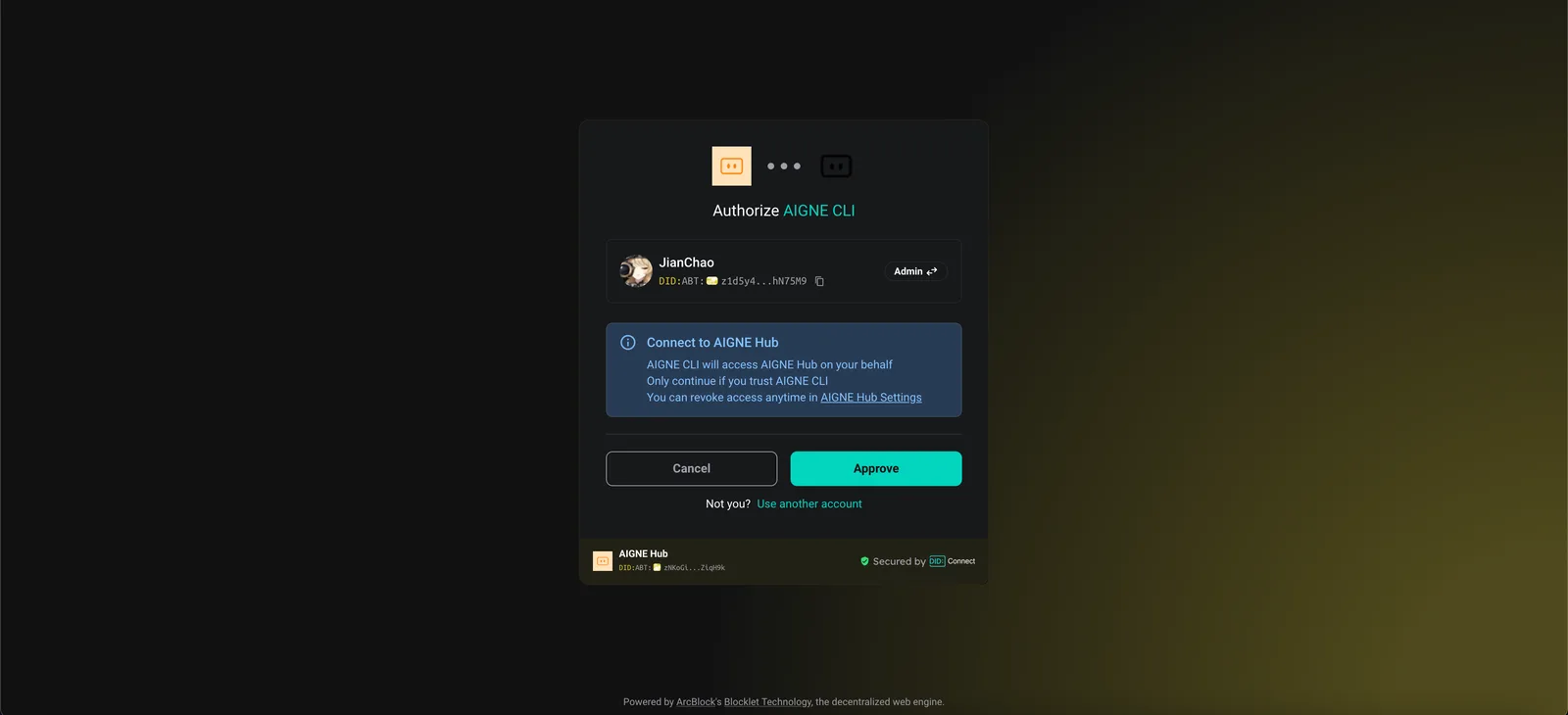
- 通过自托管的 AIGNE Hub 连接: 如果您托管自己的 AIGNE Hub,请选择此选项并输入您的实例 URL 以完成连接。您可以从 Blocklet Store 部署自己的 AIGNE Hub。

- 通过第三方模型提供商连接: 您可以直接使用环境变量配置来自 OpenAI 等提供商的 API 密钥。 配置 OpenAI API 密钥
sh export OPENAI_API_KEY="YOUR_API_KEY"有关支持的提供商和变量的完整列表,请参阅项目中的.env.local.example示例文件。设置环境变量后,请再次运行该命令。
从源代码安装
要检查代码或进行修改,您可以克隆代码仓库并在本地运行示例。
1. 克隆代码仓库
克隆 aigne-framework 代码仓库
git clone https://github.com/AIGNE-io/aigne-framework2. 安装依赖项
导航至示例目录并使用 pnpm 安装所需的包。
安装依赖项
cd aigne-framework/examples/mcp-puppeteer
pnpm install
3. 运行示例
执行启动脚本以运行应用程序。
从源代码运行示例
pnpm start要将命令行参数传递给脚本,请用 -- 将它们分开。
从源代码以聊天模式运行
pnpm start -- --interactive代码示例
以下 TypeScript 代码演示了设置 AIGNE 实例、配置 Puppeteer MCP agent 以及调用 AI agent 提取 Web 内容的核心逻辑。
agent.ts
import { AIAgent, AIGNE, MCPAgent } from "@aigne/core";
import { OpenAIChatModel } from "@aigne/core/models/openai-chat-model.js";

const { OPENAI_API_KEY } = process.env;

// 使用 API 密钥初始化 OpenAI 模型
const model = new OpenAIChatModel({
  apiKey: OPENAI_API_KEY,
});

// 创建一个运行 Puppeteer 服务器的 MCPAgent
const puppeteerMCPAgent = await MCPAgent.from({
  command: "npx",
  args: ["-y", "@modelcontextprotocol/server-puppeteer"],
});

// 使用模型和 Puppeteer agent 作为技能来初始化 AIGNE 实例
const aigne = new AIGNE({
  model,
  skills: [puppeteerMCPAgent],
});

// 定义 AI agent 并附上用于 Web 内容提取的指令
const agent = AIAgent.from({
  instructions: `\
## 从网站提取内容的步骤
1. 导航到该 url
2. 评估 document.body.innerText 以获取内容
`,
});

// 使用提示调用 agent
const result = await aigne.invoke(
  agent,
  "extract content from https://www.arcblock.io",
);

console.log(result);
// 预期输出:
// {
//   $message: "The content extracted from the website [ArcBlock](https://www.arcblock.io) is as follows:\n\n---\n\n**Redefining Software Architect and Ecosystems**\n\nA total solution for building decentralized applications ...",
// }

// 关闭 AIGNE 实例及其 agent
await aigne.shutdown();
命令行选项
该应用程序支持多个命令行参数来自定义其行为。
| 参数 | 描述 | 默认值 |
|---|---|---|
--interactive | 以交互式聊天模式运行。 | 已禁用 |
--model <provider[:model]> | 指定 AI 模型。示例:openai、openai:gpt-4o-mini。 | openai |
--temperature <value> | 设置模型生成的温度。 | 提供商默认值 |
--top-p <value> | 设置 top-p 采样值。 | 提供商默认值 |
--presence-penalty <value> | 设置存在惩罚值。 | 提供商默认值 |
--frequency-penalty <value> | 设置频率惩罚值。 | 提供商默认值 |
--log-level <level> | 设置日志级别(ERROR、WARN、INFO、DEBUG、TRACE)。 | INFO |
--input, -i <input> | 直接作为参数提供输入。 | 无 |
调试
AIGNE 框架包含一个可观测性工具,可帮助您监控和调试 agent 的执行过程。
要启动可观测性服务器,请运行:
启动可观测性服务器
aigne observe
运行后,您可以在浏览器中打开 Web 界面,查看详细的执行跟踪列表,检查每个 agent 的输入、输出和工具调用。
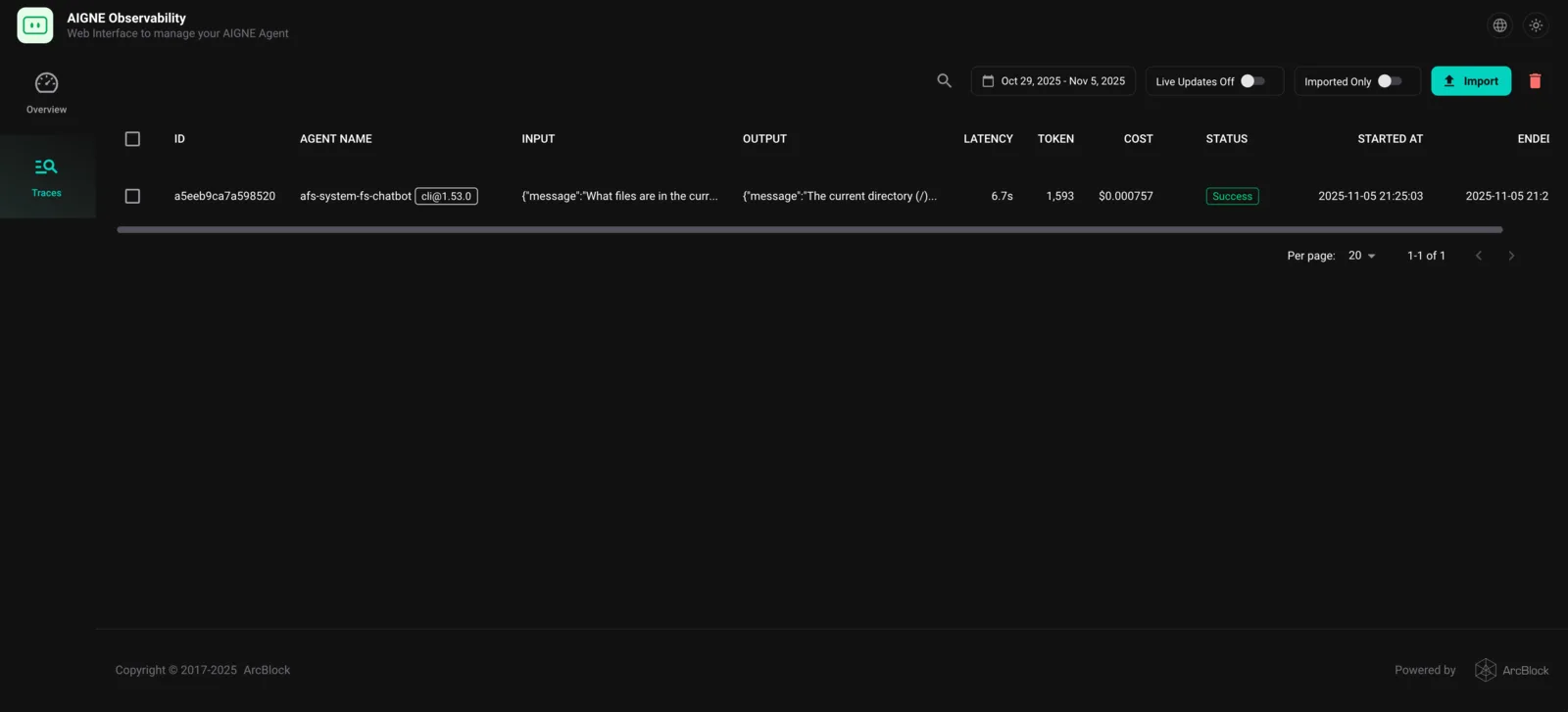
该工具对于理解 agent 行为、诊断问题和优化性能至关重要。