Overview
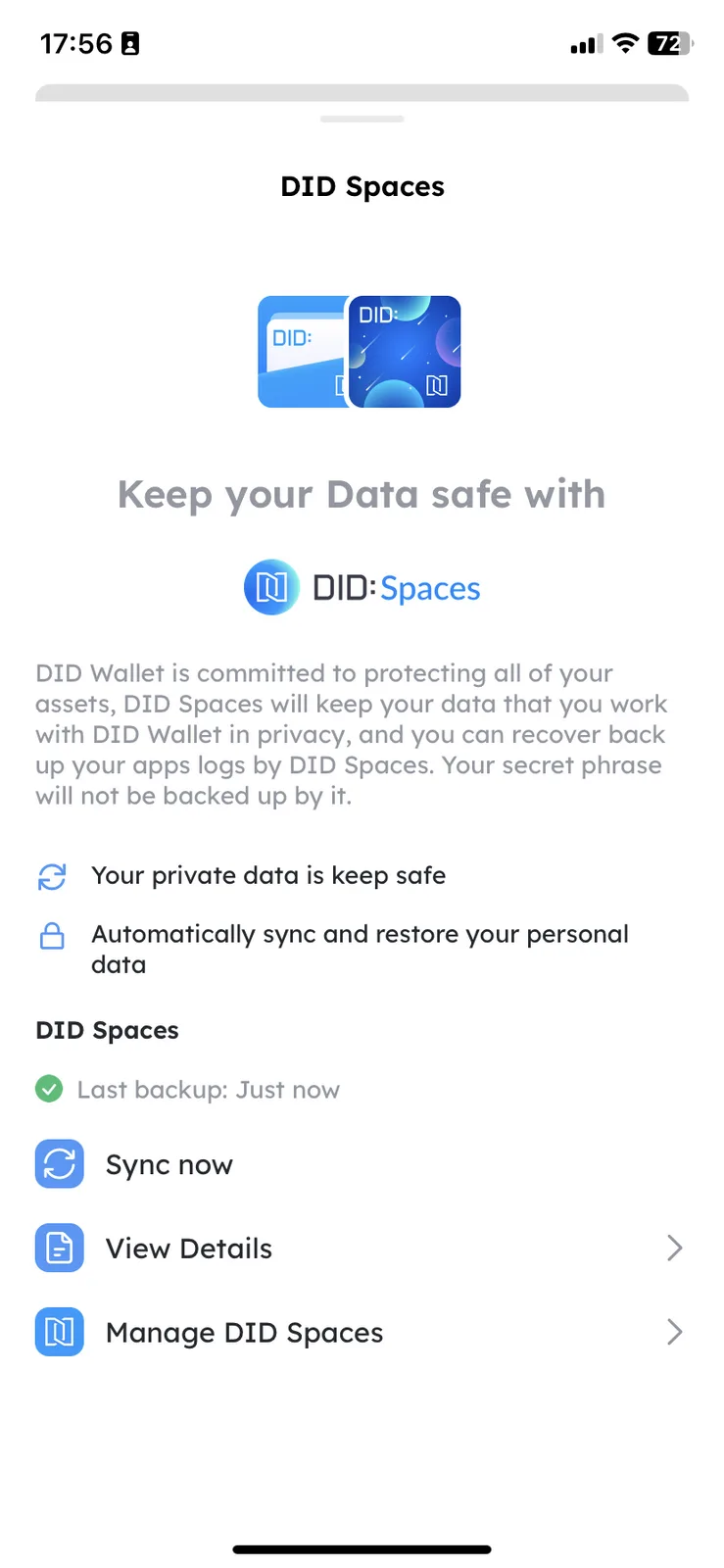
DID Wallet comes with DID Spaces built-in. Every DID Wallet account receives a free DID Space upon initialization on DID Spaces. By default, DID Wallet automatically synchronizes application access logs to this free DID Space.
Prerequisites
- You need to install a DID Wallet. See https://support.didwallet.io/howToDownload for instructions.
Procedure
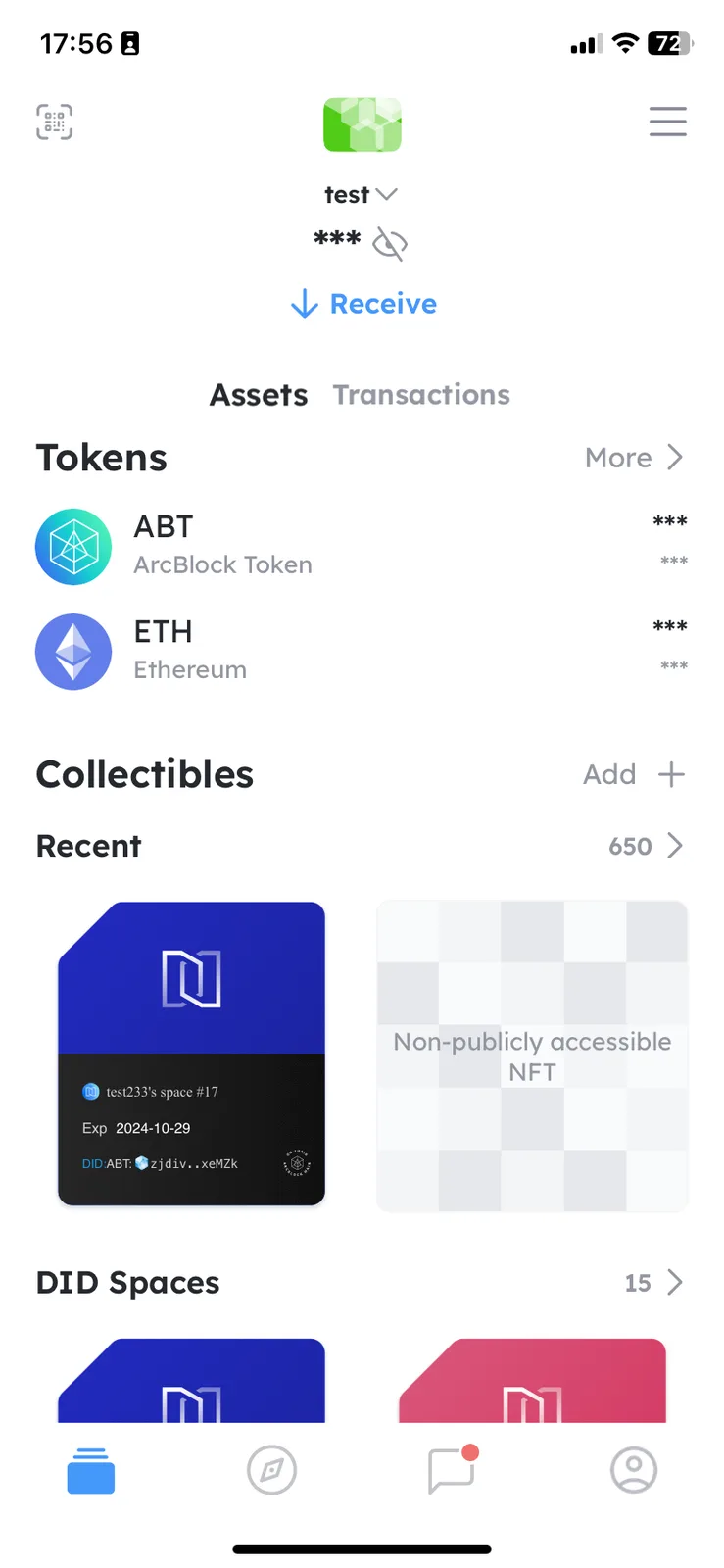
Click the Settings icon in the top right corner to access the settings page:
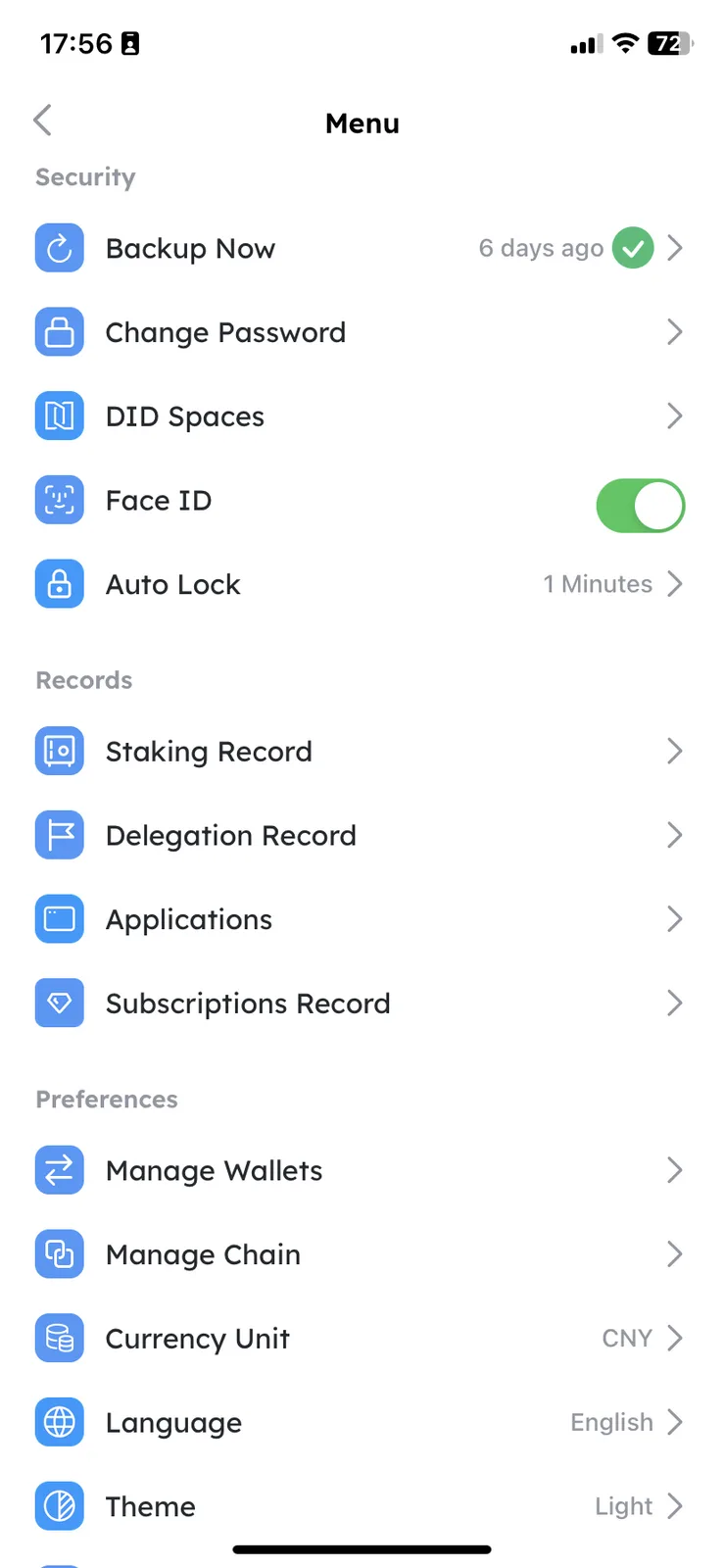
Click DID Spaces to view its details.
You should now see the DID Spaces modules and can immediately synchronize your application access records to your DID Space. (DID Wallet also automatically synchronizes this data periodically.)