Once your blocklet is developed and bundled, the next step is to make it available for others to install and use. The Blocklet CLI provides two primary methods for distribution: deploying directly to a Blocklet Server or uploading to a Blocklet Store for public discovery.
This choice depends on your goal: direct deployment is excellent for testing and private use, while uploading to a store is the standard for public releases.
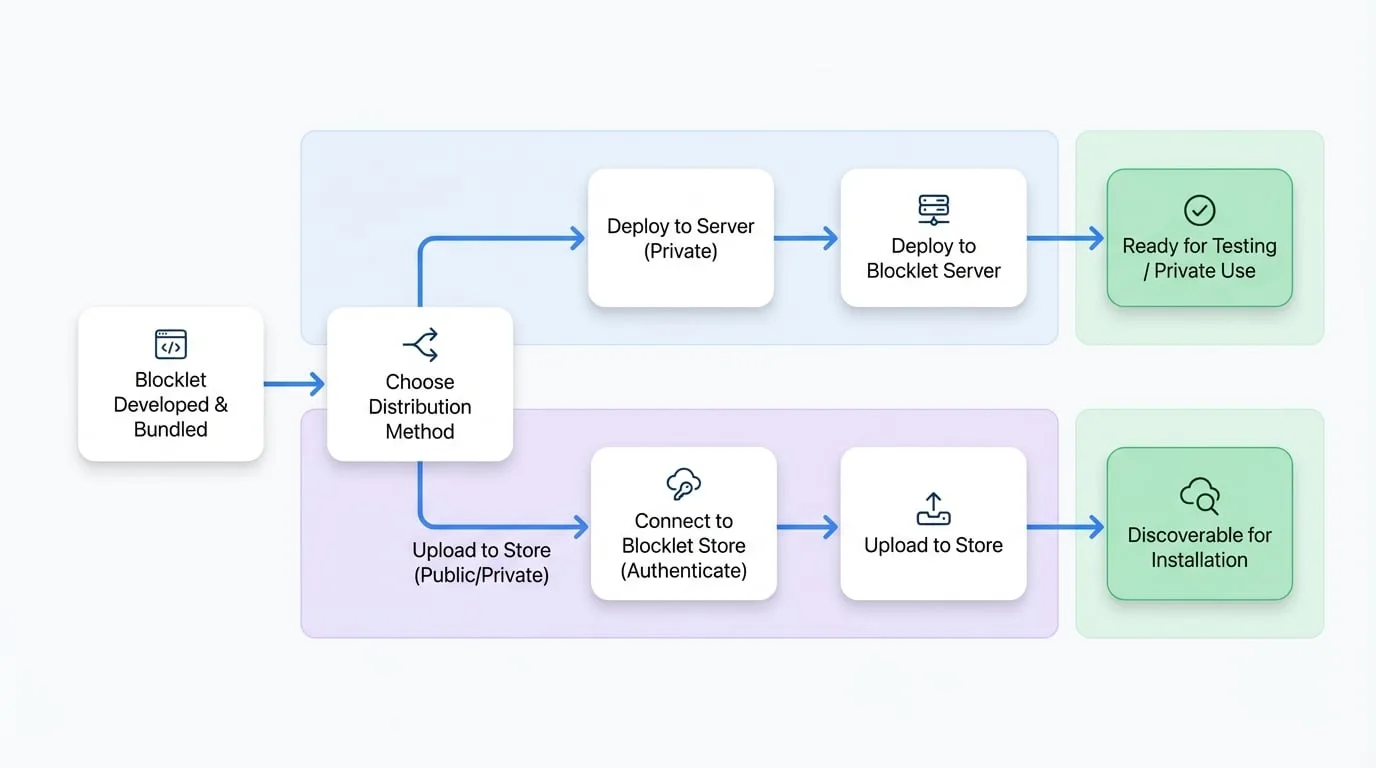
Explore the distribution workflows below to determine the best path for your blocklet.
Deploy Blocklet
Directly push your blocklet from your local machine to a running Blocklet Server instance. This is ideal for rapid development cycles, testing on a staging server, or deploying private blocklets.
Upload to Store
Package and upload your blocklet to a public or private Blocklet Store. This makes your blocklet discoverable and easily installable by a wider audience, similar to a traditional app store.
Connect to Store
Before you can upload a blocklet, you must first authenticate your CLI with the target Blocklet Store. This command securely links your developer account to your local environment.