和 DID 钱包建立连接
Blocklet 和钱包通信前,需要建立 Websocket 连接。Blocklet 有两种方式 和 DID 钱包建立 Websocket 连接:
方式 1: DID 钱包通过 Blocklet Service 提供的 Auth 服务 登录 Blocklet 后,自动和 Blocklet 建立 Weboscket 连接。
方式 2: DID 钱包通过 Blocklet 使用 Blocklet SDK 自己实现的 DID Connect 服务连接至 Blocklet 后,自动和 Blocklet 建立 Weboscket 连接。
你可以通过 https://github.com/blocklet/notification-demo 了解具体的实现方式。
发送通知给 DID 钱包
Blocklet 和 DID 钱包建立 Websocket 连接后,可以通过 Blocklet SDK 向 DID Wallet 发送通知。
向指定用户发送消息
方式 1: 向用户发送 1 对 1 消息。如果用户没有在线,消息会暂存一周,用户上线后会接收到该消息。(发送时可以带上下面的消息格式)
Notification.sendToUser(userDid)
方式 2: 通过公共频道向指定用户发送消息。如果用户没有在线,消息不会暂存。
Notification.broadcast(notification, { socketDid })
详见 Blocklet SDK
向所有在线用户广播消息
Notification.broadcast(notification, { socketDid })
向所有在线用户广播通时,如果用户没有在线,消息不会暂存。
详见 Blocklet SDK
消息格式
通知采用和邮件类似的格式,包含文本,附件,操作。
文本:包含标题和正文
你也可以只发送正文,则是一条简单的文本消息。
// 发送文本

await Notification.sendToUser(userDid, {
  title: "I'm the message title",
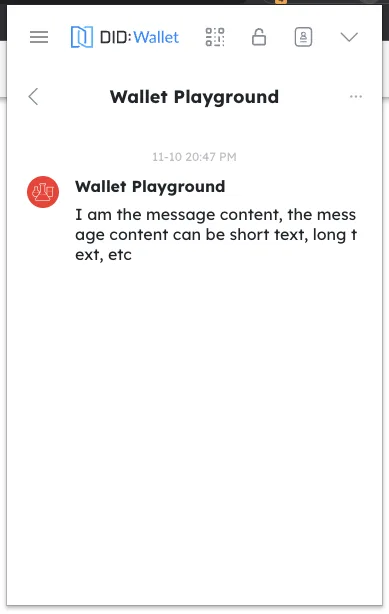
  body: 'I am the message content, the message content can be short text, long text, etc',
});
钱包在消息页面可以接收到通知
附件:发送不同类型附件
类型包括 Asset(NFT), VC, Token
// 发送 Token

await Notification.sendToUser(userDid, {
  title: 'I am the title that sent the Token',
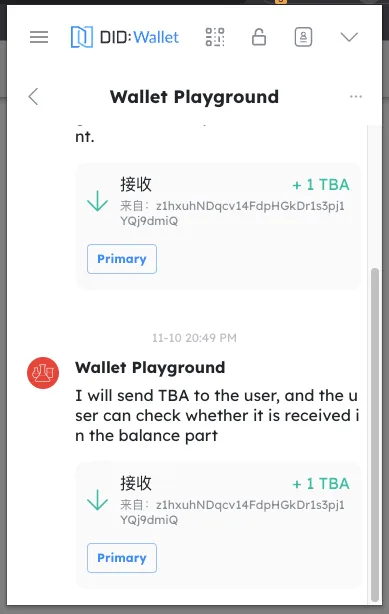
  body: 'I will send TBA to the user, and the user can check whether it is received in the balance part',
  attachments: [
    {
      type: 'token',
      data: {
        address: 'z35n6UoHSi9MED4uaQy6ozFgKPaZj2UKrurBG',
        amount: '1000000000000000000',
        symbol: 'TBA',
        senderDid: senderDid,
        chainHost: chainHost,
        decimal: 18,
      },
    },
  ],
});
钱包在消息页面可以接收到通知
// 发送 NFT

await Notification.sendToUser(userDid, {
  title: 'I am sending the title of the NFT',
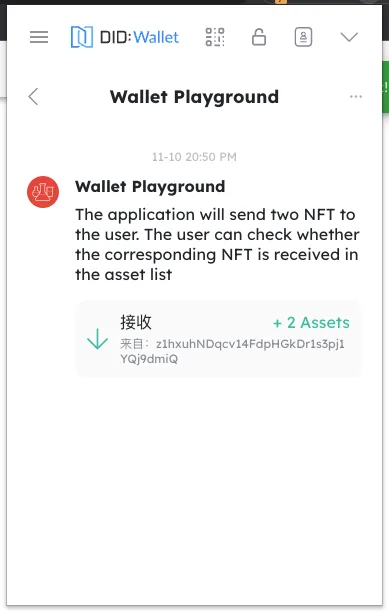
  body: 'The application will send two NFT to the user. The user can check whether the corresponding NFT is received in the asset list',
  attachments: [
    {
      type,
      data: {
        did: asset.address,
        chainHost: env.chainHost,
      },
    },
    {
      type,
      data: {
        did: asset2.address,
        chainHost: env.chainHost,
      },
    },
  ],
});
钱包在消息页面可以接收到通知
// 发送 VC

const { create } = require('@arcblock/vc');

const vc = create({
  type: 'EmailVerificationCredential',
  issuer: {
    wallet: w,
    name: 'ArcBlock.KYC.Email',
  },
  subject: {
    id: userDid,
    emailDigest: toBase64(emailDigest),
    method: 'SHA3',
  },
});

await Notification.sendToUser(userDid, {
  title: 'I am sending the title of the VC',
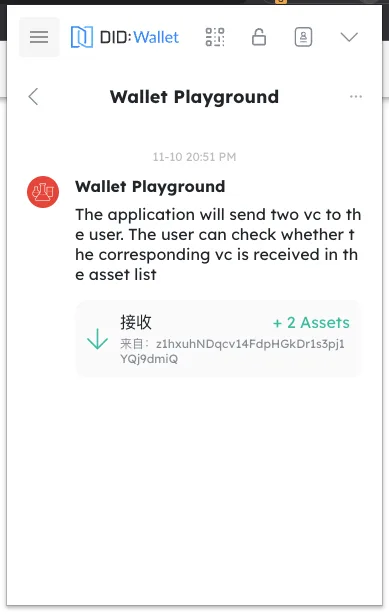
  body: 'The application will send two vc to the user. The user can check whether the corresponding vc is received in the asset list',
  attachments: [
    {
      type,
      data: {
        credential: vc,
        tag: vt.email,
      },
    },
    {
      type,
      data: {
        credential: vc,
        tag: passport.title,
      },
    },
  ],
});
钱包在消息页面可以接收到通知
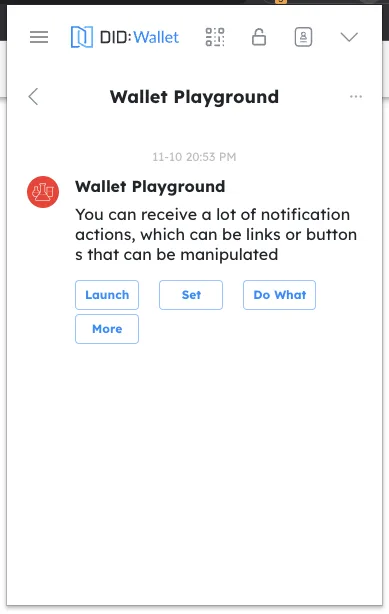
操作:发送操作
你可以为消息附加操作(比如点击跳转到某连接),操作将以按钮形式展示在钱包中。
// 发送时带有附加操作

await Notification.sendToUser(userDid, {
  title: "I'm the message title",
  body: 'You can receive a lot of notification actions, which can be links or buttons that can be manipulated',
  actions={[
    { name: 'launch', title: 'Launch', link: 'https://arcblock.io' },
    { name: 'Set', title: 'ABT', link: 'https://arcblock.io' },
    { name: 'Do What', title: 'Node', link: 'https://arcblock.io' },
    { name: 'More', title: 'More Action', link: 'https://arcblock.io' },
  ]}
});
钱包在消息页面可以接收到通知
详见 Blocklet SDK
接收 DID 钱包的消息
每次和钱包建立连接后,Blocklet 会收到钱包钱包发来的 'hi' 消息,Blocklet 可通过 Blocklet SDK 接收到该消息。
接收到该消息后,Blocklet 可向该用户单独发送一条消息。
详见 Blocklet SDK