Use this guide when you need to run aigne web update against a single page—rewriting sections, inserting new modules, reordering blocks, or trimming obsolete content—without changing the rest of the site.
This process is distinct from modifying the overall site map. For instructions on adding, removing, or reorganizing pages, refer to the Update Structure guide.
The Update Process
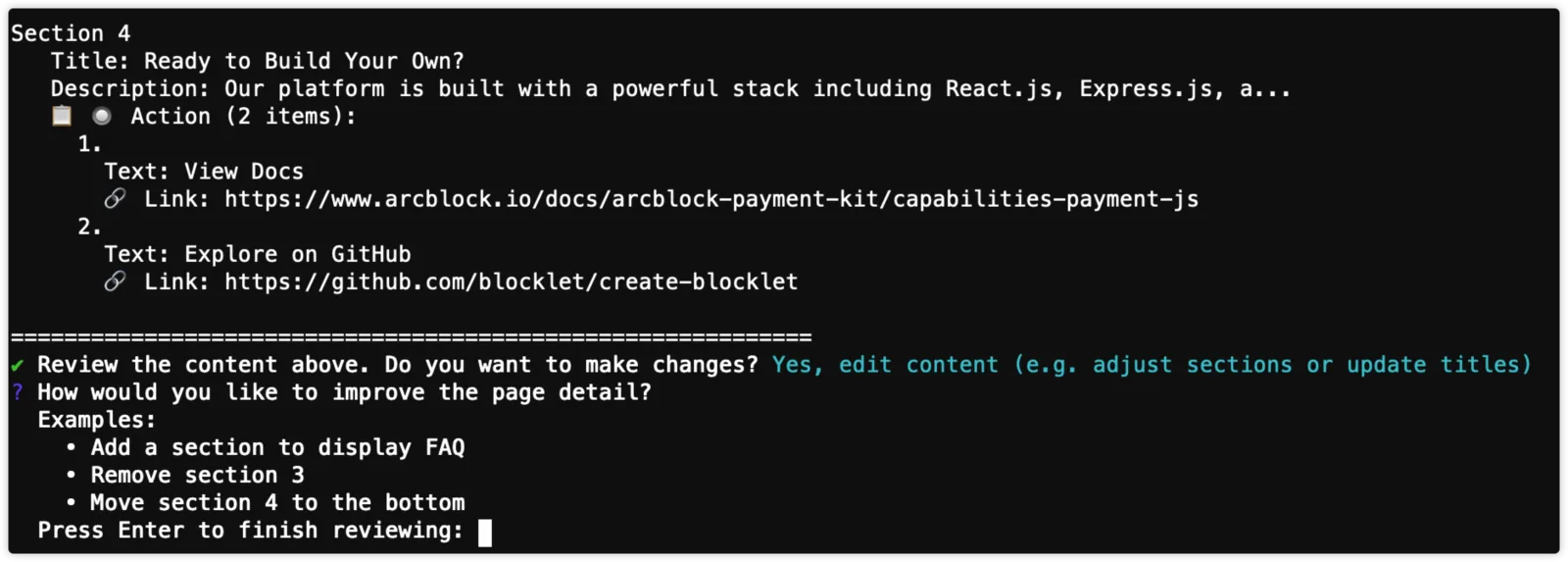
Content updates are initiated using the aigne web update command. The process is interactive, allowing you to provide feedback in natural language, which WebSmith then converts into structured changes on the selected page.
Update Page
aigne web updateThe command can also be invoked with its alias, up.
The standard workflow is as follows:
Execute the Command
Run
aigne web update.Select Page
WebSmith presents a list of existing pages. Select the single page you wish to modify.
Provide Feedback
Enter natural language instructions describing the changes you want to make. For example, “Change the hero headline to ‘Instant AI Websites’” or “Add a three-column feature section after Benefits.”
Processing
WebSmith analyzes your request and uses its update tools to apply the changes to the page’s content structure.
Review and Save
The updated page content is saved. You can regenerate or publish to see the new copy reflected in rendered pages.
Command Parameters
For non-interactive or scripted use, you can provide feedback and other parameters directly as command-line arguments.
- --pages
array— Specify one or more page paths to update. If not provided, WebSmith prompts you to select a page interactively. - --feedback
string— Provide content feedback directly. Useful for scripted updates. - --glossary
string— A glossary of terms to ensure consistent terminology during content generation. You can provide a path to a file using the @ syntax.
Content Modification Capabilities
The update workflow uses tool-based operations. Align your feedback to these capabilities for predictable results.
| Action | Description | Example Feedback |
|---|---|---|
| Add Section | Adds a new content block. Specify the content and its position. | “Add a ‘Customers’ section after Features with three testimonials.” |
| Delete Section | Removes an existing block by name. | “Remove the ‘Legacy Support’ section.” |
| Update Section | Modifies content within a block. | “In the ‘Pricing’ section, change the headline to ‘Predictable pricing for teams.’” |
| Move Section | Reorders sections. | “Move ‘FAQ’ so it appears before the final CTA.” |
| Update Metadata | Updates page metadata such as title or description. | “Set the page title to ‘Platform Overview’.” |
Example Feedback Prompts
Example Feedback
"Add a four-step walkthrough section after the hero for onboarding instructions."

"Remove the case-study section that references Legacy API clients."

"Change the CTA in the hero to 'See it in action' and adjust the subheading to mention 5-minute setup."
Summary
Updating page content is an iterative process driven by clear instructions. By aligning your feedback to WebSmith’s page-update capabilities, you can quickly refine copy, re-order sections, and keep your site accurate without affecting the rest of the website.
For structural changes, see the Update Structure guide. For publishing updates, visit Publish Website.