Overview
Midjourney is a GAN (Generative Adversarial Networks) based AIGC service that generates high quality images and videos.
It is integrated into Discord by default, with no additional WebUI, and requires a fee.
Midjourney project address:https://www.midjourney.com/home/
Preview of the finished product
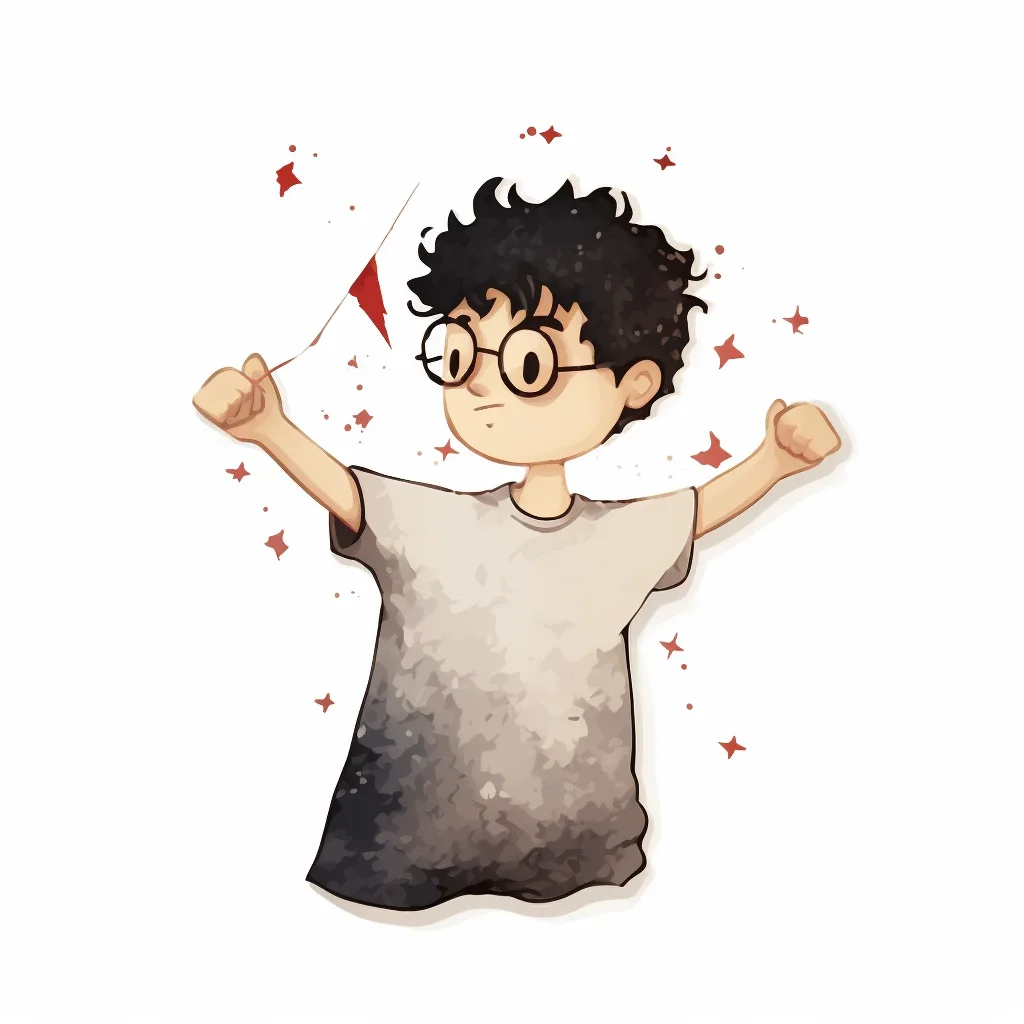 | 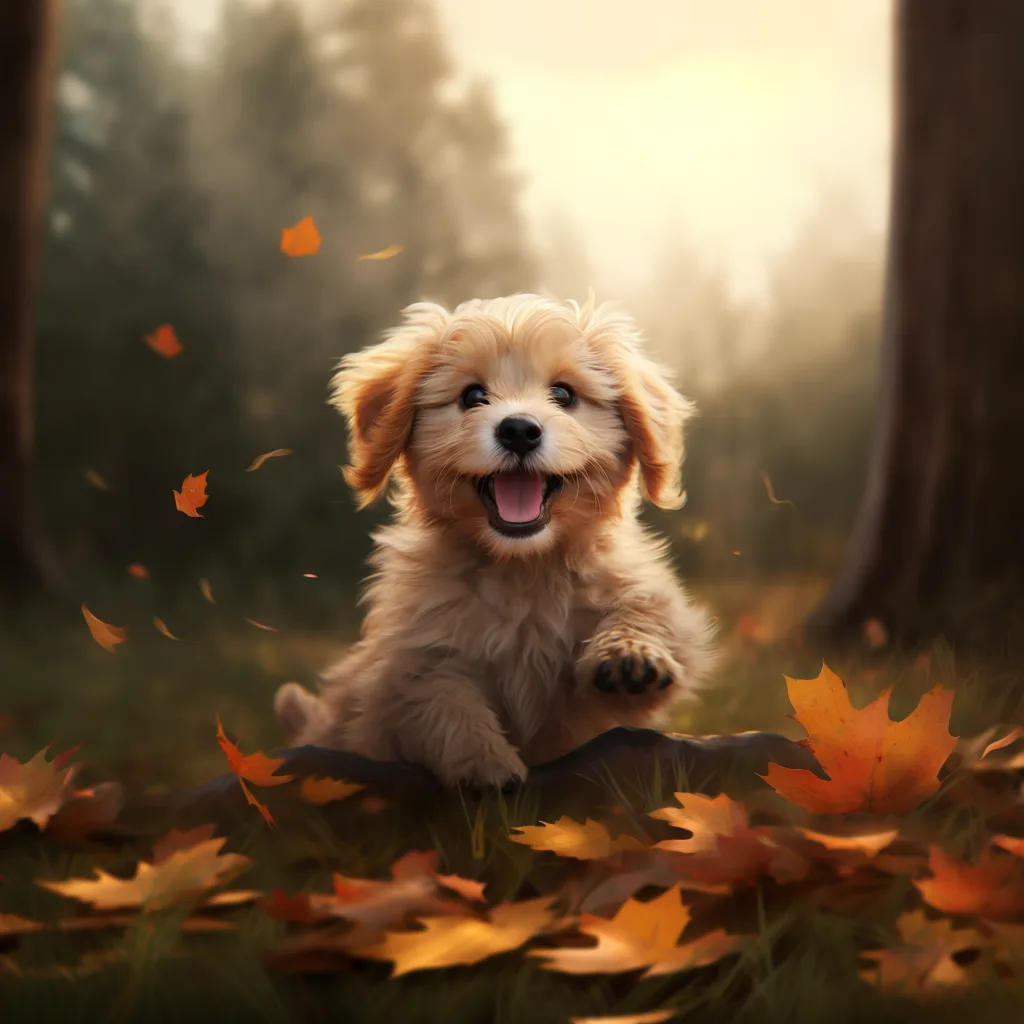 |
|---|
How to use
- Optional First, confirm whether you have a Midjourney account. If not, you need to add a robot and activate a subscription according to the following methods, Open Midjourney official website, click Join the Beta in the lower right corner
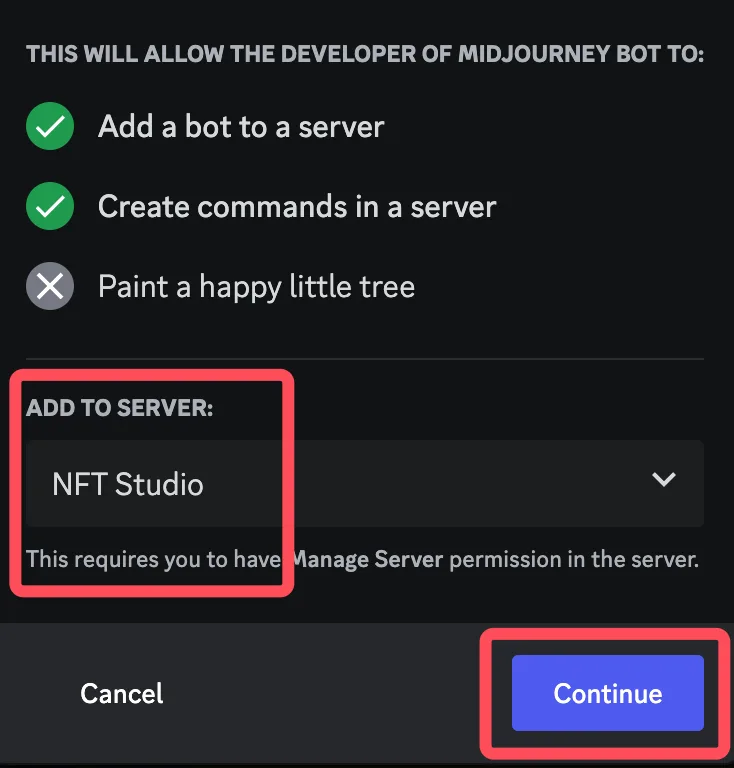
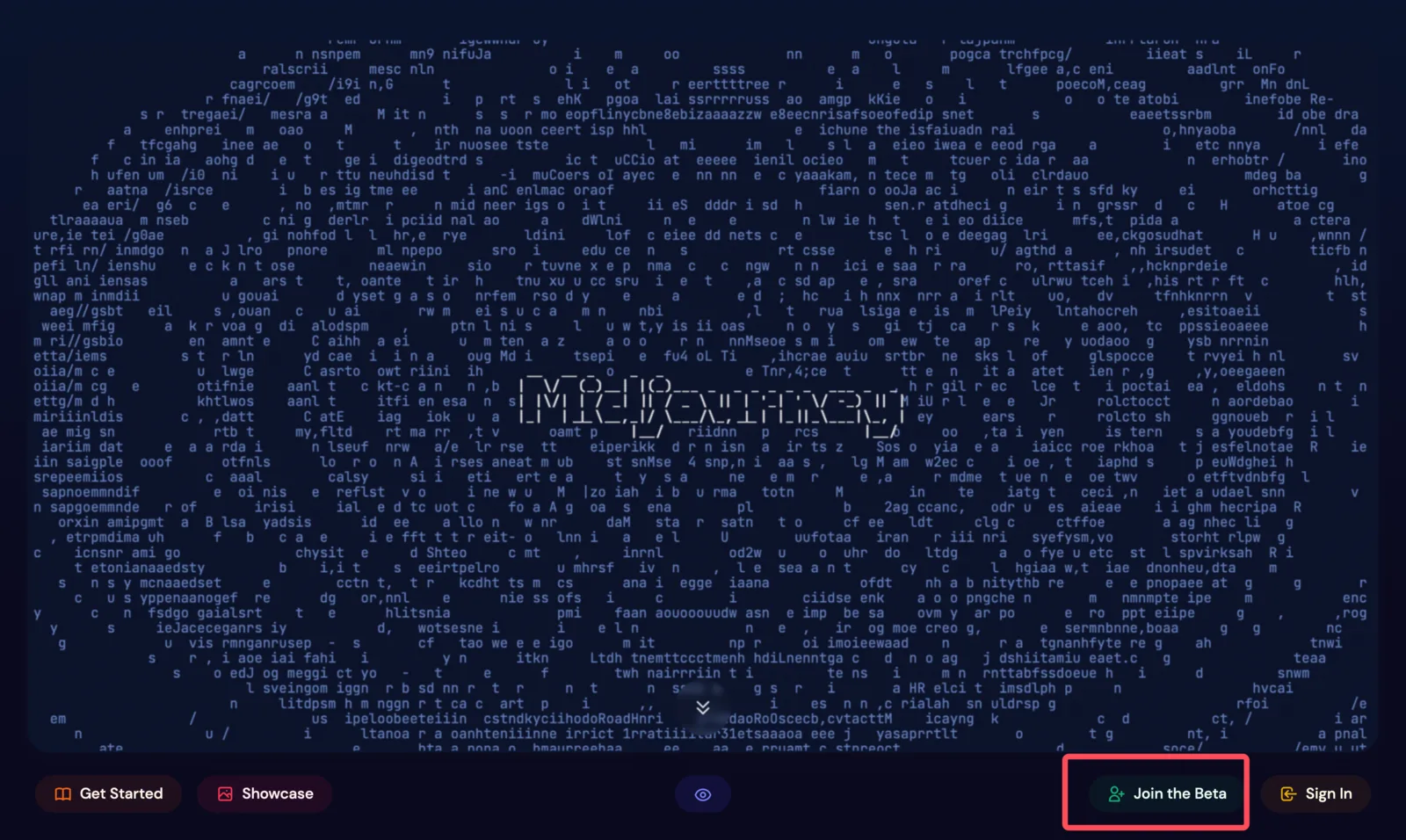 At this point it will jump to Discord, and open the Midjourney community, we click Member List, find the robot, right-click to join our own server
 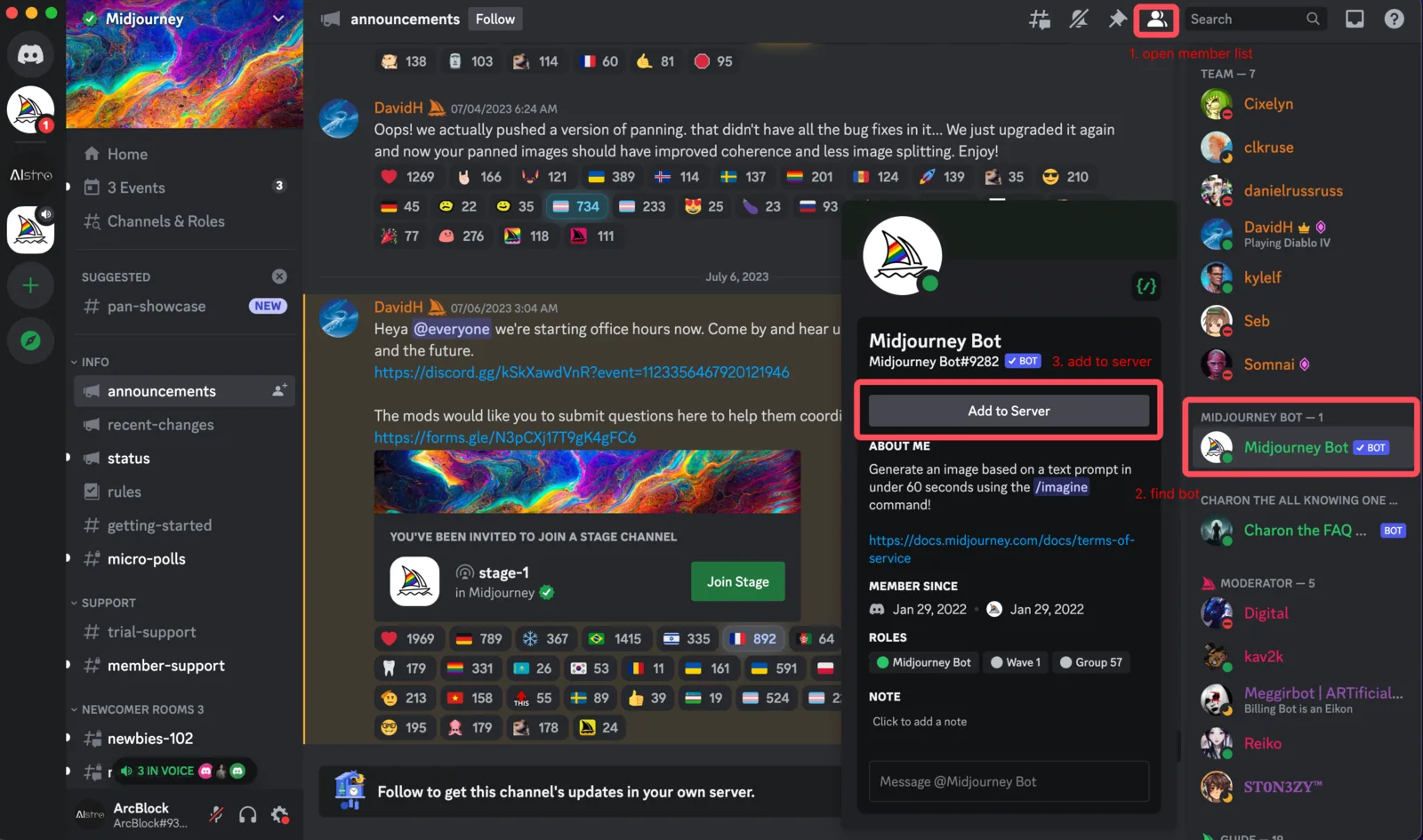 Select the server to join and complete the authorization
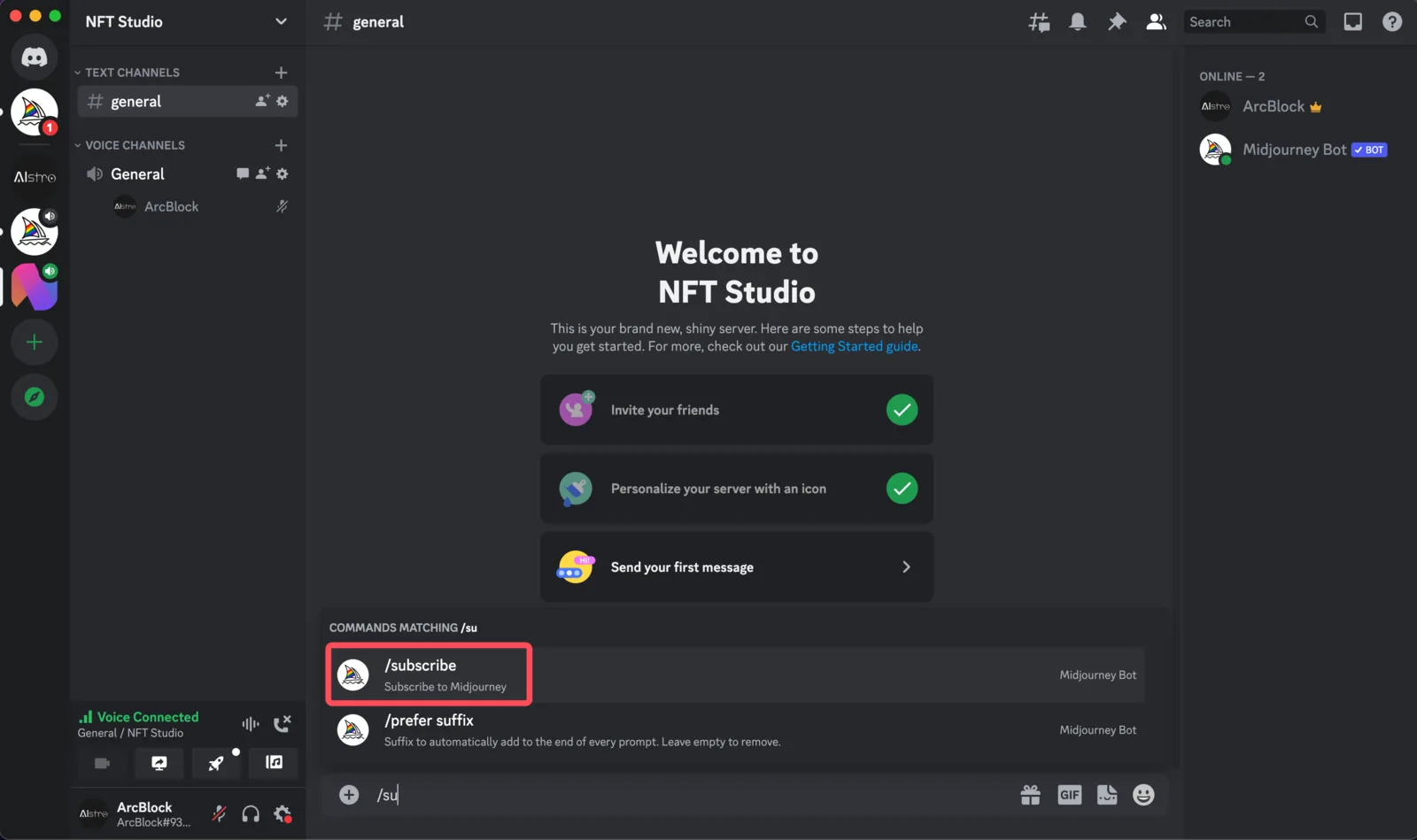
  Enter the server, select a channel, and enter /subscribe in the channel
  Jump to the official website to choose a package and make a paid subscription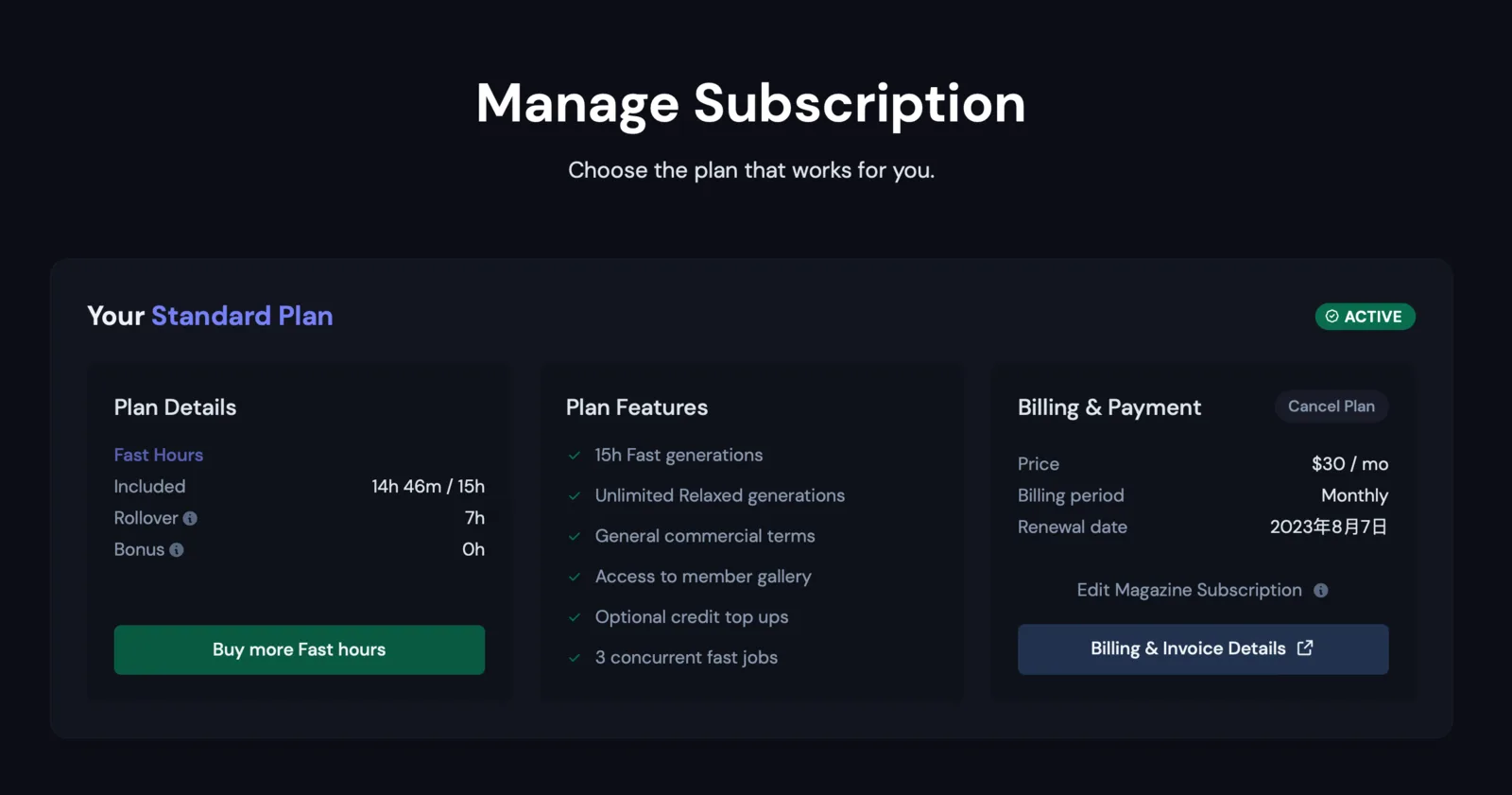
- Back in Discord, enter /imagine in the chat box to wake up
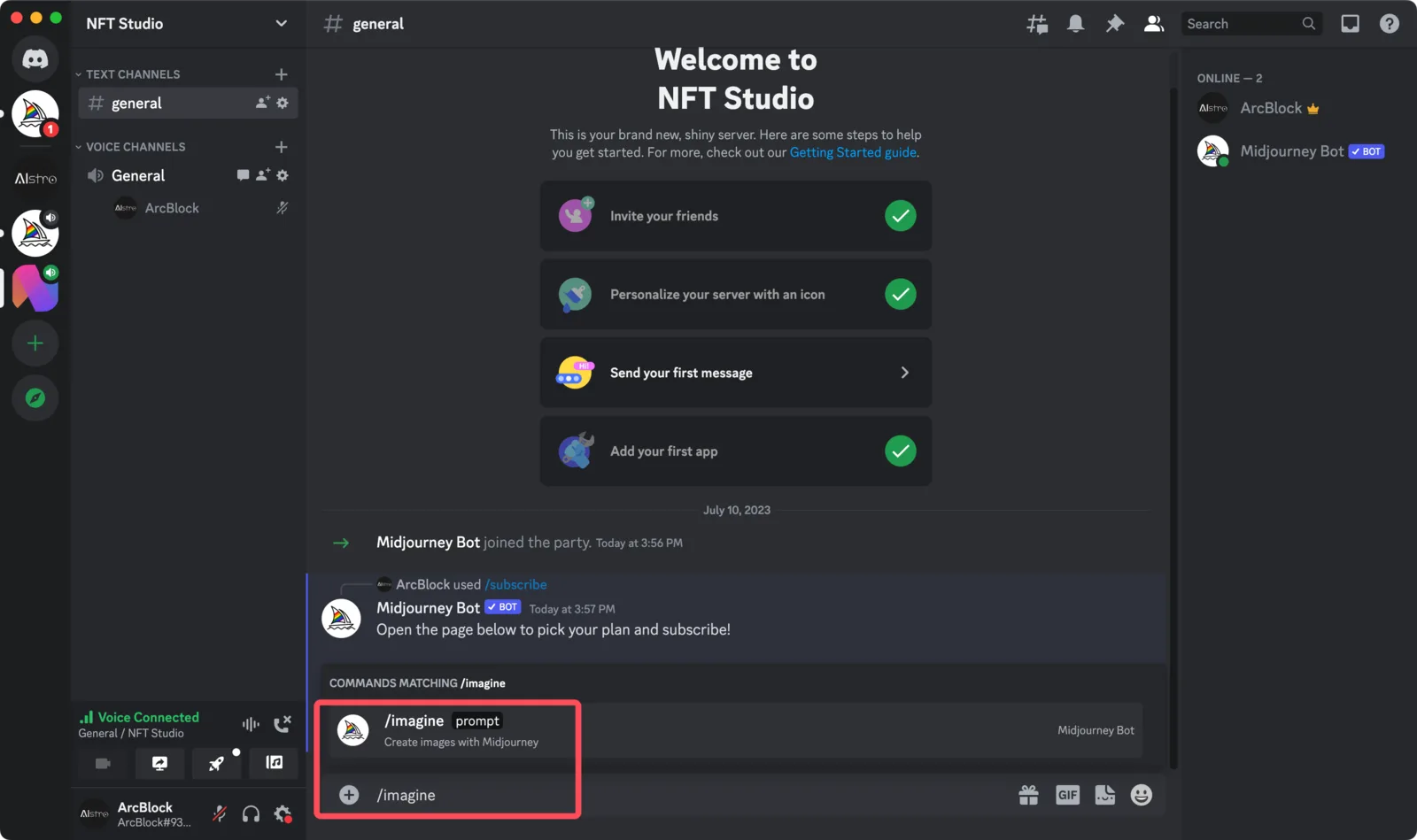 Then enter Prompt: cute dog, and the corresponding picture will be generated after a while U1 ~ U4: Refers to the number of pictures to enlarge (Upscale), when we are satisfied with the picture, we can click V1 ~ V4: Refers to the first few pictures of Variation, when we feel that we need to continue to make subtle changes to the pictures, we can click Refresh button: refers to regenerate 4 pictures, when we are not satisfied with these pictures, we can click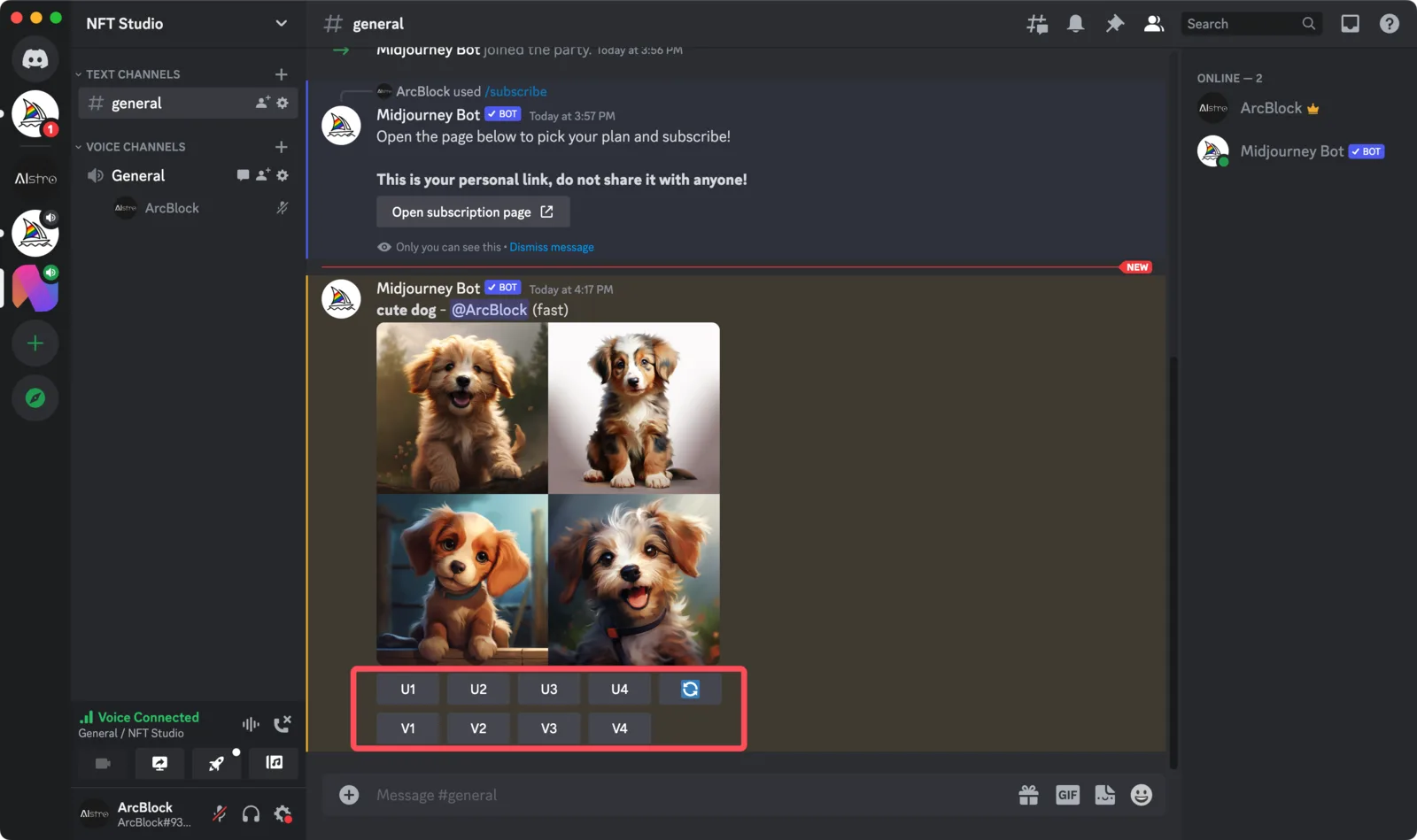
- We click on U1 for a larger picture, for more action
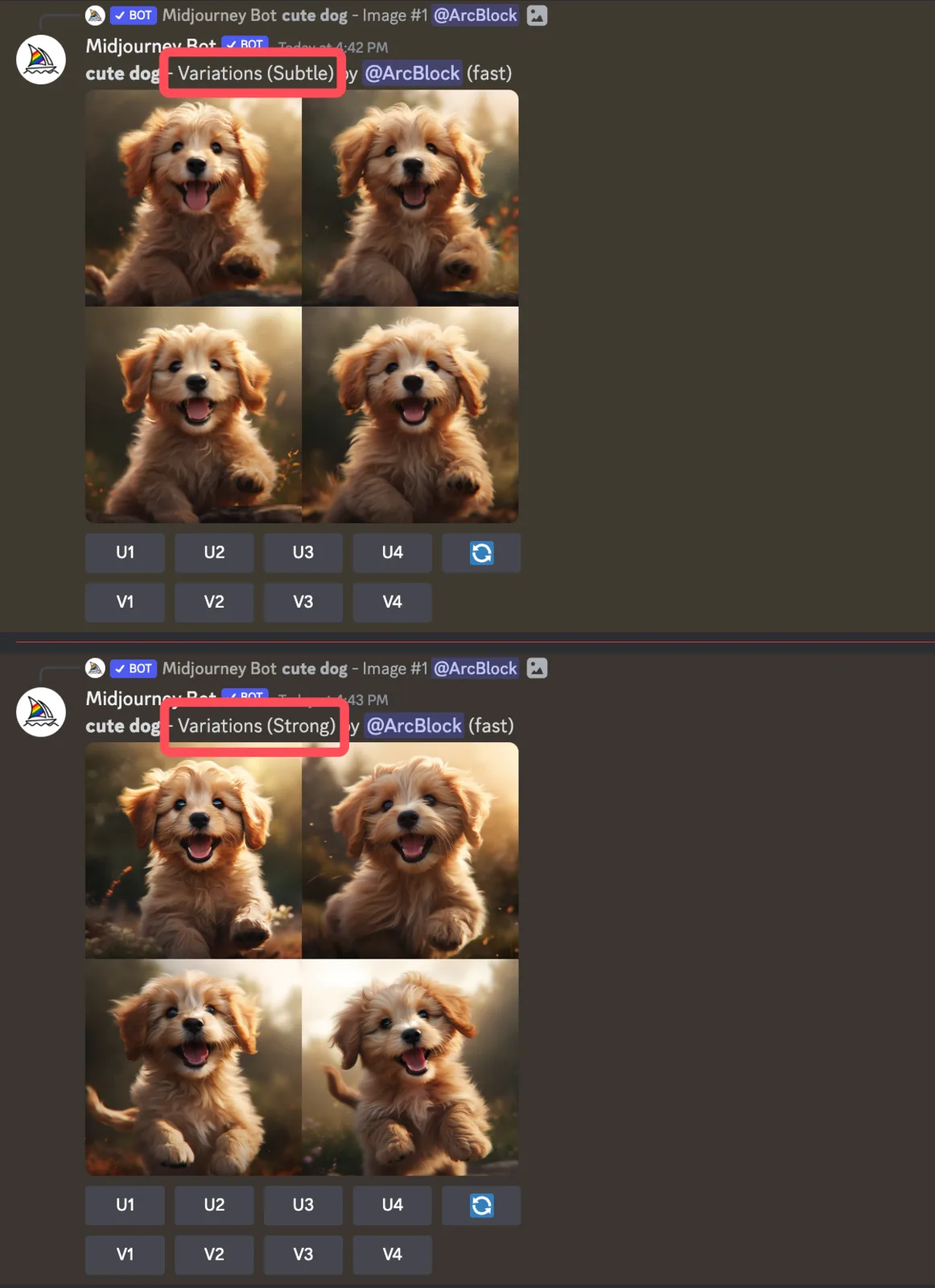
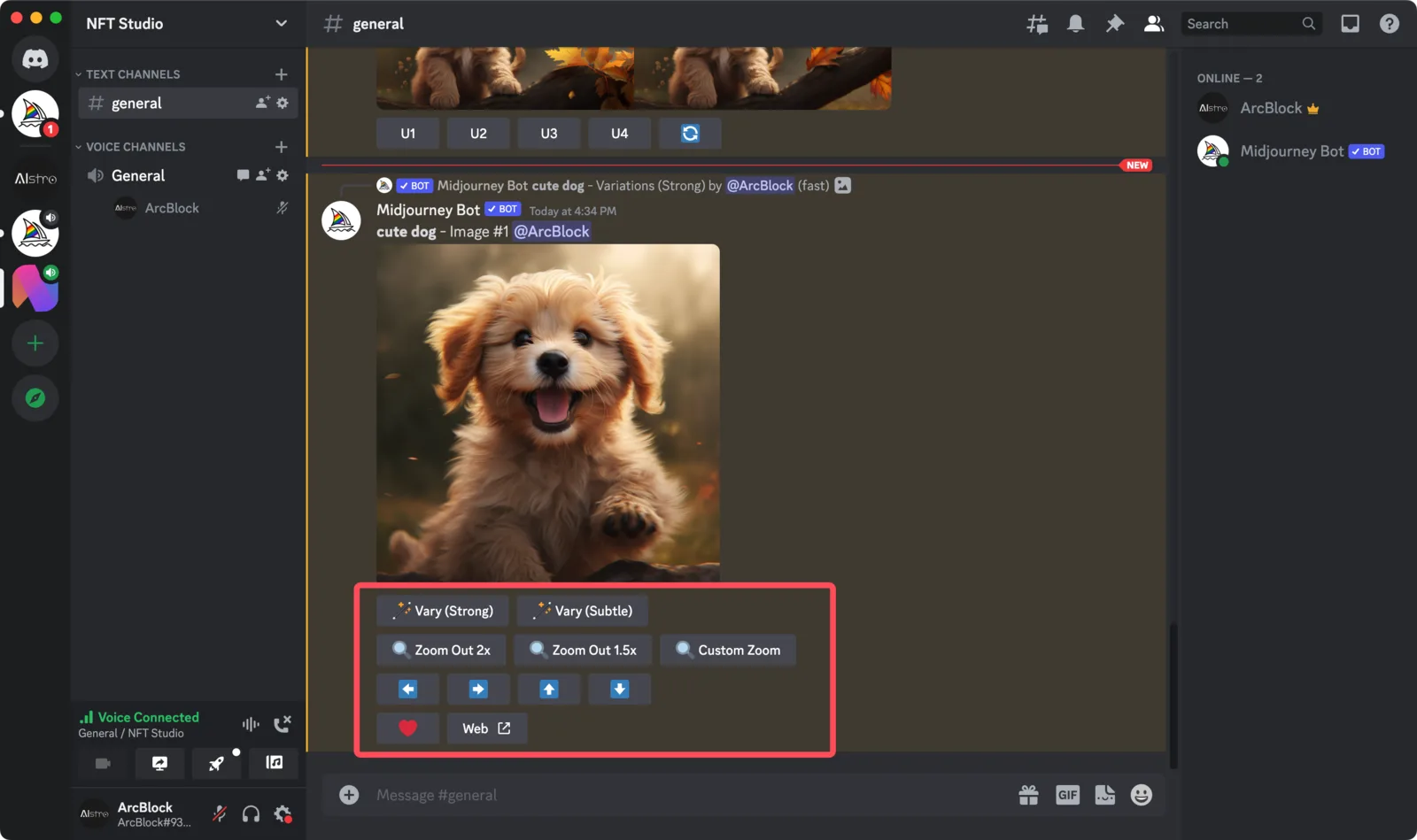 Vary:Refers to the change picture, Vary(Strong) means strong change, Vary(Subtle) means weak change, you can check the difference
  In addition, Zoom Out and the arrow keys are the expansion operation Instead of simply zooming in on the picture, it will draw more details (green range)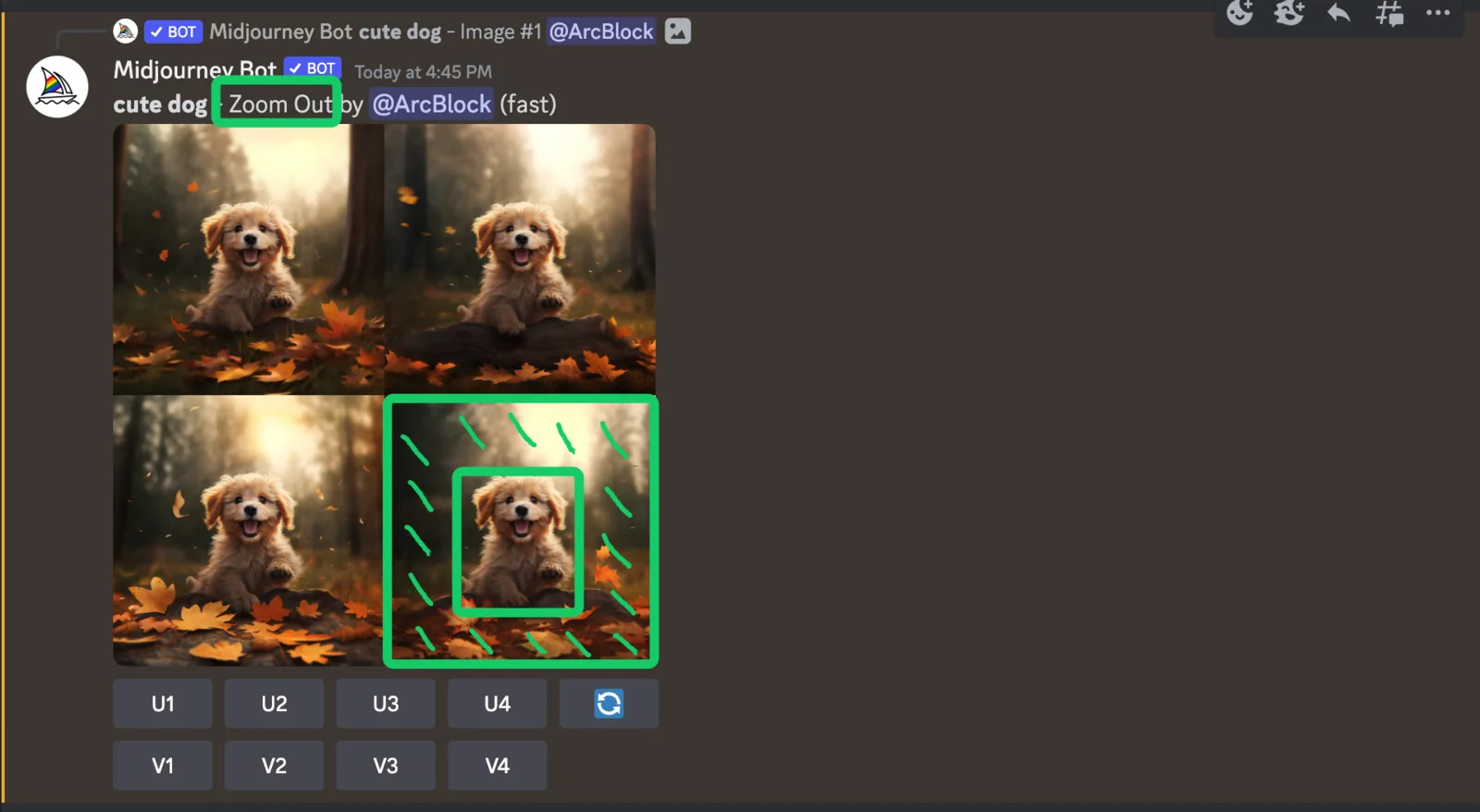
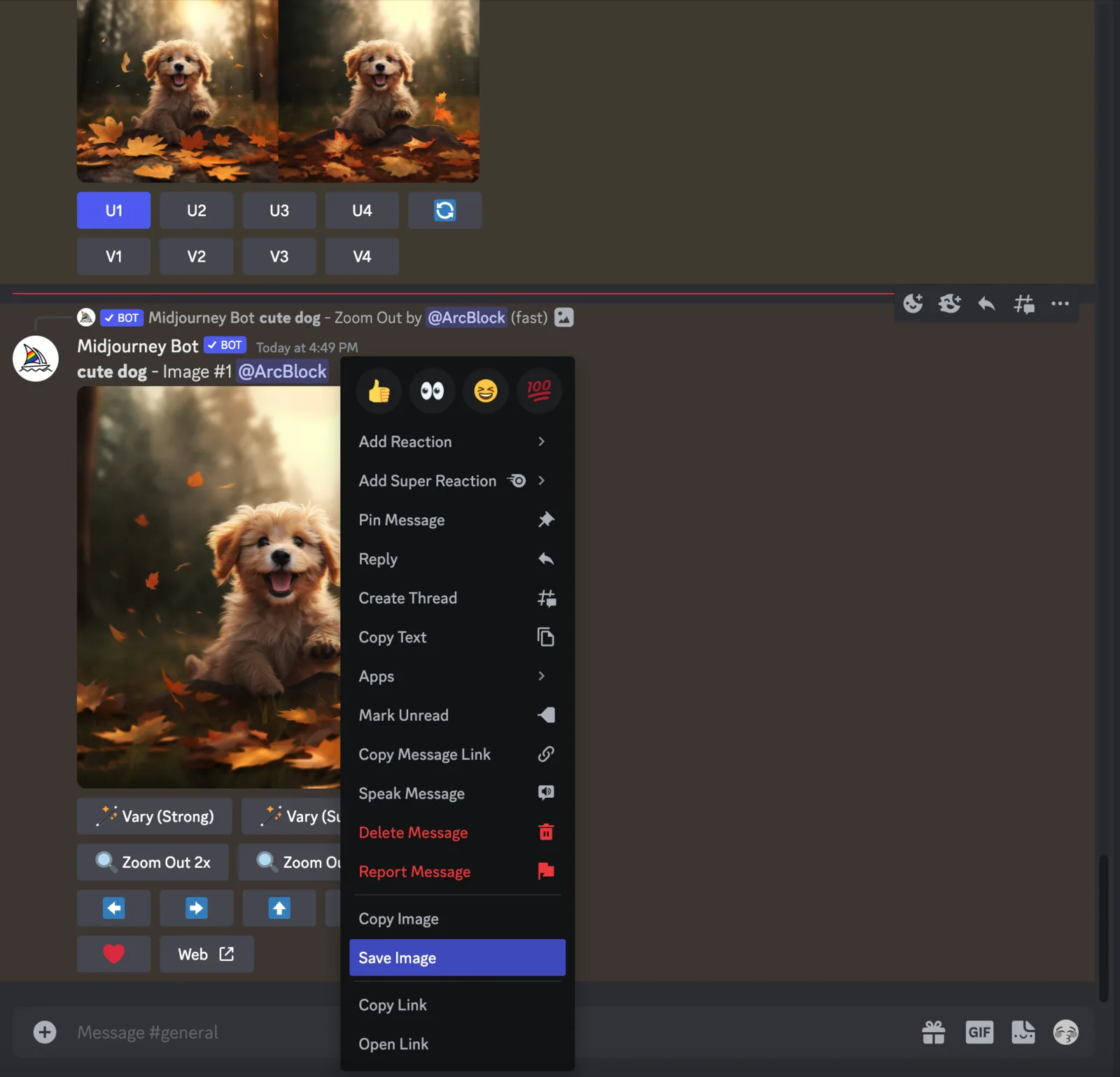
- The final picture is suitable, we select U1 again, and right click to download the picture
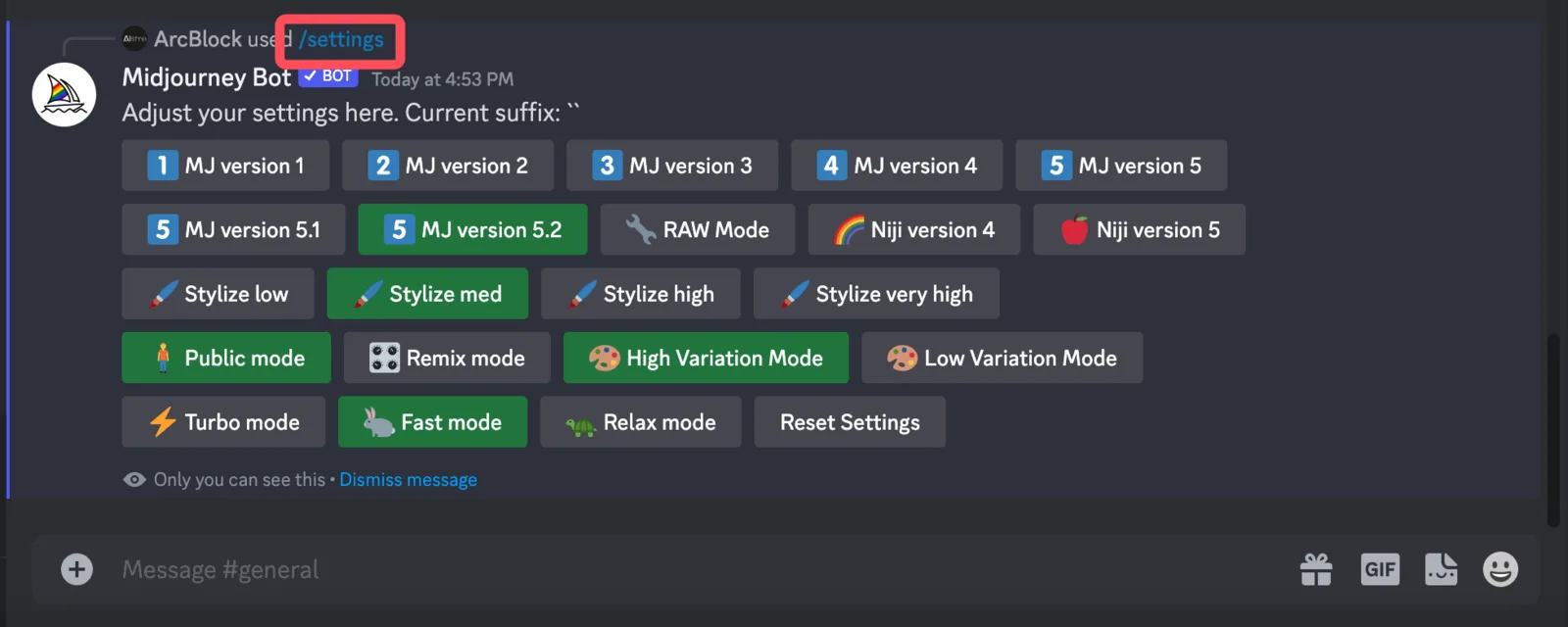
- We can also switch models and various modes through /settings
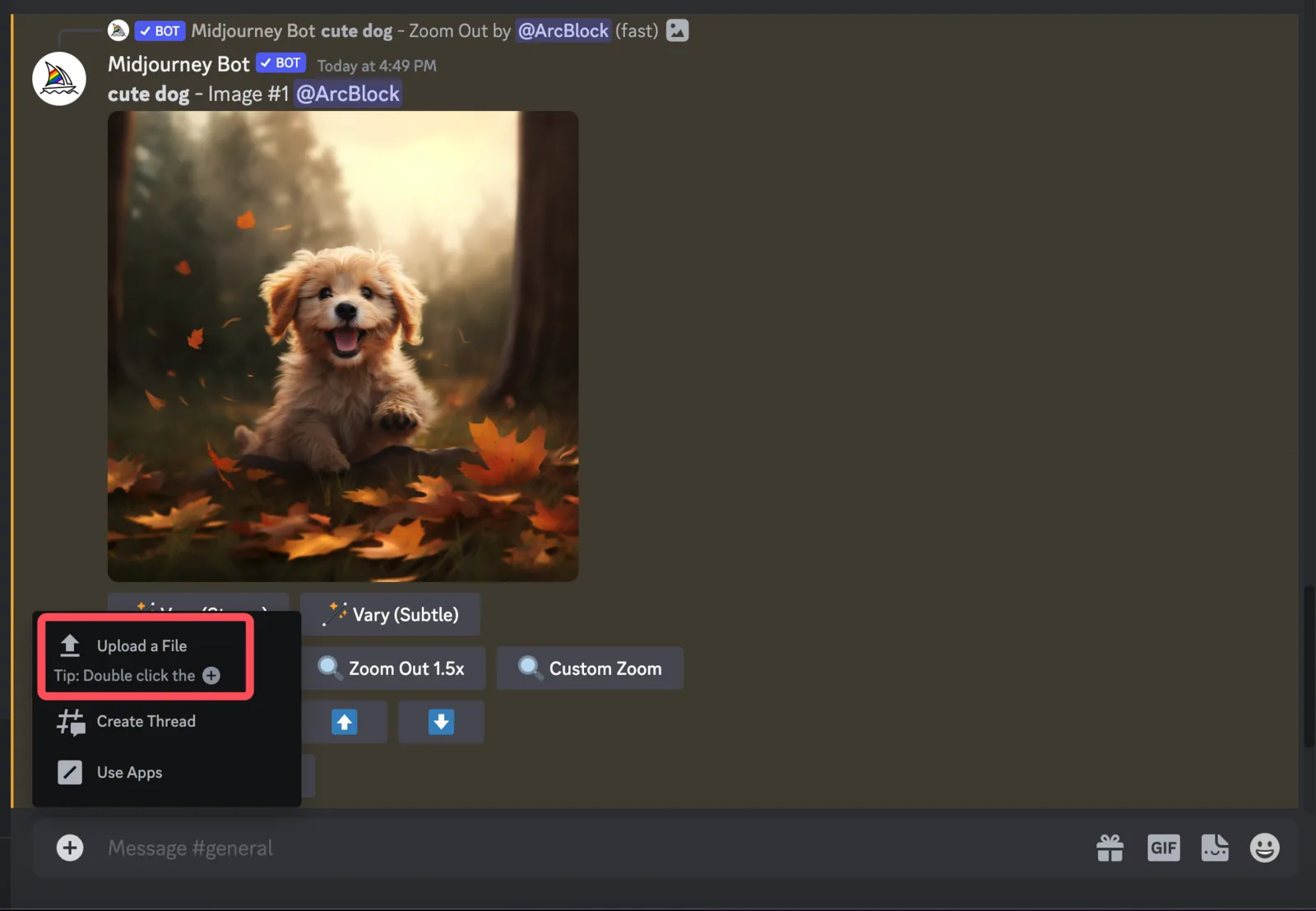
- We can also generate similar pictures by drawing pictures First upload the file to Discover
 Right click on the image, copy link
 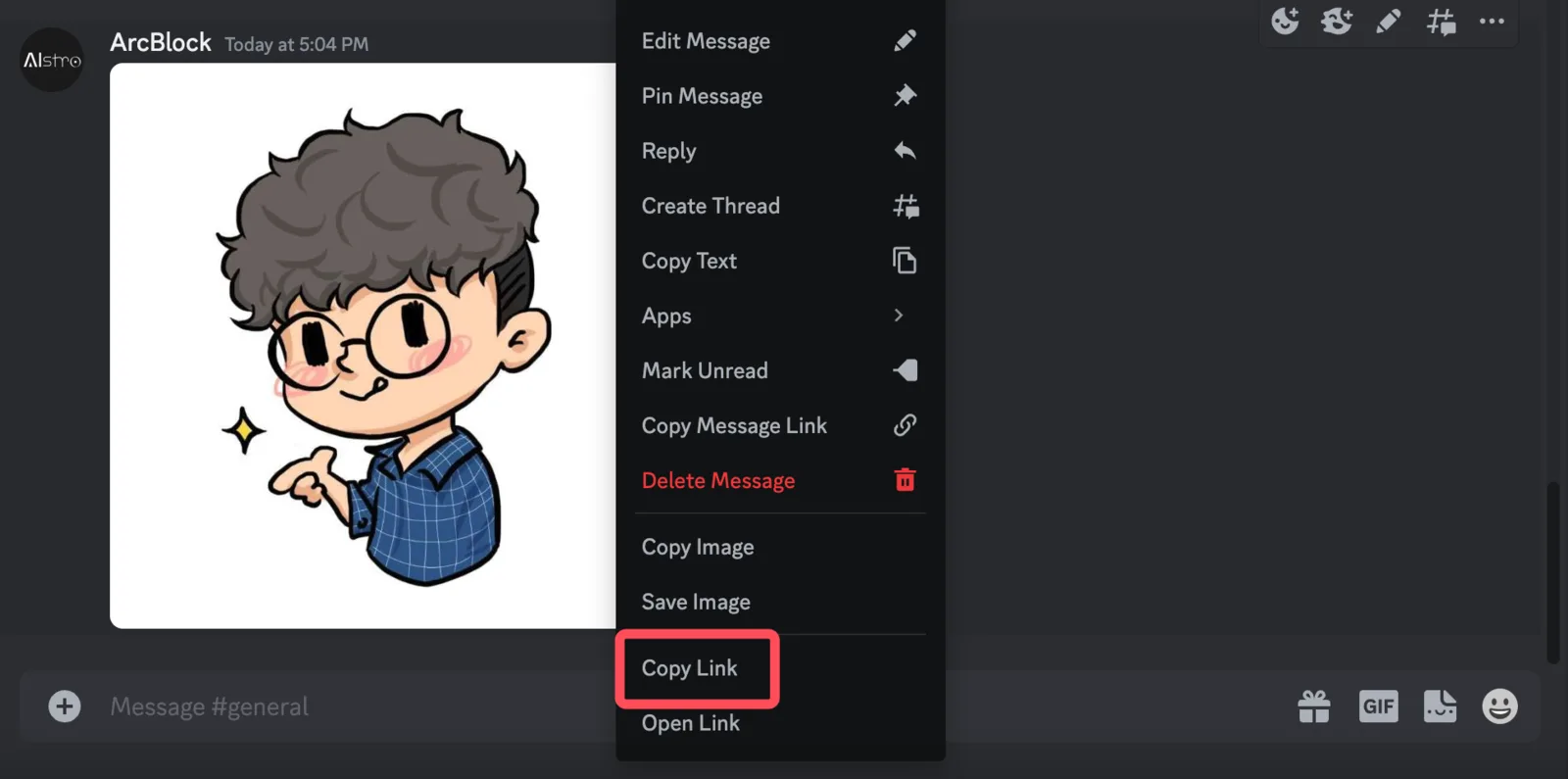 Enter /imagine, and copy the link in, enter a space and enter an additional prompt, let's change the picture to a T-shirt here
  Finally, you can get a similar picture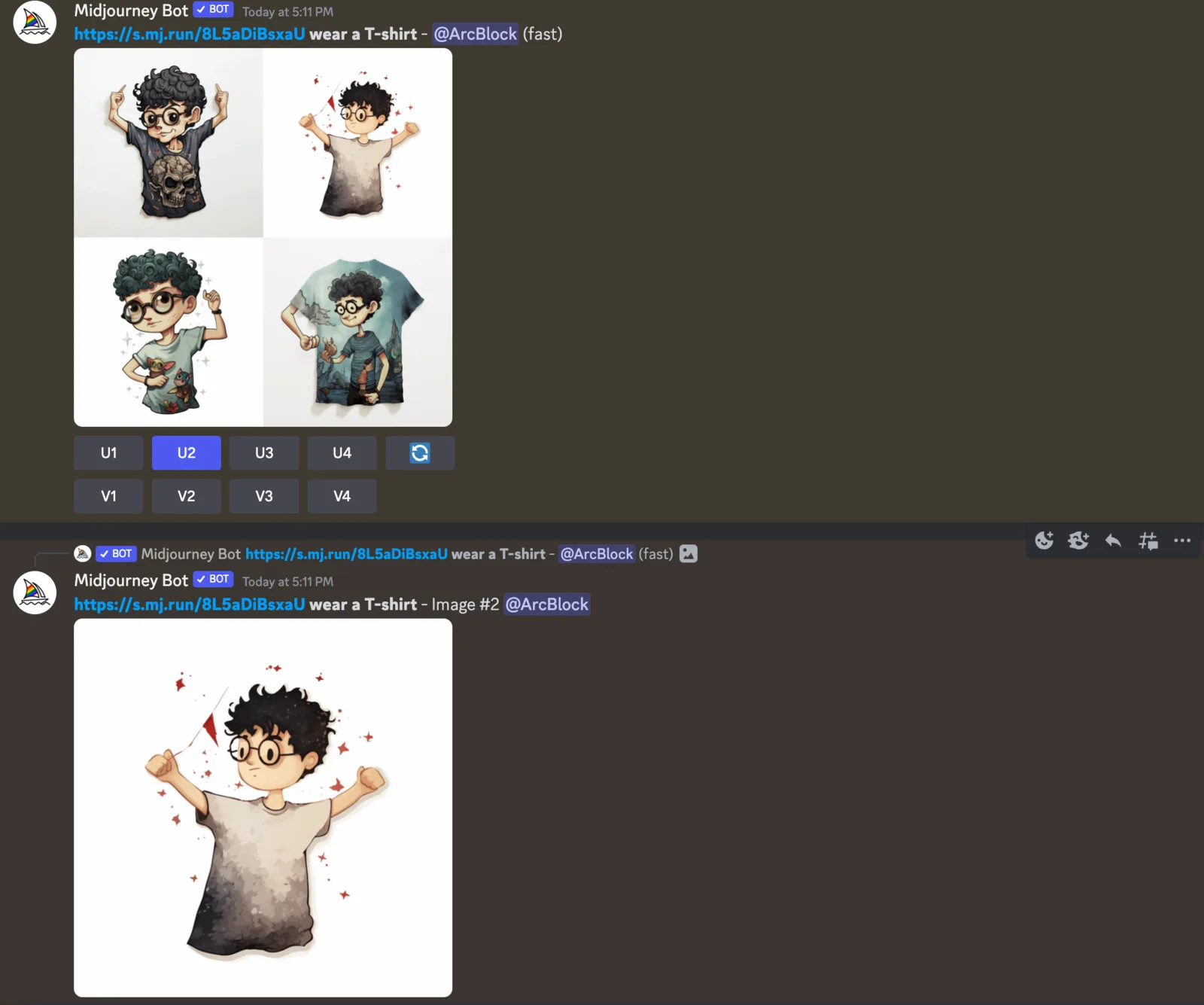
Summarize
Midjourney has become a popular product nowadays as it provides simpler interactions through Discord, making AIGC convenient!
There are many more parameters that are not provided in this article, so you can check them out at Showcase.