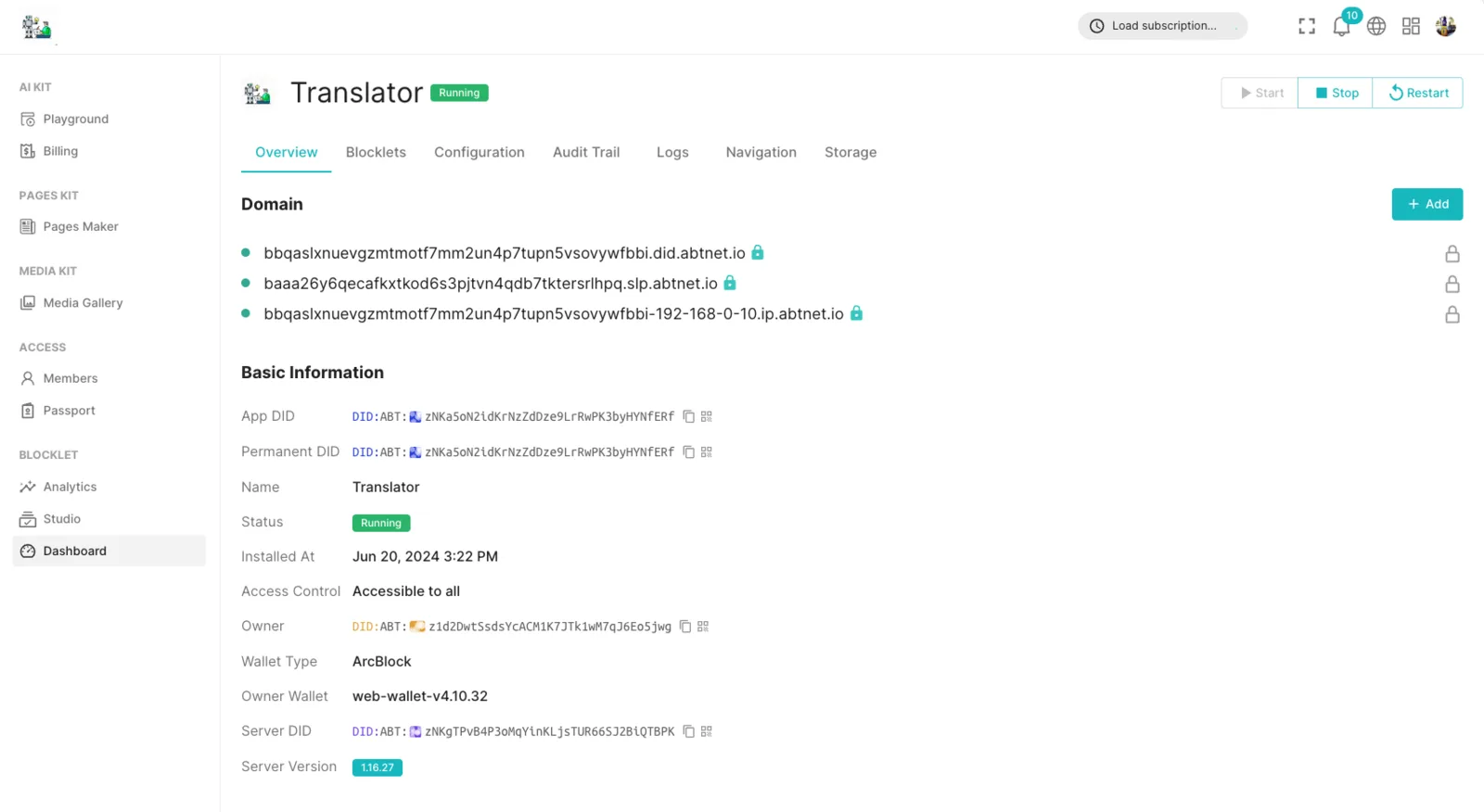
There are two ways to add your DID domain to a running Blocklet:
- Add a DID Domain during the application launch process
- Add a domain in the Blocklet Dashboard
Add a DID Domain during the application launch process
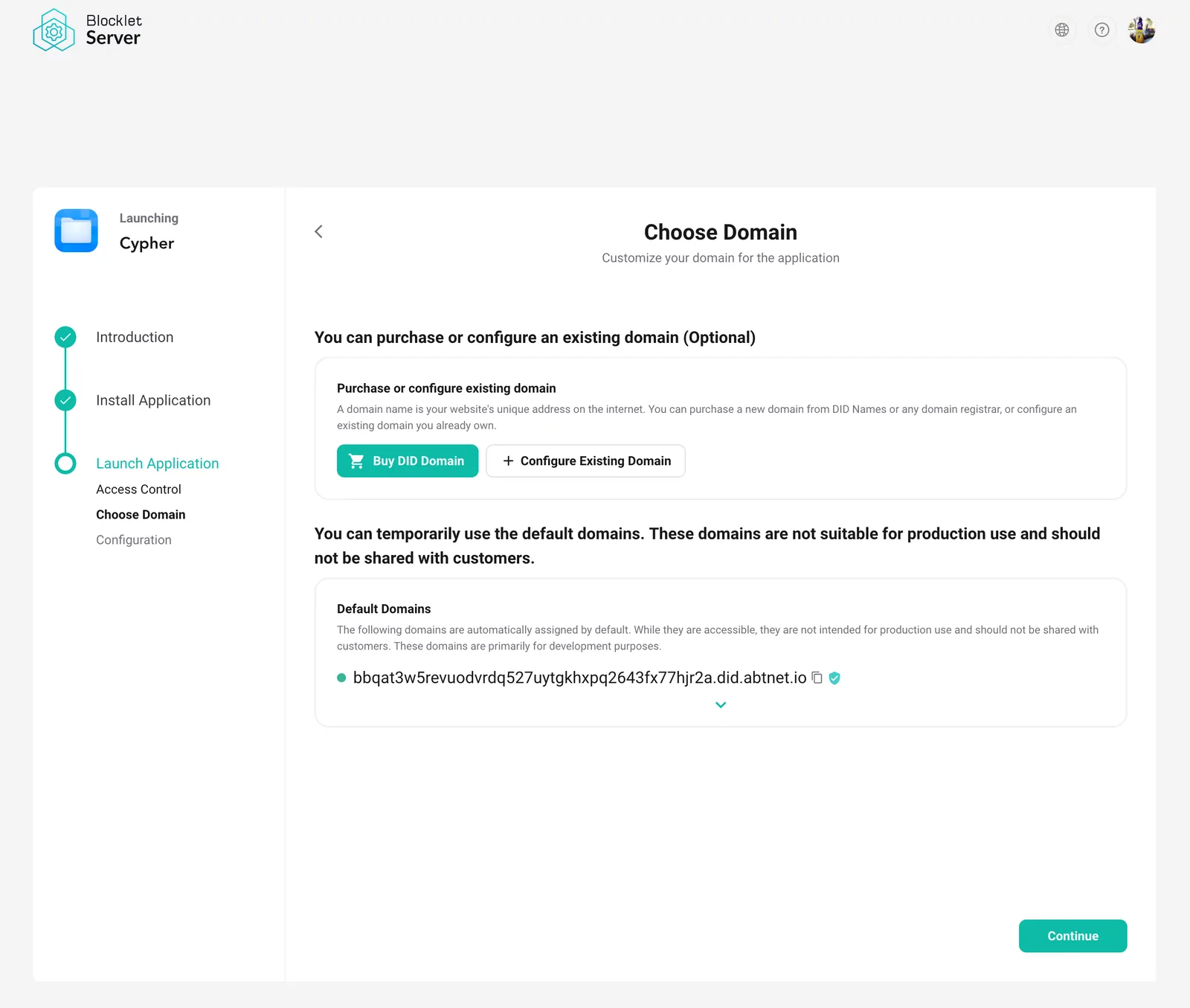
- After installing the Blocklet, go to the 'Launch Application -> Domain' stage
- Input the DID domain name and click the "Configure existing domain" button.
- Use the DID wallet to scan the code and present the NFT for this domain.
- Adding completed
After adding, the HTTPS certificate will be generated automatically.
Add the domain name in the Blocklet Dashboard
- Log in to the Blocklet Dashboard
- Enter the "Website -> Domains" page
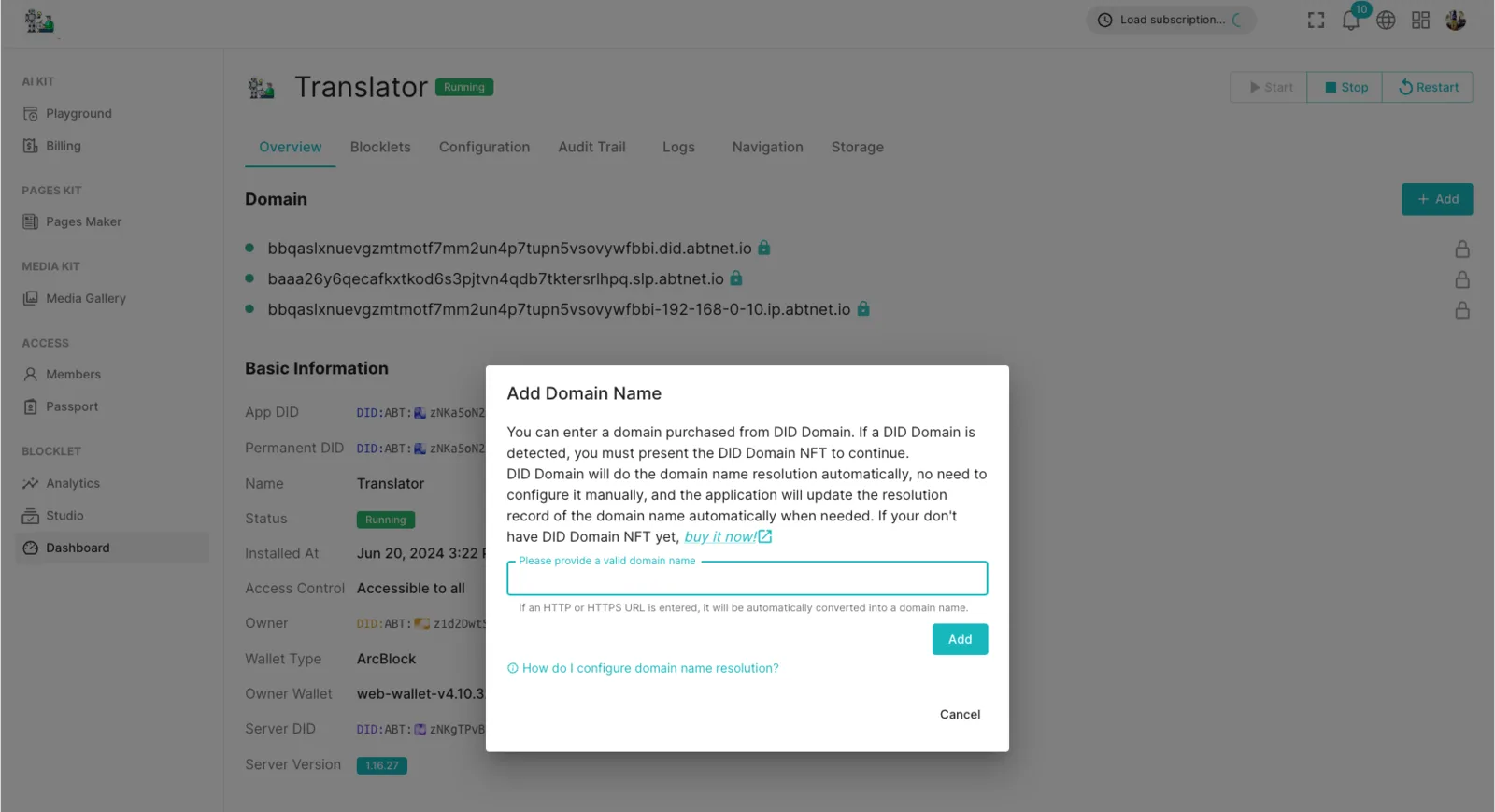
- Click the "Add" button in the upper right corner of the domain list, and a "Configure existing domain" window will pop up.
- Input the DID domain name and click the "Add" button.
- Use the DID wallet to scan the code and present the NFT for this domain.
- Adding completed.
Similarly, after adding, the HTTPS certificate will be automatically generated.