If you purchased your domain on Namecheap, please consult the following documentation to update your nameservers.
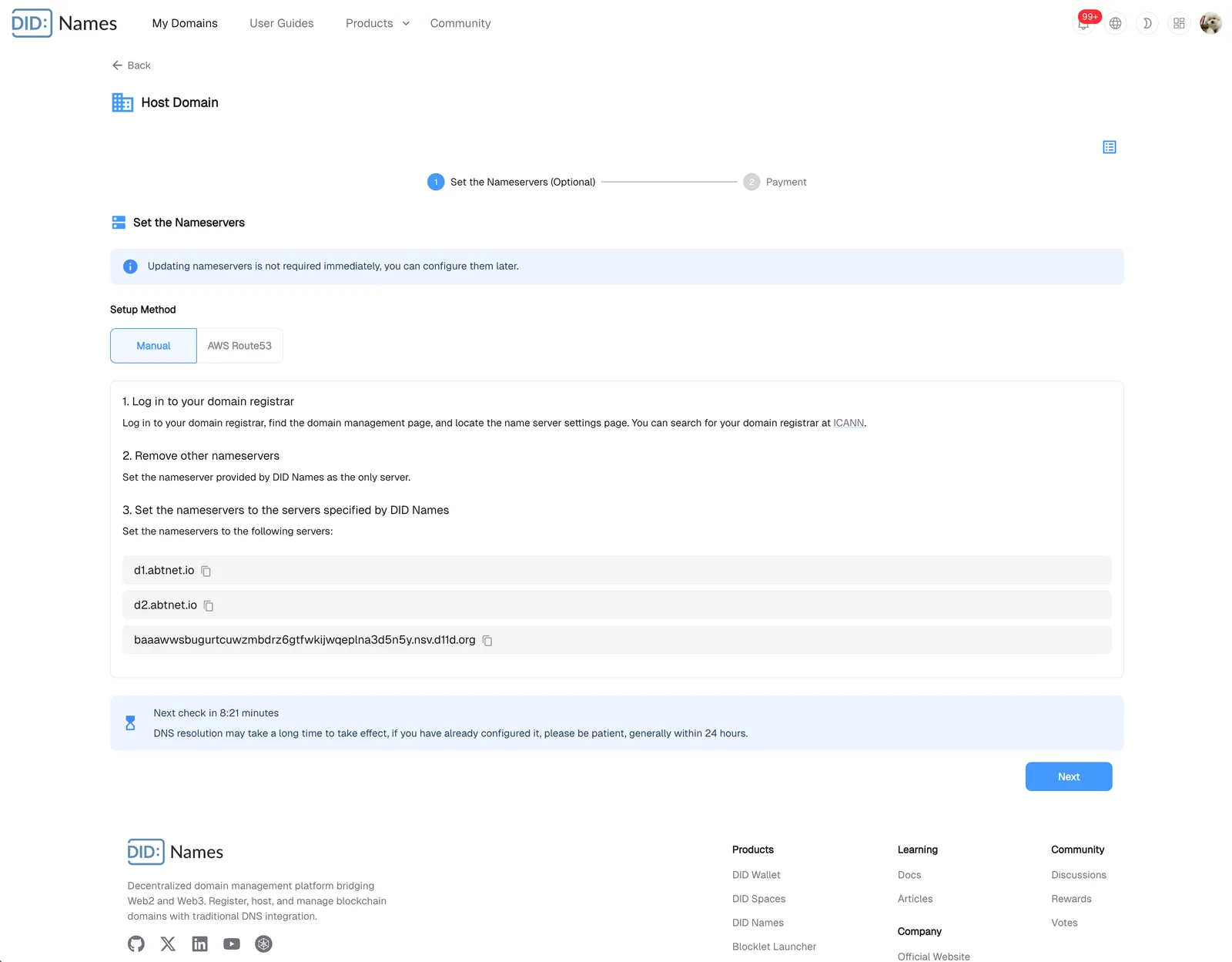
1. Obtain Nameservers
After entering the domain name you want to host, you will be prompted to configure the necessary nameservers: Host Domain Name
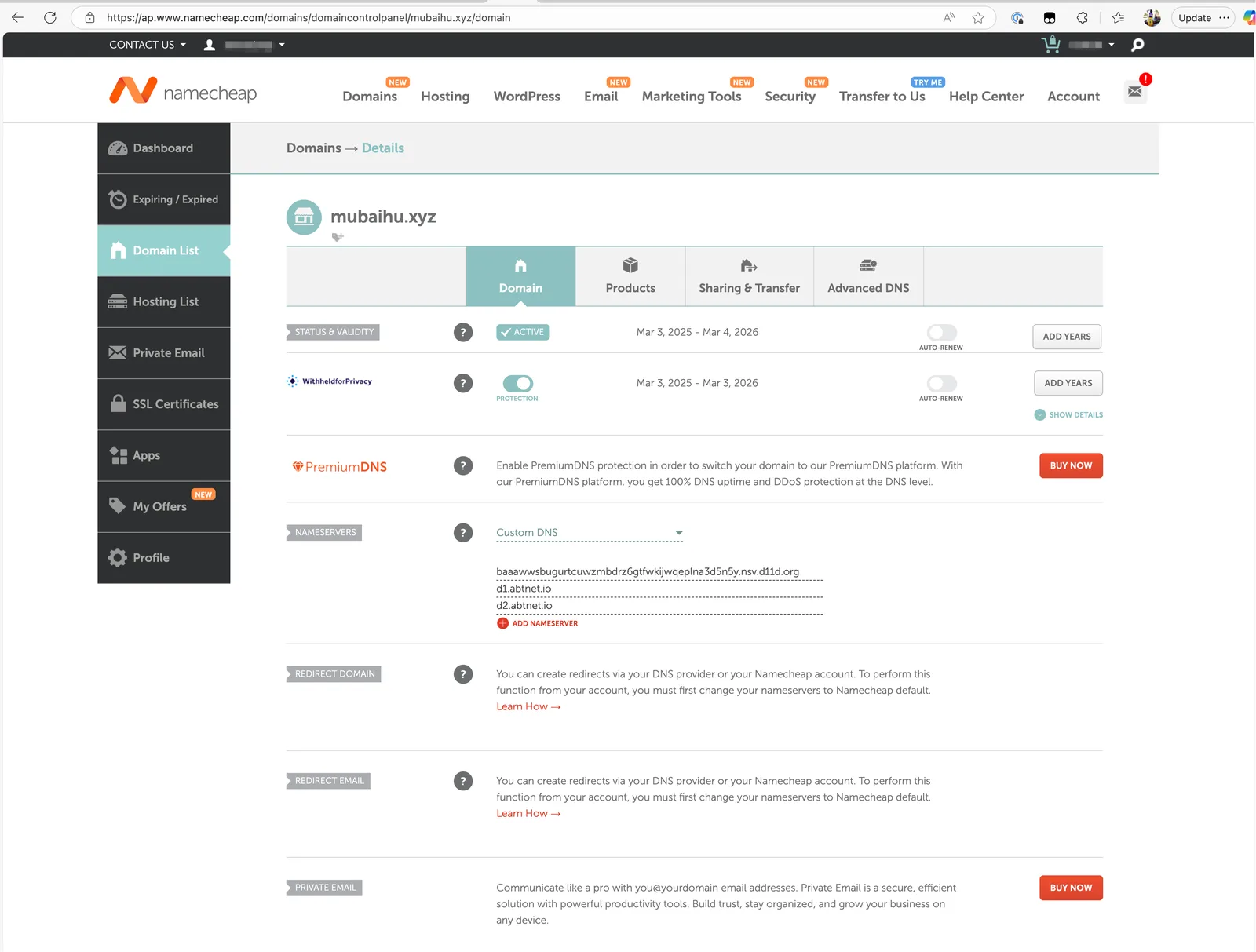
3. Configure Custom Nameservers
You must own the domain to change its custom DNS settings on Namecheap.
For more information, please visit namecheap.com.
How to Change DNS For a Domain - Domains - Namecheap.com
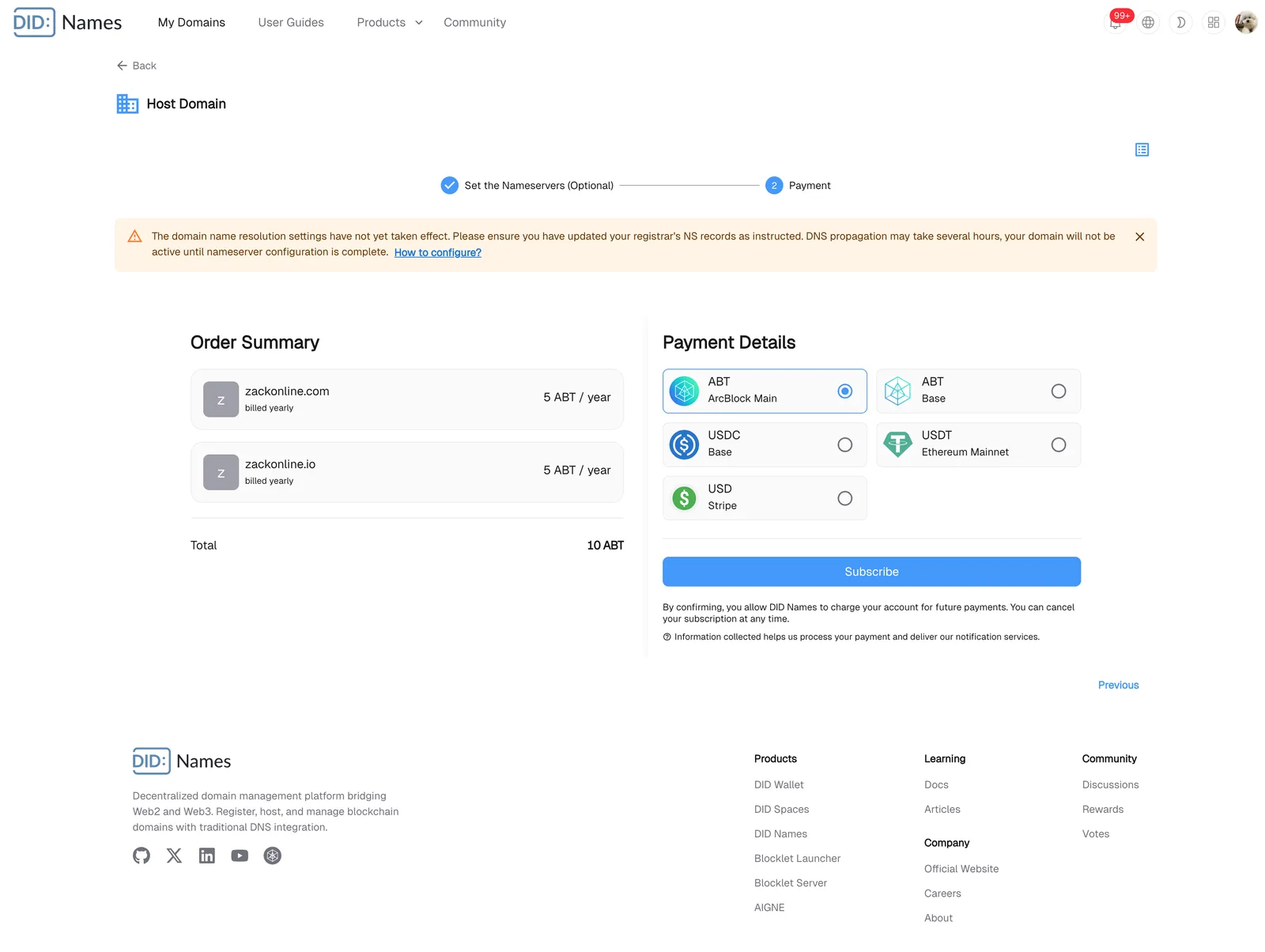
4. Configure Payments and Hosting
Upon successful payment, an NFT will be minted and sent to your DID Wallet.
5. Connect Your Domain/Subdomain to Your Blocklet
Then, when you bind a subdomain to a Blocklet, all subdomains are automatically managed: Manage DID Names