Blocklet Studio is a no-code platform designed for administrators to create, manage, and publish new blocklets using pre-built templates. It streamlines the development cycle, enabling the creation of applications without requiring direct code manipulation.
Key Features
Blocklet Studio provides a comprehensive set of tools to facilitate a no-code development experience.
- Template-Based Creation: Initiate new projects by selecting from a library of available blocklet templates, providing a functional baseline for further customization.
- Visual Builder: Utilize a graphical user interface to assemble and configure blocklet components, manage settings, and define application behavior.
- Simplified Publishing: Follow a structured workflow to publish completed blocklets, making them available for deployment or distribution via the Blocklet Store.
- Lifecycle Management: Access a centralized dashboard to oversee all created blocklets, including viewing detailed information, editing configurations, and performing administrative actions.
Development Workflow
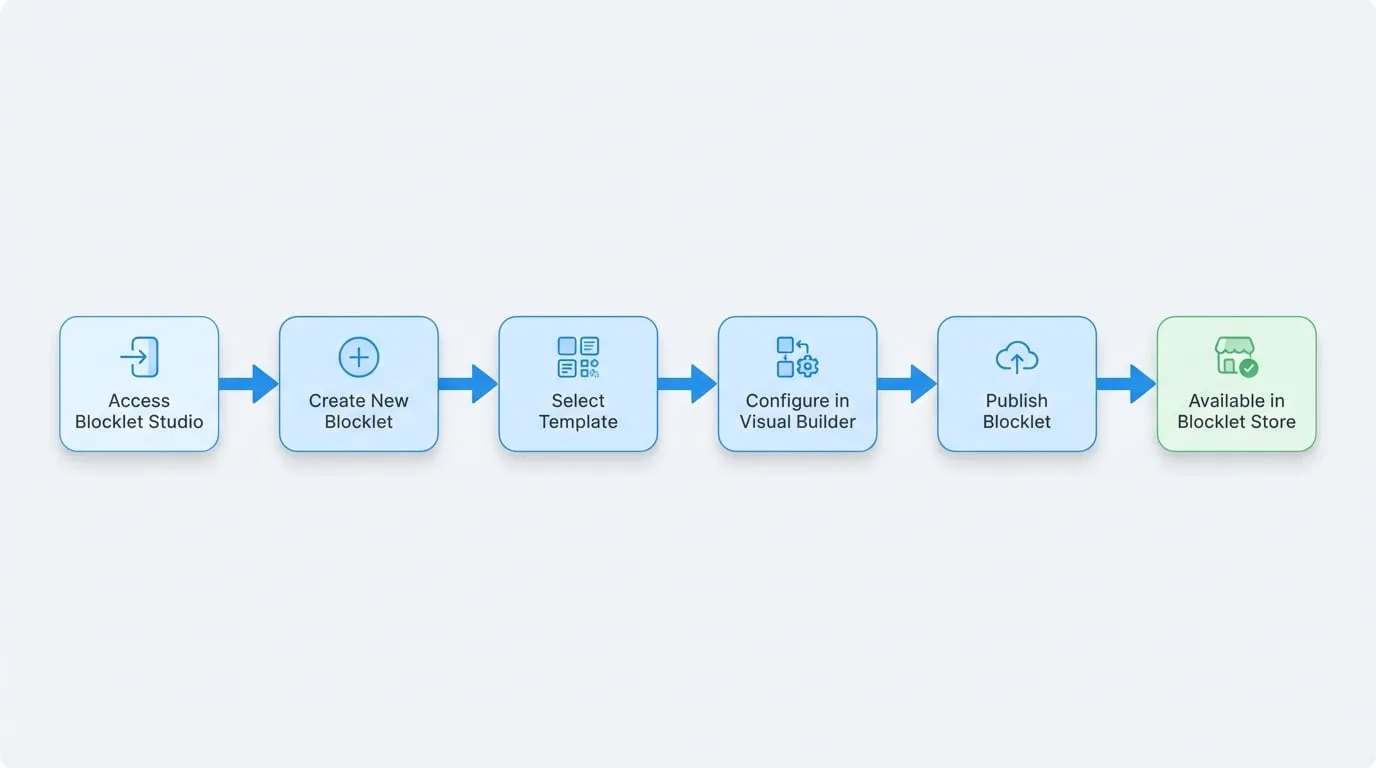
The process of creating and deploying a blocklet using the Studio follows a clear, sequential path from conception to publication. The diagram below illustrates the key stages involved.
Interface Overview
The Blocklet Studio dashboard serves as the central hub for managing all your blocklet projects. It presents a comprehensive list of blocklets, providing key details and management actions in a clear, tabular format.
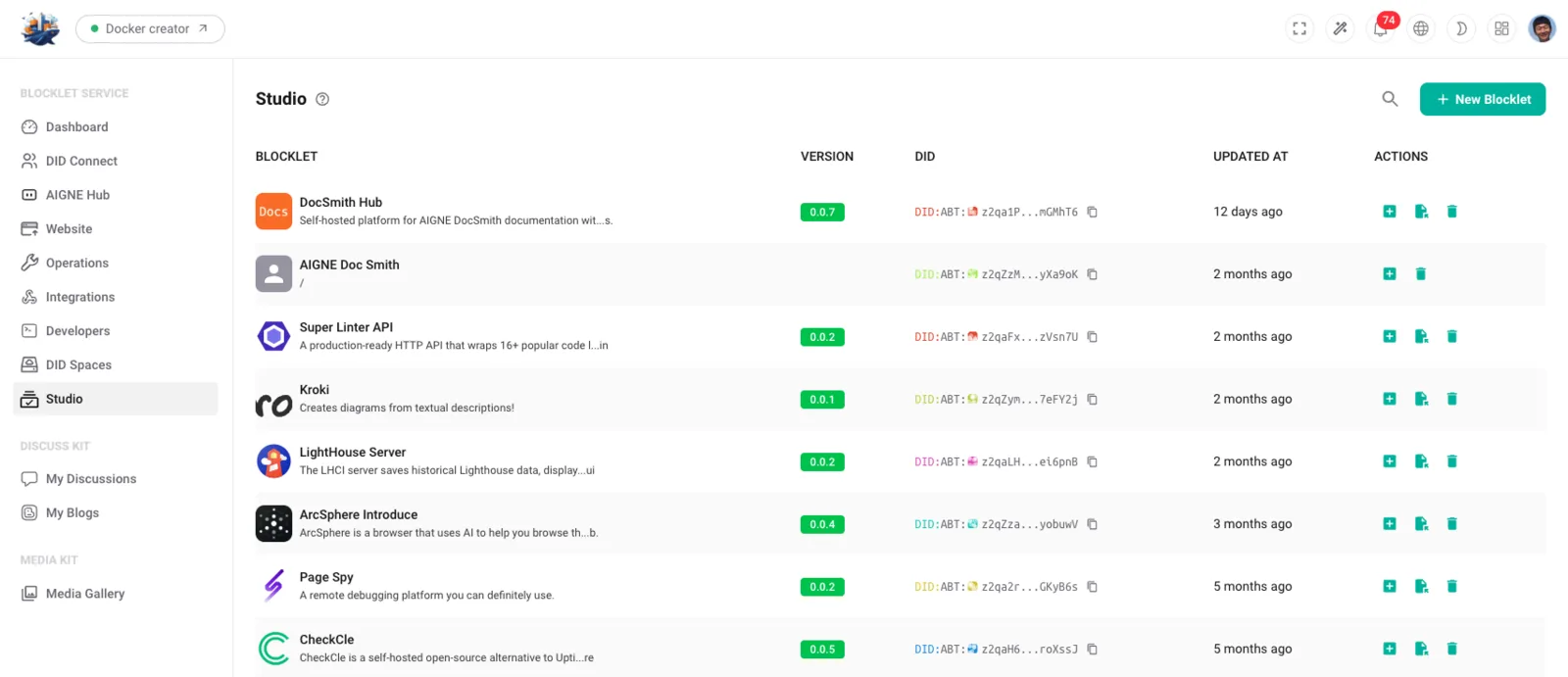
The main components of the interface are:
- New Blocklet Button: Located in the top-right corner, this button initiates the creation workflow for a new blocklet.
- Blocklet List: The central area of the dashboard displays a table of all existing blocklets. Each row contains the following information:
- Name: The user-defined name of the blocklet.
- Version: The current version number of the blocklet.
- DID: The unique Decentralized Identifier (DID) for the blocklet.
- Last Updated: A timestamp indicating the most recent modification.
- Action Icons: Each entry in the list includes a set of icons for performing common tasks, such as adding the blocklet to a project, copying its DID, or deleting it.
Summary
In summary, Blocklet Studio provides a structured, no-code environment for administrators to efficiently build, manage, and publish blocklets. By leveraging templates and a visual editor, it lowers the barrier to application creation and simplifies the overall development and deployment lifecycle.