Welcome
User Guide
Developer Guide
Frequently Asked Questions
Data retention policy
Draft: Default Space How to upgrade by payment?
How to re-subscribe to an expired DID Space
Connecting to the DID Space using the Gateway Address
Switch the DID Space bound to NFT Blender.
The automatic backup of Blocklet is stuck, how can it be quickly restored?
Fix CORS error when connecting DID Space
Pricing policy
Change log
Draft: Purchase DID Space
DID Spaces v0.6.0: OAuth Integration in DID Spaces
DID Spaces v0.5.83: OAuth integrated DID Space
Prod Spaces data retention policy updated
DID Spaces v0.4.26 released: subscription fully adopts pay-as-you-go & supports paid upgrade Default Space
DID Spaces v0.3.75 released: Supports reading and writing component spaces
DID Spaces v1.0.48: 支持预览 post/bookmark/blog/doc
Reference Terminology
Store personal data

Overview#
Beyond offering Blocklet backup and restoration, DID Spaces also empower you to securely store and manage your personal data, providing convenient uploading and access.
Prerequisites#
- An available DID Space, see: Get DID Space
Process#
Log In to DID Spaces#
Log in to your DID Spaces site, then navigate to the DID Space homepage:
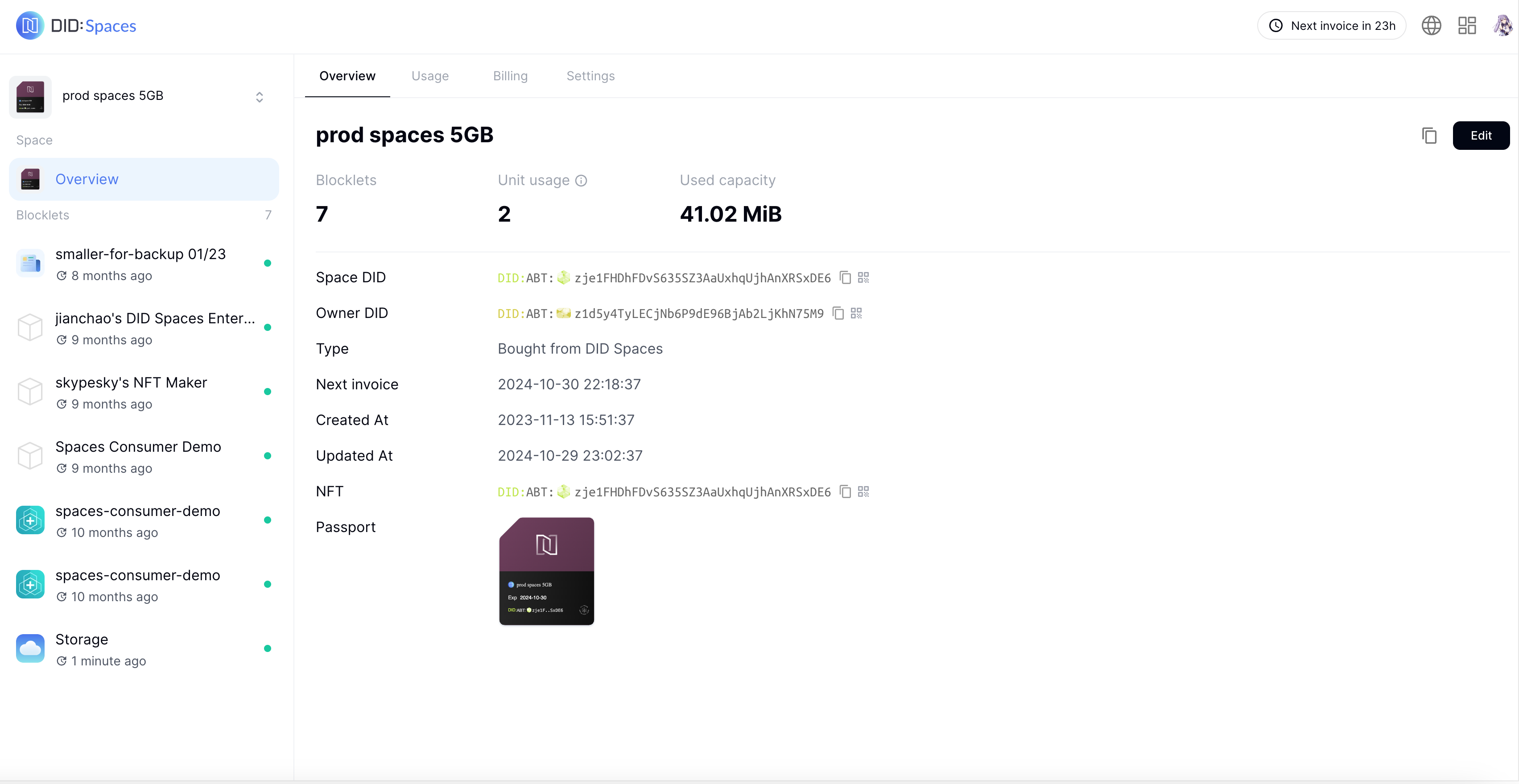
Click the "Storage" tab on the left -> the upload icon in the top right corner -> "Browse Files". Once you've selected the file(s) you want to upload, click "Upload File":
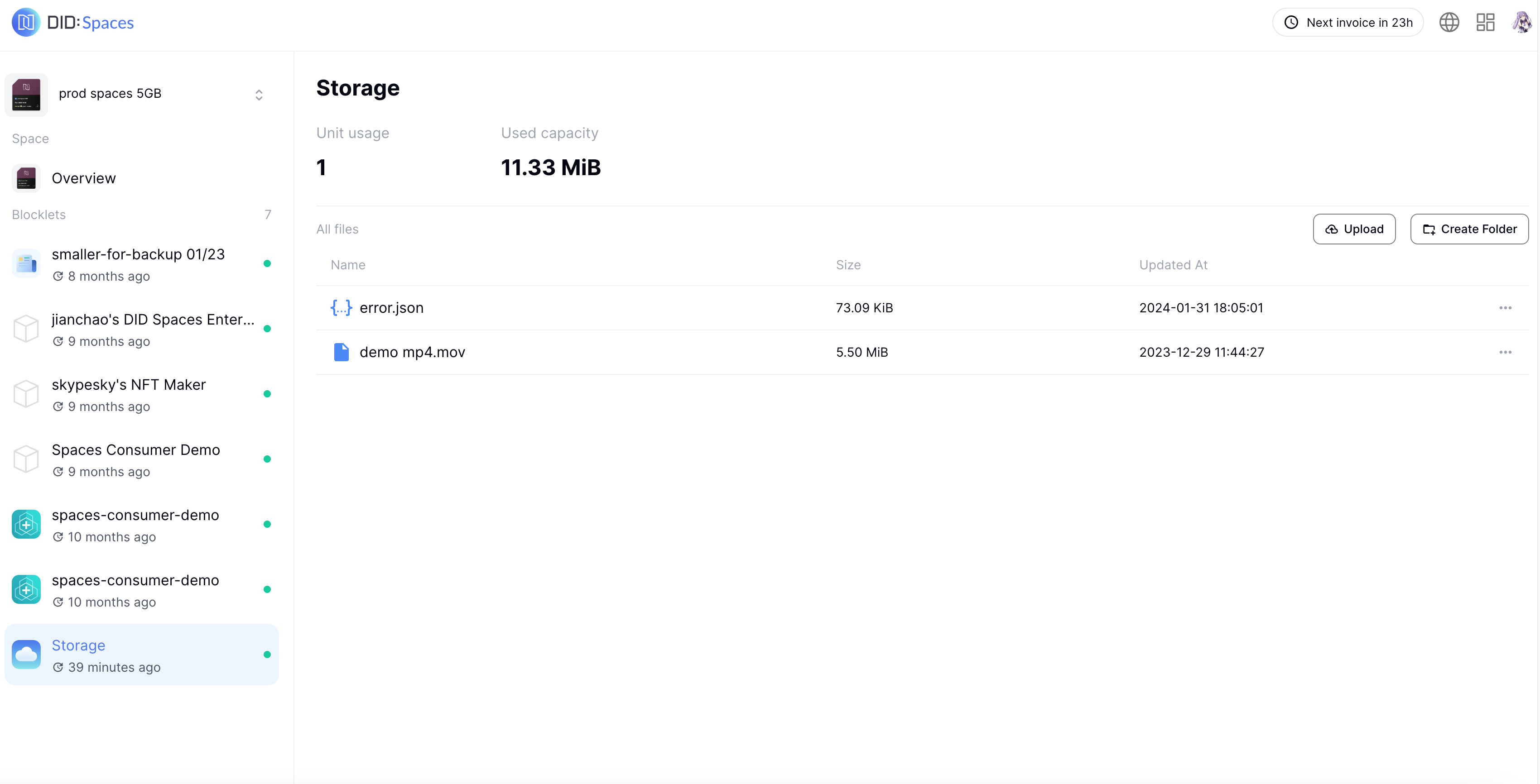
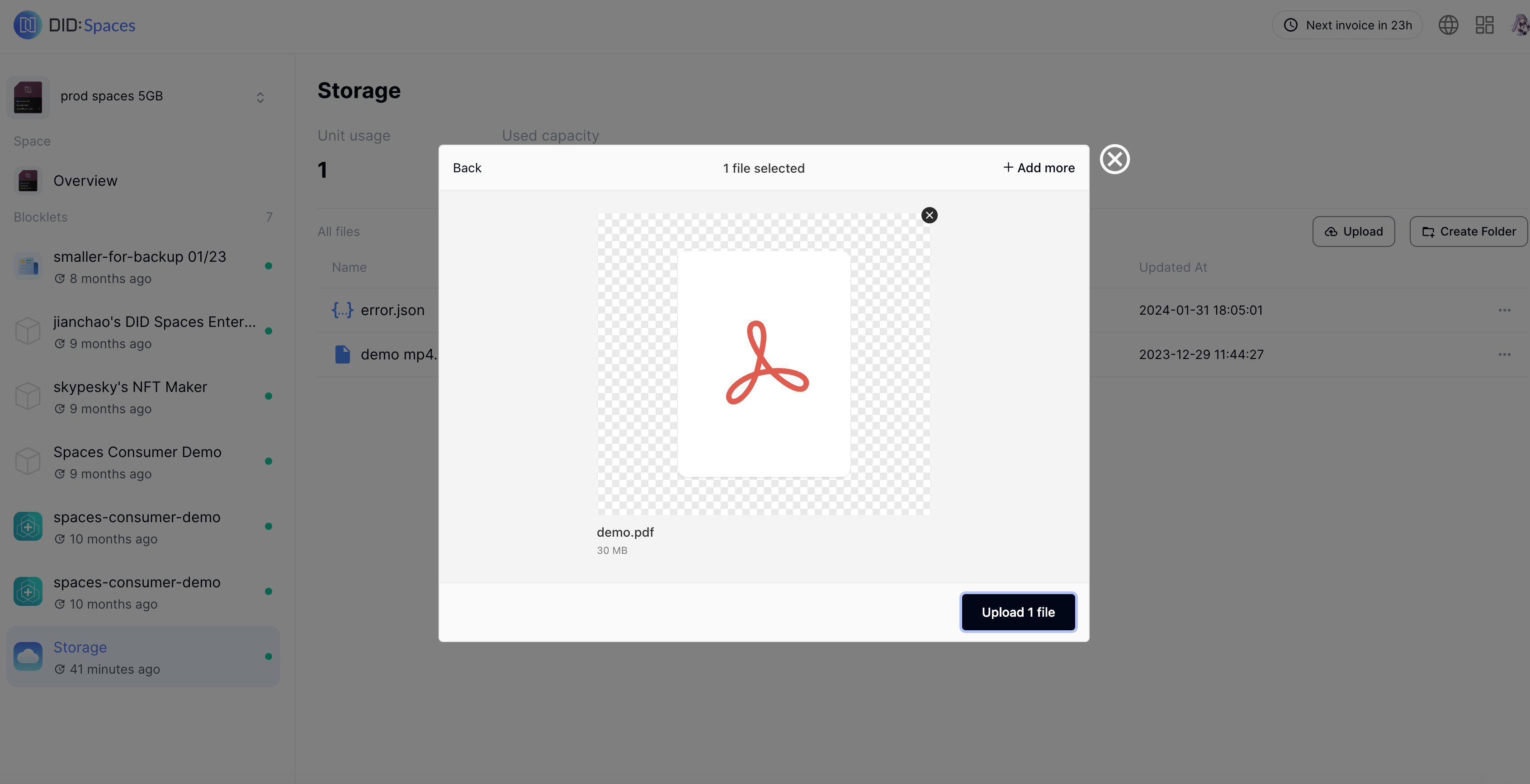
Once uploaded successfully, you can view the new files in Explore.