Welcome
User Guide
Developer Guide
Frequently Asked Questions
Data retention policy
Draft: Default Space How to upgrade by payment?
How to re-subscribe to an expired DID Space
Connecting to the DID Space using the Gateway Address
Switch the DID Space bound to NFT Blender.
The automatic backup of Blocklet is stuck, how can it be quickly restored?
Fix CORS error when connecting DID Space
Pricing policy
Change log
Draft: Purchase DID Space
DID Spaces v0.6.0: OAuth Integration in DID Spaces
DID Spaces v0.5.83: OAuth integrated DID Space
Prod Spaces data retention policy updated
DID Spaces v0.4.26 released: subscription fully adopts pay-as-you-go & supports paid upgrade Default Space
DID Spaces v0.3.75 released: Supports reading and writing component spaces
DID Spaces v1.0.48: 支持预览 post/bookmark/blog/doc
Reference Terminology
Reading and Writing to DID Space Using @blocklet/did-space-js
Overview#
Most applications generally require the ability to read and write user data stored on DID Spaces. By first obtaining a DID Space's endpoint and then integrating the @blocklet/did-space-js SDK, developers can effortlessly perform these read and write operations on the DID Space.
Prerequisites#
- You now understand how to guide users in connecting to DID Spaces within your application and successfully obtaining the DID Space endpoint. Refer to:Get the endpoint of DID Space
Code Example#
You can create a to-do list template integrated with DID Spaces by running the blocklet create command locally. Alternatively, you can refer to the code repository: https://github.com/blocklet/create-blocklet/tree/main/packages/create-app/templates/todo-list-example.
╰─➤  blocklet create
blocklet create v1.16.37-beta-20250108-010153-e4bcd256
Need to install the following packages:
create-blocklet@0.9.14
Ok to proceed? (y) y

(node:82979) [DEP0040] DeprecationWarning: The `punycode` module is deprecated. Please use a userland alternative instead.
(Use `node --trace-deprecation ...` to show where the warning was created)

                 Powered By
     _             ____  _            _
    / \   _ __ ___| __ )| | ___   ___| | __
   / _ \ | '__/ __|  _ \| |/ _ \ / __| |/ /
  / ___ \| | | (__| |_) | | (_) | (__|   <
 /_/   \_\_|  \___|____/|_|\___/ \___|_|\_\

            Create Blocklet v0.9.14

✔ Project name: … todo-list
? Choose one or more blocklet templates: ›
Instructions:
    ↑/↓: Highlight option
    ←/→/[space]: Toggle selection
    [a,b,c]/delete: Filter choices
    enter/return: Complete answer

Filtered results for: Enter something to filter

◯  [dapp] react + express.js
◯  [dapp] react + express + typescript
◯  [dapp: did-wallet] Full stack app (react.js + express.js) with DID Wallet integration
◉  [dapp: todo-list] react + express + typescript + DID Spaces // select did spaces template
◯  [dapp: did-connect] Full stack app (react.js + express.js) with DID Connect integration
◯  [dapp] solid + express.js
◯  [dapp] vue3 + express.js
◯  [dapp] svelte + express.js
◯  [static] react
◯ [static] solidjsWorkflow#
Install @blocklet/did-space-js#
yarn add @blocklet/did-space-js
// pnpm install @blocklet/did-space-js
// npm install @blocklet/did-space-js
Write Data#
Using the following code, you can write data to the user's DID Space:
  const { SpaceClient, PutObjectCommand } = require('@blocklet/did-space-js');

  const spaceClient = new SpaceClient({
    endpoint,
    wallet,
  });

  await spaceClient.send(
    new PutObjectCommand({
      key: 'test.txt',
      data: 'hello world!',
    })
  );
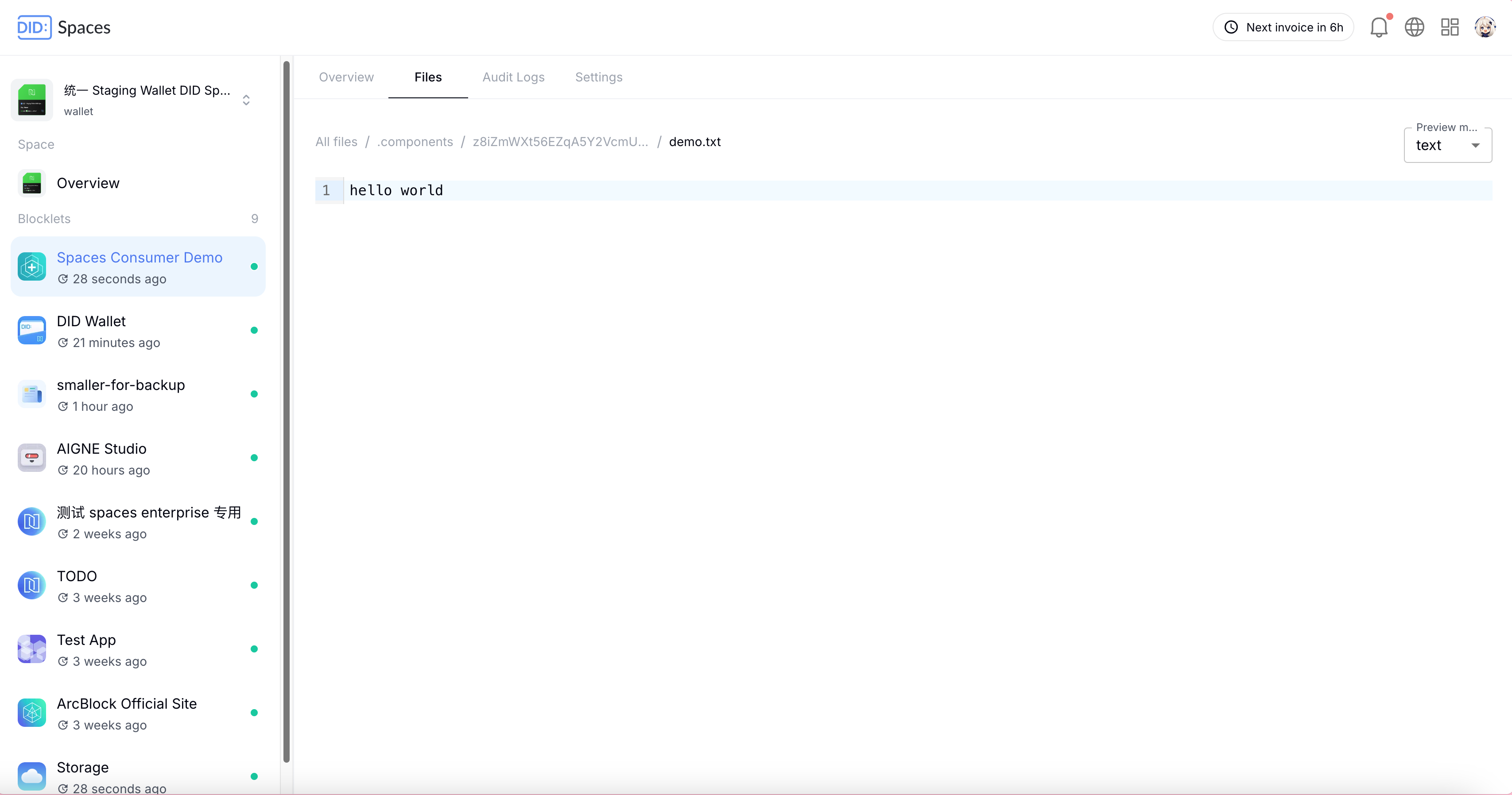
Once the data has been successfully written, you can navigate to the root directory of the application's component (z8iZmWXt56EZqA5Y2VcmUX6qFhZaj5w7pFQx9) on DID Space to view the recently recorded data:
Read Data#
Using the following code, you can read user data from DID Space:
  const { SpaceClient, GetObjectCommand } = require('@blocklet/did-space-js');

  const spaceClient = new SpaceClient({
    endpoint, // DID Space endpoint
    wallet, // Blocklet Wallet
  });

  const { data } = await spaceClient.send(
    new GetObjectCommand({
      key: 'test.txt',
    })
  );

  console.log(await streamToString(data)); // 'hello world!'
After the data is successfully read, a data object will be returned. You can then use this object to access the data.
Delete Data#
Using the following code, you can delete user data from DID Space:
  const { SpaceClient, DeleteObjectCommand } = require('@blocklet/did-space-js');

  const spaceClient = new SpaceClient({
    endpoint,
    wallet,
  });

  await spaceClient.send(
    new DeleteObjectCommand({
      key: 'test.txt',
    })
);More#
For more on its usage, please refer to https://www.arcblock.io/docs/did-space-js.