Blocklet Launcher supports launching applications on existing Blocklet Servers, whether they are launched on your own server or in dedicated spaces purchased on Blocklet Launcher.
Main steps
- Select Blocklet
- Select an existing space
- Install Blocklet and follow-up operations
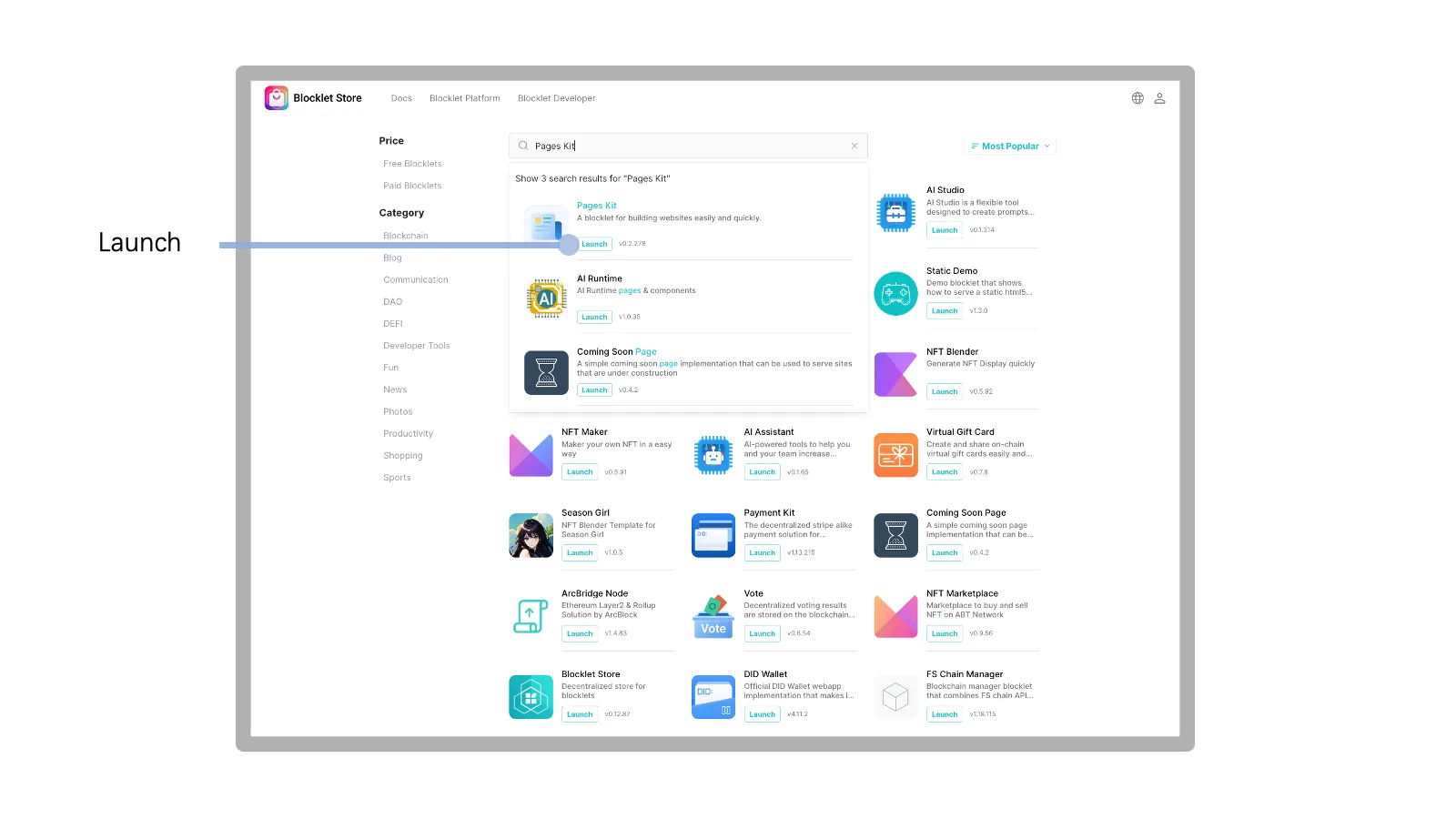
1. Select Blocklet
In https://store.blocklet.dev/, select the Blocklet to be installed and click the Launch button.
2. Select Existing Space
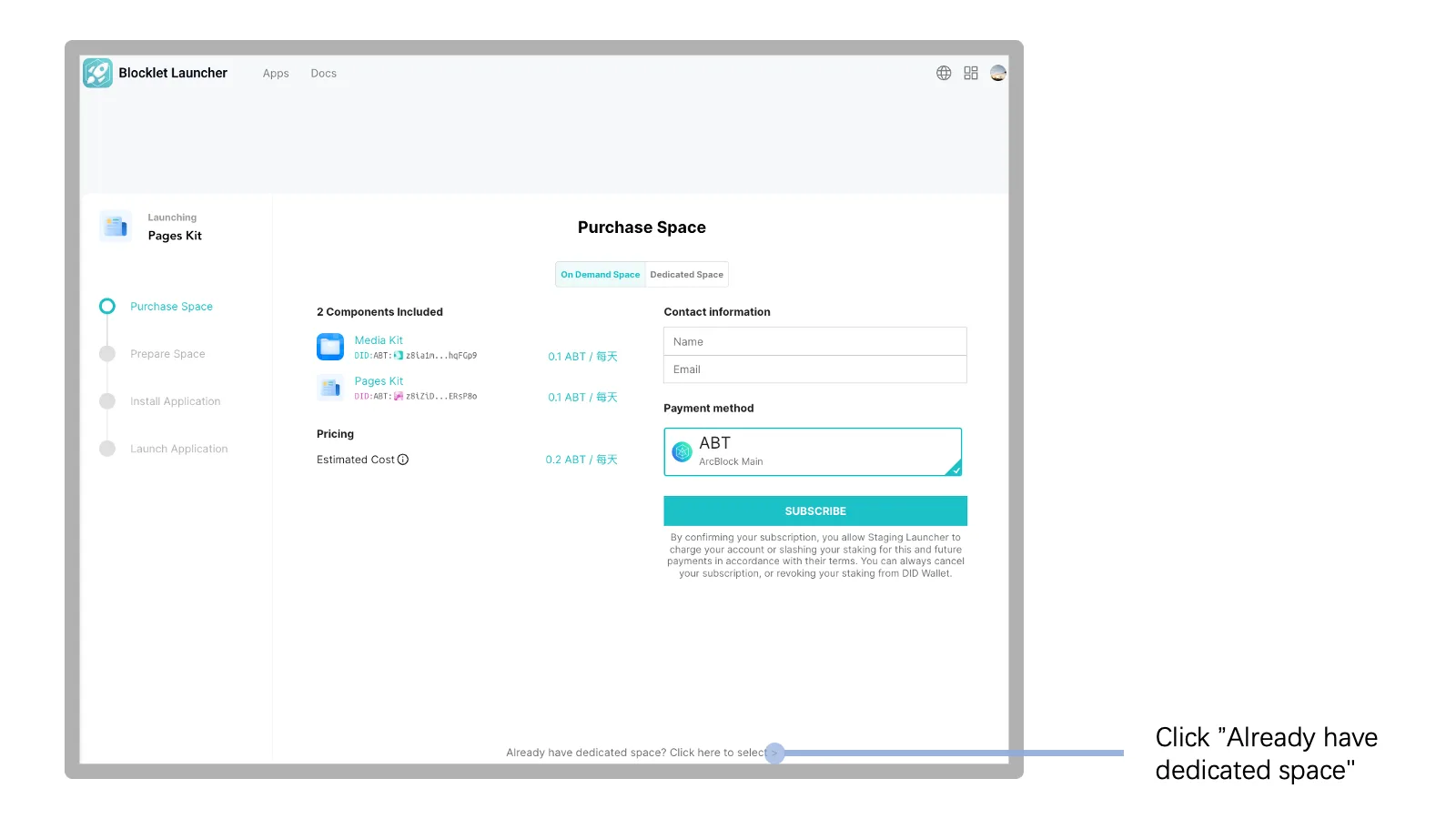
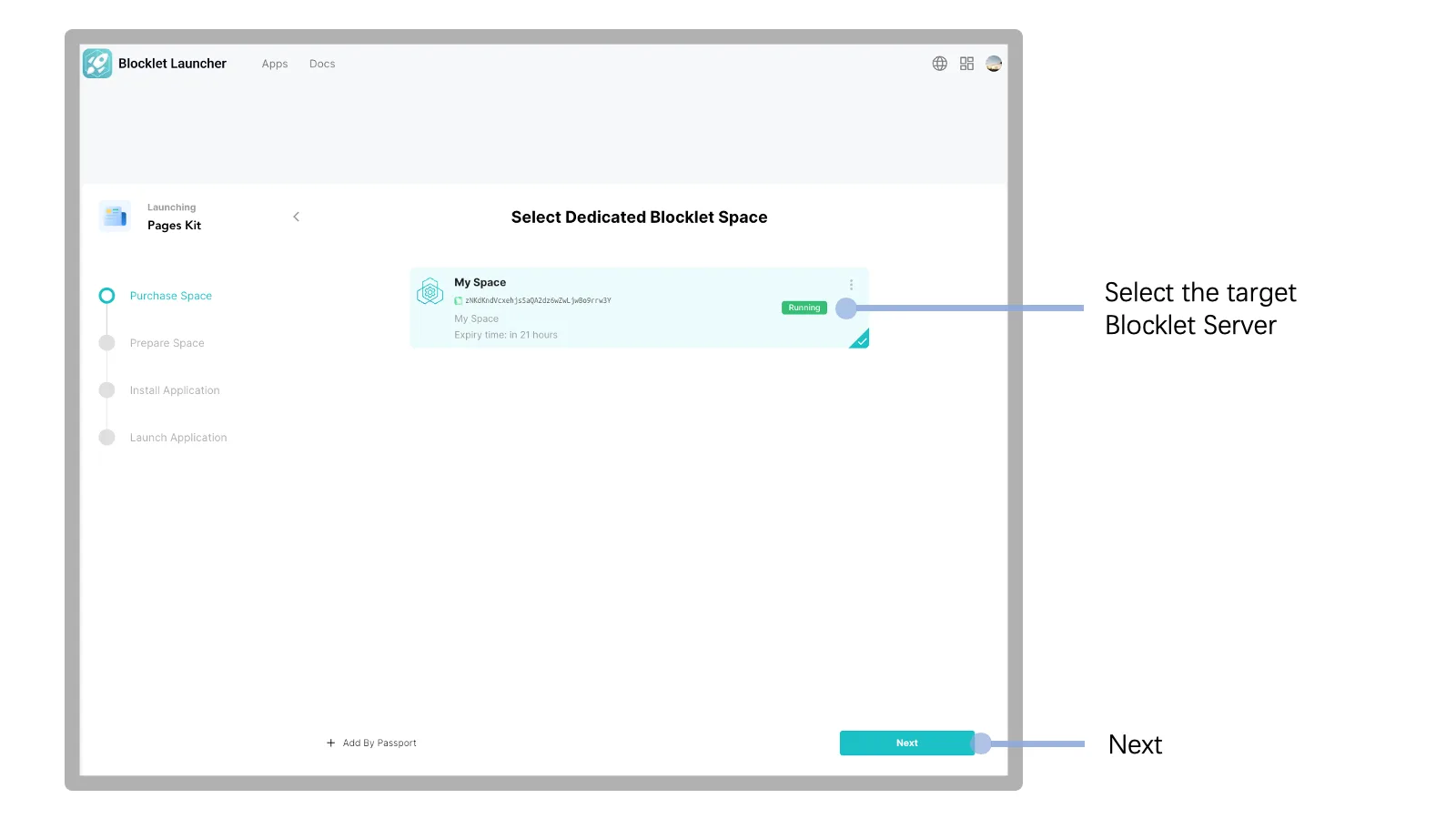
- Click on the
Already have dedicated spacelink at the bottom of the page. - Select target Blocklet Server.
3. Install Blocklet and follow-up operations
The subsequent installation steps and installing an on-demand application are the same, please refer to the documentation: https://www.arcblock.io/docs/launcher/en/launch-on-demand-application#3.-install-blocklet