1. Key Features of the Vault Wallet
The Current State of Hot Wallets
Currently, all app revenue is stored by default in a hot wallet. While this facilitates real-time transactions, it also presents security risks.
- Constant internet connectivity increases vulnerability to network attacks
- All funds are concentrated in a single hot wallet
The Value of Vault Wallet
Vault Wallet protects assets through physical isolation:
- Automatic Sweep: Automatically transfers funds when the hot wallet balance exceeds a predefined threshold.
- Funds Security: The majority of funds are held in offline storage.
2. Configure a Vault Wallet for the Application
Prerequisites
- App Owner Privileges
- A valid wallet address (compatible with both ArcBlock native and ETH addresses)
Procedure
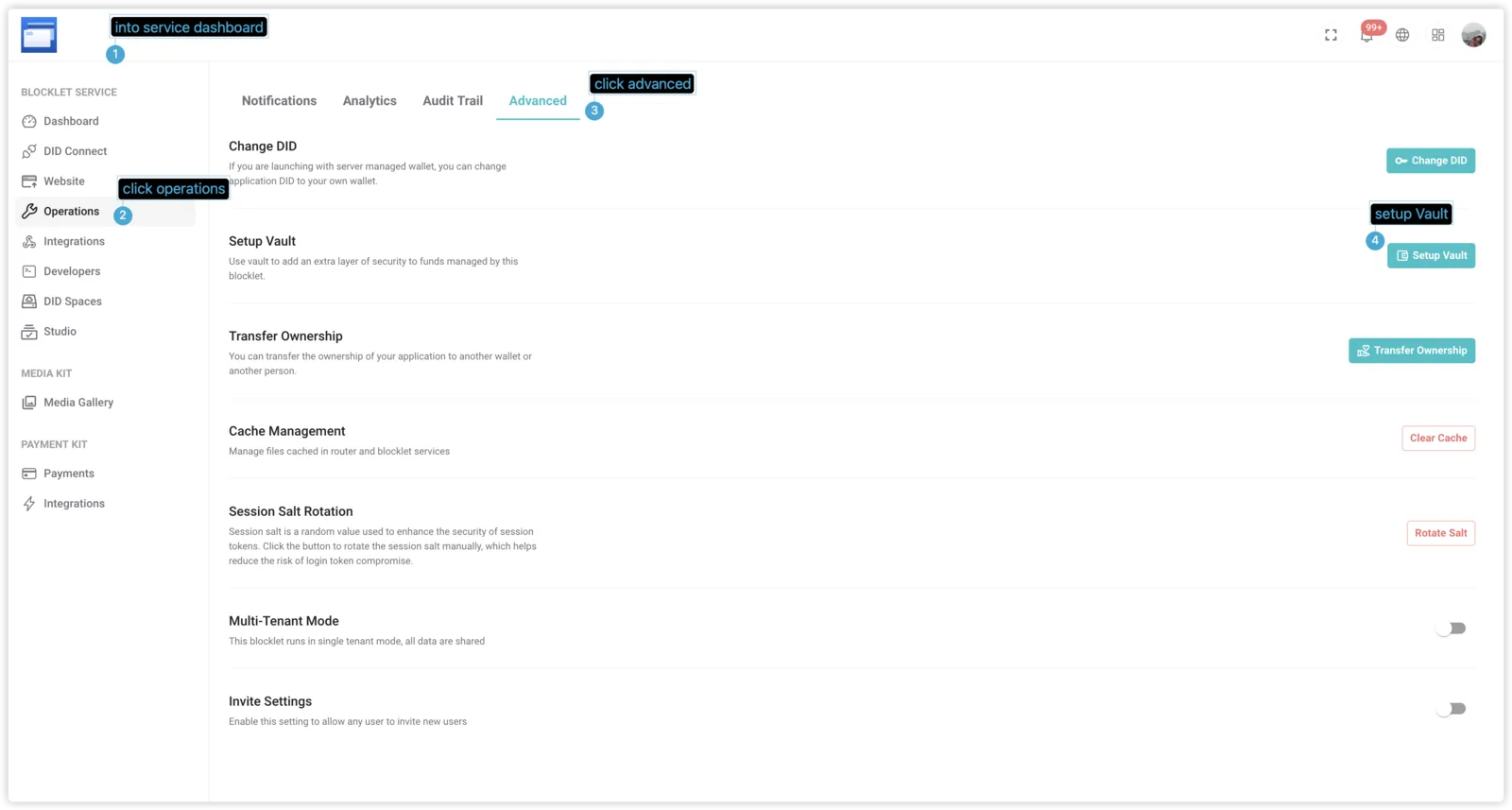
Go to the Blocklet Service Dashboard
Select Operations → Advanced
Setup Vault
Your vault wallet address can be the same as your owner wallet address. Note that if you change your vault wallet address, the previous address will be considered insecure and can no longer be used as the vault wallet for this application.
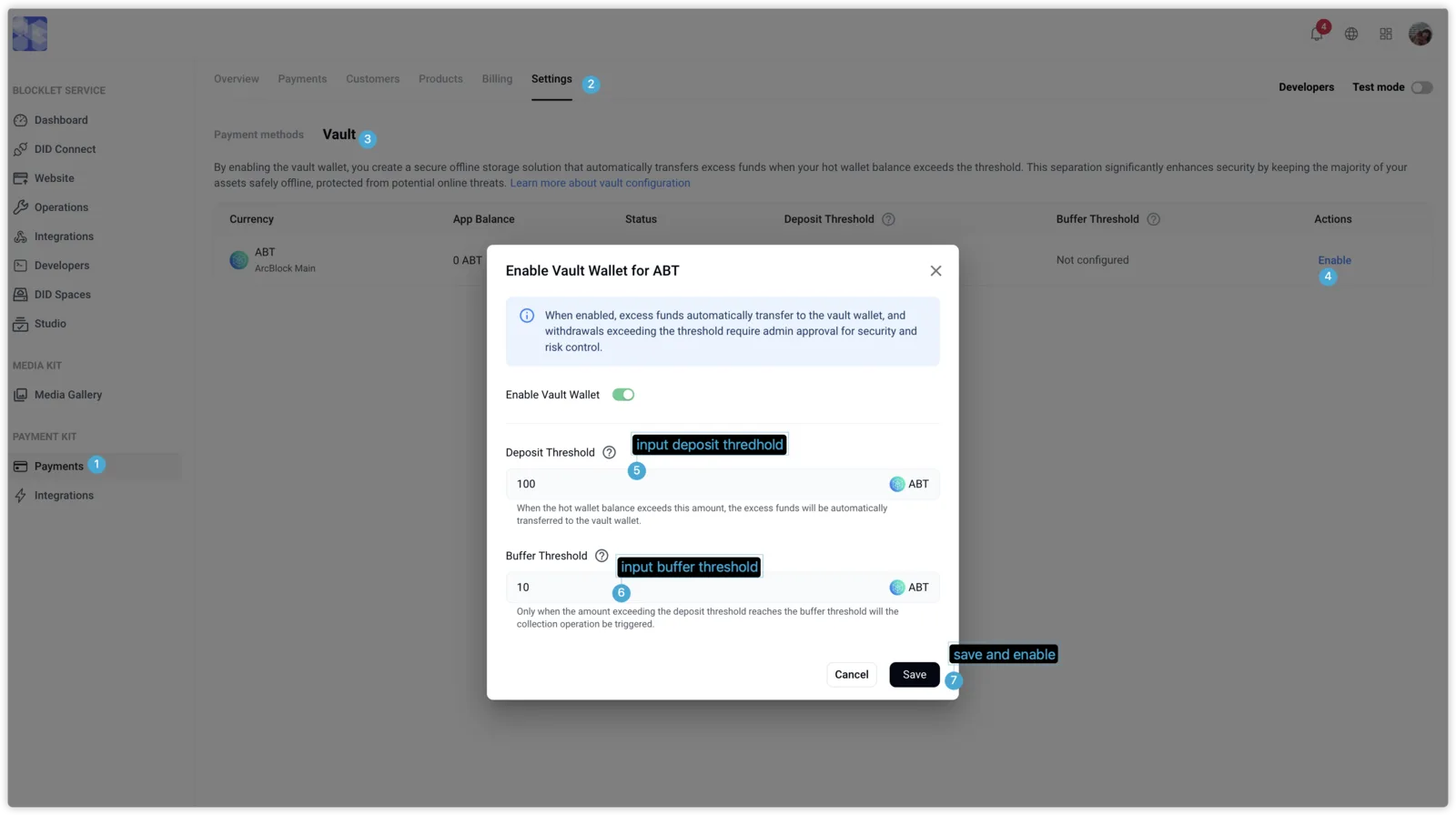
Enable Vault Wallet Support for Payment Currencies in Payment Kit
Functionality
Hot wallet balance monitoring → exceeds threshold → triggers automatic transfer → funds enter vault walletSetup
Configure Vault
- Navigation
Payment > Settings > Vault
Configure Currency Rules
- Select the currency (e.g., ETH/ABT)
- Input Deposit Threshold, Buffer Threshold
- Click Save