How to add Stripe payment method to receive currencies other than Virtual Currencies
You need to go to Payment Kit to add new payment methods, restart all applications after adding, and then go to NFT Maker to configure multi-currency prices.
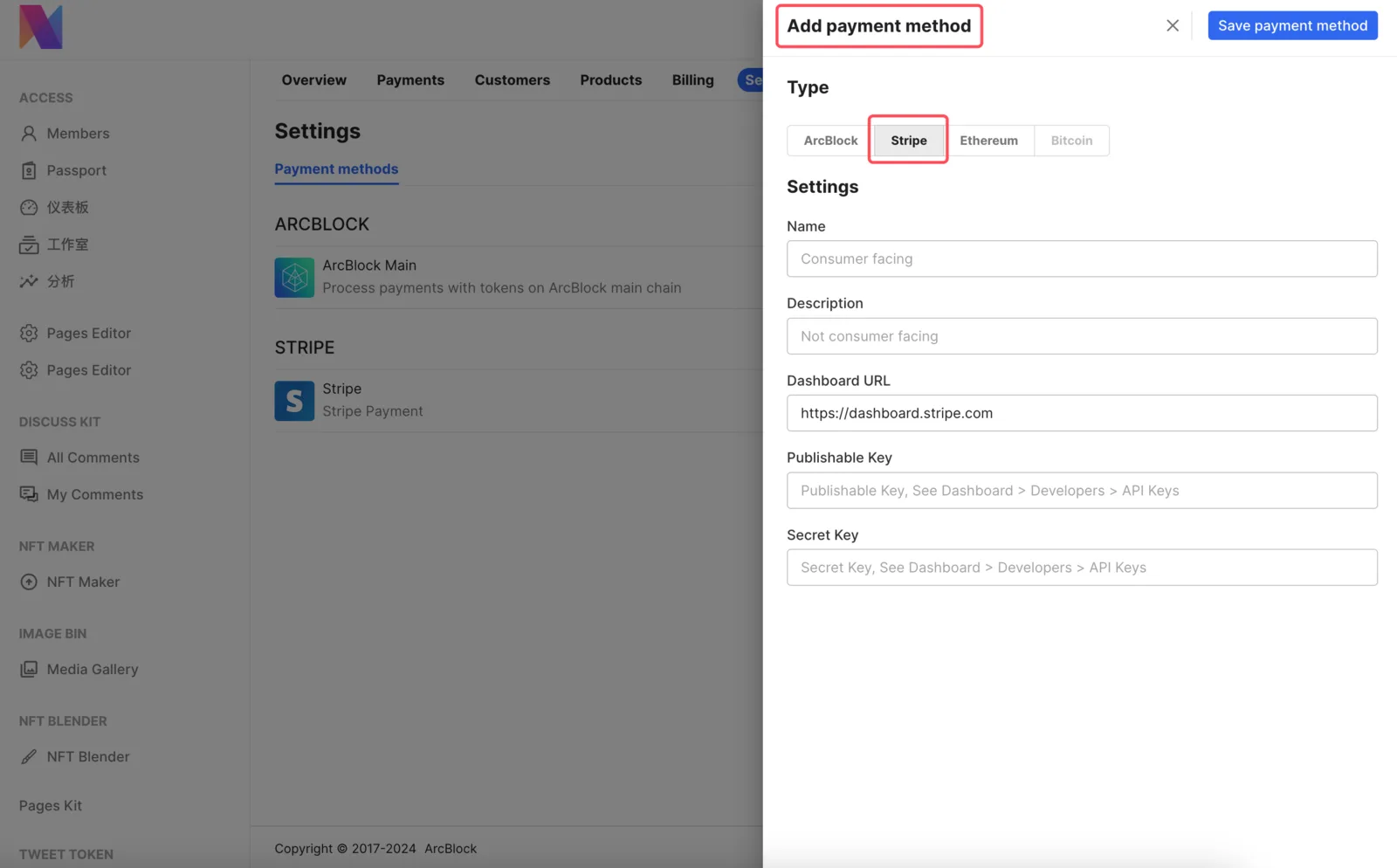
How to use the balance in the Payment Kit
Divided into 2 cases:
- Virtual currency payment: Find the Blocklet app account in the DID Wallet and proceed with the usage.
- Stripe Payment: The balance will not be stored in the Payment Kit, please go to Stripe Dashboard for confirmation
How to give users a refund or rebate
Go to the Payment Kit management page, and select the corresponding record for refund in Payments
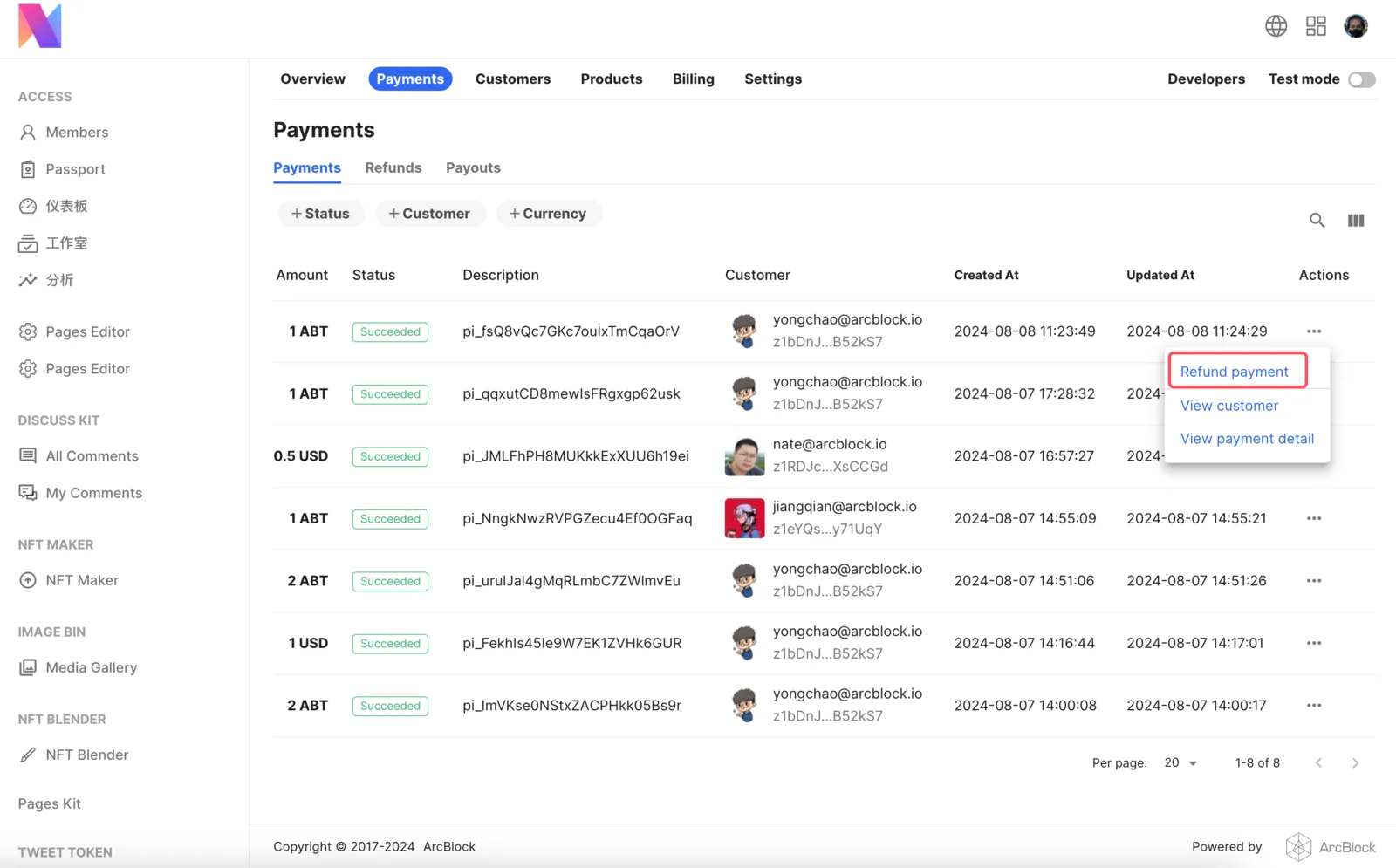
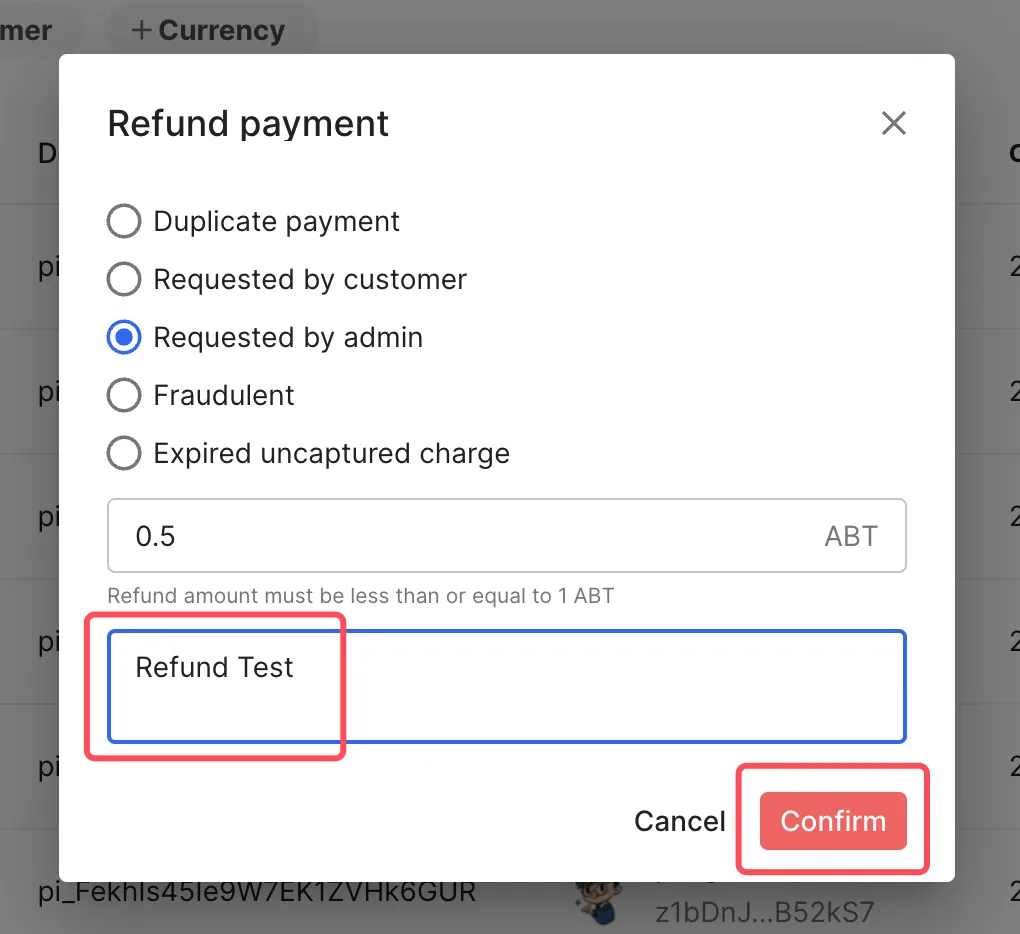
Operation according to the prompts on the page.
Why do you need to recharge the chain service fees
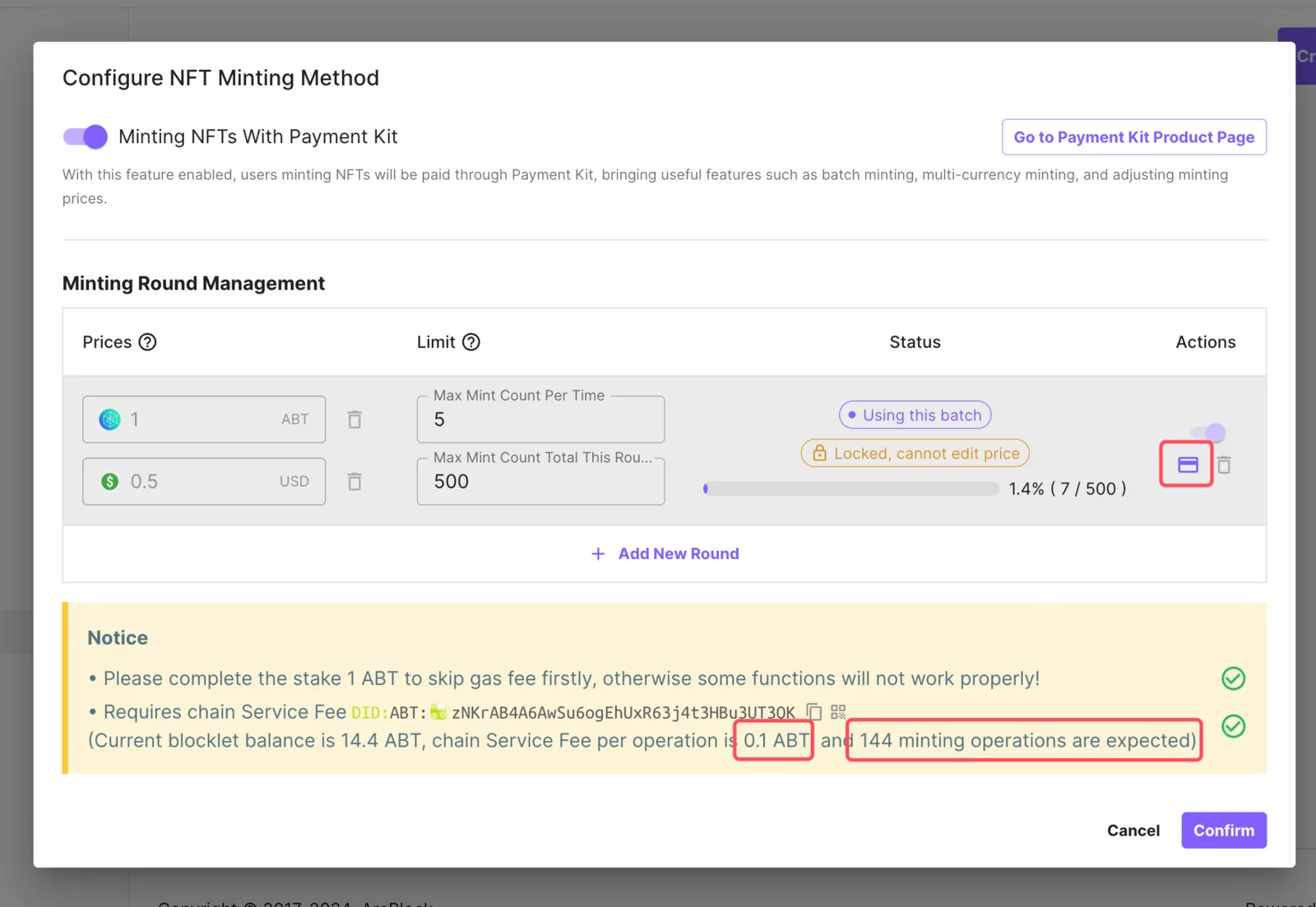
Unlike the previous acquire-asset minting method, the new minting method is completed through mint-asset, in order to prevent abuse of this feature, this feature requires payment of chain service fees.
In general, if the price of your NFT Collection is adjusted to be greater than 0.1 ABT, and no fiat (USD) payment is configured, you don't need to worry about this limit.
However, we still recommend that you recharge enough chain transaction fees based on the total minting amount of each batch to ensure the progress of the minting task
- Note: The recharge of the chain service fees is lossless and can be used at the disposal of the DID Wallet
How to close the new minting method
You can close the new way of minting at any time, just turn off the switch and save.
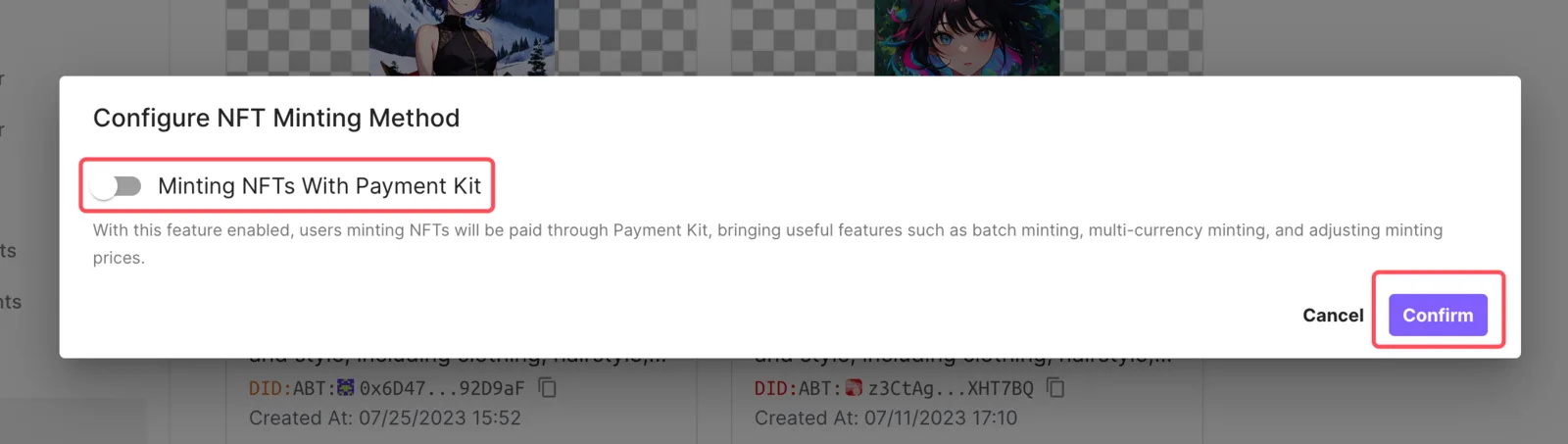
Of course, you can also open and make adjustments at any time
Why is my USD being deducted more when I mint NFTs with Stripe?
When you make a payment in USD, Stripe may perform a pre-authorization transaction (usually 1 USD). The purpose of this transaction is to verify the validity of your credit card and to ensure that your payment method works. This pre-authorization is not an actual chargeback and will usually be automatically refunded to your account within a few days.
If this pre-authorization payment is not returned immediately, rest assured that it will usually be automatically released within a few days and will not be debited from your account. If you find that this payment has not been returned after a few days, please reach out to your card issuer or Stripe!