Hear the Ledger: Composable AUP Explorer Blocks, Local Verification, and Transaction Sonification

Blockchain protocols have changed dramatically over fifteen years. Open a typical block explorer, however, and the interface still looks familiar from a decade ago.
Dense tables contain bewildering hexadecimal hashes such as 0x7f9a... or z3ef.... Understanding a single transaction can require jumping among five or six tabs. More troubling, in an industry built around trustless verification, users checking whether a transaction arrived commonly rely entirely on the explorer operator's centralized backend database.
If that cache is altered, poisoned, or out of sync, a green “Success” badge alone offers no cryptographic evidence.
The deployment model also breaks down as every ARC (Agentic Realm Computer) gains a Verifiable Ledger Core, enterprises operate sovereign ledgers, and agents maintain microledgers. Showing an on-chain receipt inside a chat, document, or accounting dashboard should not require deploying and maintaining an entire Etherscan-style website.
When designing @ocap/ledger-core/visualizer, we reconsidered three assumptions:
- Replace the monolithic website with declarative, composable AUP blocks. Explorer capabilities should be embeddable in application pages, technical articles, and agent views.
- Replace reliance on backend status fields with in-browser cryptographic verification (
🟢 Locally Verified). A display component can verify Ed25519 checkpoint signatures and RFC 6962 Merkle audit paths in browser memory. - Move beyond static hash tables. Readable hash representations, multihop provenance DAGs, and real-time sonification let users inspect asset movement visually and hear activity across the ledger.
1. Seven composable AUP blocks instead of one monolithic explorer
Traditional explorers are difficult to reuse because data fetching, transaction decoding, routing, and site layout are tightly coupled in one frontend application.
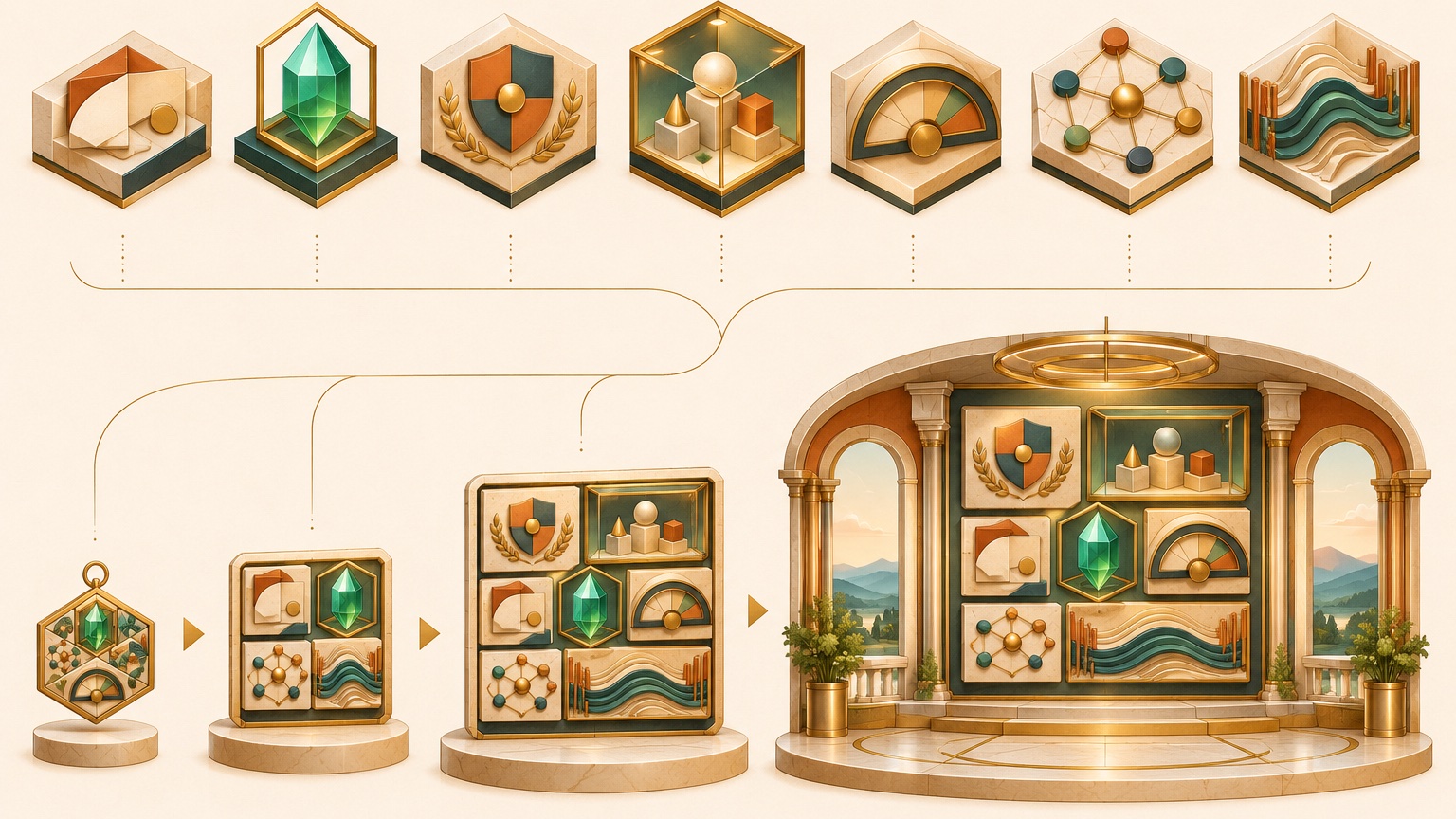
Under ArcBlock's AUP (Agentic UI Protocol), we separated the core explorer capabilities into seven declarative blocks in @ocap/ledger-core/visualizer, using schema ocap.aup.visualizer.v1. Four adaptive layout presets support different contexts: the inline compact-badge, standard card, detailed audit-drawer, and panoramic ambient-wall.
| AUP block | Responsibility and semantic presentation | Example uses |
|---|---|---|
1. TxSummaryBlock | Decodes a Deterministic CBOR transaction into a readable summary, such as “Alice paid a compute node 5 ABT through delegated sponsorship” | Chat messages and receipts embedded in invoices |
2. VerifyBadgeBlock | Locally verifies Merkle inclusion and checkpoint signatures; expands into a cryptographic audit tree | Verification indicators on transaction and credential cards |
3. AccountCardBlock | Shows DID identity information, passkey security level, five-module AccountGuard status, and balances | Profiles and AI agent monitoring panels |
4. AssetGalleryBlock | Renders standard NFTs, composable container assets, and the public/encrypted layers of EncryptedAssetEnvelope, with a local decryption entry point | Digital collections and software-license delivery pages |
5. StakePositionBlock | Visualizes the nine Stake-for-X modes, including ACTIVE, the REVOKING countdown, and quota-replenishment rates | Node operations and developer compute-quota dashboards |
6. FlowGraphBlock | Displays multihop asset flows, built-in AMM routes (PathPayment), and account-migration lineage as a DAG | Compliance audits and complex transaction analysis |
7. SonificationBlock | Drives a 60fps particle canvas and WebAudio synthesizer, mapping live transactions to a pentatonic soundscape | Operations rooms and real-time developer consoles |
Embedding an on-chain audit view in documentation or a business application becomes as straightforward as adding a Markdown code block. The explorer can appear where the ledger data is already being used.
2. Local cryptographic verification and private annotations
A traditional explorer's green “Verified” or “Success” icon may simply reflect a backend JSON field such as {"status": "ok"}. An altered API response or compromised cache can change that display without the frontend detecting it.
In VerifyBadgeBlock and the AUP explorer view, 🟢 Locally Verified is a conclusion computed by the browser itself.
Four steps of in-place verifyTxInclusion
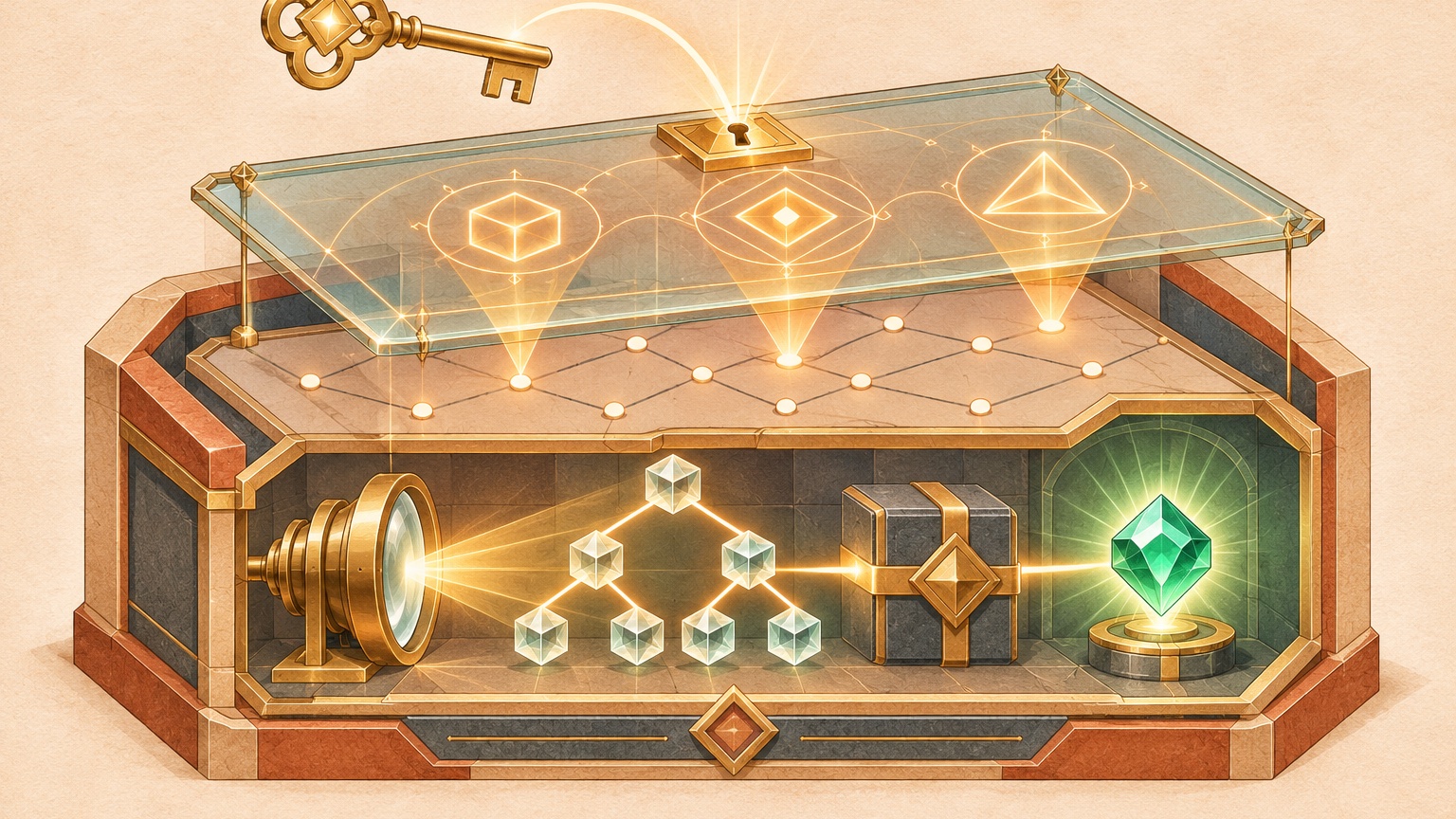
When an AUP block renders a transaction or account state, its lightweight verification routine performs four checks in a browser Web Worker or in-memory sandbox:
- Bind the display to the raw CBOR bytes. Recompute SHA-256 over
txRaw, the original Deterministic CBOR bytes, and confirm that it matches the displayedtxHash. Verify the sender's Ed25519, secp256k1, or P-256 passkey signature. - Recompute the RFC 6962 Merkle audit path. Hash upward through the sibling nodes in
merkleProof, checking that the resulting root equals the checkpoint'stxRootHash. - Verify the SMT state-root commitment. Check that the post-execution account or asset leaf proof matches
stateRootHash. - Verify the checkpoint signature. Use the locally pinned ledger public key, or the HotStuff-Lite committee aggregate public key, to verify the checkpoint header's digital signature.
Only after all four checks pass does the UI display 🟢 Locally Verified. Clicking it opens the audit-drawer, where users can inspect each Merkle branch and hash comparison. If a backend or cache alters a transaction amount, the modified bytes will fail local verification against the signed commitment.
A private annotation overlay: your own on-chain address book
Verification answers whether the data is authentic. Readability is another problem: addresses such as did:abt:z1nYow... are difficult to recognize. Public address-label services can require users to disclose business relationships to a centralized platform.
In Turning the DID Wallet into an Isomorphic Verifiable Ledger Light Node, we introduced the wallet's isomorphic microledger and encrypted ArcSpace synchronization. In the AUP explorer, this supports a private annotation overlay (ocap.annotation.v1 Private Overlay):
- When you connect with your DID, the browser uses your derived key to decrypt the encrypted annotation ledger from your personal
ArcSpacein local memory. - Addresses such as
did:abt:z1..., transaction hashes, and contract nodes acquire your private labels in the local DOM: “R&D AI compute account,” “November server-provider settlement,” or yourPersonalSecuritySeal. - The overlay exists in your browser's view. The public explorer server continues to work with public-key hashes, while you see a clearly labeled personal ledger with historical notes.
3. See the path and hear the activity
A transaction card shows one slice of a ledger. Architects, security auditors, and collaborating agent fleets also need to understand how activity moves through time and across accounts.
The AUP observability view combines multihop provenance DAGs with a deterministic WebAudio sonification engine.
FlowGraphBlock: bounded breadth-first provenance tracing
Tracing funds or an NFT in a conventional explorer can require opening a dozen pages and drawing the relationships manually.
FlowGraphBlock performs a bounded breadth-first search (Bounded BFS) around a selected anchor and renders the resulting transaction relationships as an interactive provenance DAG:
- It recognizes and colors five classes of primitive edges: transfers (
transfer_v3), atomic exchanges and multihop routes (exchange_v2/PathPayment), asset creation (mint_asset), the nine staking modes (stake), and post-quantum account migration (account_migrate). - When an account migrates to lattice-based cryptography (ML-DSA-65) or another key,
AccountMigrationLineageconnects its earlier and later transaction history, preserving audit continuity across the migration.
Why put a WebAudio synthesizer in a block explorer?
Engineers monitoring large systems and high-energy physics experiments have long used sound to complement visual displays. Vision focuses on a limited part of a screen; hearing can track background rhythms and changes without requiring continuous visual attention.
An experienced mechanic can hear an uneven engine. A ledger carrying continuous micropayments and state anchors from hundreds or thousands of agents can also expose useful patterns through sound.
SonificationBlock in @ocap/ledger-core/visualizer uses no prerecorded samples. A deterministic pentatonic synthesizer built on the browser's native WebAudio API works alongside a 60fps Canvas particle display, mapping transaction attributes to acoustic dimensions:
| Ledger attribute | WebAudio mapping | Audible effect |
|---|---|---|
Transaction primitive (tx.type) | Oscillator waveform and envelope timbre | Transfers use crisp triangle-wave plucks; stakes use warm sine tones with harmonics; asset creation uses bell-like FM tones |
Amount magnitude (log10(amount)) | Pitch across octaves of the major pentatonic scale, C-D-E-G-A | Small micropayments become light, high-register droplets; large settlements become low, resonant cello-like tones |
| Execution time and gas efficiency | Stereo pan and filter cutoff | Efficient immediate confirmations sound bright and centered; complex multisignature activity or delayed queues produce longer spatial tails |
| Checkpoint finality | Harmonic chord resonance | Each signed incremental Merkle checkpoint triggers a warm chord, marking the ledger's steady pulse |
The pentatonic scale avoids semitone clashes, while DynamicsCompressorNode controls dynamic range. Even when hundreds of transactions arrive per second, the mapping is designed to retain an intelligible ambient soundscape. A developer can keep the observability wall running in the background and use changes in density and timbre as cues to inspect ledger load or unusual activity.

Making verifiable computation perceptible
Across this eight-part series, we have traced the ArcBlock Verifiable Ledger architecture from its microkernel to its user-facing interaction layer:
- A roughly 100 KB Verifiable Ledger Core gives individual applications, sovereign ledgers, and public chains among independent participants a shared architecture across three concentric layers.
- An isomorphic light-node DID wallet uses local preflight execution and proof-backed dual confirmation to address blind signing and reliance on RPC responses.
- Verifiable single sequencing and single-round, star-topology HotStuff-Lite separate throughput from the ability to verify execution independently.
- Native hardware passkeys, a four-state inbox, and five-module
AccountGuardestablish account-security boundaries for people and agents. - Verifiable envelopes,
O(1)bitmap revocation, and two-layer encrypted NFTs combine publicly verifiable commitments with private payloads, with envelope unification still under design. - Removing
blockHeightand Protobuf enables100% Instant Settle, Deterministic CBOR, and serverless edge deployment. y = 0delegated sponsorship, nineStake-for-Xmodes, and a two-stageTokenFactory/ AMM bring common locking and settlement operations into the protocol.- Composable AUP blocks, local browser verification, and WebAudio sonification make that machinery embeddable, inspectable, and audible.
A blockchain interface should not require readers to decipher an endless table of hashes or trust an unexplained status badge. Verification becomes useful when it accompanies the receipt, credential, agent action, or view that people already use. The explorer's job is to bring that evidence into reach, and make the ledger's activity understandable.