The Website service provides a centralized control panel for administrators to manage all aspects of a site's public-facing presentation. This includes configuring custom domains, customizing branding elements like logos and metadata, defining visual themes with specific color palettes and typography, and structuring the site's navigation menus. By consolidating these settings, the service simplifies the process of creating a consistent and professional user experience that aligns with your brand identity.
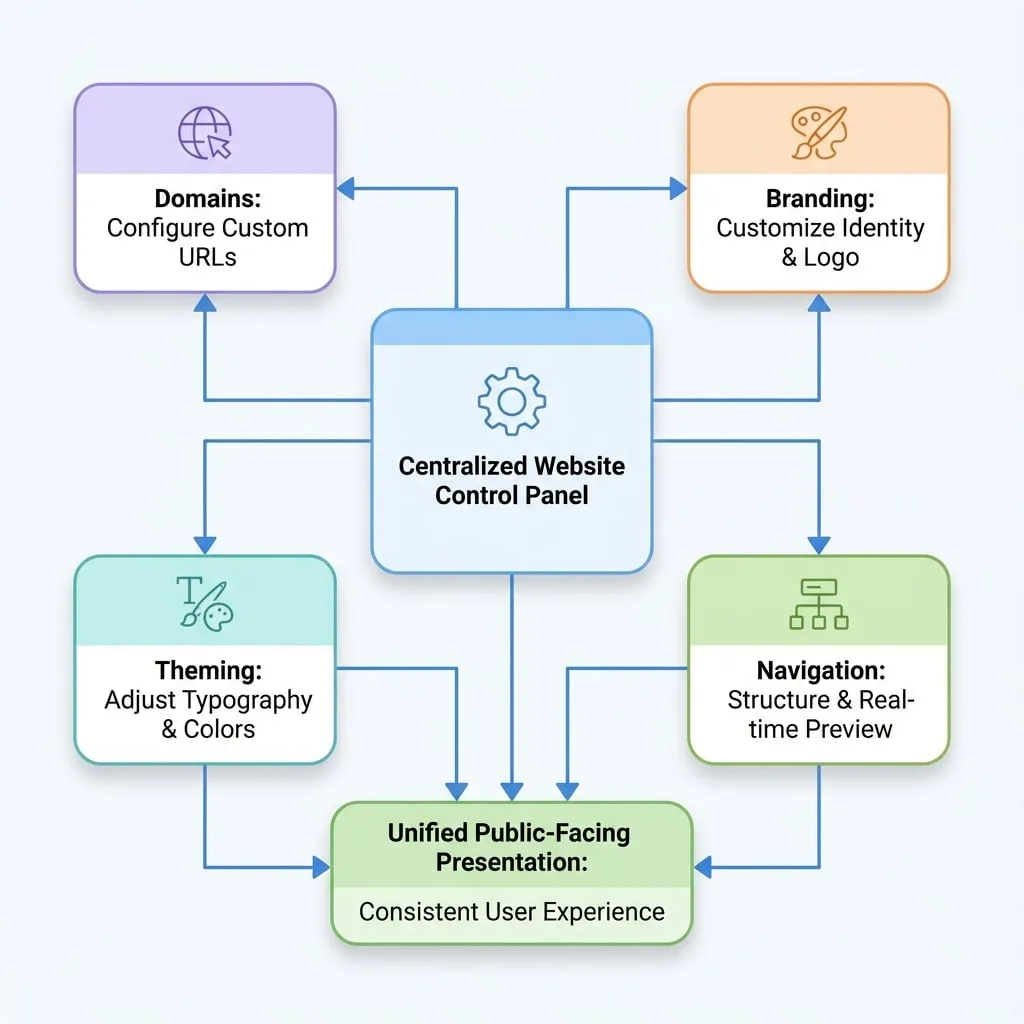
The Website service is organized into four main areas, each dedicated to a specific aspect of your site's appearance and accessibility. For detailed instructions on each area, please refer to the corresponding sub-document.
Domains
Configure custom domains, manage URL mapping, and set up routing rules to ensure users can access your services through a professional web address.
Branding
Customize your application's title, description, logo, and OpenGraph metadata to establish a strong brand identity.
Theming
Adjust typography and color schemes to create a consistent and visually appealing design that matches your brand's aesthetic.
Navigation
Configure the primary and footer navigation menus for your site, using a real-time live preview to test and verify changes instantly.
Summary
Effectively managing your website's presentation is crucial for building trust and engaging users. The tools within this section allow you to control every aspect of your site's appearance, from its domain and branding to its visual theme and navigation structure.
For more detailed guides on each function, please proceed to the relevant sections: