Effective management of upstream AI providers is crucial for maintaining a reliable and cost-efficient AI gateway. AIGNE Hub centralizes this process, offering a unified interface to connect, configure, and manage credentials for various AI services. This section details the procedures for handling provider settings, credentials, and model rates.
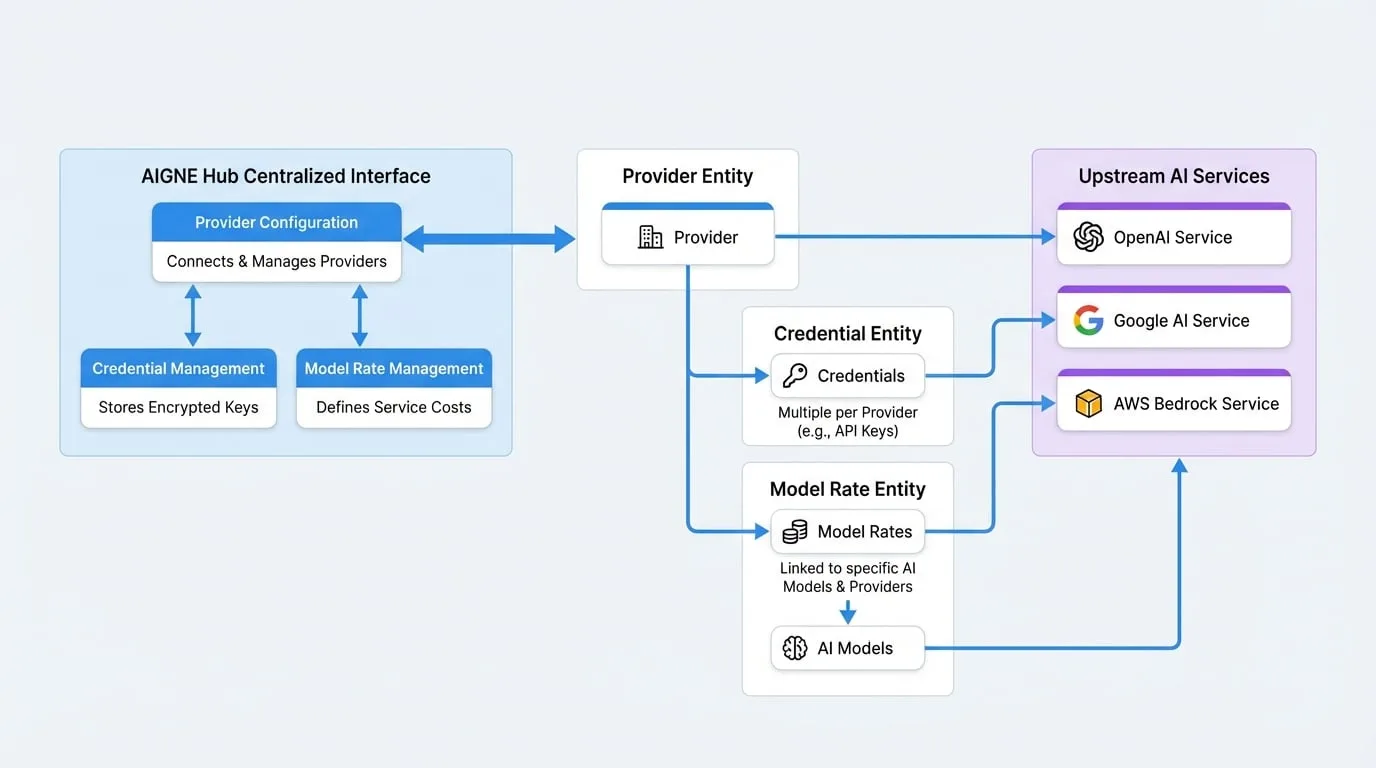
The following diagram illustrates how Providers, Credentials, and Model Rates are interconnected within AIGNE Hub:
Provider Configuration
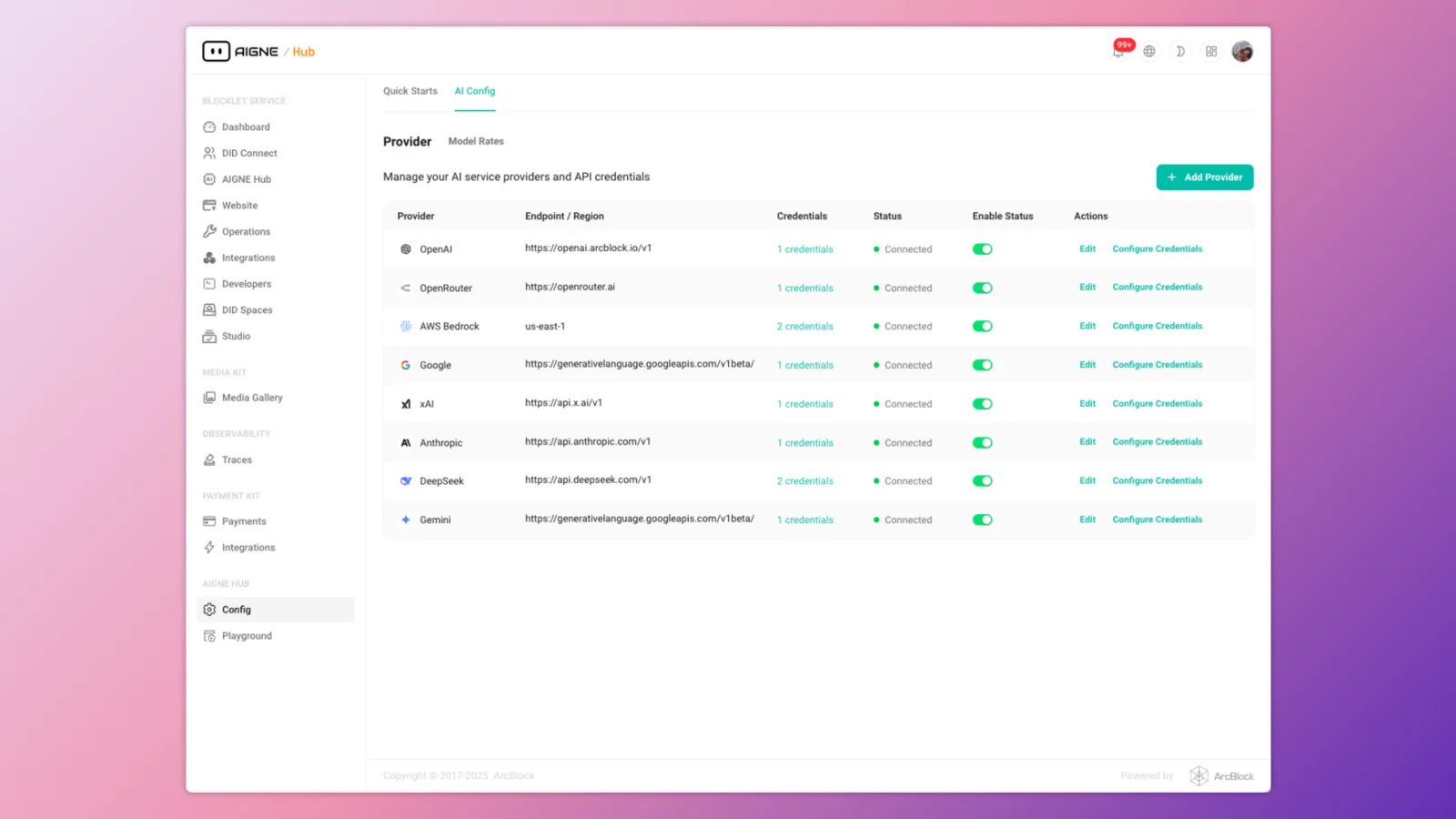
Providers are the foundational elements that connect AIGNE Hub to upstream AI services like OpenAI, Google, and AWS Bedrock. Proper configuration ensures that the hub can route requests to the appropriate service.
Add a Provider
To integrate a new AI service, you must add it as a provider. Each provider requires a unique name, a display name for the UI, and service-specific details like a baseUrl or region.
Request Body
- name
string(required) — The official name of the provider. Must be one of the supported provider values (e.g., openai, google, bedrock). - displayName
string(required) — A user-friendly name for the provider that will be displayed in the UI. - baseUrl
string— The base URL for the provider's API endpoint. This is required for most providers but is optional for AWS Bedrock. - region
string— The AWS region for the Bedrock service. This is required only for the bedrock provider. - enabled
boolean(default:true) — Enables or disables the provider. A disabled provider will not be used for routing requests.
Update a Provider
You can modify an existing provider's configuration, such as its baseUrl, region, or enabled status.
Request Body
- baseUrl
string— The updated base URL for the provider's API endpoint. - region
string— The updated AWS region for the Bedrock service. - enabled
boolean— The new status for the provider.
List and Delete Providers
You can retrieve a list of all configured providers or delete a specific provider by its ID. Deleting a provider will also remove all associated credentials and model rates.
Credential Management
Credentials are used to authenticate with the upstream AI providers. AIGNE Hub encrypts and securely stores these credentials, associating them with a specific provider. Each provider can have multiple credentials, which allows for key rotation and load balancing.
Add a Credential
When adding a credential, you must specify its type and value. AIGNE Hub automatically validates the credential against the provider's service to ensure it is active.
Request Body
- name
string(required) — A descriptive name for the credential (e.g., "Team A API Key"). - credentialType
string(default:api_key) — The type of credential. Supported values are api_key and access_key_pair. - value
string or object(required) — The credential value. For api_key, this is a string. For access_key_pair, this is an object containing access_key_id and secret_access_key.
Credential Validation
AIGNE Hub includes an endpoint to check the validity of a stored credential. This action triggers a test connection to the provider using the specified credential to confirm it is active and has the necessary permissions.
Update and Delete Credentials
Existing credentials can be updated with new values or deleted. When a credential is deleted, it is permanently removed from the system and can no longer be used for requests.
Model Rate Management
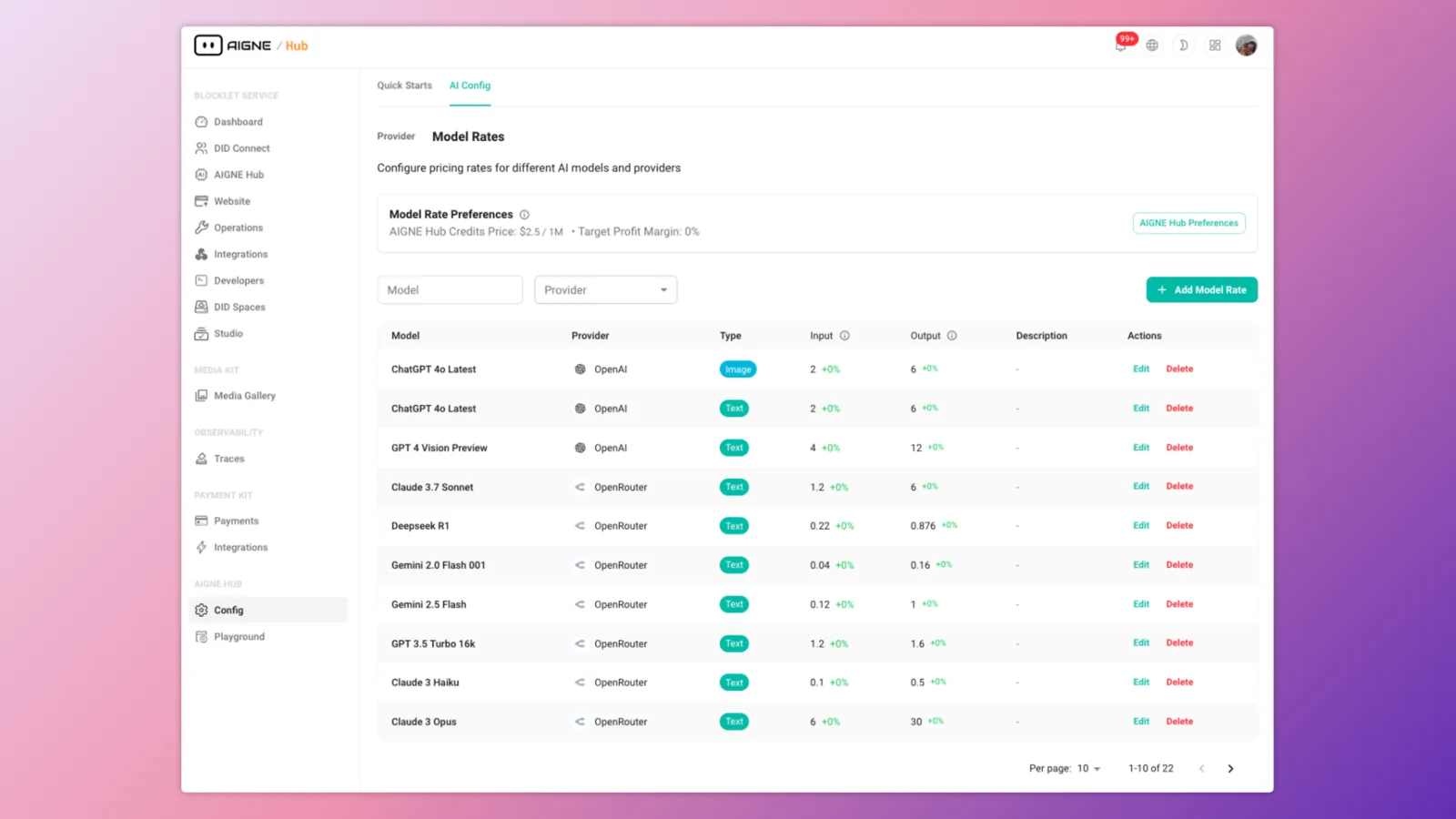
Model rates define the cost of using specific AI models in AIGNE Hub credits. These rates are essential for systems operating in Service Provider Mode where usage is billed based on credits.
Add a Model Rate
You can define rates for any model supported by a configured provider. This includes setting separate credit costs for input and output tokens (for text models) or per image/video (for generation models).
Request Body
- model
string(required) — The identifier for the model (e.g., gpt-4o-mini). - type
string(required) — The type of service. Supported values are chatCompletion, imageGeneration, embedding, and video. - providers
array(required) — An array of provider IDs to which this model rate applies. This allows a single model to be offered by multiple providers. - inputRate
number(required) — The cost in credits for input (e.g., per 1,000 tokens). - outputRate
number(required) — The cost in credits for output (e.g., per 1,000 tokens). - unitCosts
object— The actual cost from the provider in USD per million units (tokens/images). Used for automatic rate calculation based on profit margins.- input
number(required) — The input cost per million units. - output
number(required) — The output cost per million units.
- input
- modelMetadata
object— Additional metadata about the model's capabilities.- maxTokens
number— The maximum context window size. - features
array— An array of supported features, such astoolsorvision.
- maxTokens
Bulk Update Model Rates
To simplify pricing adjustments, AIGNE Hub supports bulk updates of model rates based on a defined profit margin and credit price. The system automatically recalculates the inputRate and outputRate for all models that have unitCosts defined.
The calculation is as follows: New Rate = (Unit Cost * (1 + Profit Margin / 100)) / Credit Price
Request Body
- profitMargin
number(required) — The desired profit margin as a percentage (e.g., 20 for 20%). - creditPrice
number(required) — The price of a single credit in USD.
Update and Delete Model Rates
Individual model rates can be modified or removed. If a model rate is deleted, the corresponding model will no longer be available for users if credit-based billing is enabled.
Summary
This section covered the core functionalities for managing AI providers, credentials, and model rates within AIGNE Hub. Proper configuration of these resources is essential for the security, reliability, and financial management of your AI services.
For more information on related topics, refer to the following sections:
Service Provider Mode
Learn how to configure credit-based billing and custom pricing models.
Security and Access Control
Understand the security architecture, including encrypted storage and access controls.