aigne run
The aigne run command is the primary way to execute an AIGNE agent. It can run agents from a local project directory or directly from a remote URL. It offers a flexible set of options for providing input, configuring the AI model, and handling output, including an interactive chat mode for conversational agents.
Usage#
Basic Syntax
aigne run [path] [agent_name] [options]Arguments#
[path](Optional): The path to the AIGNE project directory or a remote URL (e.g., a Git repository). If omitted, it defaults to the current directory (.).[agent_name](Optional): The specific agent to run from the project. If not specified, the CLI will use theentry-agentor the defaultchatagent defined inaigne.yaml, falling back to the first agent listed.
How It Works#
The run command first loads the AIGNE application. If a remote URL is provided, it downloads and caches the project locally before proceeding. It then parses the command-line arguments and executes the specified agent with the given inputs and model configurations.
Remote Execution Flow
direction: down

User: {
  shape: c4-person
}

CLI: {
  label: "@aigne/cli"

  Download: {
    label: "Download Package"
  }

  Extract: {
    label: "Extract Package"
  }

  Load: {
    label: "Load Application"
  }

  Execute: {
    label: "Execute Agent"
  }
}
See all 25 lines
Examples#
Running a Local Agent#
Execute an agent from a project on your local filesystem.
Run from current directory
# Run the default agent in the current directory
aigne run
Run a specific agent
# Run the 'translator' agent located in a specific project path
aigne run path/to/my-project translator
Running a Remote Agent#
You can run an agent directly from a Git repository or a tarball URL. The CLI handles downloading and caching the project in your home directory (~/.aigne).
Run from a GitHub repository
aigne run https://github.com/AIGNE-io/aigne-framework/tree/main/examples/defaultRunning in Interactive Chat Mode#
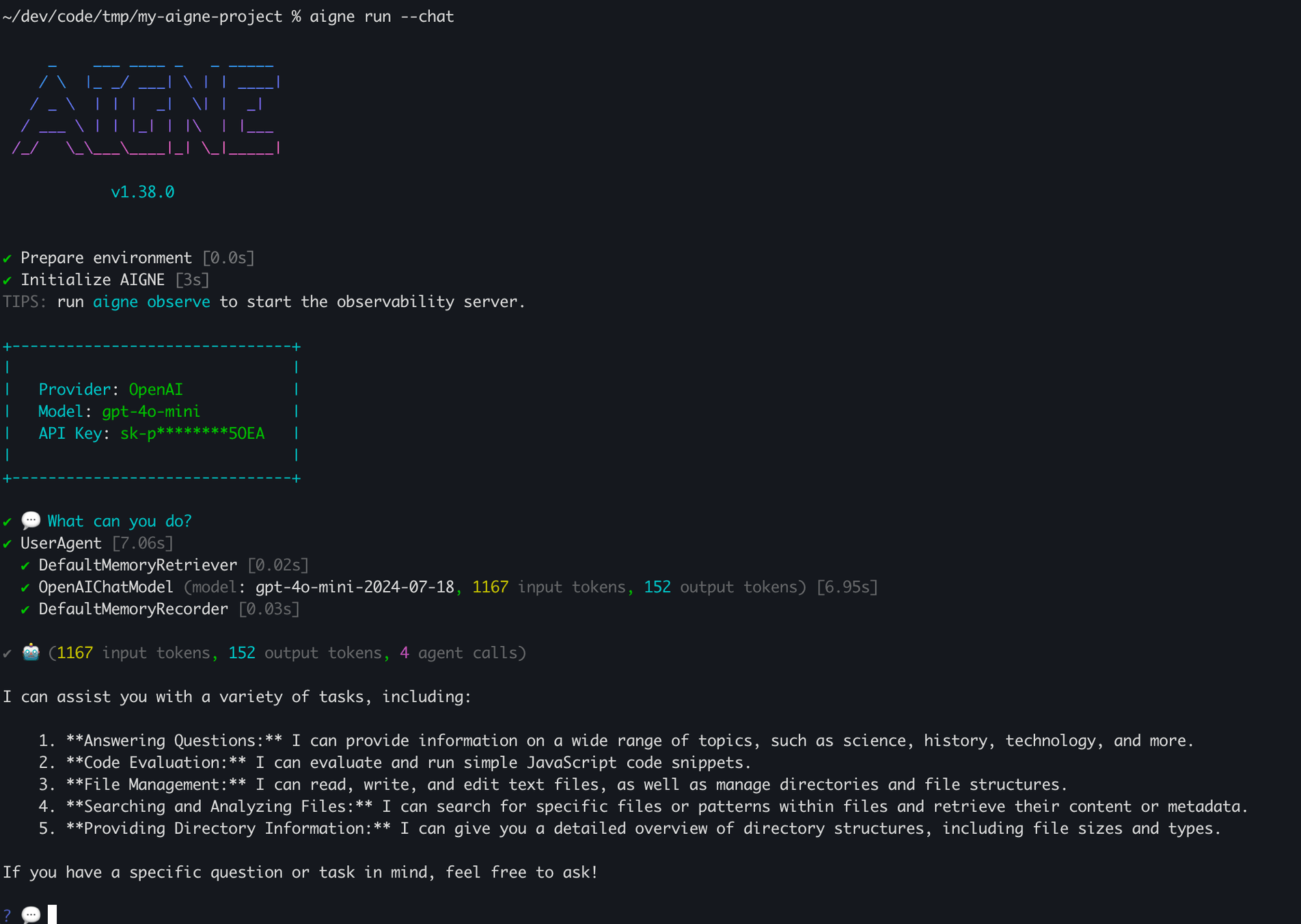
For conversational agents, use the --interactive flag to start an interactive terminal session.
Start a chat session
aigne run --interactiveInside the chat loop, you can use commands like /exit to quit and /help for assistance. You can also attach local files to your message by prefixing the path with @.
💬 Tell me about this file: @/path/to/my-document.pdfProviding Input to Agents#
There are multiple ways to provide input to your agents, depending on their defined input schema in aigne.yaml.
As Command-Line Options#
If an agent's input schema defines specific parameters (e.g., text, targetLanguage), you can pass them as command-line options.
Pass agent-specific parameters
# Assuming 'translator' agent has 'text' and 'targetLanguage' inputs
aigne run translator --text "Hello, world!" --targetLanguage "Spanish"
From Standard Input (stdin)#
You can pipe content directly to the run command. This is useful for chaining commands.
Pipe input to an agent
echo "Summarize this important update." | aigne run summarizerFrom Files#
Use the @ prefix to read content from a file and pass it as input.
--input @<file>: Reads the entire file content as the primary input.--<param> @<file>: Reads file content for a specific agent parameter.
Read input from a file
# Use content of document.txt as the main input
aigne run summarizer --input @document.txt

# Provide structured JSON input for multiple parameters
aigne run translator --input @request-data.json --format json
Multimedia File Inputs#
For agents that process files like images or documents (e.g., vision models), use the --input-file option.
Attach a file for a vision agent
aigne run image-describer --input-file cat.png --input "What is in this image?"Options Reference#
General Options#
Option | Description |
|---|---|
| Run the agent in an interactive chat loop in the terminal. |
| Set the logging level. Available levels: |
Model Options#
These options allow you to override the model configurations defined in aigne.yaml.
Option | Description |
|---|---|
| Specify the AI model to use (e.g., 'openai' or 'openai:gpt-4o-mini'). |
| Model temperature (0.0-2.0). Higher values increase randomness. |
| Model top-p / nucleus sampling (0.0-1.0). Controls response diversity. |
| Presence penalty (-2.0 to 2.0). Penalizes repeating tokens. |
| Frequency penalty (-2.0 to 2.0). Penalizes frequent tokens. |
| Custom AIGNE Hub service URL for fetching remote models or agents. |
Input & Output Options#
Option | Alias | Description |
|---|---|---|
|
| Input to the agent. Can be specified multiple times. Use |
| Path to an input file for the agent (e.g., for vision models). Can be specified multiple times. | |
| Input format when using | |
|
| Path to a file to save the result. Defaults to printing to standard output. |
| The key in the agent's result object to save to the output file. Defaults to | |
| Overwrite the output file if it already exists. Creates parent directories if they don't exist. |