aigne observe
The aigne observe command launches a local web server for monitoring and analyzing agent execution data. It provides a user-friendly interface to inspect traces, view detailed call information, and understand your agents' behavior during runs. This tool is essential for debugging, performance tuning, and gaining deep insights into how your agents process information and interact with various tools and models.
Usage#
To start the observability server, run the following command in your terminal:
Usage
aigne observe [options]Upon starting, the CLI will print the server URL and the path to the local observability database.
How It Works#
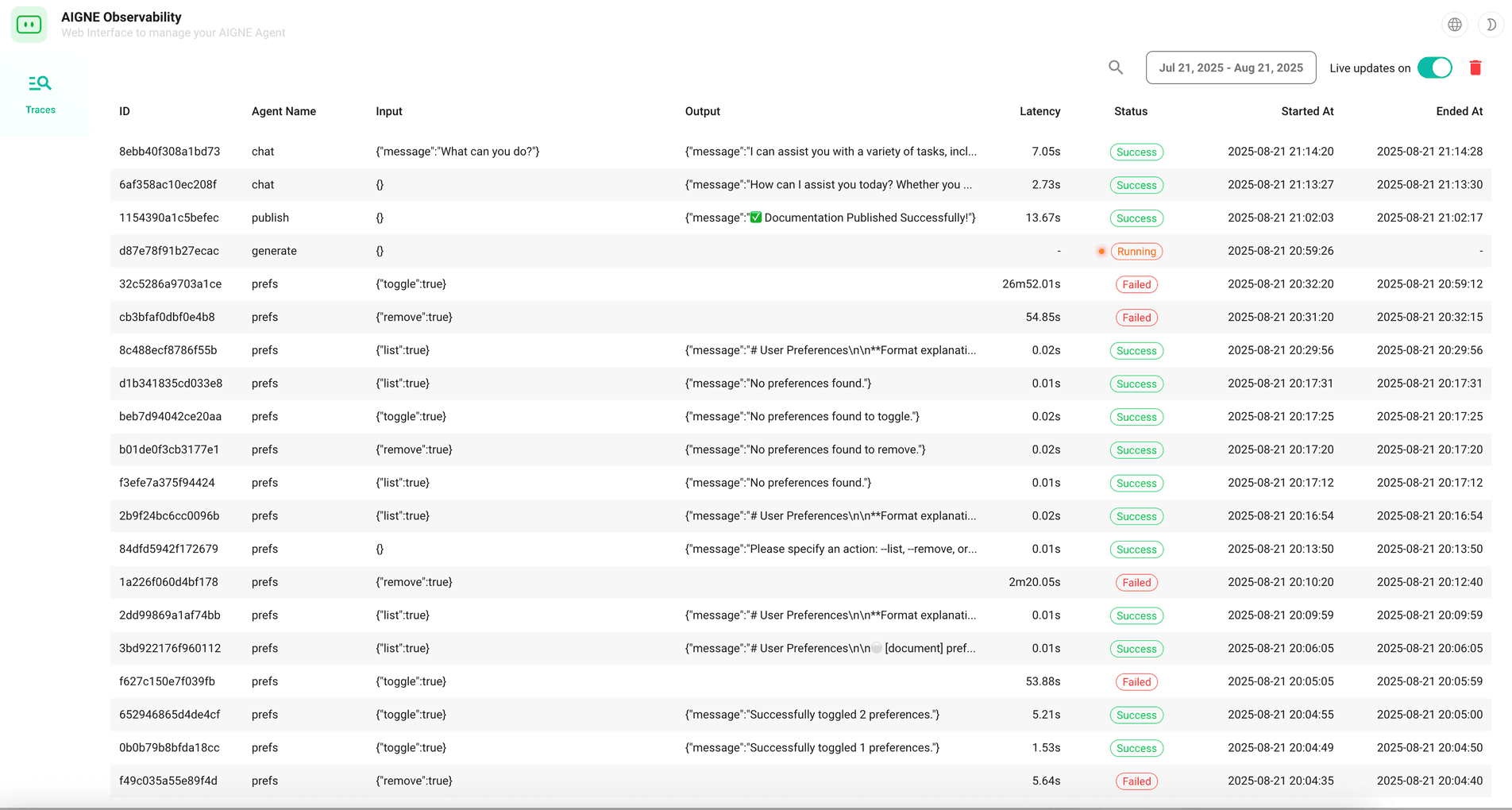
The observe command starts a web application that reads from a local SQLite database where AIGNE stores all execution traces. Each time you run an agent (using aigne run or aigne serve-mcp), the framework automatically records detailed logs of the execution flow. These logs then become available for inspection in the observability UI.
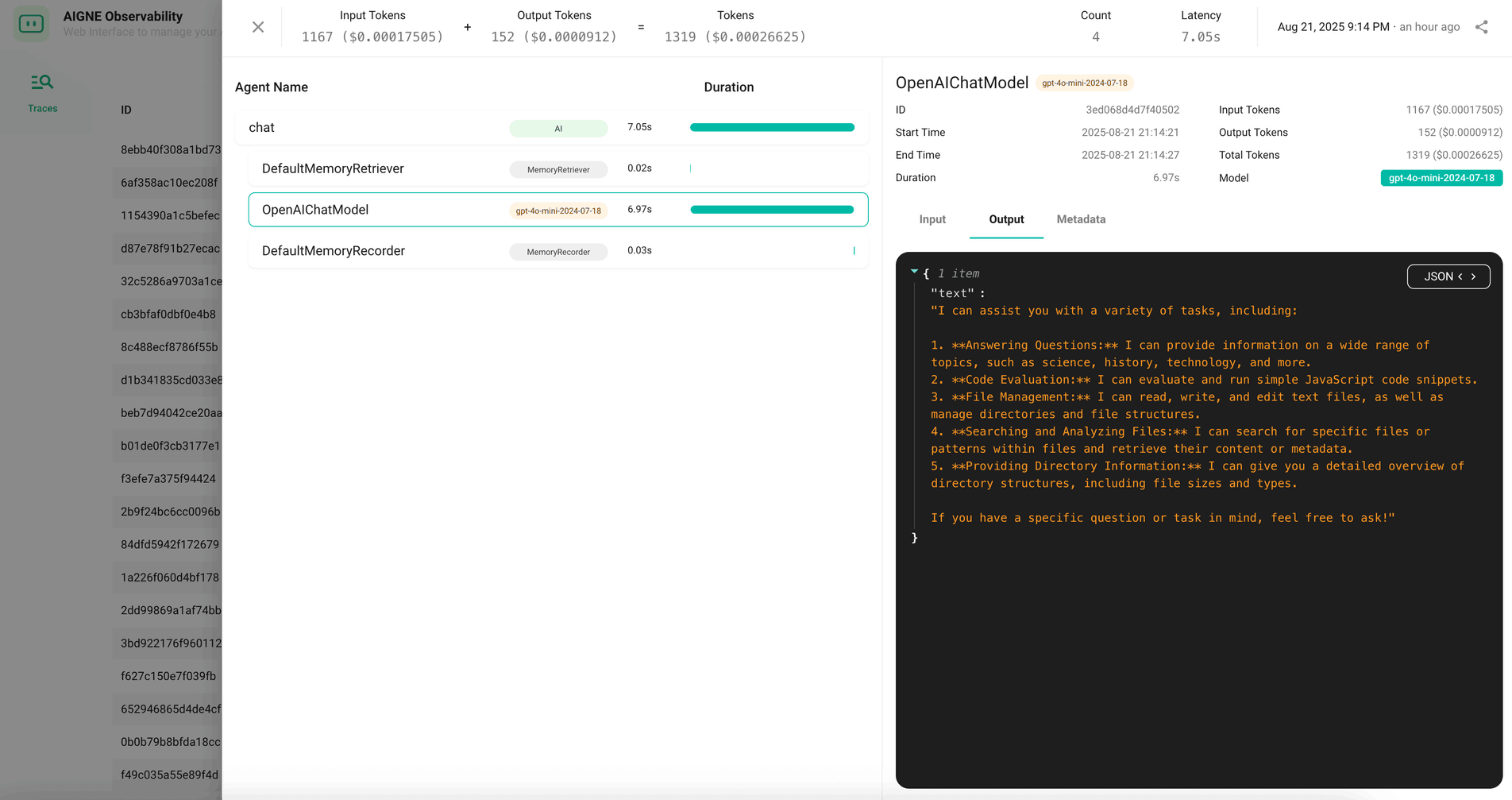
The UI allows you to browse a list of all recorded traces and drill down into specific ones to see a step-by-step breakdown of the agent's operations, including inputs, outputs, tool calls, and model responses.
Options#
Examples#
Start the server on the default port#
Running the command without any options starts the server with the default settings.
Start with default settings
aigne observeExpected Output:
Console Output
Observability database path: /path/to/your/project/.aigne/observability.db
Observability server is running at http://localhost:7890
You can then open http://localhost:7890 in your web browser to access the UI.
Start the server on a specific port#
Use the --port option to specify a different port.
Start on a custom port
aigne observe --port 8080This will start the server on http://localhost:8080 (or the next available port if 8080 is in use).
Expose the server to your local network#
To allow other devices on your network to access the observability UI, set the host to 0.0.0.0.
Expose the server publicly
aigne observe --host 0.0.0.0The server will then be accessible via http://<your-local-ip>:7890.